SoundFonts

SoundFonts

ダウンロード: App Store
ロゴ: SoundFonts

SoundFonts: 無制限のサウンドデザインのためのプロフェッショナルAUv3サンプラー

iOSデバイスをパワフルなポリフォニックシンセサイザーに変えましょう。SF2ファイルをインポートし、MIDIコントローラーを接続し、GarageBand、Logic、またはAUMとシームレスに統合します。

ダウンロード: App Store

開発元

Brad Howes

カテゴリ

Entertainment

ダウンロード

30K+

ユーザー評価

4.4/5

評価数

200

対応言語

1

スタジオ対応インターフェース

このインターフェースを利用する 30K+ 人のユーザー.

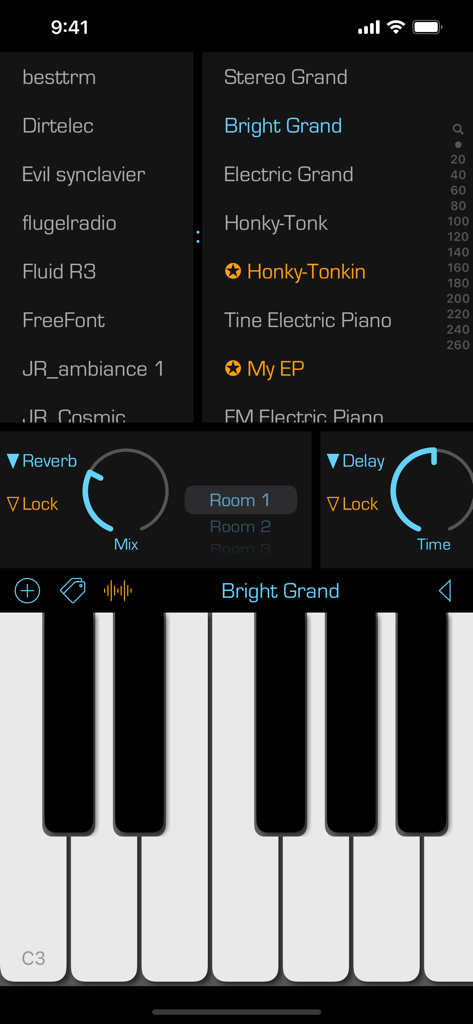
SoundFonts iOSアプリインターフェース、ピアノキーボードのサウンドパッチとオーディオエフェクトコントロールを表示
SoundFonts iOSアプリインターフェース、ピアノキーボードのサウンドパッチとオーディオエフェクトコントロールを表示

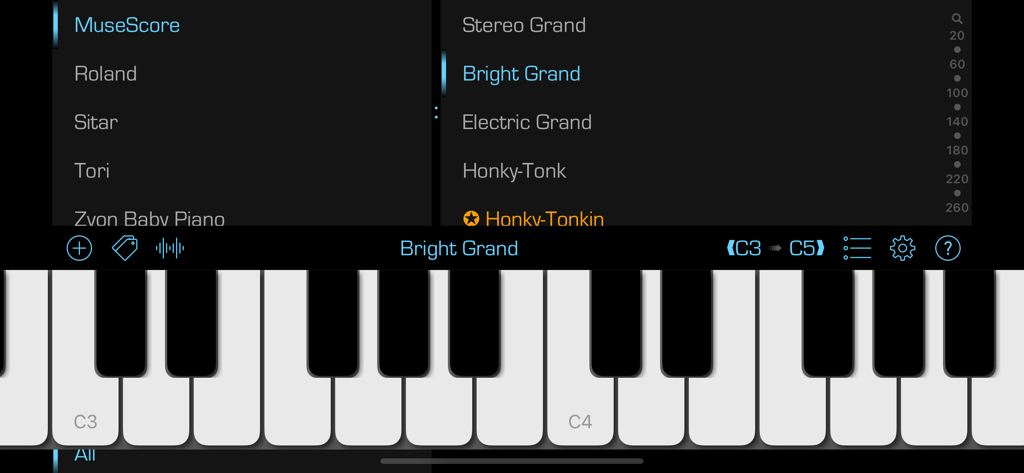
SoundFontsアプリインターフェース、仮想ピアノキーボードとさまざまな楽器およびパッチのサウンド選択メニューを表示
SoundFontsアプリインターフェース、仮想ピアノキーボードとさまざまな楽器およびパッチのサウンド選択メニューを表示

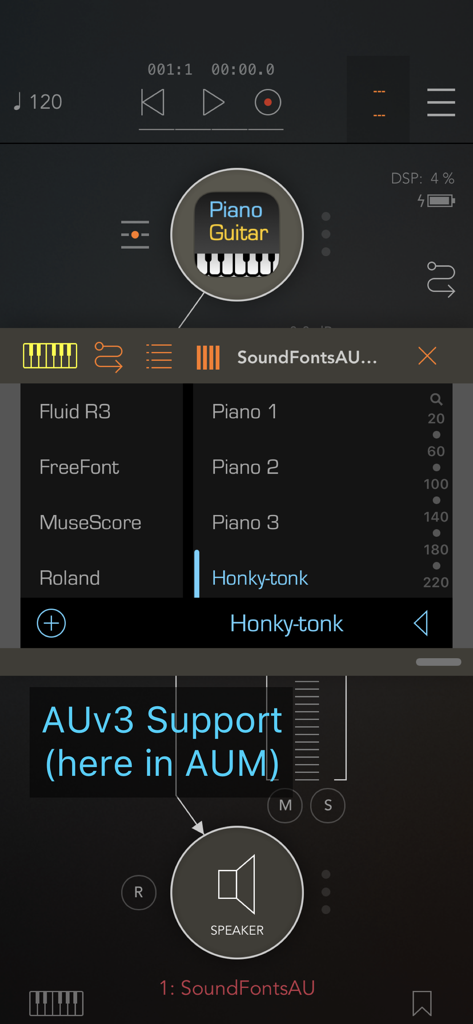
AUM内で実行中のSoundFonts AUv3プラグインインターフェース、ホンキートンクパッチを選択
AUM内で実行中のSoundFonts AUv3プラグインインターフェース、ホンキートンクパッチを選択

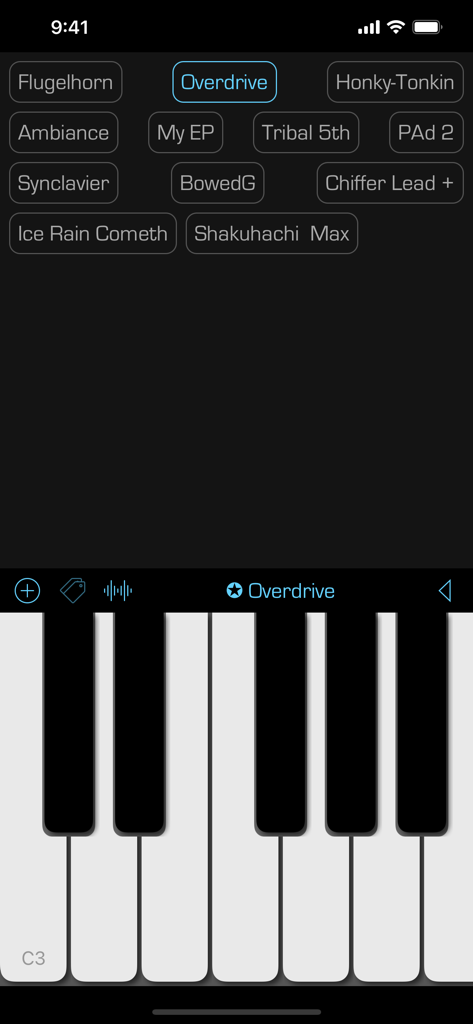
SoundFontsモバイルアプリインターフェース、仮想ピアノキーボードとサウンドプリセットのグリッドを表示
SoundFontsモバイルアプリインターフェース、仮想ピアノキーボードとサウンドプリセットのグリッドを表示

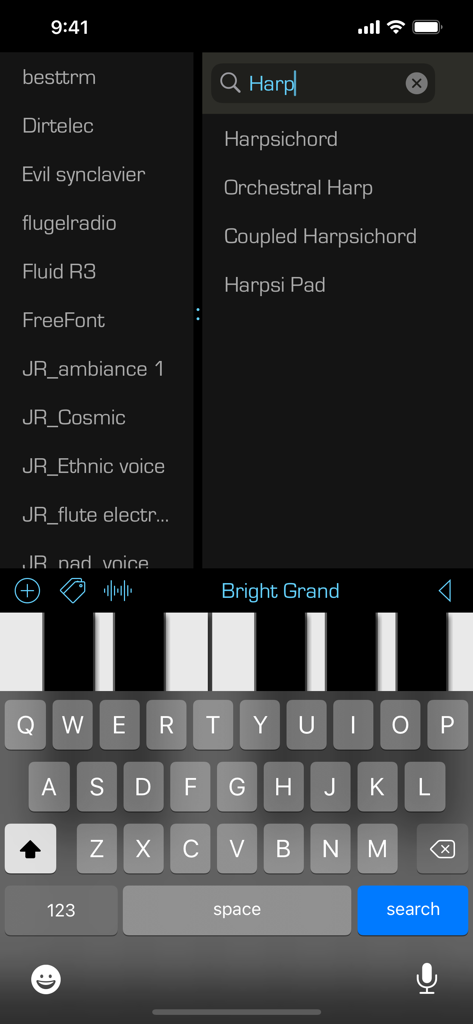
SoundFontsアプリインターフェース、ハープ楽器パッチの検索と仮想ピアノキーボードを表示
SoundFontsアプリインターフェース、ハープ楽器パッチの検索と仮想ピアノキーボードを表示

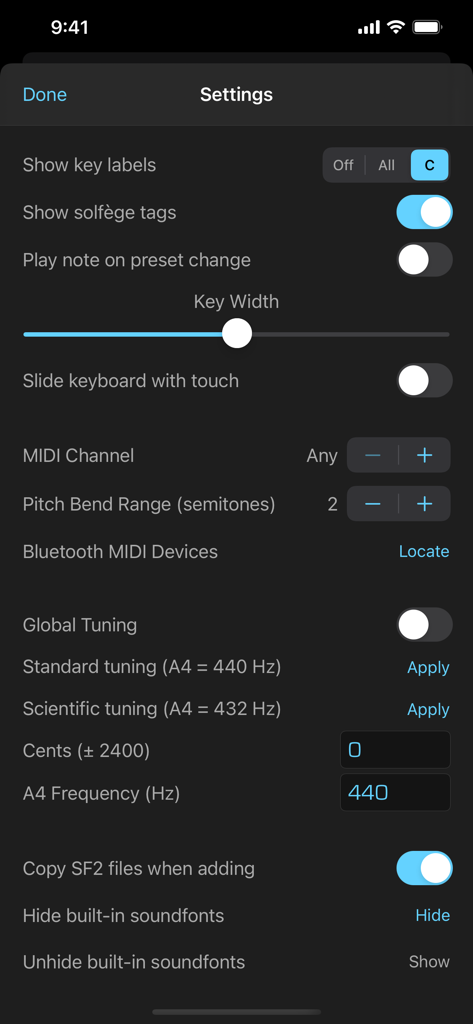
SoundFontsアプリの設定画面、MIDIとグローバルチューニング構成オプションを表示
SoundFontsアプリの設定画面、MIDIとグローバルチューニング構成オプションを表示

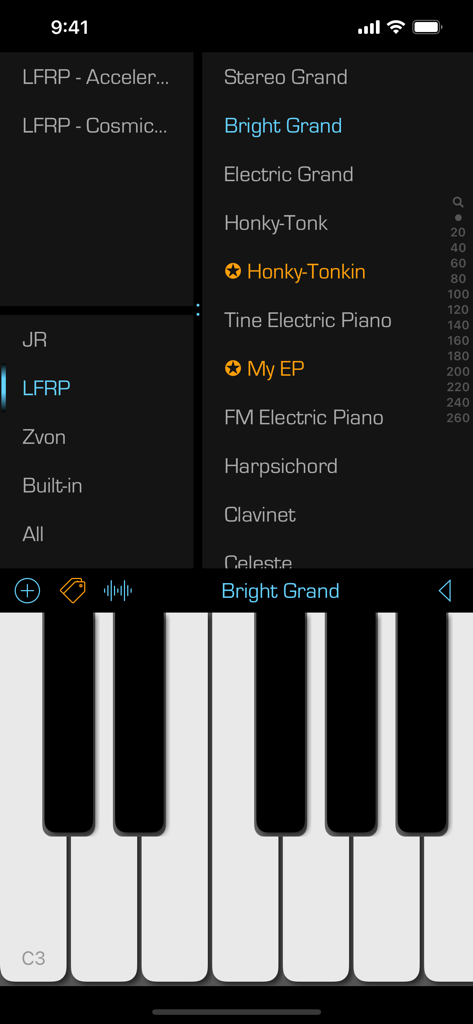
SoundFontsモバイルアプリのインターフェース、楽器パッチのリストとピアノキーボードを表示
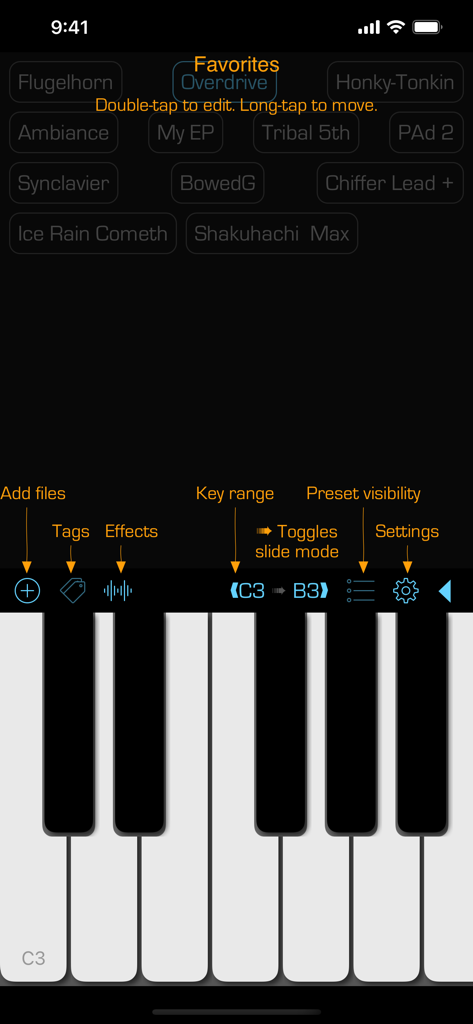
SoundFontsモバイルアプリのインターフェース、楽器パッチのリストとピアノキーボードを表示

SoundFontsアプリのユーザーインターフェース、ピアノキーボードとフェイバリットサウンドプリセットのリストを表示
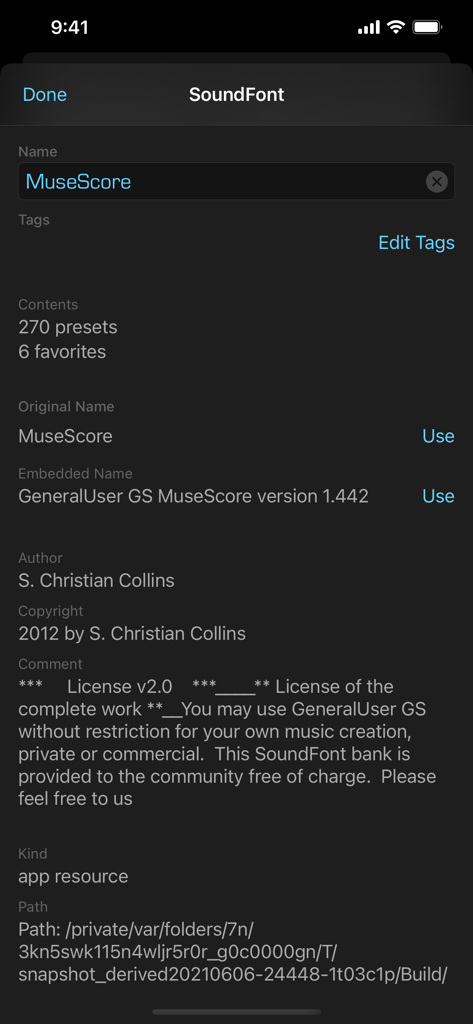
SoundFontsアプリのユーザーインターフェース、ピアノキーボードとフェイバリットサウンドプリセットのリストを表示

SoundFontsアプリのインターフェース、MuseScoreという名前のサウンドフォントの詳細メタデータとライセンス情報表示
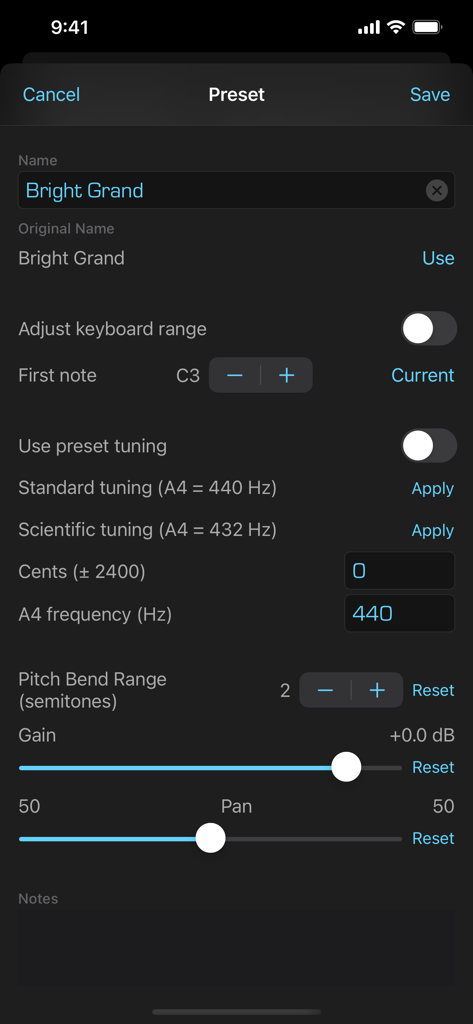
SoundFontsアプリのインターフェース、MuseScoreという名前のサウンドフォントの詳細メタデータとライセンス情報表示

チューニングとレンジコントロールを備えたサウンドフォントプリセット編集用のインターフェース

チューニングとレンジコントロールを備えたサウンドフォントプリセット編集用のインターフェース

モバイルスタジオのための究極のサウンドモジュール

このアプリを際立たせるツール、 30K+ 人のユーザーが選択.

☁️

無制限のサウンドライブラリ

iCloudから直接SF2ファイルをインポート。高価な拡張パックに支払うことなく、何千もの無料のヴィンテージおよびモダンな楽器にアクセスできます。

🔌

プロAUv3統合

GarageBand、AUM、またはLogic Pro内でプラグインとしてSoundFontsを実行します。お気に入りのDAWで複雑なレイヤーを構築し、プロフェッショナルなマルチトラックセッションを録音します。

🎹

低レイテンシーMIDIコントロール

USBまたはBluetooth MIDI経由でハードウェアコントローラーを接続します。スタジオレコーディングとライブステージパフォーマンスの両方に合わせた、超高速応答時間を体験してください。

🎵

プロ品質のエフェクト

サウンドを微調整するための包括的なエフェクトスイート。リバーブ、ディレイ、EQ、コンプレッサー、ディストーションなど、プロのサウンドシェーピングツールをすべて備えています。

🎛️

詳細なサウンドエディタ

フィルター、エンベロープ、LFOなどを使用して、サウンドを細部までカスタマイズします。独自のパッチを作成し、創造性を最大限に引き出します。

アプリについて

について知っておくべきこと SoundFonts.

説明

This is a straightforward yet powerful app that acts as a polyphonic audio synthesizer with a virtually unlimited collection of sounds. Under the hood, It uses an AVAudioUnitSampler to generate the audio output when you touch one or more keys. The sounds that are available come from soundfont (SF2) files, such as those available online for free (and of variable quality).  The app also exists as an AUv3 plug-in (included) so you can use it in your favorite music generation application such as GarageBand, Logic, or AUM. It also includes two AUv3 effects units – reverb and delay - which you can use separately as well.. The app supports MIDI input -- just connect a MIDI keyboard/controller to your iOS device and you should be good to go! There is also support for MIDI over Bluetooth. You can also control some app settings using MIDI controls, including the active favorite preset and the audio effects. To use, simply select a SoundFont name in the left list, then a patch name on the right and start playing. Some additional hints to get going: • Add a SoundFont (SF2) file that you have downloaded onto your iCloud Drive. Press the "+" button and then locate the file to add. You can always change the display name of the SoundFont by swiping right. And you can remove a SoundFont that you no longer want by swiping left on its name. • Bring up reverb and delay effects by touching the wavy "signal" button. • Swipe right on a patch name to make it a favorite. Favorited patches have a star next to their name. You can edit the name of the favorite by again swiping right and selecting the edit action. You can remove a favorite by swiping left and selecting the remove action. • Touch the labels at either end of the black bar to change the range of the keyboard. You can go as low as "C0" and as high as "C9". You can also change the range by swiping left/right on the black bar. Note that this ability does not exist in the AUv3 extension -- use the native application keyboard controls to achieve the same results. You can also toggle the keyboard sliding feature by touching the small arrow between the note labels. • Switch between the soundfont patches listing and the favorites view by double-tapping on the patch name in the black bar above the keyboard. You can also swipe left/right with two fingers in the patches and favorites views to switch to the other view. • In the view of favorites, you can edit a favorite button by double-tapping on it. You can rearrange the favorite buttons with a tap-and-hold gesture. Finally, you can check out the source code! Go to the Support URL to find out more.

最新バージョン

2.31.1

サイズ

194.9 MB

リリース日

2019年2月19日

iPadを究極のサウンドモジュールに変えよう

3万人以上のプロデューサーやミュージシャンに加わりましょう。SoundFontsを今すぐダウンロードして、無制限のSF2パッチとプロフェッショナルなAUv3統合をモバイルワークフローにもたらしましょう。

ダウンロード: App Store

App information, icons, screenshots, and descriptions displayed on this page are sourced from the Apple App Store and are the property of their respective developers. Download estimates and rankings are based on MWM's proprietary models and may not reflect actual figures. This page is provided for informational and analytical purposes only.

Believe this page infringes your intellectual property? File a dispute