
このページはアプリまたはその開発者の公式ページではなく、情報提供および論評を目的として作成された独立した編集出版物です。明示的に別段の記載がない限り、アプリおよびその開発者は、MWM、Apple、Google Play、アプリのパブリッシャー、またはアプリの開発者と提携、承認、後援、認可、またはその他の公式的な関係はなく、このページのいかなる内容も、アプリがMWMのサービスを使用して開発されたことを意味するものではありません。すべての商標、ロゴ、スクリーンショット、その他のコンテンツはそれぞれの所有者の財産です。


SoundHound∞ - Music Discovery
真のファン向けの究極のAI音楽コンパニオン。ハミングで耳に残った曲を特定し、運転中にハンズフリー音声検索を使用し、発見した曲をSpotifyやApple Musicのプレイリストに瞬時に同期。
ダウンロード
543K+ユーザー評価
評価数
117K+開発元
カテゴリ
Music対応言語
22最新バージョン
10.3.4サイズ
35.5 MBリリース日
2019年2月12日究極の音楽インテリジェンスを指先で
ハミング検索テクノロジー、ハンズフリー音声AI、そして現代の音楽キュレーターのためのシームレスなストリーミング統合により、単純な特定を超えた体験を。
ハミングでも何でも特定
曲を忘れてしまう症候群?ハミングや口笛だけで曲を特定できるのは当社アプリだけ。メロディーが名前のないままになることはありません。
革新的なハンズフリー音声AI
安全性と利便性の融合。「ねぇSoundHound」と話しかけるだけで、運転中や外出先でも、曲の特定、チャートの再生、プレイリストへの追加が可能です。
よくある質問
について知っておくべきこと SoundHound∞ - Music Discovery
How do I identify a song using SoundHound∞?
SoundHound∞で曲を特定するには、アプリを開いて大きなオレンジ色のSoundHoundボタンをタップします。アプリが周囲で流れている音楽を数秒間聴いて特定します。
Can SoundHound∞ identify a song if I sing or hum it?
はい、SoundHound∞は歌ったりハミングしたりした曲も特定できます。SoundHoundボタンを押し、メロディを口ずさんでください。アプリが特定のために処理します。
Does SoundHound∞ offer hands-free music identification?
はい、SoundHound∞は「Hey SoundHound...」を使用してハンズフリーで音楽を特定できます。どの画面からでも「Hey SoundHound... What’s that song?」と言うだけで、検出機能が起動します。
Can I view lyrics for songs in SoundHound∞?
はい、SoundHound∞はLiveLyrics®と呼ばれるリアルタイムのカラオケ風歌詞を提供します。接続されたサービスや内蔵YouTubeプレーヤーを通じて音楽を聴きながら、これらのダイナミックな歌詞を表示できます。
What music streaming services integrate with SoundHound∞?
SoundHound∞は、Apple MusicとSpotifyと統合されています。ユーザーはアカウントを接続して、アプリ内で音楽を聴いたり、プレイリストを作成したり、音楽を探索したりできます。
Does SoundHound∞ have a free music player?
はい、SoundHound∞には無料の内蔵YouTubeプレーヤーが搭載されています。これにより、Apple MusicやSpotifyのサブスクリプションがなくても、ユーザーは曲を聴いたり歌詞を表示したりできます。
Can I manage playlists with SoundHound∞?
はい、SoundHound∞では、Apple MusicまたはSpotifyを通じてパーソナライズされたプレイリストを作成できます。Spotifyの既存のプレイリストにアクセスして、より充実した再生体験を得ることもできます。
Is SoundHound∞ available on Apple Watch?
はい、SoundHound∞はApple Watchで利用できます。Apple Watchアプリを使用すると、ユーザーはiPhoneなしでも、セルラー通信対応のデバイスで、素早く音楽を特定し、LiveLyricsで一緒に歌うことができます。
How can I share my music discoveries from SoundHound∞?
SoundHound∞では、特定した音楽をさまざまなプラットフォームに共有できます。特定した曲をFacebook、Twitter、メッセージングサービス、メールに共有できます。
What voice commands can I use with "Hey SoundHound..."?
「Hey SoundHound...」は、アプリのナビゲーション、ヘルプ、音楽検出(「What's that song?」)、曲の再生、歌詞検索、トップチャート、Spotifyプレイリスト管理などのコマンドをサポートしています。
以下のスクリーンショットと説明は、アプリの公式ストアリスティングから直接取得されたものであり、アプリ開発者の所有物です。
アプリストア
スクリーンショット
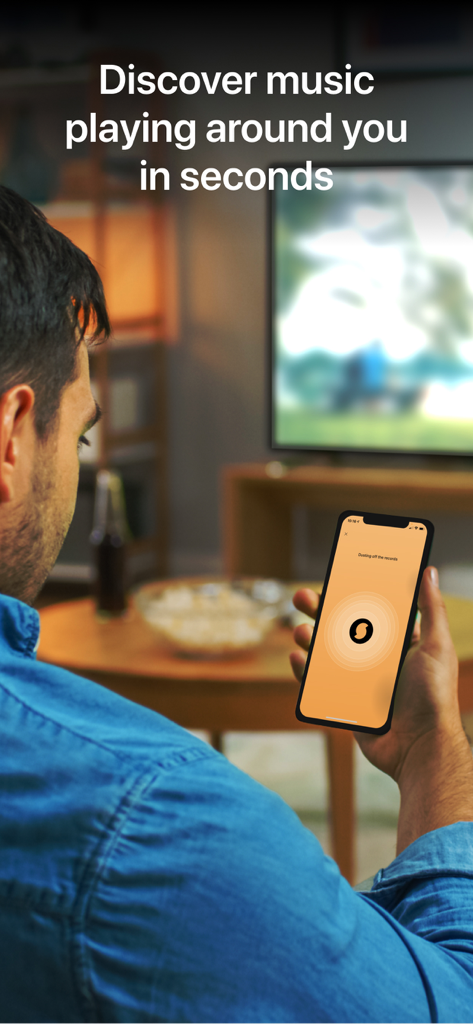
男性がスマートフォンでSoundHoundアプリを使用し、テレビで流れている音楽を特定している様子
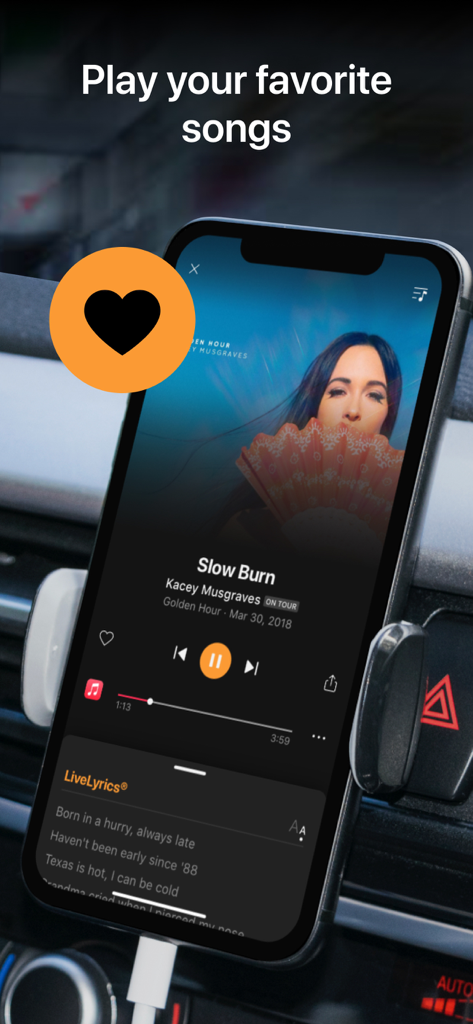
車のマウントに設置されたスマートフォンで、LiveLyricsを表示しながら音楽を再生しているSoundHoundアプリ
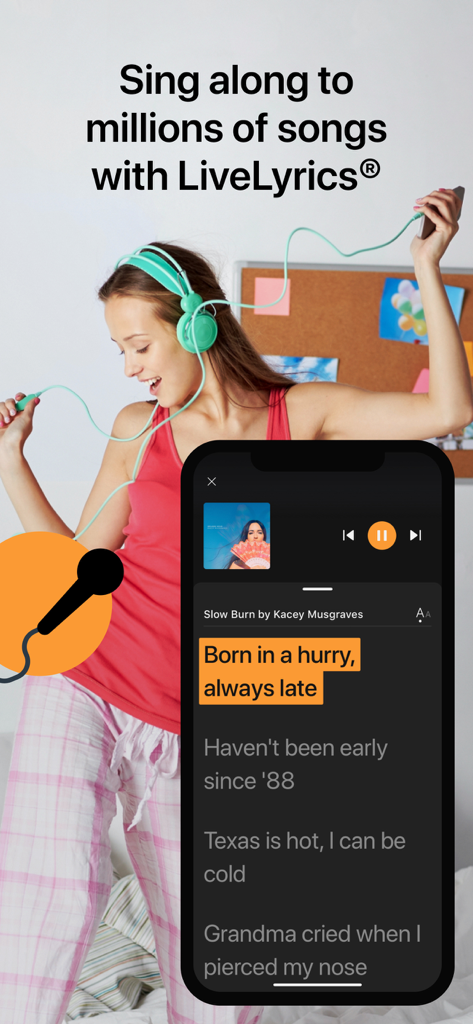
ヘッドフォンをした女性が背景にいる、LiveLyrics機能を映し出すSoundHoundアプリのインターフェース
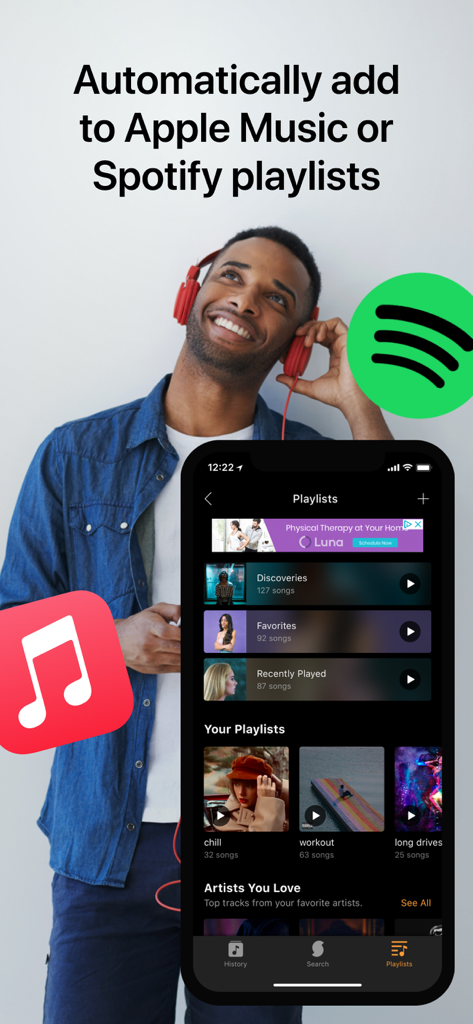
ヘッドフォンをした男性の横で、Apple MusicおよびSpotifyとのプレイリスト同期を表示するSoundHoundアプリのインターフェース。
説明
Download
類似アプリ
似た機能とユーザー体験を持つアプリ

Shazam: Find Music & Concerts
Apple Inc.

SoundHound - Music Discovery
SoundHound, Inc.

Music Recognition- Song Finder
英杰 李
Song Finder Music Recognition
Mostafa Bouanani

Music Identifier ‣ Find Songs
Rounding Squares BV

Song Finder : Music Identifier
Cricket Sound Media, SOCIEDAD LIMITADA
このページはアプリまたはその開発者の公式ページではなく、情報提供および論評を目的として作成された独立した編集出版物です。明示的に別段の記載がない限り、アプリおよびその開発者は、MWM、Apple、Google Play、アプリのパブリッシャー、またはアプリの開発者と提携、承認、後援、認可、またはその他の公式的な関係はなく、このページのいかなる内容も、アプリがMWMのサービスを使用して開発されたことを意味するものではありません。すべての商標、ロゴ、スクリーンショット、その他のコンテンツはそれぞれの所有者の財産です。