SoundScope VR
SoundScope VR
ダウンロード: App Store

このページはアプリまたはその開発者の公式ページではなく、情報提供および論評を目的として作成された独立した編集出版物です。明示的に別段の記載がない限り、アプリおよびその開発者は、MWM、Apple、Google Play、アプリのパブリッシャー、またはアプリの開発者と提携、承認、後援、認可、またはその他の公式的な関係はなく、このページのいかなる内容も、アプリがMWMのサービスを使用して開発されたことを意味するものではありません。すべての商標、ロゴ、スクリーンショット、その他のコンテンツはそれぞれの所有者の財産です。

ロゴ: SoundScope VR
ダウンロード: App Store

SoundScope VR

高解像度FFT、RTA、スペクトログラフツールでプロフェッショナルワークフローを強化。リアルタイムオーディオデータを周囲にオーバーレイし、音源を特定し、正確な音響証拠を記録します。

主要数値

ダウンロード

62K+

ユーザー評価

4.2/5

評価数

0

開発元

Andrew Smith

カテゴリ

Music

対応言語

8

最新バージョン

7.4

サイズ

35.0 MB

リリース日

2013年1月2日
機能

絶対的な精度で音を可視化

エリートオーディオエンジニア向けに設計された高解像度FFTアルゴリズムとリアルタイム拡張現実オーバーレイにより、iOSデバイスをプログレードのスペクトラムアナライザーに変えます。

拡張現実マッピング

デバイスのカメラフィードにライブオーディオ周波数データを直接オーバーレイすることで、ノイズや共鳴の正確な物理的位置を特定します。

高解像度FFT&RTA

すべてのiOSマイクに合わせた、最大1/48オクターブスムージングと専用キャリブレーションデータベースを備えたラボグレードの分析にアクセスできます。

以下のスクリーンショットと説明は、アプリの公式ストアリスティングから直接取得されたものであり、アプリ開発者の所有物です。

アプリストア

スクリーンショット
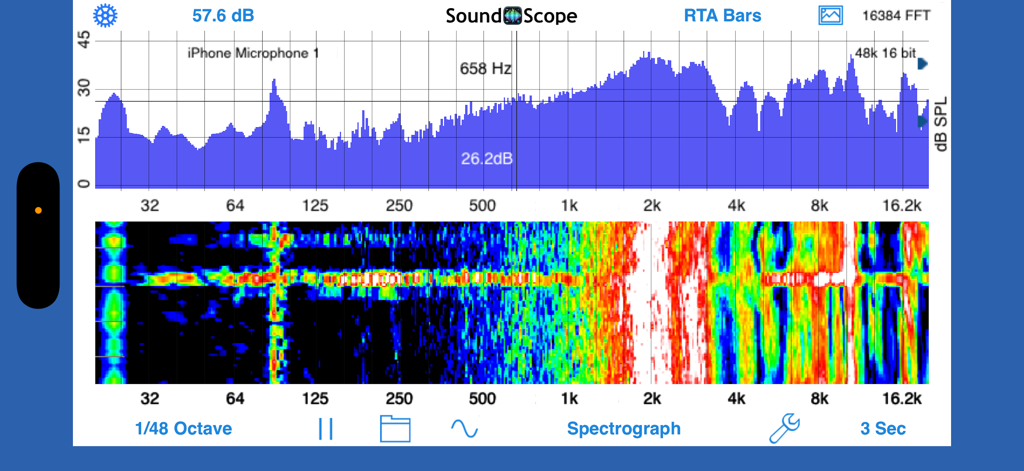
SoundScope VR - SoundScope VRアプリの分割画面。RTAバーグラフとスペクトログラフオーディオ分析が表示されています。
SoundScope VRアプリの分割画面。RTAバーグラフとスペクトログラフオーディオ分析が表示されています。

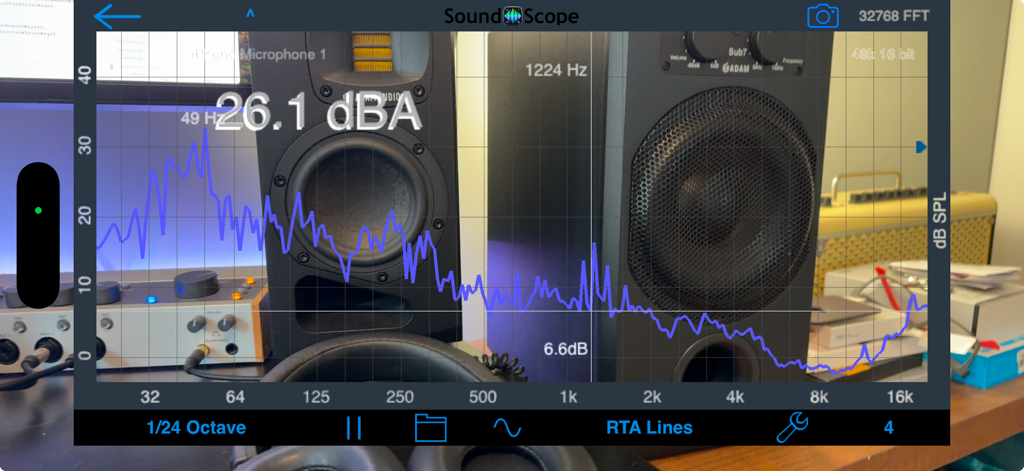
SoundScope VR - SoundScope VRアプリ。スタジオ機器のライブカメラビューの上にRTAライングラフとデシベルレベルが表示されています。
SoundScope VRアプリ。スタジオ機器のライブカメラビューの上にRTAライングラフとデシベルレベルが表示されています。

SoundScope VR - SoundScope VRアプリ。リアルタイム周波数分析とデシベル測定を備えた詳細なRTAライングラフが表示されています。
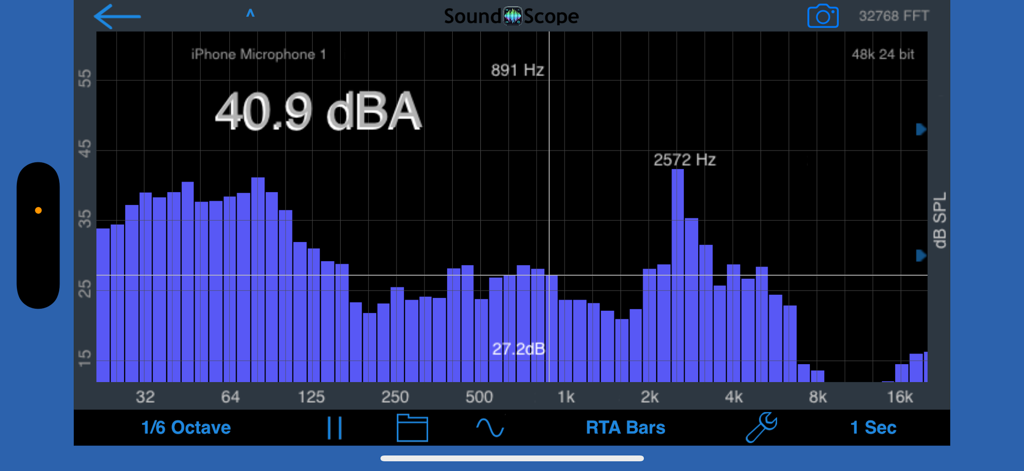
SoundScope VRアプリ。リアルタイム周波数分析とデシベル測定を備えた詳細なRTAライングラフが表示されています。

SoundScope VR - SoundScope VRリアルタイムオーディオスペクトラムアナライザー。dBA測定と周波数ピークを備えたRTAバーグラフが表示されています。
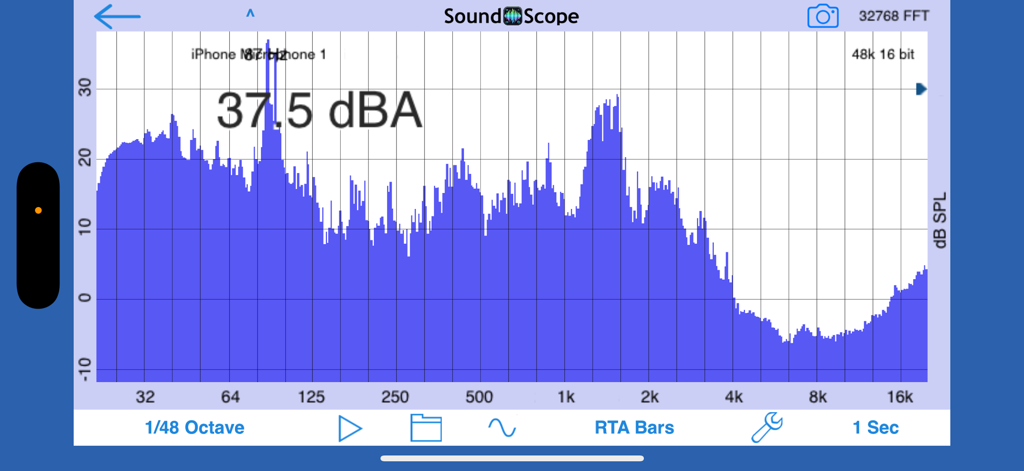
SoundScope VRリアルタイムオーディオスペクトラムアナライザー。dBA測定と周波数ピークを備えたRTAバーグラフが表示されています。

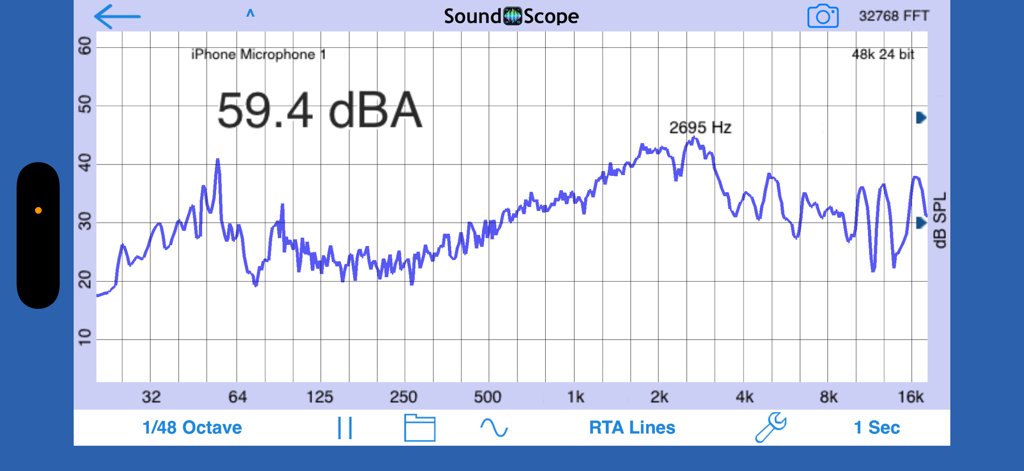
SoundScope VR - SoundScope VRアプリインターフェース。37.5 dBAの音レベル測定値が表示された青い周波数スペクトルグラフが表示されています。
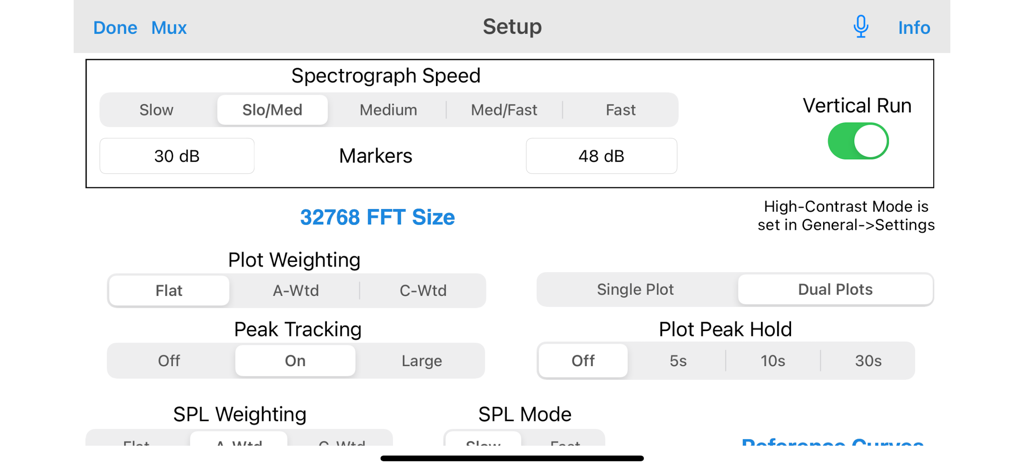
SoundScope VRアプリインターフェース。37.5 dBAの音レベル測定値が表示された青い周波数スペクトルグラフが表示されています。

SoundScope VR - SoundScope VRのセットアップ画面。FFTサイズ、スペクトログラフ速度、重み付けモードなどのプロフェッショナルオーディオ分析設定が表示されています。
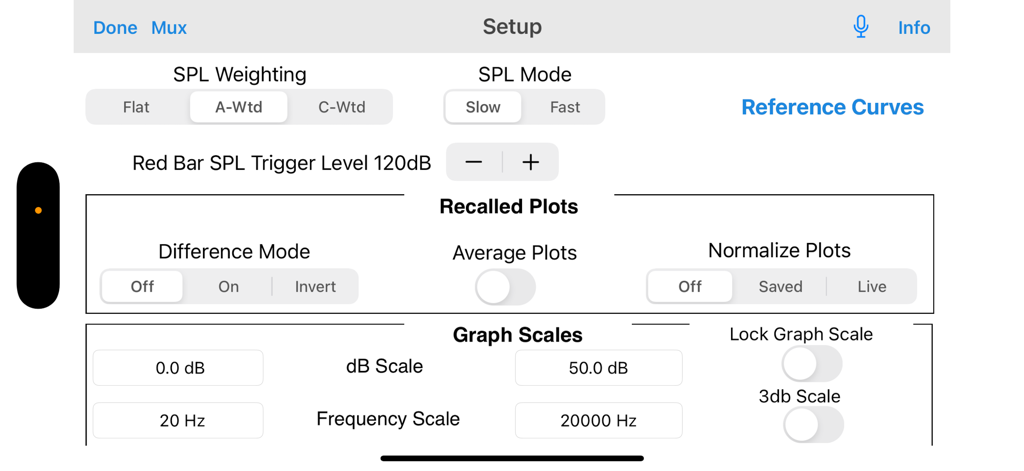
SoundScope VRのセットアップ画面。FFTサイズ、スペクトログラフ速度、重み付けモードなどのプロフェッショナルオーディオ分析設定が表示されています。

SoundScope VR - SoundScope VRのプロフェッショナルオーディオ分析セットアップメニュー。SPL重み付けとグラフスケール設定が表示されています。
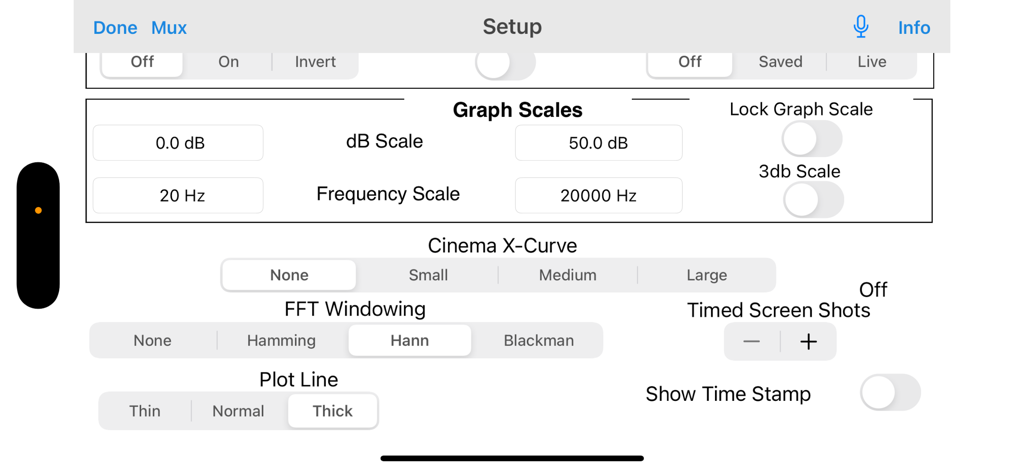
SoundScope VRのプロフェッショナルオーディオ分析セットアップメニュー。SPL重み付けとグラフスケール設定が表示されています。

SoundScope VR - SoundScope VRアプリのセットアップ画面。グラフスケール、FFTウィンドウ処理、オーディオ分析構成設定が特徴です。
SoundScope VRアプリのセットアップ画面。グラフスケール、FFTウィンドウ処理、オーディオ分析構成設定が特徴です。

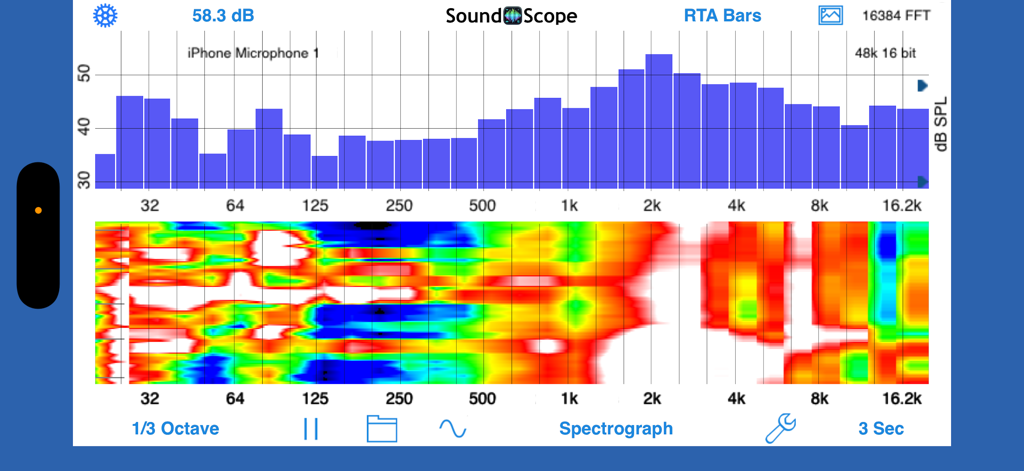
SoundScope VR - SoundScope VRモバイルアプリインターフェース。RTAバーグラフとスペクトログラフ分析が表示されています。

SoundScope VRモバイルアプリインターフェース。RTAバーグラフとスペクトログラフ分析が表示されています。

説明

SoundScope VR for iOS is a full-featured audio spectrum analyzer. It provides advanced audio analysis using the latest FFT-based high-resolution algorithms and tools for detailed and precise audio analysis. SoundScope VR allows you to overlay the audio analysis data over a real-time view of your surroundings, to capture what is causing the sound that you are analyzing. This analysis can be saved as a video on your device. If you need a two-channel FFT for your iOS device, check out Transfer Function, a module in our AudioTools app. SoundScope is based on our proprietary algorithms, techniques, and features. Now, you can have the sophisticated analysis of SoundScope VR on the iPhone platform. The single-channel audio analyzer includes these features: RTA Bar graph, RTA Line graph, RTA Bar & FFT graph, Spectrograph, and VR analysis of environmental sound. A variety of smoothing and averaging algorithms are available, including log, lin, Octave, 1/3rd, 1/6th, 1/12th, 1/24th and 1/48th Octave modes. The decay modes include None, 1, 2, 4, 8, and 16 averages, and exponential 1-10 second custom decay settings, as well as Infinite, Fast, and Slow. The frequency scale can be zoomed down to a single octave, and the dB scale can be zoomed down to 1dB resolution. Double-tap the screen to return to full frequency response, and to auto-scale the dB scale. Real-time Spectrograph history is saved, just swipe to see sound events that have scrolled off the screen. Other features include high-contrast mode, variable Spectrograph speed, vertical or horizontal running Spectrograph, Difference mode, Peak Tracking, and FFT Windowing. New features include the ability to replace the background with a live video camera feed, and also do screen recording to capture a record the sound levels and also what is happening physically in the space. This is next-level VR audio analysis. All of the standard AudioTools features, such as Save / Recall and the Generator Panel are available. All settings are automatically saved and restored the next time that you run the app. On iPad and larger iPhones, split graph mode is available, so that you can put any two graphs on the screen at the same time. Check out the screenshots to see if your device supports them. SoundScope RTA Spectrum works great with the built-in iOS device microphone, as we have proprietary microphone compensation and calibration database derived for every iOS device. To upgrade to full professional results, use our iTestMic, or iAudioInterface2 with any test & measurement microphone. Also see our other great audio test and measurement apps including AudioTools.

Download

ダウンロード: App Store

このページはアプリまたはその開発者の公式ページではなく、情報提供および論評を目的として作成された独立した編集出版物です。明示的に別段の記載がない限り、アプリおよびその開発者は、MWM、Apple、Google Play、アプリのパブリッシャー、またはアプリの開発者と提携、承認、後援、認可、またはその他の公式的な関係はなく、このページのいかなる内容も、アプリがMWMのサービスを使用して開発されたことを意味するものではありません。すべての商標、ロゴ、スクリーンショット、その他のコンテンツはそれぞれの所有者の財産です。







