sqsl RSVP
sqsl RSVP
ダウンロード: App Store

このページはアプリまたはその開発者の公式ページではなく、情報提供および論評を目的として作成された独立した編集出版物です。明示的に別段の記載がない限り、アプリおよびその開発者は、MWM、Apple、Google Play、アプリのパブリッシャー、またはアプリの開発者と提携、承認、後援、認可、またはその他の公式的な関係はなく、このページのいかなる内容も、アプリがMWMのサービスを使用して開発されたことを意味するものではありません。すべての商標、ロゴ、スクリーンショット、その他のコンテンツはそれぞれの所有者の財産です。


ロゴ: sqsl RSVP
ダウンロード: App Store

sqsl RSVP

DAWのグリッドから解放されよう。サウンド探求家やモジュラー愛好家のためにデザインされたスタンドアロンサンプラーで、オーディオフォルダを進化するパフォーマンスに変えよう。

主要数値

ダウンロード

500

ユーザー評価

1.0/5

評価数

0

開発元

Michal Macura

カテゴリ

Music

対応言語

1

最新バージョン

1.33

サイズ

3.5 MB

リリース日

2024年3月4日
機能

進化するサウンドスケープを彫刻する

sqsl RSVPは、アレトリックシーケンシングと触覚的なパフォーマンスを通じて、あなたのサンプルライブラリを生きた、息をする楽器に変えます。

確率的再生

密度とリバース確率コントロールを備えた4つのスロットを操作し、あなたの作曲がオーガニックで予測不可能、そして繰り返しのループから解放されるようにします。

proximityベースのタッチインターフェースを通じて15個の向き付けられたドットをナビゲートし、表現力豊かな物理的なジェスチャーでボリューム、パン、レートを操作します。

以下のスクリーンショットと説明は、アプリの公式ストアリスティングから直接取得されたものであり、アプリ開発者の所有物です。

アプリストア

スクリーンショット
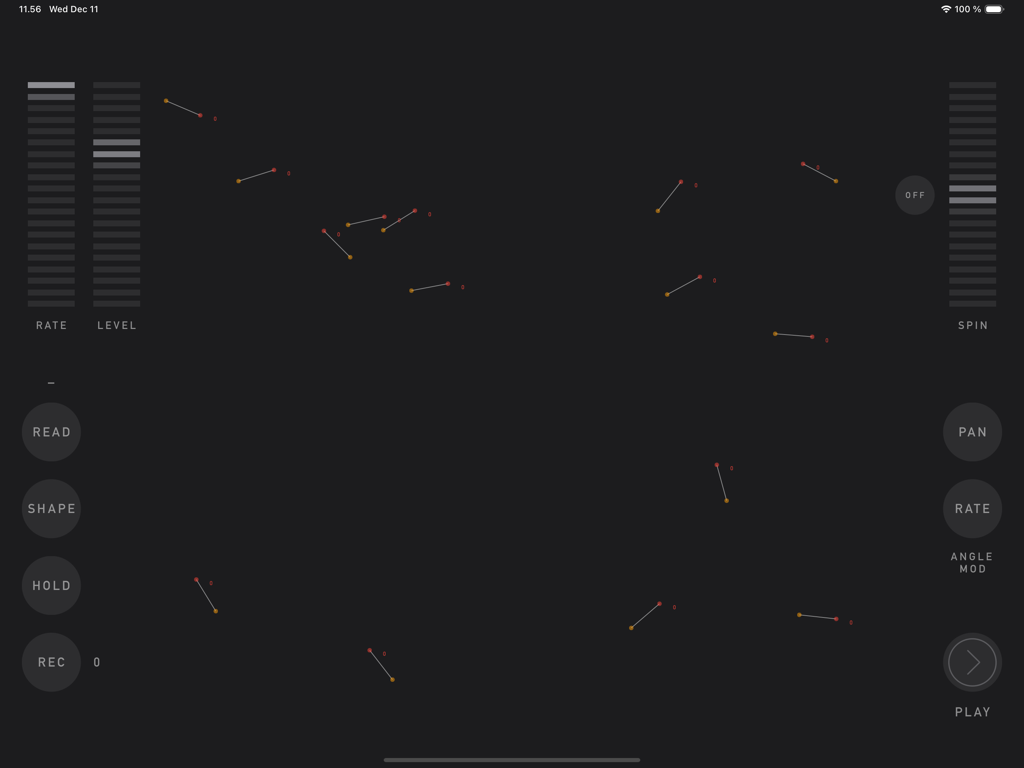
sqsl RSVP - sqsl RSVPアプリのJAMページインターフェース。ジェネレーティブサウンドデザインのためのインタラクティブなドットとスライダーが表示されています
sqsl RSVPアプリのJAMページインターフェース。ジェネレーティブサウンドデザインのためのインタラクティブなドットとスライダーが表示されています

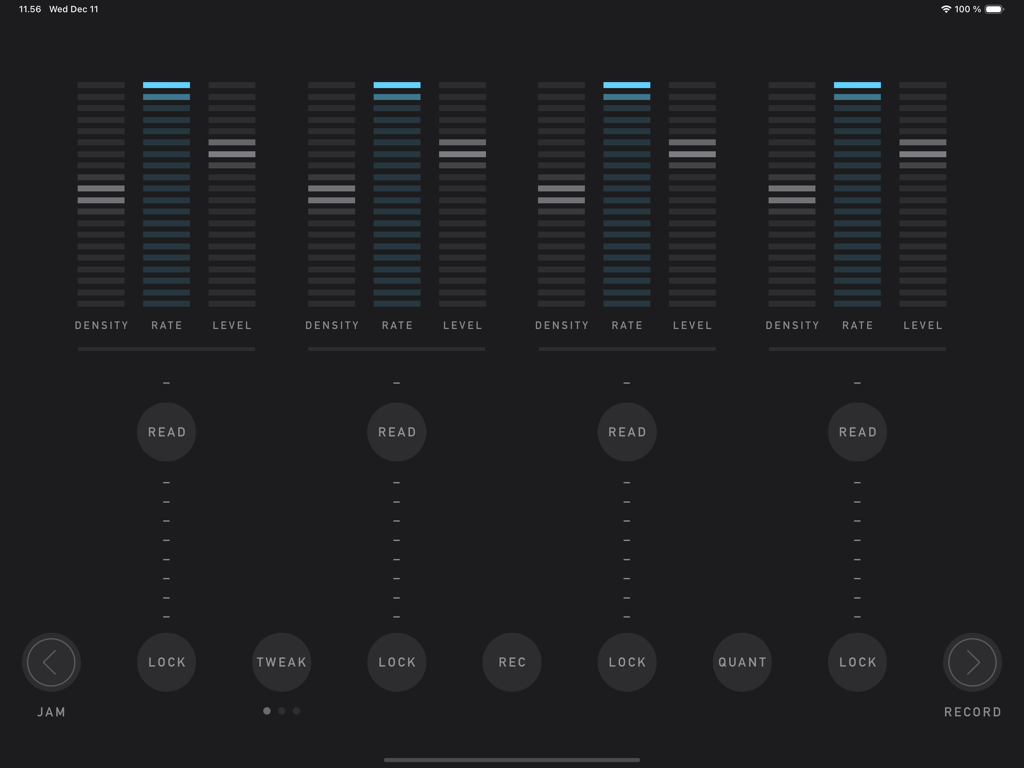
sqsl RSVP - sqsl RSVPアプリのPLAYページのインターフェース。4つの縦型オーディオ スロットと、密度、レート、レベルのコントロールが表示されています
sqsl RSVPアプリのPLAYページのインターフェース。4つの縦型オーディオ スロットと、密度、レート、レベルのコントロールが表示されています

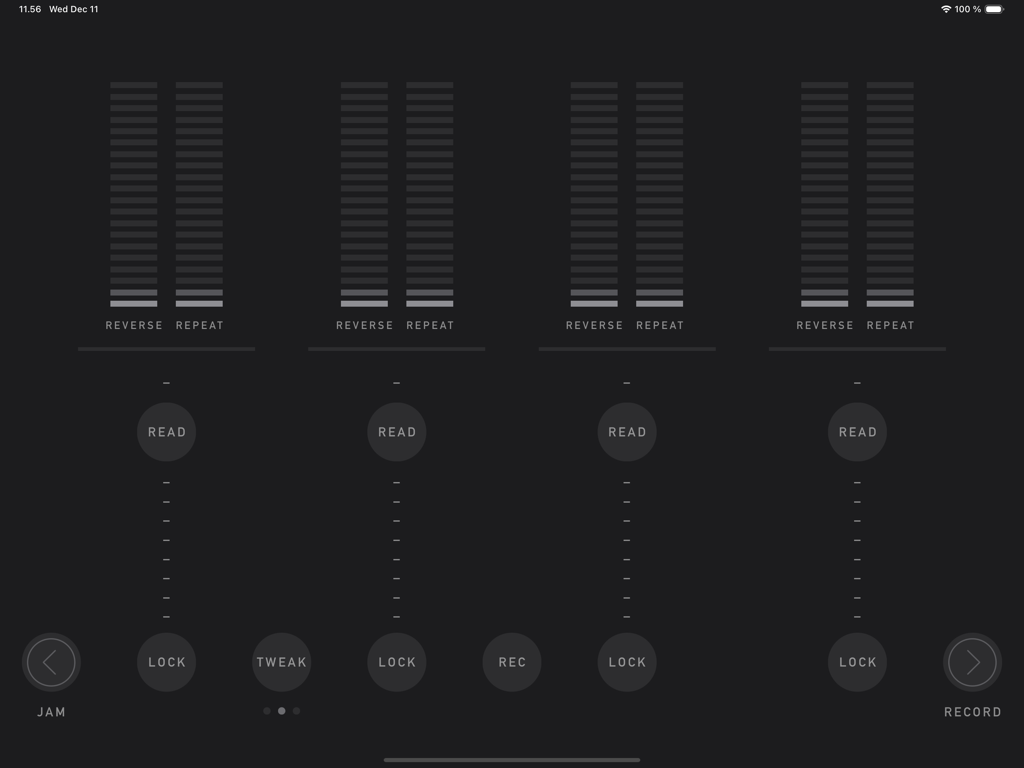
sqsl RSVP - sqsl RSVPのプレイインターフェース。ミニマリストなダークテーマで、リバースとリピートの確率コントロールを備えた4つのサンプル スロットが表示されています
sqsl RSVPのプレイインターフェース。ミニマリストなダークテーマで、リバースとリピートの確率コントロールを備えた4つのサンプル スロットが表示されています

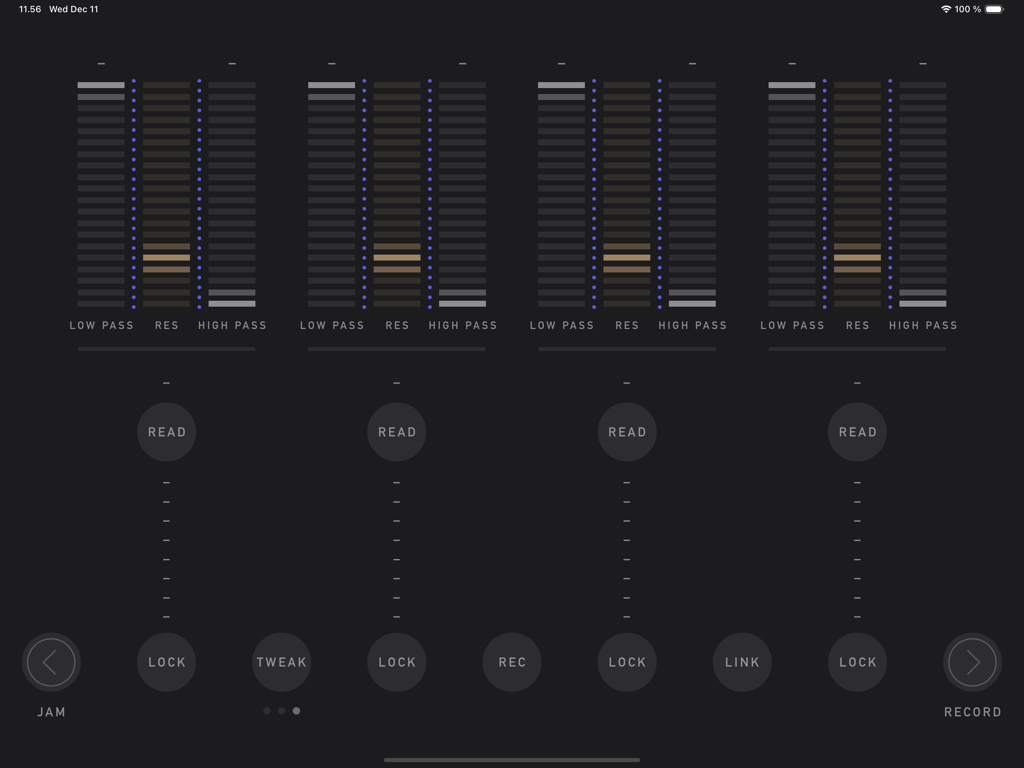
sqsl RSVP - sqsl RSVPアプリのインターフェース。4つのオーディオスロット用のフィルター スライダーと調整可能なパラメーターが表示されています
sqsl RSVPアプリのインターフェース。4つのオーディオスロット用のフィルター スライダーと調整可能なパラメーターが表示されています

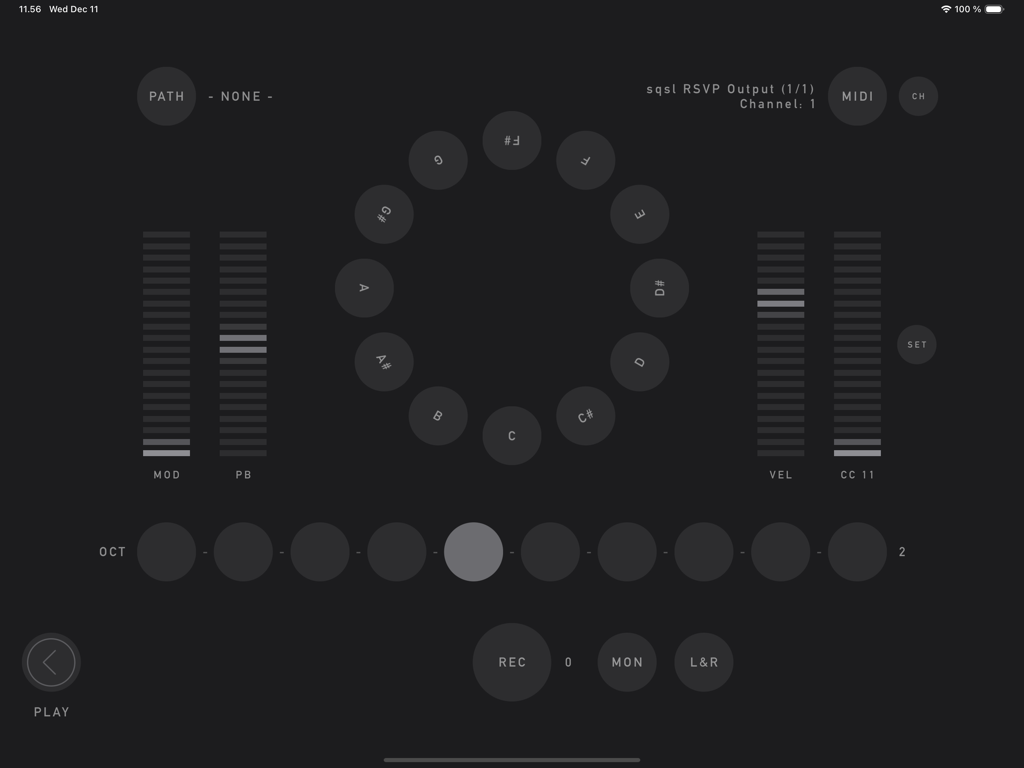
sqsl RSVP - sqsl RSVPアプリのRECORDページ。円形のMIDIノートセレクターと、モジュレーションおよびピッチベンド用のスライダーが表示されています

sqsl RSVPアプリのRECORDページ。円形のMIDIノートセレクターと、モジュレーションおよびピッチベンド用のスライダーが表示されています

説明

sqsl RSVP is a random sample player and recorder. There are 3 pages: PLAY, RECORD and JAM. PLAY There are 4 slots, each can have a separate directory assigned - assign directory using READ button. Slots have 3 sets of parameters, sets can be accessed using TWEAK button. Tweakable parameters are: - DENSITY – number of samples played at the same time (max 8 per slot); - RATE – playback speed, smooth (2 octaves range) or quantized to semitones (1 octave range) if QUANT is enabled; - LEVEL – slot’s volume (individual samples have their volume and pan slightly randomized); - REVERSE – probability that sample will be played backwards; - REPEAT – probability that sample will be played immediately again; - LOW PASS – LP filter frequency; - HIGH PASS – HP filter frequency; - RES – resonance for both filters. If sample is selected to be played, its name appears in the slot’s column. Its name appears brighter if it is currently played and if it is played backwards, its name is shown backwards. If sample has played, it will not play again until all other unused samples in its slot/directory have been played. Horizontal line above READ button displays amount of played/not-yet-played samples. The process restarts when all the samples in the selected directory have been used. If new directory is selected, it will not play until all samples from current directory are used unless FWD button is pressed (FWD button is visible only if new directory is queued) - in that case, samples from original directory that are already scheduled will still be played before samples from new directory are queued. Audio output can be recorded to WAV file (REC button) - it is necessary to select recording path beforehand on RECORD page (PATH). If audio interface with 8+ outputs is detected, playback of each slot can be sent to separate audio output (MULTI). Assignment is: output 1|2 for 1st slot, 3|4 for 2nd, 5|6 for 3rd and 7|8 for 4th. RECORD RECORD page provides a way to record acoustic samples or sounds from MIDI controlled synths. Recorded material is added to playback queue automatically if the recording directory is also assigned to one of playback slots. Recording directory is selected using PATH button. Names of the newly recorded samples will be derived from target directory name (directory name + index).  Incoming audio can be sent to outputs 1-2 for monitoring (MON). L+R button activates stereo mode - stereo (vs mono) samples will be recorded using signal from input channels 1-2.  Integrated "MIDI controller" can be used to send MIDI notes, mod-wheel, pitch bend and one CC messages to selected MIDI destination. MIDI button cycles through available destination (destinations are scanned on start-up), CH button sets MIDI channel. JAM JAM page is a touch interface proximity sample player. There are 15 oriented dots on screen. Each dot has a looping sample assigned. When screen is touched, distance and angle are detected and used as playback parameters. Distance controls volume; angle can be assigned to control PAN and/or playback speed (RATE). Shortest distance takes priority if multiple touches are present. To assign samples to locations, select directory containing audio files - READ button (samples are assigned randomly and are set to loop in the background indefinitely). SHAPE controls the way dots are placed on screen (random by default). Use HOLD button to lock current touch points in place. Dots can be set to rotate using SPIN control. Audio output of JAM section can be recorded to WAV file by pressing REC button - before that, it is necessary to select recording path (folder where the file will be saved) on RECORD page (PATH button). Newly recorded material is added to playback pool/queue automatically if the recording directory is also assigned to one of the playback slots. — sqsl RSVP is a standalone application (it can not be used as plugin and its output can not be routed to other apps within software environment).

Download

ダウンロード: App Store

このページはアプリまたはその開発者の公式ページではなく、情報提供および論評を目的として作成された独立した編集出版物です。明示的に別段の記載がない限り、アプリおよびその開発者は、MWM、Apple、Google Play、アプリのパブリッシャー、またはアプリの開発者と提携、承認、後援、認可、またはその他の公式的な関係はなく、このページのいかなる内容も、アプリがMWMのサービスを使用して開発されたことを意味するものではありません。すべての商標、ロゴ、スクリーンショット、その他のコンテンツはそれぞれの所有者の財産です。