Streets - Street View Browser
ダウンロード: App Store

このページはアプリまたはその開発者の公式ページではなく、情報提供および論評を目的として作成された独立した編集出版物です。明示的に別段の記載がない限り、アプリおよびその開発者は、MWM、Apple、Google Play、アプリのパブリッシャー、またはアプリの開発者と提携、承認、後援、認可、またはその他の公式的な関係はなく、このページのいかなる内容も、アプリがMWMのサービスを使用して開発されたことを意味するものではありません。すべての商標、ロゴ、スクリーンショット、その他のコンテンツはそれぞれの所有者の財産です。


ロゴ: Streets - Street View Browser
ダウンロード: App Store

Streets - Street View Browser

iPhone、iPad、Apple Watch専用に設計された、歴史的タイムライン、インタラクティブなミニマップ、プロフェッショナルなマルチタスク機能を備えた高品質な360°パノラマを活用しましょう。

主要数値

ダウンロード

217K+

ユーザー評価

4.4/5

評価数

500

開発元

FutureTap GmbH

カテゴリ

Travel

対応言語

3

最新バージョン

5.0.4

サイズ

63.5 MB

リリース日

2016年4月6日
機能

ピクセル単位の精度で世界を体験

Streetsは、世界で最も包括的なストリートレベルの画像を、パワーユーザーや緻密なプランナー向けに洗練されたAppleネイティブな体験として提供します。

Appleのワークフローに最適化

iPadのステージマネージャ、Handoff、Siriを活用して、プロのロケハンや旅行計画のルーチンに没入型のストリートビューを組み込めます。

インタラクティブなタイムラインとギャラリー

「タイムライン」機能で歴史を振り返ったり、世界各国の美術館から国立公園まで、厳選された2,000以上のランドマークを探索したりできます。

以下のスクリーンショットと説明は、アプリの公式ストアリスティングから直接取得されたものであり、アプリ開発者の所有物です。

アプリストア

スクリーンショット
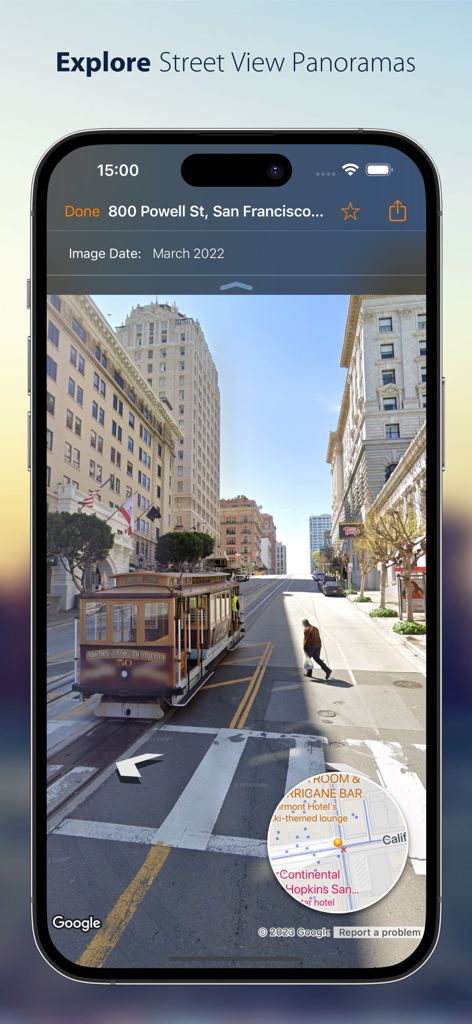
Streets - Street View Browser - 路面電車とインタラクティブなミニマップが表示されたサンフランシスコのストリートビューパノラマを映すiPhoneの画面。
路面電車とインタラクティブなミニマップが表示されたサンフランシスコのストリートビューパノラマを映すiPhoneの画面。

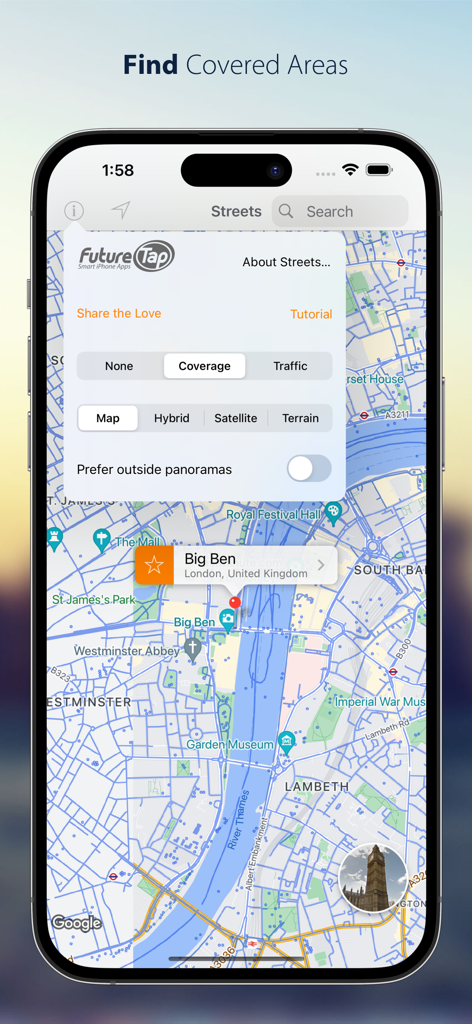
Streets - Street View Browser - ロンドンの地図上にストリートビューの対応エリアが表示され、地図スタイル設定が開いているStreetsアプリのiPhoneスクリーンショット。
ロンドンの地図上にストリートビューの対応エリアが表示され、地図スタイル設定が開いているStreetsアプリのiPhoneスクリーンショット。

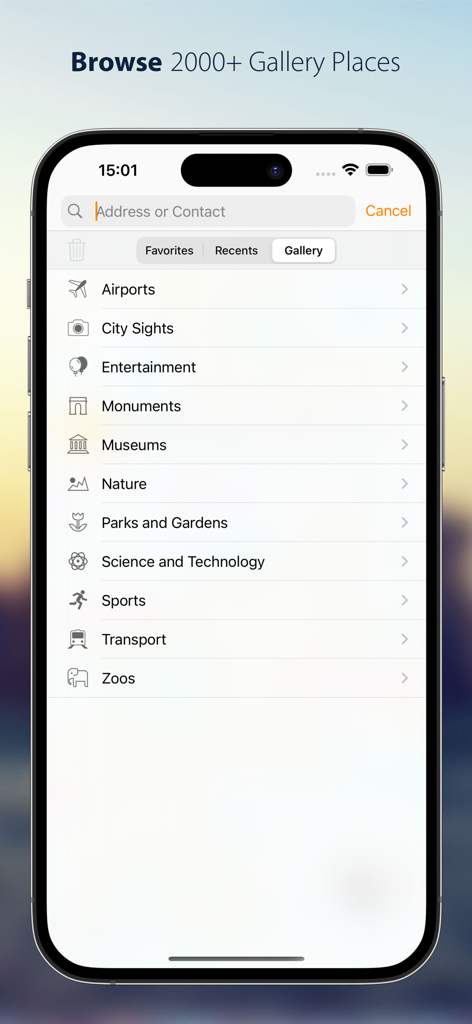
Streets - Street View Browser - 美術館、記念碑、自然スポットなど、Streetsアプリ内のギャラリーカテゴリーのリスト。
美術館、記念碑、自然スポットなど、Streetsアプリ内のギャラリーカテゴリーのリスト。

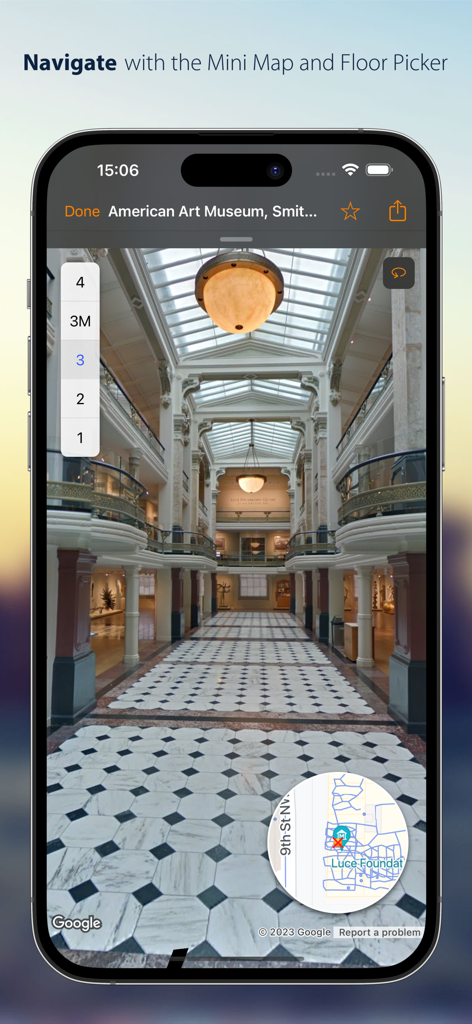
Streets - Street View Browser - Streetsアプリ内での、フロア選択機能とミニマップを備えた美術館の屋内パノラマビュー。
Streetsアプリ内での、フロア選択機能とミニマップを備えた美術館の屋内パノラマビュー。

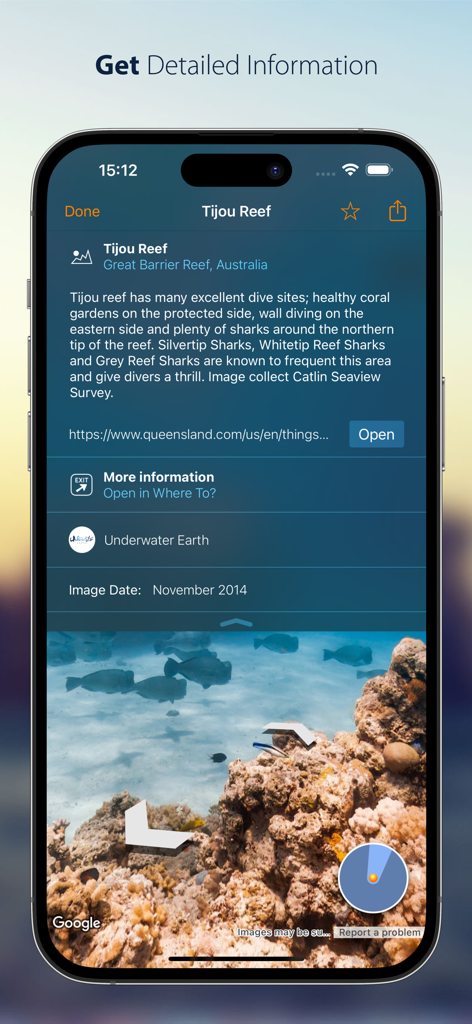
Streets - Street View Browser - Streetsアプリでティジュー・リーフ(Tijou Reef)の詳細情報と水中パノラマを表示しているiPhoneの画面。
Streetsアプリでティジュー・リーフ(Tijou Reef)の詳細情報と水中パノラマを表示しているiPhoneの画面。

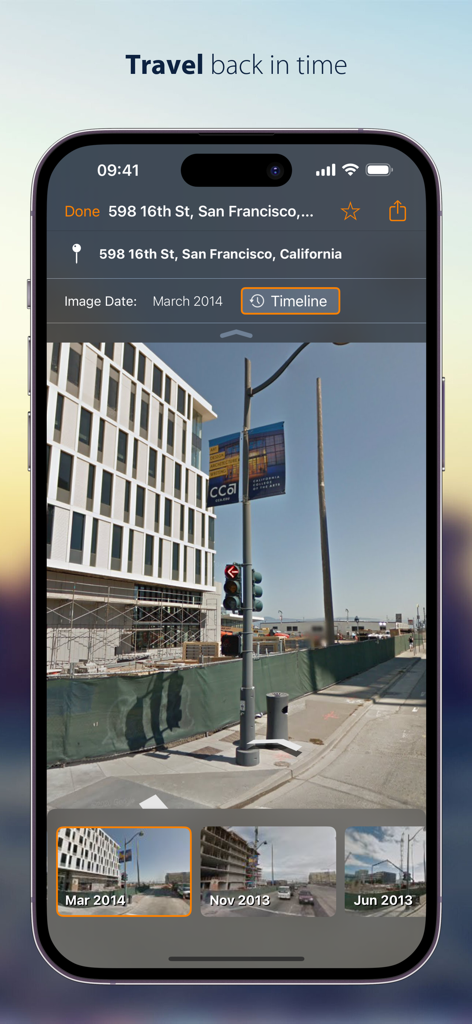
Streets - Street View Browser - iPhone上でサンフランシスコの歴史的なストリートビューパノラマを表示するStreetsアプリのタイムライン機能。
iPhone上でサンフランシスコの歴史的なストリートビューパノラマを表示するStreetsアプリのタイムライン機能。

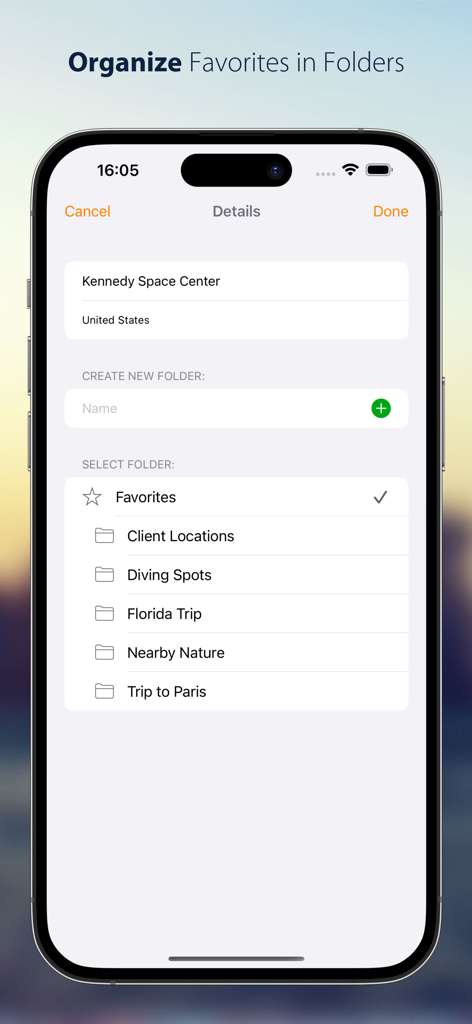
Streets - Street View Browser - 「フロリダ旅行」や「クライアントの所在地」といったカスタムフォルダにお気に入りのストリートビューパノラマを整理する方法を示すiPhoneのスクリーンショット。
「フロリダ旅行」や「クライアントの所在地」といったカスタムフォルダにお気に入りのストリートビューパノラマを整理する方法を示すiPhoneのスクリーンショット。

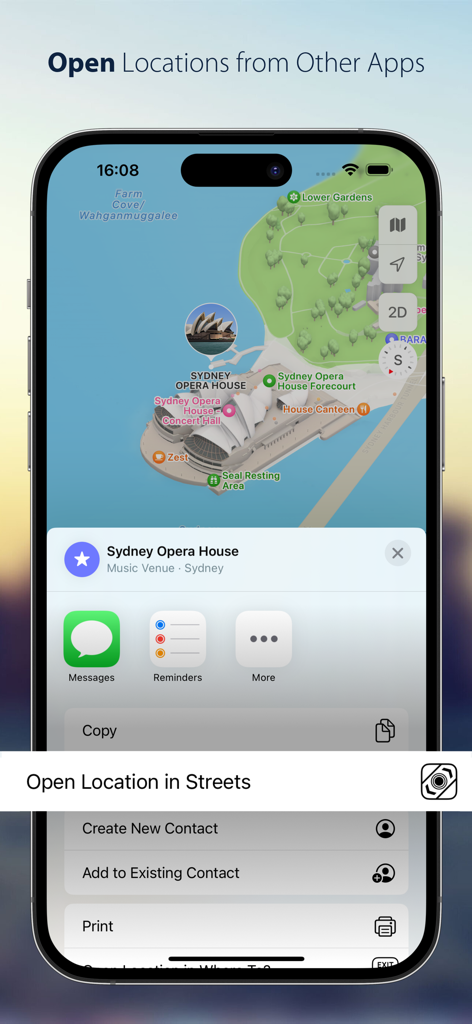
Streets - Street View Browser - マップの地点をStreetsアプリで開くオプションが表示されたiOSの共有シート。

マップの地点をStreetsアプリで開くオプションが表示されたiOSの共有シート。

説明

Streets is the best way to browse Street View panoramas on iPhone, iPad and Apple Watch. CONVENIENT Drop a pin, search for a city or address or find a person from your contacts to view a nearby 360° street panorama. Street View coverage is displayed in blue. Switch the map to satellite or terrain mode or tilt and rotate the high quality vector map with 3D buildings. EASY TO USE Walking through panoramas has never been easier using the interactive, expandable mini map that also displays your viewing angle and field of view. Switch between different floors or take a trip down memory lane with “Timeline”. Virtually traveling abroad is even more immersive and fun with Live Panorama mode: Look around in the panorama simply by rotating the device. INTEGRATED WITH OTHER APPS Streets is the ideal companion to the Maps app. Launch Streets from “Maps” for any location and quickly watch the Street View panorama. On iPad, drag a pin location from the Maps app, a contact, or a textual address into the Streets app to find nearby panoramas. Even geotagged photos can be dropped in Streets to find 360° spherical images near the photo location. If you’re already using our location finder app Where To?, you’ll also be able to take advantage of tight integration with Streets to view your location and snap right back when you’re done. COMMUNICATIVE Share Street View panoramas using drag-and-drop (on iPad) or the share sheet. Handoff and AirDrop let you easily transfer the currently viewed panorama between multiple devices. Mark panoramas as favorites that are automatically synced between devices. Rename favorites and organize them in folders. 2000+ GALLERY PLACES More than 2000 hand-picked “Gallery Places” show spectacular places such as museums, castles, national parks, ski slopes and even underwater attractions. Geysers in Yellowstone national park, old masterpieces in Amsterdam’s van Gogh museum or NASA’s rocket launch pad in Cape Kennedy are just a few of the breathtaking places waiting to be explored. Gallery places also include background information such as descriptions and links. Apple Watch App Streets is the only app capable of displaying 360° Street View panoramas on the Apple Watch. Turn your wrist to turn around in the panorama. The digital crown is utilized to zoom in and out. Streets for Apple Watch automatically syncs favorites and recent searches with your iPhone. FEATURES - Supports iPad Stage Manager, Split View and Slide Over - Supports keyboard navigation (with Bluetooth or Smart Keyboard) - Mark panoramas as favorites that are automatically synced between all your iOS devices - Rename favorites and organize them in folders - Share Panoramas via email, message, or social networks - Spotlight search also finds Streets panoramas - Handoff lets you easily transfer the currently viewed panorama from iPhone to iPad or vice versa - Siri can create reminders with a link to the currently displayed panorama - Create workflows to grab and process panoramas for specified contacts or other locations WHAT OTHERS SAY “I highly recommend Streets 3.“ - John Voorhees, MacStories “it’s hard to imagine Cupertino doing it better than Streets 3” 4.5/5 mice - J.R. Bookwalter, Macworld “If you haven't migrated to Google Maps on iOS because you're OK with Apple Maps but you miss Google Street View, here's a pretty easy solution.“ - Mel Martin, Engadget “Thankfully, with Streets, you can continue using Maps and still be able to quickly pull up Street View without ever feeling like you’ve left the app.“ - Jordan Khan, 9to5Mac SOCIAL MEDIA Get to know the latest updates and news from our development lab: - Mastodon: https://urbanists.social/@streets - Facebook: http://fb.com/streetviewapp - X: @futuretap

Download

ダウンロード: App Store

このページはアプリまたはその開発者の公式ページではなく、情報提供および論評を目的として作成された独立した編集出版物です。明示的に別段の記載がない限り、アプリおよびその開発者は、MWM、Apple、Google Play、アプリのパブリッシャー、またはアプリの開発者と提携、承認、後援、認可、またはその他の公式的な関係はなく、このページのいかなる内容も、アプリがMWMのサービスを使用して開発されたことを意味するものではありません。すべての商標、ロゴ、スクリーンショット、その他のコンテンツはそれぞれの所有者の財産です。








