SuperNote Notes Recorder&Photo

SuperNote Notes Recorder&Photo

ダウンロード: App Store
ロゴ: SuperNote Notes Recorder&Photo

SuperNote: 同時ノート、音声、写真のパワフルアプリ

詳細を見逃す余裕のないプロフェッショナルや学生のために設計。講義や会議をリアルタイムで簡単にキャプチャ、カラーコーディング、整理できます。

開発元

FITNESS22 LTD

カテゴリ

Productivity

ダウンロード

473K+

ユーザー評価

4.7/5

評価数

16K+

対応言語

31

効率を一目で確認

このインターフェースを利用する 473K+ 人のユーザー.

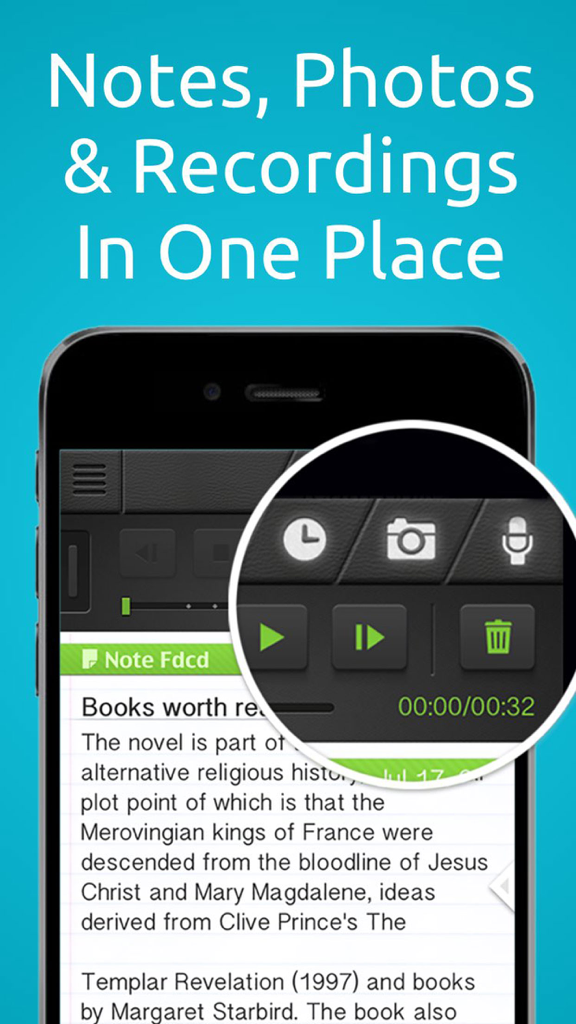
SuperNoteアプリのインターフェース。テキストノートに統合されたオーディオ録音および写真キャプチャツールが表示されます。

SuperNoteアプリのインターフェース。テキストノートに統合されたオーディオ録音および写真キャプチャツールが表示されます。

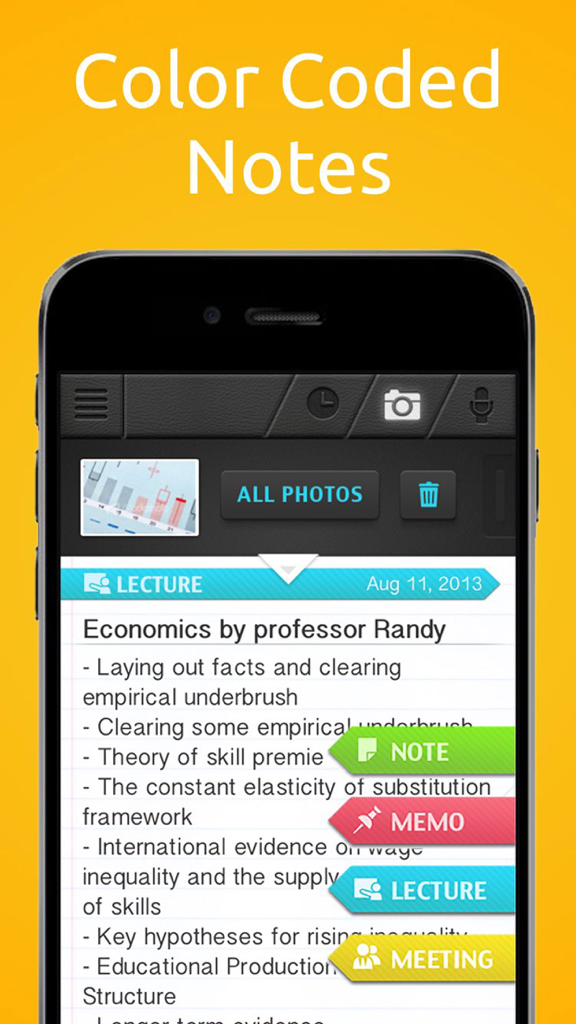
SuperNoteアプリのインターフェース。写真の添付ファイルと整理タグが付いたカラーコーディングされた講義ノートが表示されます。

SuperNoteアプリのインターフェース。写真の添付ファイルと整理タグが付いたカラーコーディングされた講義ノートが表示されます。

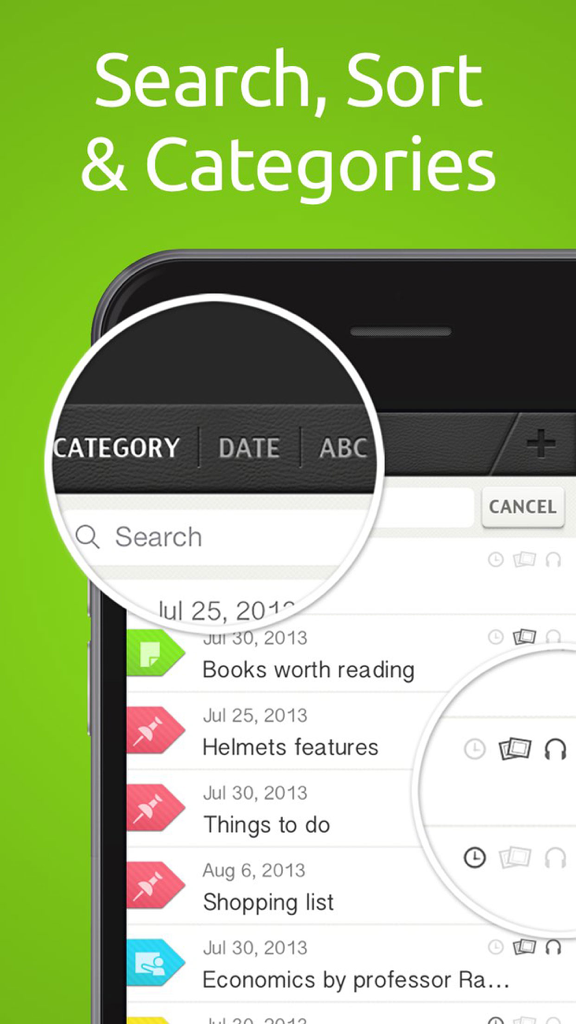
SuperNoteアプリのインターフェース。検索バーと、カラーコーディングされたカテゴリと日付で整理されたノートリストが表示されます。

SuperNoteアプリのインターフェース。検索バーと、カラーコーディングされたカテゴリと日付で整理されたノートリストが表示されます。

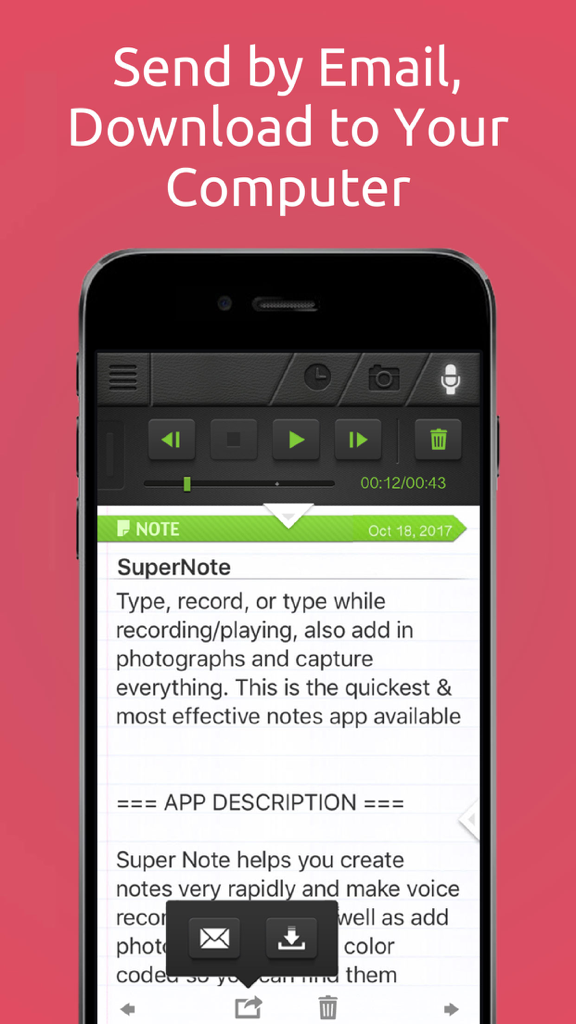
SuperNoteアプリのインターフェース。ノートをメールで送信したり、コンピューターにダウンロードしたりするオプションが表示されます。

SuperNoteアプリのインターフェース。ノートをメールで送信したり、コンピューターにダウンロードしたりするオプションが表示されます。

SuperNoteアプリのユーティリティを学校の講義、ビジネス会議、および簡単な個人的なメモに利用する様子を示すグラフィック。

SuperNoteアプリのユーティリティを学校の講義、ビジネス会議、および簡単な個人的なメモに利用する様子を示すグラフィック。

テンポを失わずにすべての詳細をキャプチャ

このアプリを際立たせるツール、 473K+ 人のユーザーが選択.

🎙️

同時に録音して入力

講義や会議のすべての言葉をキャプチャ。デバイスがロックされていても、ノートを取りながら高品質のオーディオを録音できるため、重要な洞察を決して見逃すことはありません。

📸

統合された写真キャプチャ

ホワイトボード、スライド、またはドキュメントの写真を直接ノートにスナップ。ビジュアルは、完全なコンテキストのために、関連する録音とテキストに自動的に添付されます。

🎨

視覚的なカラーコーディングによる整理

カラーコーディングされたテンプレートで思考を即座に分類。高速検索を使用して、スマートリマインダーを設定し、キャプチャした情報を実行可能なタスクに変えます。

アプリについて

について知っておくべきこと SuperNote Notes Recorder&Photo.

説明

NOTES + RECORDING + PHOTOS + REMINDERS Auto-organized with color code / category Perfect for Lectures, Meetings, Conferences, Interviews, Debriefings, Brainstorming, Quick notes, To-Do Lists, Planning, and more. Awesome for Work, School and Daily Life. Type, record, or type while recording/playing, also add in photographs and capture everything. This is the quickest & most effective notes app available ========= APP DESCRIPTION ========= Super Note helps you create notes very rapidly and make voice recordings during, as well as add photos. The notes are color coded so you can find them instantly and you can change the note color/category on the fly. You can also set future alert reminders on individual notes. Recordings & Photos are built into the note and can be made any time - you can take notes & photos while recording or while playing, and you can pause/resume to add new recording sections to an existing recording. You can also transfer your notes to other people or to your computer using email, WiFi, or dropbox. ========= APP FEATURES ========= ---- TYPED NOTES ---- ● Text notes with built in recordings & photos ● Color coded note templates ● Topic related note templates ● Copy / Paste / Spell Check / Languages, and everything else you'd expect from a great text editor ● Swipe left/right to switch to other notes ---- AUTO-ORGANIZED ---- ● Sort by date, category, or alphabetically ● Rapid search with instant search results ● Change color / template on the fly ---- RECORDINGS ---- ● High quality audio recordings ● Recording works also when device is locked ● Recordings are built into your typed notes ● Record & take notes at the same time! ● Pause and continue your recording session ● Playback recordings while typing ---- PHOTOS ---- ● Add photos to your notes ● Capture from camera or choose from your library ● Photos are auto-attached to your typed notes ● Take photos while recording / typing ---- REMINDERS/ALERTS ---- ● Set reminders on your notes ● Alerts pop up even if app is closed ---- SENDING & SHARING ---- ● Download to computer through WiFi ● Export to Dropbox ● Send to yourself via email ---- iPhone, iPad, iPod ---- ● Supports iPhone, iPod and iPad ● Tested & certified on all product models ● Built using Apple recommended methods ---- FREE VERSION ---- ● Limited to 4 notes & 1 photo per note This app includes an auto renewing subscription which unlocks unlimited notes - Subscription options are either monthly, every 3 months or yearly - Payment will be charged to iTunes Account at confirmation of purchase - Subscription automatically renews unless auto-renew is turned off at least 24-hours before the end of the current period - Account will be charged for renewal within 24-hours prior to the end of the current period, and identify the cost of the renewal - Subscriptions may be managed by the user and auto-renewal may be turned off by going to the user's Account Settings after purchase - No cancellation of the current subscription is allowed during active subscription period - Any unused portion of a free trial period, if offered, will be forfeited when the user purchases a subscription to that publication." ● Privacy Policy: http://www.fitness22.com/privacy-policy ● Terms of Use: http://fitness22content.com/Components/WebPages/TermsOfUse/TermsOfUse.html Dear customers, we are here for you! Questions? Comments? Support? just drop us a mail to support@fitness22.com

最新バージョン

4.910

サイズ

42.0 MB

リリース日

2011年12月21日

すべてをキャプチャ。何も忘れない。

470,000人以上の学生やプロフェッショナルがSuperNoteを使用して、最も重要な瞬間を簡単に記録、撮影、整理しています。

ダウンロード: App Store

App information, icons, screenshots, and descriptions displayed on this page are sourced from the Apple App Store and are the property of their respective developers. Download estimates and rankings are based on MWM's proprietary models and may not reflect actual figures. This page is provided for informational and analytical purposes only.

Believe this page infringes your intellectual property? File a dispute