Surface Builder
Surface Builder
ダウンロード: App Store

このページはアプリまたはその開発者の公式ページではなく、情報提供および論評を目的として作成された独立した編集出版物です。明示的に別段の記載がない限り、アプリおよびその開発者は、MWM、Apple、Google Play、アプリのパブリッシャー、またはアプリの開発者と提携、承認、後援、認可、またはその他の公式的な関係はなく、このページのいかなる内容も、アプリがMWMのサービスを使用して開発されたことを意味するものではありません。すべての商標、ロゴ、スクリーンショット、その他のコンテンツはそれぞれの所有者の財産です。

ロゴ: Surface Builder
ダウンロード: App Store

Surface Builder

iOSミュージックワークフローを完全にコントロールしましょう。プロフェッショナルなノブ、フェーダー、パッドを備えたカスタムAUv3インターフェースをデザインし、お気に入りのDAWやハードウェアを精密に制御します。

主要数値

ダウンロード

4K+

ユーザー評価

4.2/5

評価数

0

開発元

Limelight Software

カテゴリ

Music

対応言語

1

最新バージョン

1.22

サイズ

31.7 MB

リリース日

2023年6月19日
機能

カスタムコントロールサーフェスでサウンドをマスター

iPadをプロフェッショナルでパーソナライズされたMIDIコマンドセンターに変えましょう。Surface Builderを使用すると、スタジオやライブパフォーマンスを制御するために必要な正確なインターフェースをデザインできます。

オーダーメイドのインターフェースデザイン

一般的なレイアウトに満足するのはやめましょう。ユニークな手のサイズとワークフローに合わせた、カスタマイズ可能なノブ、フェーダー、XYパッドを使用して独自のMIDIコントローラーを構築しましょう。

プロフェッショナルAUv3統合

iOSエコシステムにシームレスに統合しましょう。AUMやLogic Proのプラグインとして実行したり、Bluetooth MIDIとスタンドアロンで使用して外部ハードウェアシンセを制御したりできます。

以下のスクリーンショットと説明は、アプリの公式ストアリスティングから直接取得されたものであり、アプリ開発者の所有物です。

アプリストア

スクリーンショット
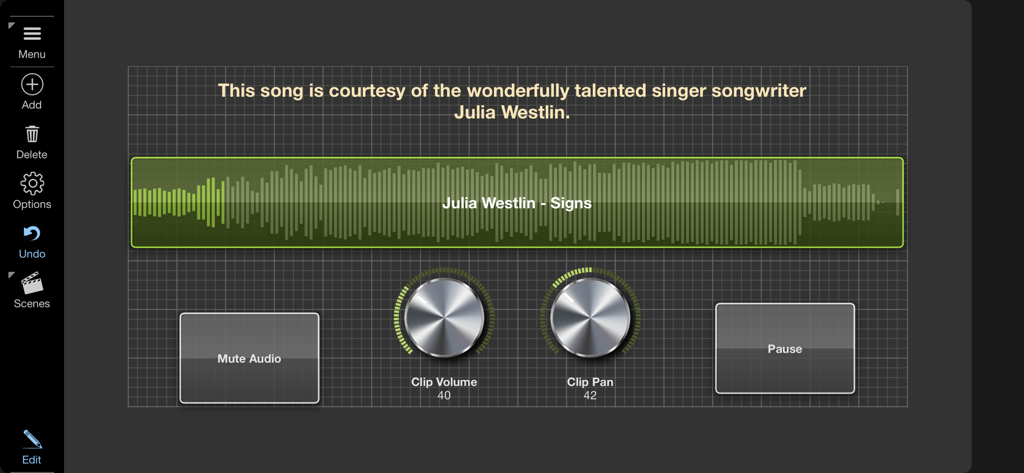
Surface Builder - オーディオ波形表示、メタリックなボリュームノブとパンノブ、再生ボタンを備えたSurface BuilderのカスタムMIDIコントロールサーフェスインターフェース。
オーディオ波形表示、メタリックなボリュームノブとパンノブ、再生ボタンを備えたSurface BuilderのカスタムMIDIコントロールサーフェスインターフェース。

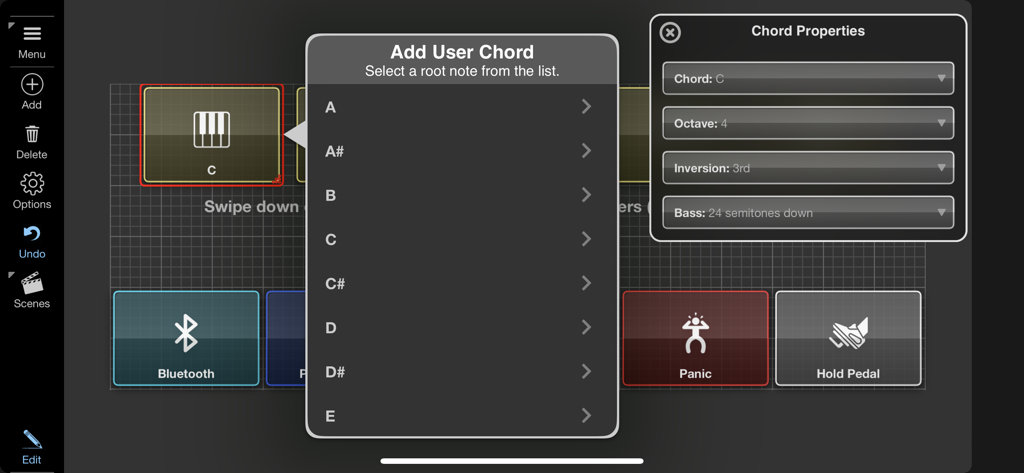
Surface Builder - Surface Builderアプリでユーザーコードを追加し、MIDIプロパティを設定するための設定メニュー。
Surface Builderアプリでユーザーコードを追加し、MIDIプロパティを設定するための設定メニュー。

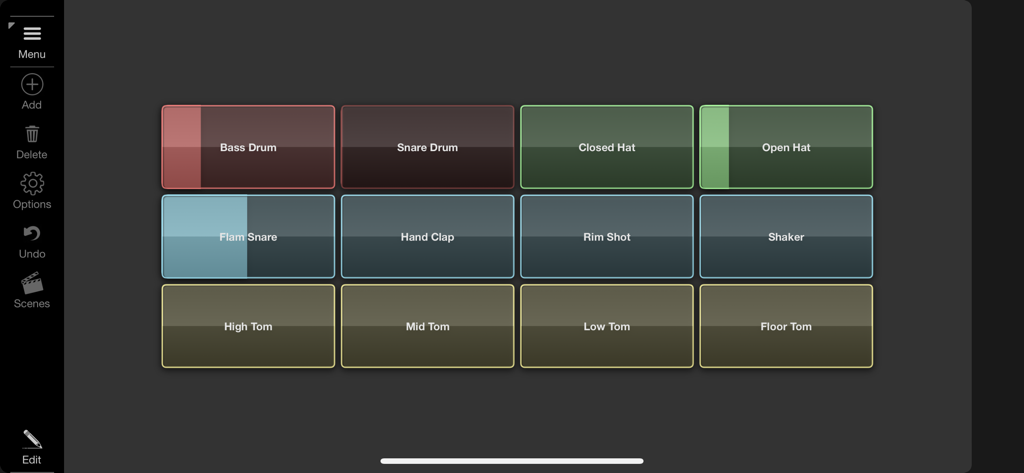
Surface Builder - 音楽制作のためのカラフルなドラムパッドのグリッドを備えたSurface BuilderのカスタムMIDIコントロールサーフェス。
音楽制作のためのカラフルなドラムパッドのグリッドを備えたSurface BuilderのカスタムMIDIコントロールサーフェス。

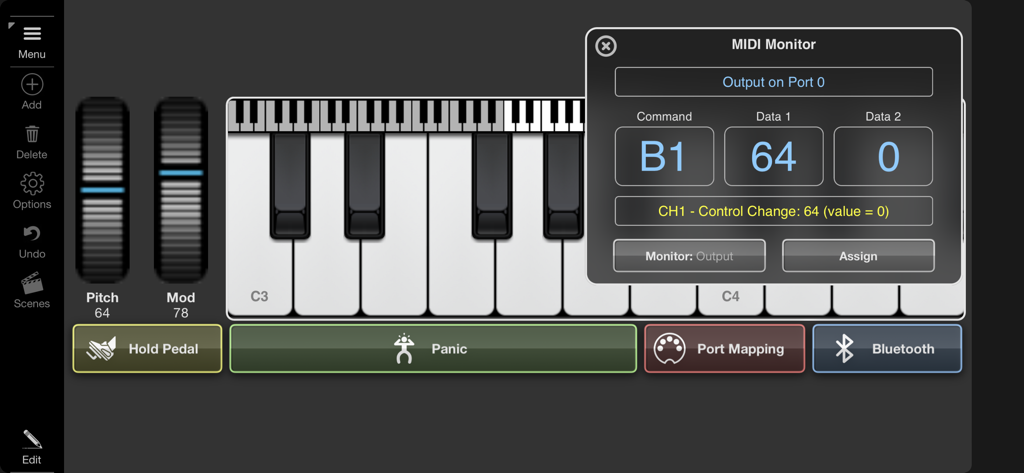
Surface Builder - 仮想ピアノキーボードと技術データを含むMIDIモニターウィンドウを備えたSurface Builderアプリインターフェース。
仮想ピアノキーボードと技術データを含むMIDIモニターウィンドウを備えたSurface Builderアプリインターフェース。

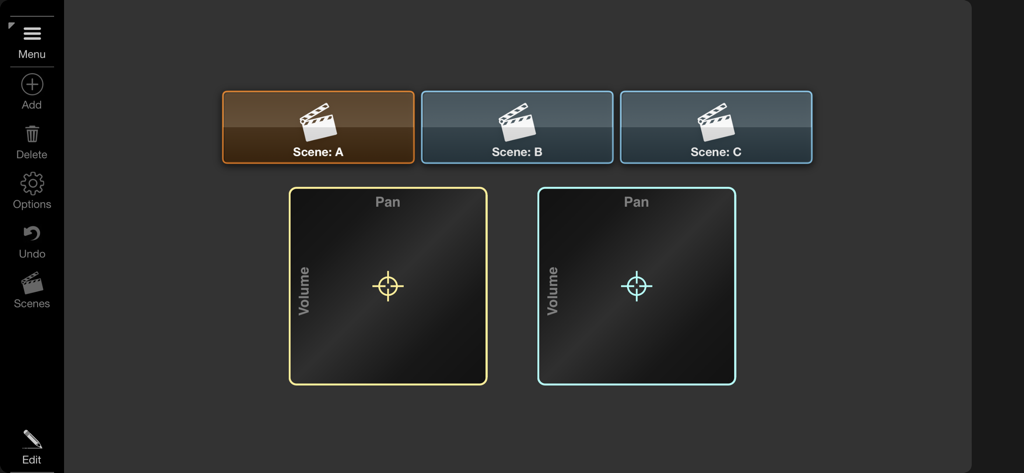
Surface Builder - シーン選択ボタンとボリュームおよびパンのXYパッドコントロールを備えたカスタムMIDIコントローラーインターフェース。

シーン選択ボタンとボリュームおよびパンのXYパッドコントロールを備えたカスタムMIDIコントローラーインターフェース。

説明

Surface Builder is a tool for creating control surfaces that send MIDI data to one or more audio components in order to simplify remote control tasks. You start by creating a surface of a given size, adding buttons, knobs, faders, etc. to the surface and configuring them to generate the required MIDI output. Surface Builder allows you to send note on/off, controller change and program change values as well as being able to emulate modulation wheel and pitch bend data. Buttons can also be configured to send bulk MIDI data using a single key press. You can build surfaces that span multiple scenes and link between them for large complex interfaces. Incoming MIDI data can also be used to control or trigger elements of the interface, giving a bi-directional stream of MIDI data. Surface Builder can be added as a pure MIDI plugin which allows processing of MIDI only, or as an instrument plugin, allowing you to process audio passing through it. You can even load it as an intrument and configure a surface to start and stop audio clips either manually or remotely. Surface Builder was designed to be used as an AUv3 plugin within your favourite DAW, but it can also be used in standalone to send MIDI directly to MIDI hardware using direct access to their MIDI ports. Many different object types are supported including buttons, switches, lights, rotary knobs, faders, sliders, XY-Pad, keyboards, as well as text, image and box objects. Each object has many different styles and colours, so no two surfaces look the same. Drag and drop an audio file onto a button and that button becomes a clip player. Attach rotary knobs to control the clips volume and pan. Throw on top of that a LP/HP filter knob and you are cooking on gas. Drop PNG transparent image icons on buttons to customise the look and feel. A button can record and playback bulk MIDI commands, on both button press and release. So pressing a button could send the notes of a chord when pressed, and appropriate note offs on release. A surface can consist of up to 6 scenes for really complex designs. Buttons and switches can be used to switch scenes and also to show and hide other objects to make better use of screen space. Once your surface is complete switch to presentation mode to hide all the toolbars. Each surface can be saved with compressed audio and images all in a single surface file. Features ○ AUv3 and standalone modes. ○ Bluetooth MIDI support. ○ Drag and Drop interface. ○ Send and Receive Note On/Off. ○ Supports all Control Change parameters. ○ Supports Program Change commands with bank support. ○ Multiple Audio Clip playback. ○ Record and playback bulk midi data. ○ Multi-Scene. ○ Multi-level undo/redo. ○ MIDI Monitor ○ Presentation Mode. ○ iPhone and iPad compatible.

Download

ダウンロード: App Store

このページはアプリまたはその開発者の公式ページではなく、情報提供および論評を目的として作成された独立した編集出版物です。明示的に別段の記載がない限り、アプリおよびその開発者は、MWM、Apple、Google Play、アプリのパブリッシャー、またはアプリの開発者と提携、承認、後援、認可、またはその他の公式的な関係はなく、このページのいかなる内容も、アプリがMWMのサービスを使用して開発されたことを意味するものではありません。すべての商標、ロゴ、スクリーンショット、その他のコンテンツはそれぞれの所有者の財産です。







