
このページはアプリまたはその開発者の公式ページではなく、情報提供および論評を目的として作成された独立した編集出版物です。明示的に別段の記載がない限り、アプリおよびその開発者は、MWM、Apple、Google Play、アプリのパブリッシャー、またはアプリの開発者と提携、承認、後援、認可、またはその他の公式的な関係はなく、このページのいかなる内容も、アプリがMWMのサービスを使用して開発されたことを意味するものではありません。すべての商標、ロゴ、スクリーンショット、その他のコンテンツはそれぞれの所有者の財産です。

Sweet Home 3D: Plan Your House
想像だけで終わらせず、具体化しましょう。正確な間取り図を作成し、800点以上のカスタマイズ可能な家具をドラッグ&ドロップ。リノベーションを始める前に、圧倒的な3Dであなたの家を体験してください。
ダウンロード
454K+ユーザー評価
評価数
4K+開発元
カテゴリ
Graphics & Design対応言語
13最新バージョン
7.5.11サイズ
214.2 MBリリース日
2023年9月6日精密な設計で理想の家をデザイン
リノベーションのアイデアを、美しい3Dリアリティに変えましょう。キッチンの改装でも新居の家具配置でも、実際に着手する前に細部まで確認できます。
2Dから3Dへ瞬時に切り替え
2Dで間取りをスケッチすれば、瞬時に没入感のある3Dモデルに変換されます。あらゆる角度から空間を確認しましょう。
ミリ単位の正確なレイアウト
感覚に頼るのをやめ、計画的に進めましょう。正確な寸法を入力して家具が完璧に収まるかを確認することで、配送後のミスや無駄な出費を防げます。
よくある質問
について知っておくべきこと Sweet Home 3D: Plan Your House
Sweet Home 3Dは何に使われますか?
Sweet Home 3Dは、ユーザーが夢の空間をデザインし、視覚化できるようにします。2Dの間取り図作成と即時の3D視覚化を組み合わせることで、家具の配置や部屋のレイアウト調整をすべてのスキルレベルで簡単に行えます。
Sweet Home 3Dはどのようにユーザーにデザインの視覚化を許可しますか?
Sweet Home 3Dは、2Dと3Dのビューを同時に表示することで、デザインの視覚化を可能にします。これにより、ユーザーは複数の視点からデザインを探索でき、構想された空間の実際の感覚を提供します。
Sweet Home 3Dはどのくらいの数の家具を提供していますか?
Sweet Home 3Dは、800以上の家具、照明オプション、テクスチャ付きの装飾品を提供しています。ユーザーはこのコレクションから選択するか、カスタム3Dモデルをインポートして、構想したとおりに空間を装飾できます。
ユーザーはSweet Home 3Dにカスタム3Dモデルをインポートできますか?
はい、Sweet Home 3Dではカスタム3Dモデルをインポートできます。この機能により、ユニークな家具や装飾要素を追加でき、アプリケーション内でパーソナライズされた独特のデザインを保証します。
Sweet Home 3Dのサブスクリプションオプションは何ですか?
Sweet Home 3Dは、プレミアムアプリ機能の週単位または年単位のサブスクリプション期間を提供しています。購入確認時に、支払いはiTunesアカウントに請求されます。ユーザーはアカウント設定でサブスクリプションを管理します。
Sweet Home 3Dは無料トライアルを提供していますか?
はい、Sweet Home 3Dは選択されたサブスクリプションでのみ無料トライアルを提供しています。無料トライアル期間の未使用部分は、サブスクリプションを購入する際に失効します。
Sweet Home 3Dのサブスクリプションを管理するにはどうすればよいですか?
ユーザーは購入後、アカウント設定からSweet Home 3Dのサブスクリプションを管理し、自動更新をオフにすることができます。自動更新は、現在の期間が終了する少なくとも24時間前に無効にする必要があります。
Sweet Home 3Dはどの言語をサポートしていますか?
Sweet Home 3Dは複数の言語をサポートしています。この多言語機能により、アプリケーションは世界中のユーザーが利用でき、多様な国際的な視聴者に対応しています。
Sweet Home 3Dで2Dの間取り図を作成できますか?
はい、Sweet Home 3Dでは2Dの間取り図を簡単に作成できます。この機能は即時の3D視覚化と統合されており、包括的なデザイン体験と正確なレイアウト制御を提供します。
Sweet Home 3Dは正確な寸法調整に役立ちますか?
はい、Sweet Home 3Dでは正確な寸法を設定し、部屋のレイアウトを調整できます。これにより、デザインの精度と実際の物理的な空間との互換性が保証されます。
以下のスクリーンショットと説明は、アプリの公式ストアリスティングから直接取得されたものであり、アプリ開発者の所有物です。
アプリストア
スクリーンショット
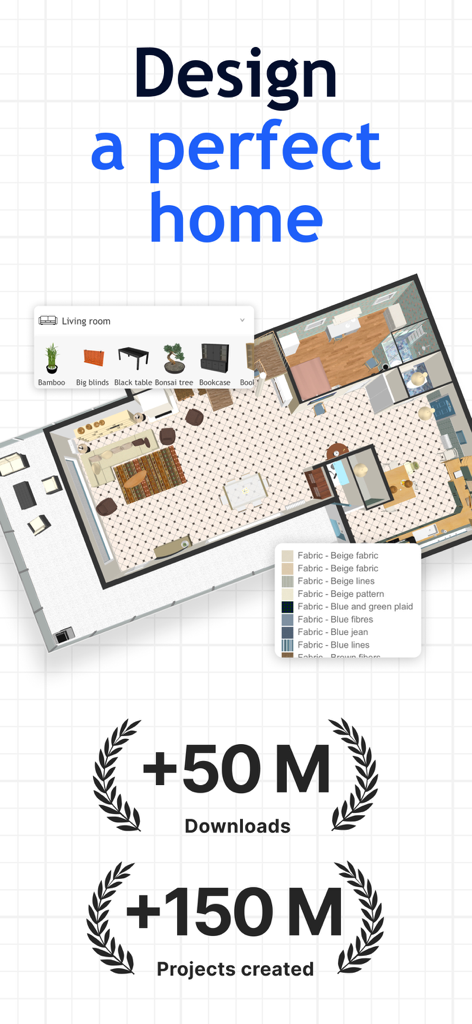
家具選択メニューとユーザー統計が表示された、Sweet Home 3Dアプリの2D住宅間取り図インターフェース
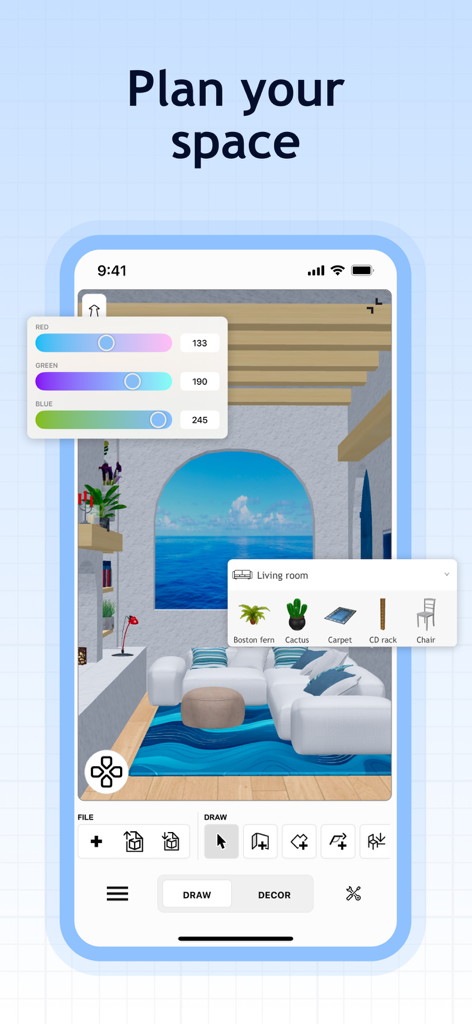
家具選択と色調整ツールが表示された、Sweet Home 3Dアプリの3Dリビングルームデザイン画面
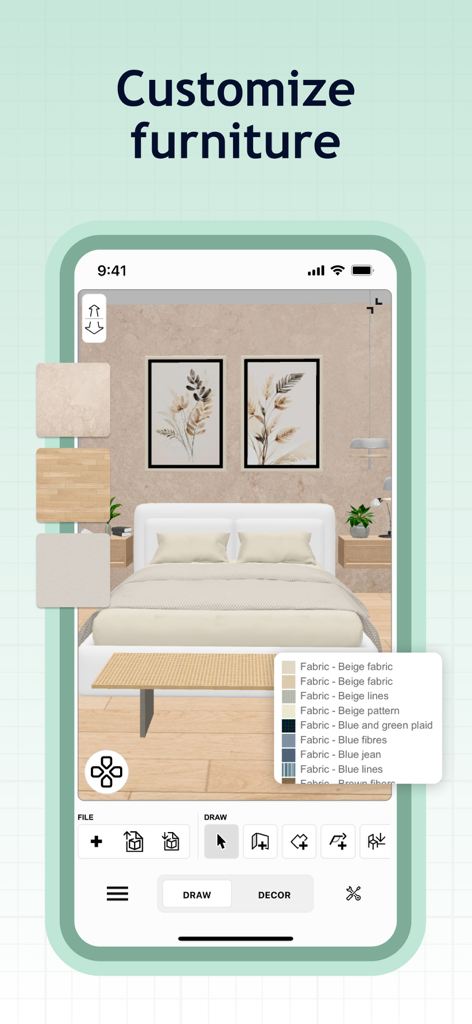
家具の生地やテクスチャのカスタマイズオプションが表示された、Sweet Home 3Dアプリの寝室デザイン画面
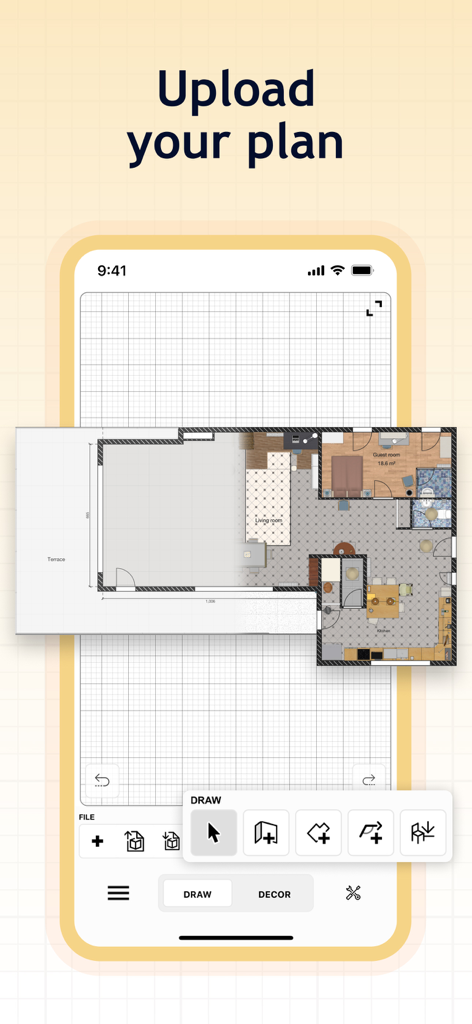
デジタルグリッド上に間取り図をアップロードしてトレースする方法を示すモバイルアプリのインターフェース
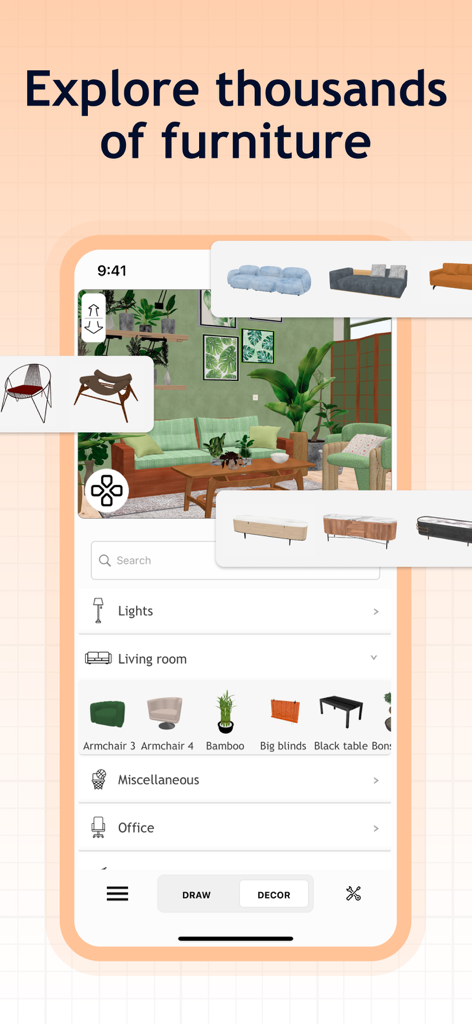
家具アイテムのカタログと装飾オプションが表示された、Sweet Home 3Dアプリの3Dリビングルームデザイン画面
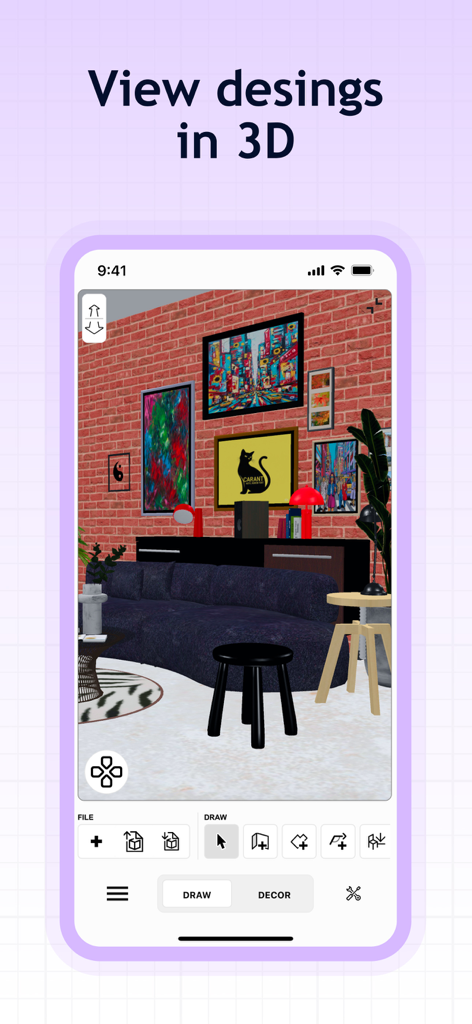
レンガの壁とモダンな家具が配置された3Dインテリアデザインプロジェクトを示すSweet Home 3Dアプリのスクリーンショット
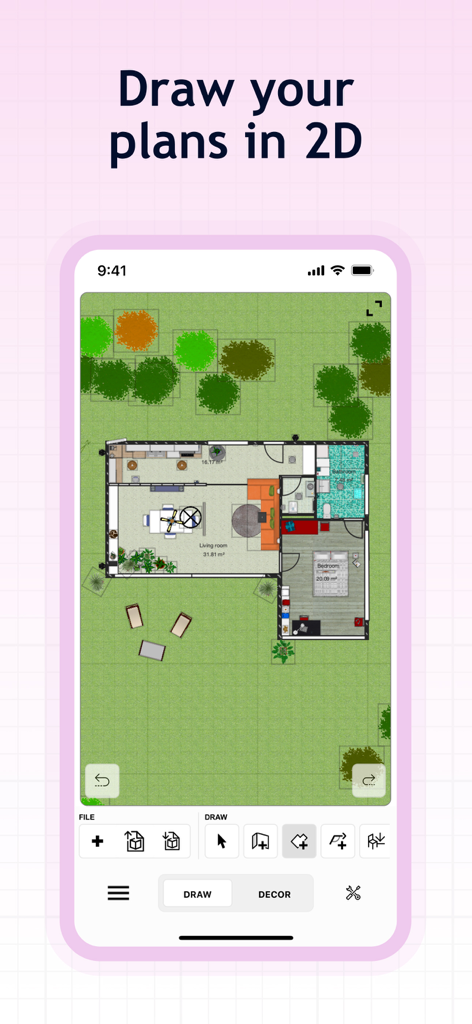
Sweet Home 3Dアプリでの、家具と庭を含む住宅レイアウトの2D間取り図ビュー
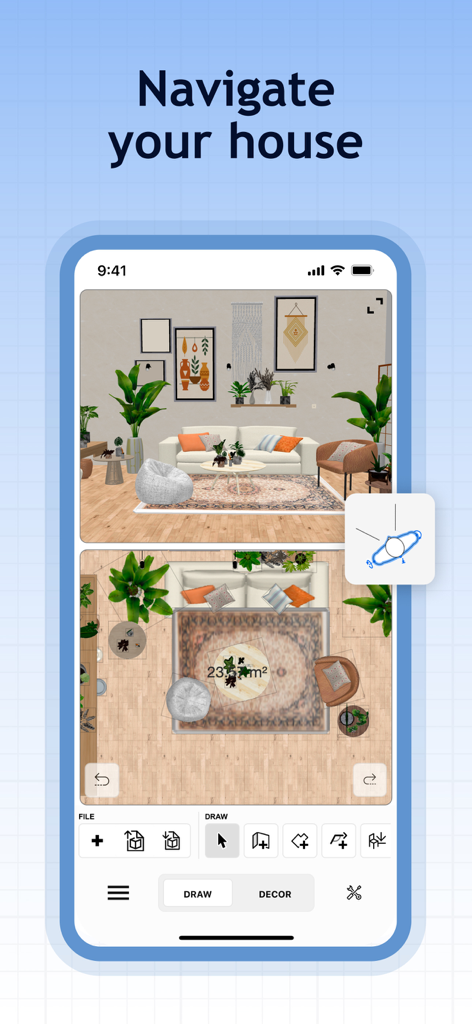
2D間取り図と3Dインテリア視覚化が表示されたSweet Home 3Dアプリのインターフェース
説明
Download
類似アプリ
似た機能とユーザー体験を持つアプリ

Floor Plan & AI Home - CamPlan
CamPlan AI Ltd

SketchUp - 3D Modeling
Trimble Inc.

ArcSite: Floor Plans and CAD
Arctuition LLC

Morpholio Trace - Sketch CAD
Morpholio LLC

Keyplan 3D Lite - Home design
Quasarts LLC

Smart Home Design 3D
Sebastian Kemper

Keyplan 3D - Home design
Quasarts LLC

Home Design 3D: Draw & Plan
Anuman

Homestyler-3D Home Decor
Homestyler (Shanghai) Technology Co., Ltd.
このページはアプリまたはその開発者の公式ページではなく、情報提供および論評を目的として作成された独立した編集出版物です。明示的に別段の記載がない限り、アプリおよびその開発者は、MWM、Apple、Google Play、アプリのパブリッシャー、またはアプリの開発者と提携、承認、後援、認可、またはその他の公式的な関係はなく、このページのいかなる内容も、アプリがMWMのサービスを使用して開発されたことを意味するものではありません。すべての商標、ロゴ、スクリーンショット、その他のコンテンツはそれぞれの所有者の財産です。