
このページはアプリまたはその開発者の公式ページではなく、情報提供および論評を目的として作成された独立した編集出版物です。明示的に別段の記載がない限り、アプリおよびその開発者は、MWM、Apple、Google Play、アプリのパブリッシャー、またはアプリの開発者と提携、承認、後援、認可、またはその他の公式的な関係はなく、このページのいかなる内容も、アプリがMWMのサービスを使用して開発されたことを意味するものではありません。すべての商標、ロゴ、スクリーンショット、その他のコンテンツはそれぞれの所有者の財産です。
ダウンロード
3M+ユーザー評価
評価数
11K+開発元
カテゴリ
Education対応言語
16最新バージョン
4.6.4サイズ
1.3 GBリリース日
2016年9月13日最初の論理から最初のアプリまで
Swift Playgrounds は、コーディング学習をゲームのように楽しくしながら、iPad から直接実際のアプリを構築・公開するためのプロフェッショナルツールを提供します。
解いて、遊んで、学ぼう
複雑な論理を魅力的なゲーム体験に変える、インタラクティブな 3D パズルを通じてコーディングの基本をマスターしましょう。
プロフェッショナルなコード、実際の成果
プロが使用するのと同じテクノロジーである SwiftUI で構築し、入力するたびにコードの変更がライブで反映されるのを確認しましょう。
どこでも構築、どこでも公開
iPad だけで、プロジェクトを白紙の状態から App Store まで進めましょう。または、Mac 上の Xcode とシームレスに同期しましょう。
コードを視覚化
SwiftUI のライブプレビューで、コードがどのようにインターフェイスを構築するかをリアルタイムで確認しましょう。
よくある質問
について知っておくべきこと Swift Playground
Swift Playgroundとは何ですか?
Swift Playgroundは、コーディングの学習や実際のアプリ開発を楽しくインタラクティブに行えるように設計されたアプリです。強力なAppleのプログラミング技術であるSwiftとSwiftUIを使用しています。
Swift Playgroundを使ってコーディングを学ぶことができるのは誰ですか?
Swift Playgroundは、8歳から108歳まで、コーディング経験の有無にかかわらず、誰でも利用できます。初心者にとって最適です。
ユーザーはSwift Playgroundで実際のアプリを開発できますか?
はい、ユーザーはSwift PlaygroundとSwiftUIを使用してiPad上で実際のアプリを開発できます。このアプリはiOS SDKを活用したユニークな学習体験を提供します。
Swift Playgroundはコーディングのガイド付きレッスンを提供していますか?
はい、Swift PlaygroundにはAppleが作成したレッスンが含まれており、3Dの世界でインタラクティブなコードパズルを解きながら、コアなプログラミングの概念をユーザーにガイドします。
Swift Playgroundはどのプログラミング言語を教えますか?
Swift Playgroundは、Appleが作成した強力なプログラミング技術であるSwiftとSwiftUIを教えます。これらは、世界中のプロフェッショナルが人気アプリを開発するために使用しています。
Swift Playgroundのプロジェクトは共有または公開できますか?
はい、ユーザーはMessages、Mail、AirDrop、またはその他のShare Sheet拡張機能を通じてSwift Playgroundプロジェクトを友人や家族に送信できます。完成したアプリはApp Storeに提出できます。
Swift Playgroundはコーディングをどのように支援しますか?
Swift Playgroundは、コマンドを移動するためのタッチ&ホールド、コードスニペットのドラッグ&ドロップ、一般的なエラーを修正するためのインライン提案などのスマートなコーディング支援を提供します。また、コードの自動フォーマットも提供します。
Swift Playgroundは学習のためにどのようなインタラクティブ要素を提供しますか?
Swift Playgroundは、コード実行のためのインタラクティブな3D世界を提供し、コード変更の結果を即座に表示します。ユーザーはplayground bookでコードを一行ずつステップ実行できます。
Swift PlaygroundはiOSフレームワークへのアクセスを許可しますか?
はい、Swift Playgroundは、2Dゲーム用のSpriteKit、3Dグラフィックス用のSceneKit、UIKitなどのiOSフレームワークへのアクセスを許可します。コードはiPadのハードウェアも直接制御します。
以下のスクリーンショットと説明は、アプリの公式ストアリスティングから直接取得されたものであり、アプリ開発者の所有物です。
アプリストア
スクリーンショット
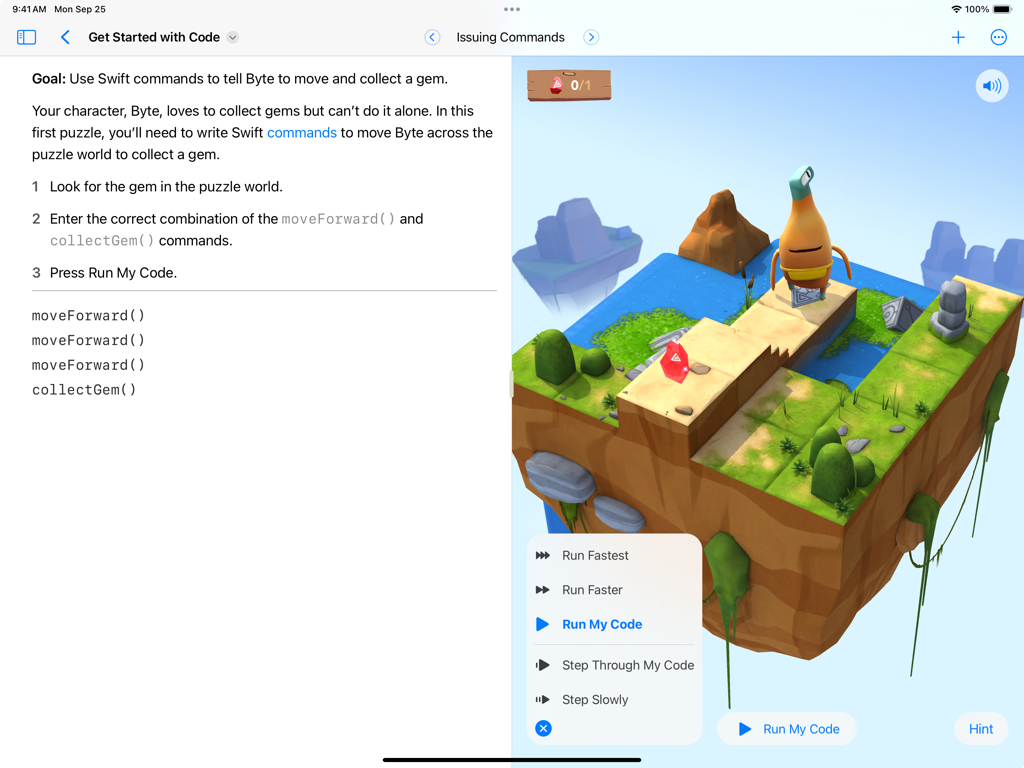
Swift Playgrounds iPad インターフェイスに、キャラクター Byte と Swift コードエディターが表示された 3D コーディングパズルが表示されています
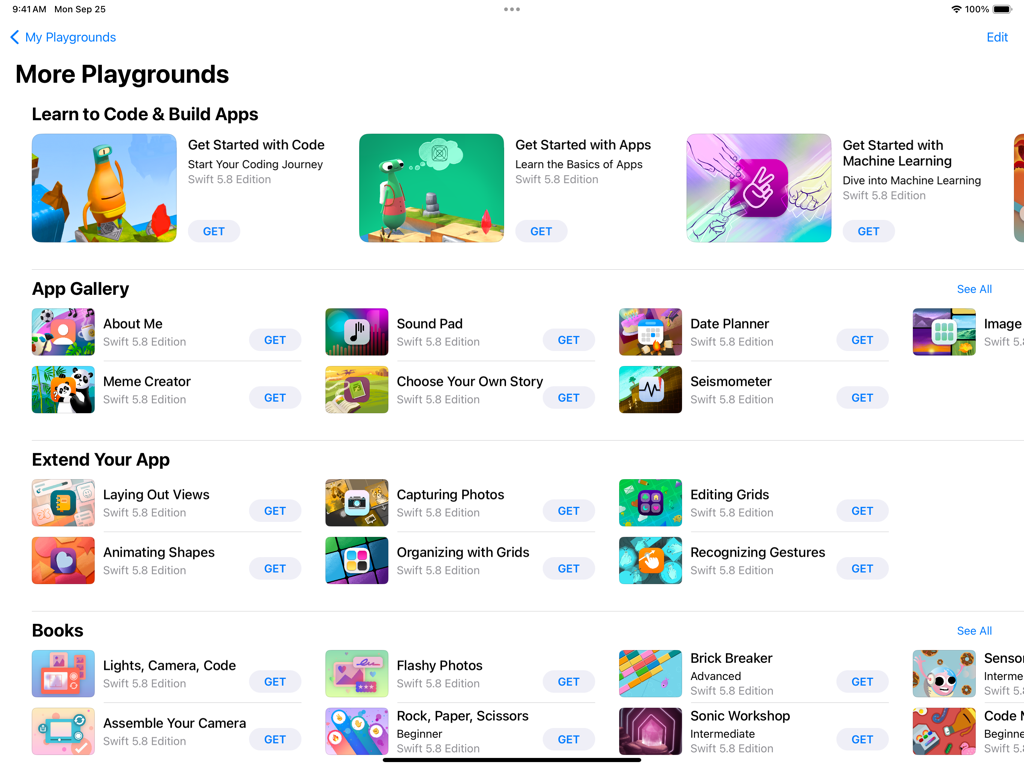
Swift Playgrounds の「その他のプレイグラウンド」画面。さまざまなコーディングレッスンとアプリ開発モジュールが表示されています。
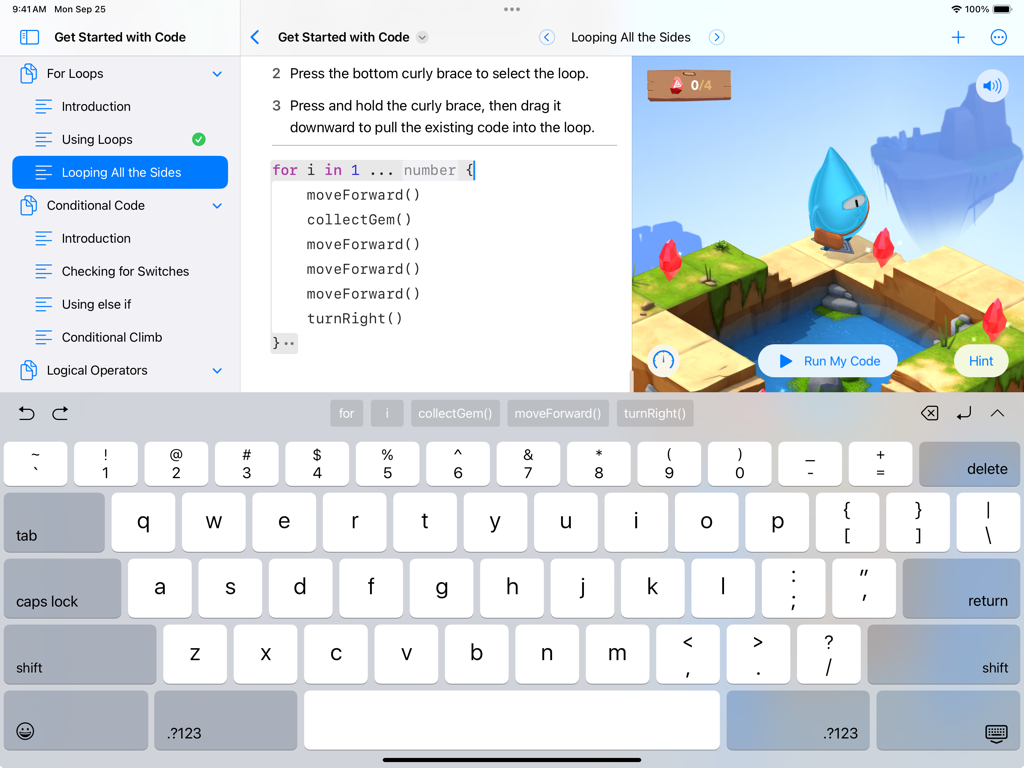
Swift Playgrounds iPad インターフェイスに、Swift コーディングレッスンとインタラクティブな 3D ゲームワールドが表示されています
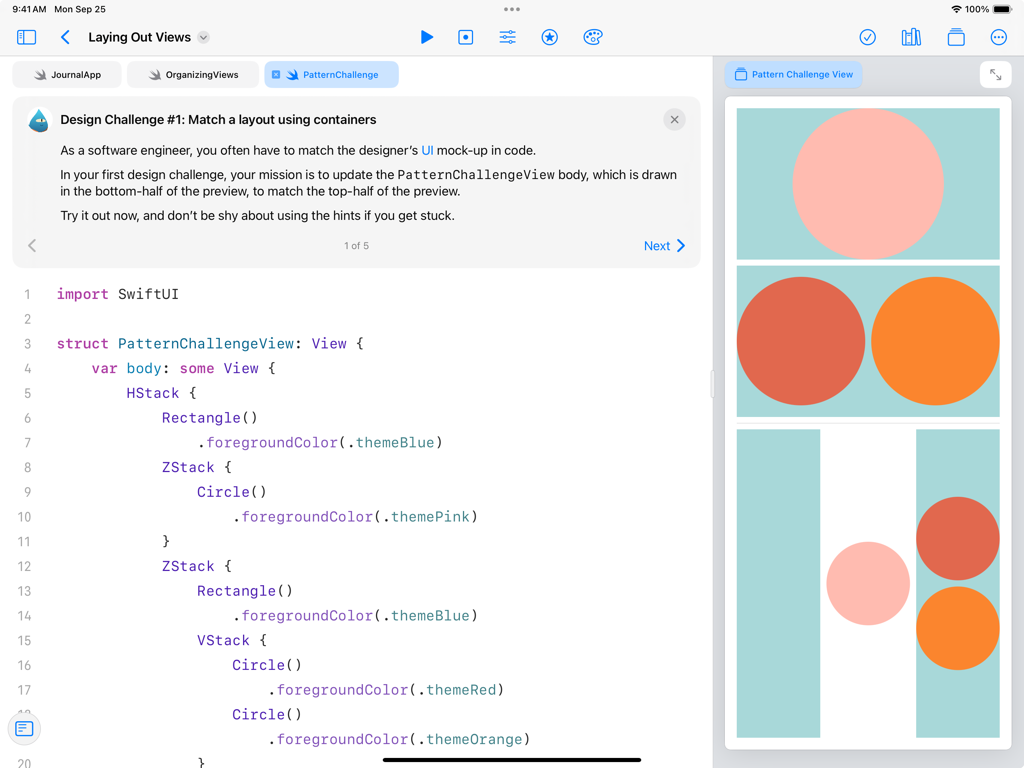
Swift Playgrounds iPad アプリに、デザインチャレンジ用の SwiftUI コードと、ユーザーインターフェイスレイアウトのライブビジュアルプレビューが表示されています
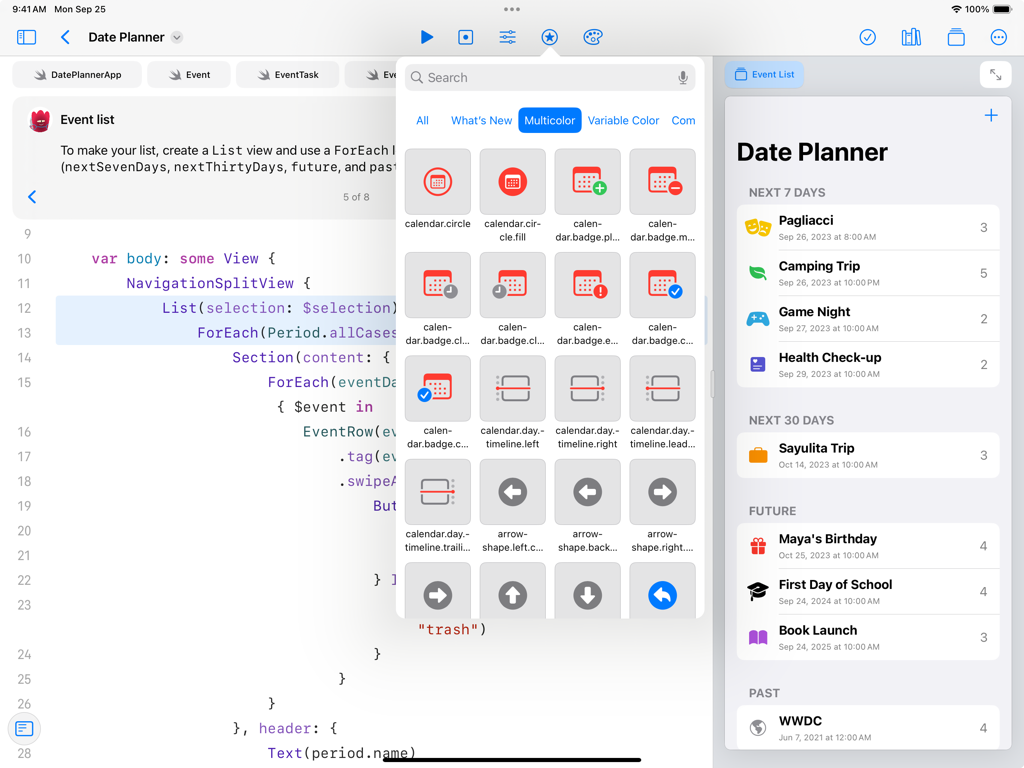
Swift Playgrounds iPad インターフェイスに、SwiftUI コードエディターと、Date Planner アプリのライブプレビューが表示されています
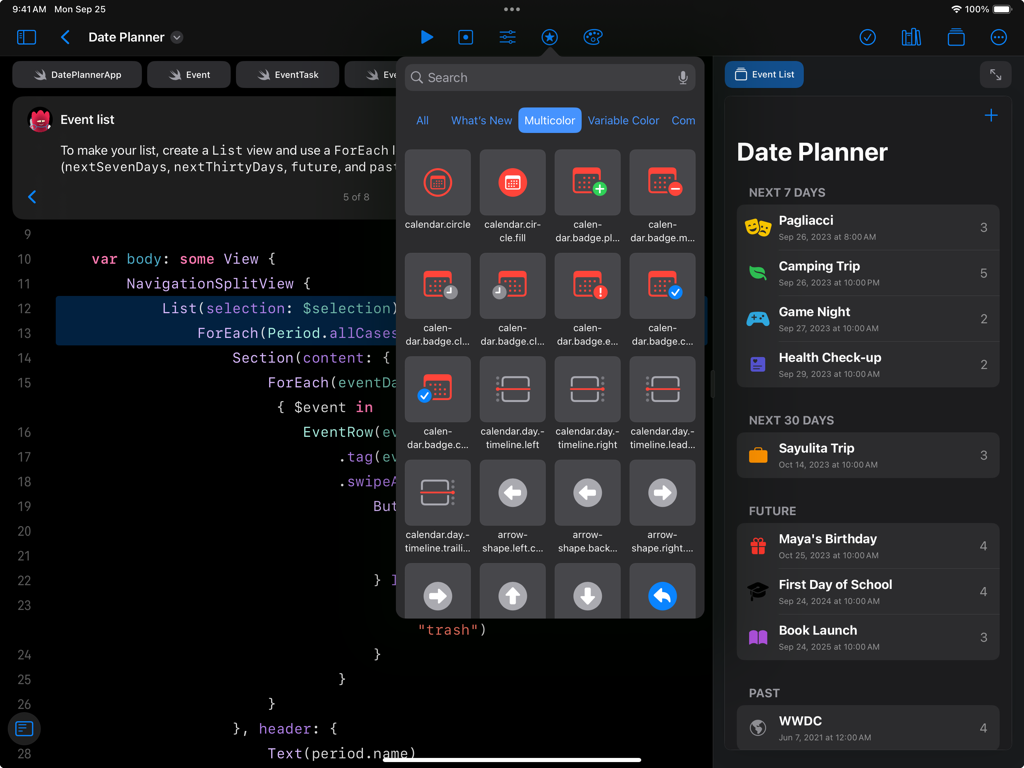
Swift Playgrounds iPad インターフェイスに、SwiftUI コードと、Date Planner アプリのライブプレビューが表示されています
説明
Download

類似アプリ
似た機能とユーザー体験を持つアプリ

Sololearn: Learn to Code
SoloLearn Inc.
Learn Python・Ocean-AI Compile
OCEAN FLOAT MOBILE LIMITED
小鹿AI编程
Guangdong Luxi Online Non-Academic Training School Co., Ltd.

Codecademy Go
Codecademy, LLC

Изучаем Python: CodX
Vyacheslav Shumkov
Learn & Code: CodenQuest
CodenQuest
w3cschool-职业技能培训网校
Xiamen Yidong Network Technology Company Limited
Skill: Code Microlearning
SonderSpot OU
Progate
Progate, Inc.
このページはアプリまたはその開発者の公式ページではなく、情報提供および論評を目的として作成された独立した編集出版物です。明示的に別段の記載がない限り、アプリおよびその開発者は、MWM、Apple、Google Play、アプリのパブリッシャー、またはアプリの開発者と提携、承認、後援、認可、またはその他の公式的な関係はなく、このページのいかなる内容も、アプリがMWMのサービスを使用して開発されたことを意味するものではありません。すべての商標、ロゴ、スクリーンショット、その他のコンテンツはそれぞれの所有者の財産です。