
このページはアプリまたはその開発者の公式ページではなく、情報提供および論評を目的として作成された独立した編集出版物です。明示的に別段の記載がない限り、アプリおよびその開発者は、MWM、Apple、Google Play、アプリのパブリッシャー、またはアプリの開発者と提携、承認、後援、認可、またはその他の公式的な関係はなく、このページのいかなる内容も、アプリがMWMのサービスを使用して開発されたことを意味するものではありません。すべての商標、ロゴ、スクリーンショット、その他のコンテンツはそれぞれの所有者の財産です。


SwingDraw
推測はやめて、自分のメカニクスを見ましょう。クラブの軌跡をトレースし、アライメントを分析し、スイングの欠陥を修正します。強力な描画ツールとスローモーション再生で、すべて一度だけの1.99ドルの購入で実現します。
ダウンロード
1K+ユーザー評価
評価数
0開発元
カテゴリ
Sports対応言語
1最新バージョン
1.1サイズ
9.7 MBリリース日
2025年6月16日あなたのメカニクスをマスターする
プログレードのスイング分析ツールがあなたの指先に。サブスクリプションなし、広告なし—あなたのゲームを完璧にするために必要なデータだけ。
視覚的な軌跡追跡
線や円を重ねてクラブの軌跡と体のラインをトレースし、「感覚」を即座に「現実」のフィードバックに変えます。
フレームごとの精度
高解像度のスローモーションでスイングを確認し、微妙な欠陥を見つけ、メカニクスをどこで修正する必要があるかを正確に特定します。
以下のスクリーンショットと説明は、アプリの公式ストアリスティングから直接取得されたものであり、アプリ開発者の所有物です。
アプリストア
スクリーンショット
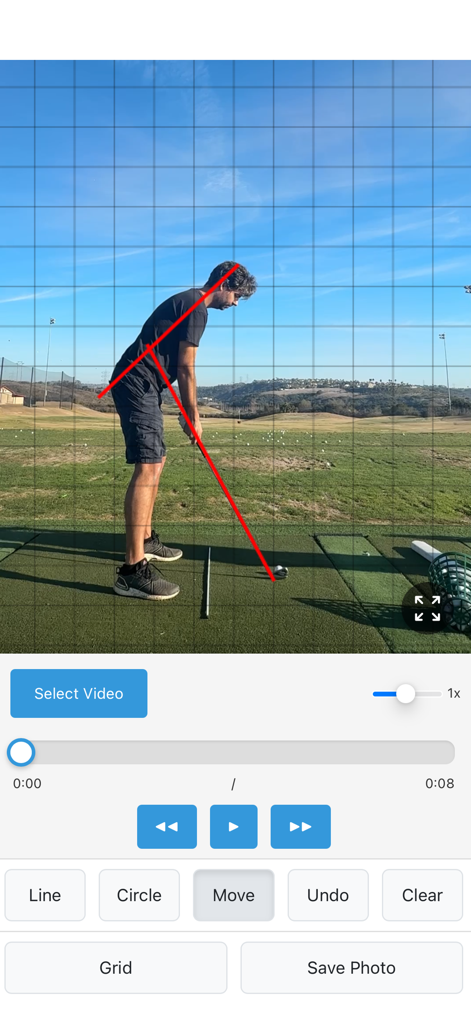
ゴルファーがSwingDrawアプリを使用して、グリッドオーバーレイと赤い描画ツールでスイングメカニクスを分析している様子。
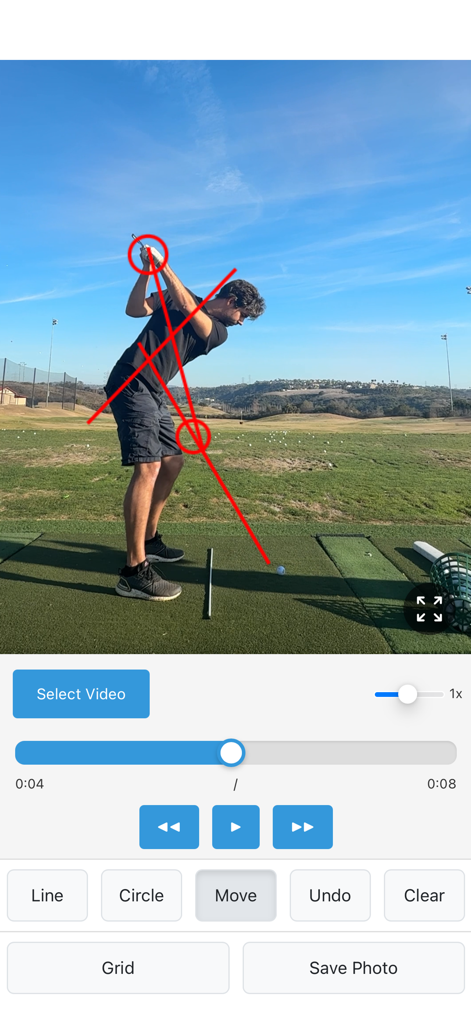
SwingDrawアプリのスクリーンショット。技術分析のために赤い線と円で注釈が付けられたゴルファーのスイングが表示されています。
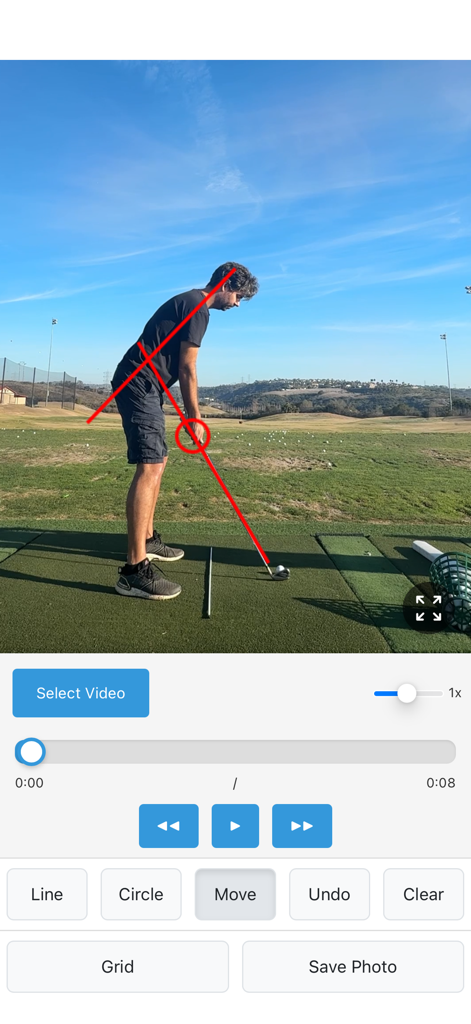
ドライビングレンジでのゴルファーの赤い線と円の注釈付きのゴルフスイング分析モバイルアプリ
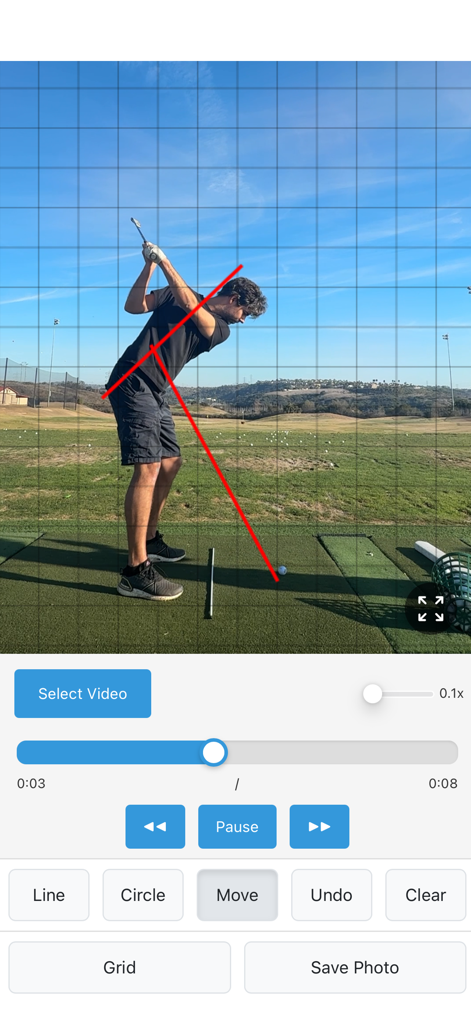
赤い線のアノテーションとグリッドオーバーレイを備えたゴルフスイングビデオ分析インターフェース。
説明
Download
類似アプリ
同じカテゴリのトップランクアプリ

得物 - 得到美好事物
Shanghai Dewu Information Group Co., Ltd.

懂球帝 - 足球篮球体坛数据
Hainan Football-Loving Girl Network Technology Co., Ltd.

Underdog Sports
Underdog Sports, Inc.

虎扑-评分篮球足球游戏影视
Shanghai Kuanghui Network Technology Co., LTD

ESPN: Live Sports & Scores
Disney Electronic Content, Inc.

Flashscore: Live Scores & News
Livesport s.r.o.

Polymarket
Blockratize Inc

DAZN: Stream Live Sports
DAZN Limited

DraftKings Sportsbook & Casino
DRAFTKINGS LLC.
このページはアプリまたはその開発者の公式ページではなく、情報提供および論評を目的として作成された独立した編集出版物です。明示的に別段の記載がない限り、アプリおよびその開発者は、MWM、Apple、Google Play、アプリのパブリッシャー、またはアプリの開発者と提携、承認、後援、認可、またはその他の公式的な関係はなく、このページのいかなる内容も、アプリがMWMのサービスを使用して開発されたことを意味するものではありません。すべての商標、ロゴ、スクリーンショット、その他のコンテンツはそれぞれの所有者の財産です。