SwipeNow - Photo Cleaner
ダウンロード: App Store

このページはアプリまたはその開発者の公式ページではなく、情報提供および論評を目的として作成された独立した編集出版物です。明示的に別段の記載がない限り、アプリおよびその開発者は、MWM、Apple、Google Play、アプリのパブリッシャー、またはアプリの開発者と提携、承認、後援、認可、またはその他の公式的な関係はなく、このページのいかなる内容も、アプリがMWMのサービスを使用して開発されたことを意味するものではありません。すべての商標、ロゴ、スクリーンショット、その他のコンテンツはそれぞれの所有者の財産です。


ロゴ: SwipeNow - Photo Cleaner
ダウンロード: App Store

SwipeNow - Photo Cleaner

「ストレージがいっぱいです」という不安にさよならを。重複写真を簡単に削除し、絵文字で思い出を整理し、直感的で簡単なスワイプでiPhoneの空き容量を取り戻しましょう。

主要数値

ダウンロード

41K+

ユーザー評価

4.7/5

評価数

100

開発元

MoYoDream Technology Co.Ltd

カテゴリ

Productivity

対応言語

8

最新バージョン

2.0.2

サイズ

83.9 MB

リリース日

2024年12月9日
機能

簡単なスワイプで思い出を整理整頓

「ストレージがいっぱいです」という警告を無視するのはやめましょう。SwipeNowは、ギャラリーのクリーニングという面倒な作業を、速く満足感のある習慣に変え、本当に大切な瞬間のためのスペースを確保します。

簡単なワンタップクリーニング

数千枚の写真を数分でクリア。ぼやけた写真や重複写真を左にスワイプして削除し、お気に入りを右にスワイプして保存しましょう。生産的で速く、驚くほど楽しいです。

おしゃれな絵文字アルバム

人生を瞬時に整理しましょう。お気に入りのカテゴリをピン留めし、絵文字を使って旅行、家族、仕事の写真を、スワイプしながら美しくキュレーションされたフォルダに分類しましょう。

以下のスクリーンショットと説明は、アプリの公式ストアリスティングから直接取得されたものであり、アプリ開発者の所有物です。

アプリストア

スクリーンショット
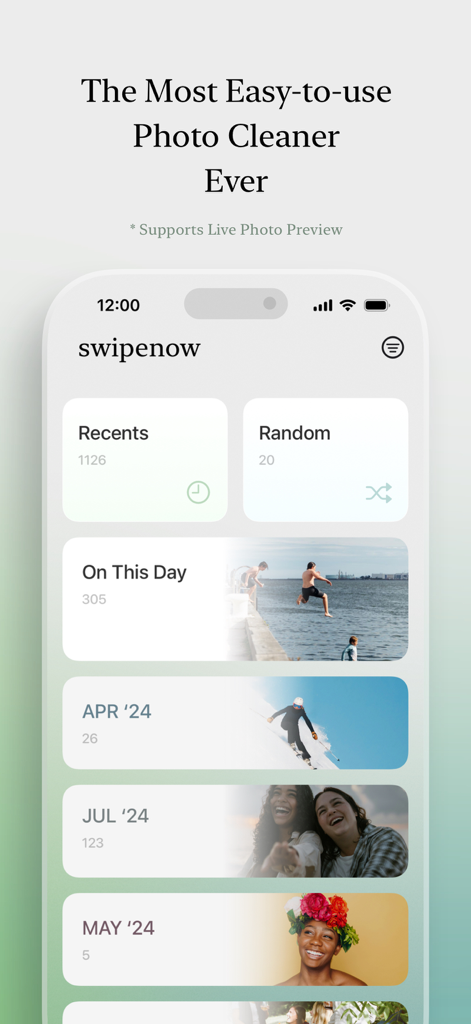
SwipeNow - Photo Cleaner - 整理された写真カテゴリとメモリアルバムを表示するSwipeNow写真クリーナーアプリのインターフェース
整理された写真カテゴリとメモリアルバムを表示するSwipeNow写真クリーナーアプリのインターフェース

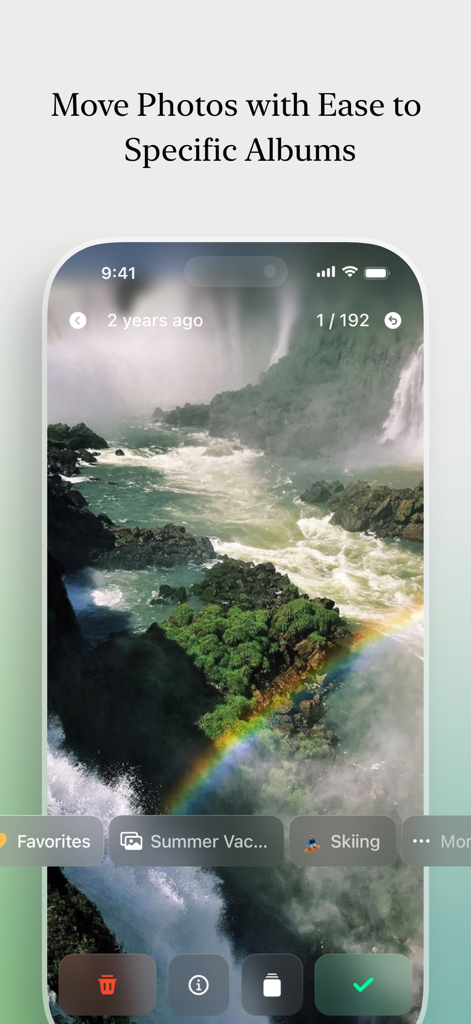
SwipeNow - Photo Cleaner - 夏休みやスキーなどのカスタムアルバムに写真を移動する方法を示すSwipeNowアプリのインターフェース
夏休みやスキーなどのカスタムアルバムに写真を移動する方法を示すSwipeNowアプリのインターフェース

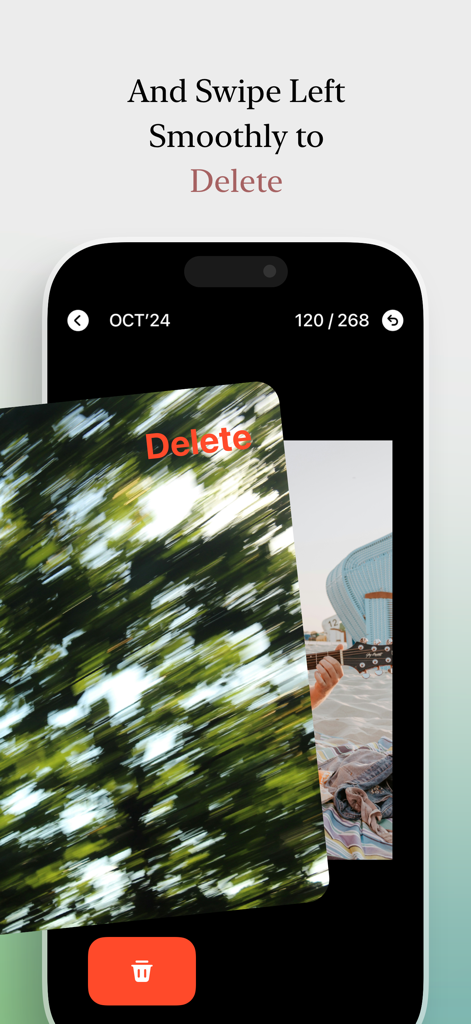
SwipeNow - Photo Cleaner - SwipeNowアプリのインターフェースで、ぼやけた写真を左にスワイプして削除しているユーザー
SwipeNowアプリのインターフェースで、ぼやけた写真を左にスワイプして削除しているユーザー

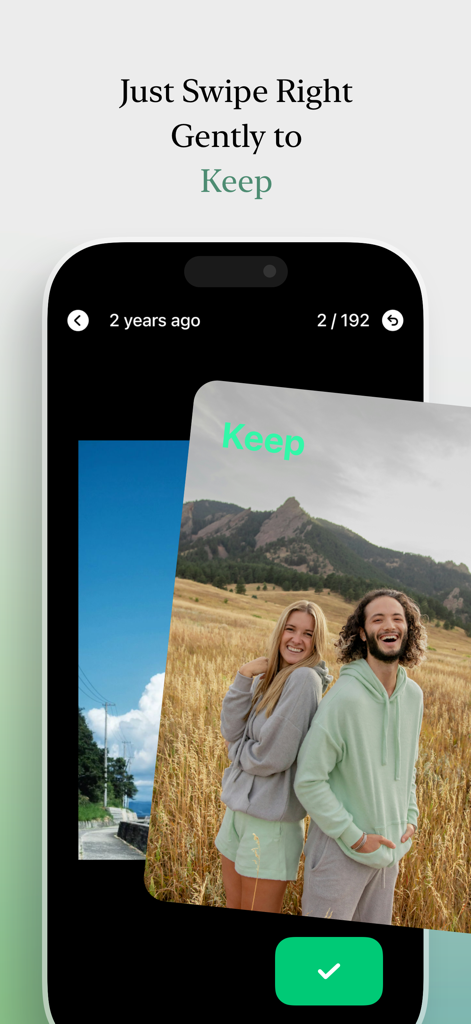
SwipeNow - Photo Cleaner - SwipeNowアプリのインターフェースで、カップルの写真を右にスワイプしてギャラリーに保持している様子
SwipeNowアプリのインターフェースで、カップルの写真を右にスワイプしてギャラリーに保持している様子

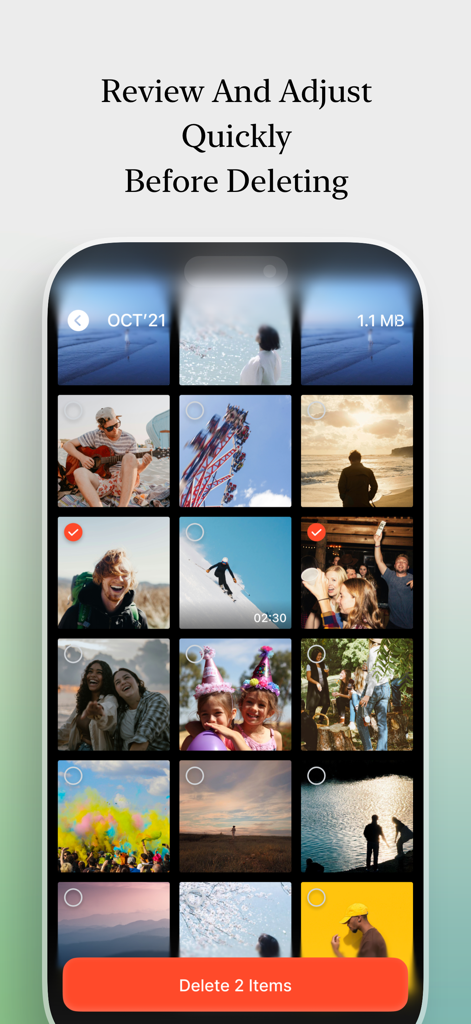
SwipeNow - Photo Cleaner - SwipeNowアプリのインターフェースで、ユーザーが削除するアイテムを選択してストレージを解放する前にレビューおよび調整できる写真グリッドを表示
SwipeNowアプリのインターフェースで、ユーザーが削除するアイテムを選択してストレージを解放する前にレビューおよび調整できる写真グリッドを表示

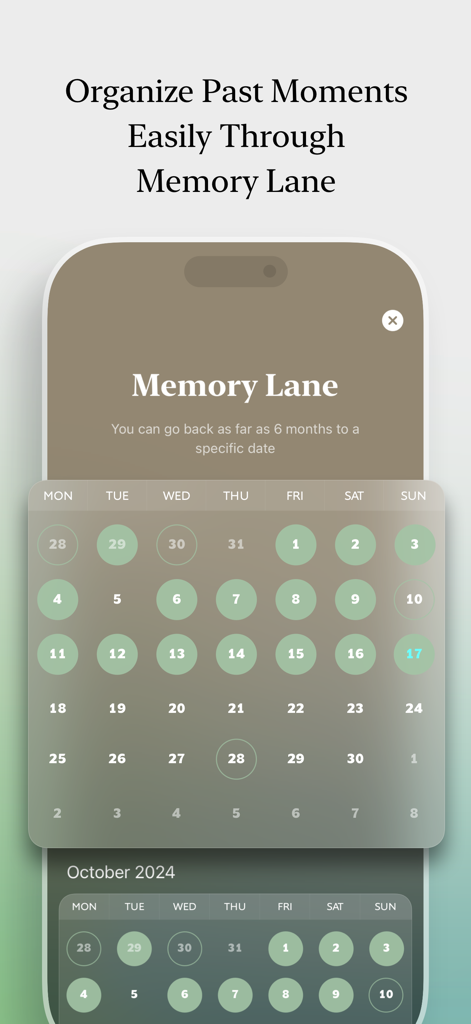
SwipeNow - Photo Cleaner - 過去の写真を整理するためのメモリレーン機能を示すSwipeNowアプリのカレンダーインターフェース

過去の写真を整理するためのメモリレーン機能を示すSwipeNowアプリのカレンダーインターフェース

説明

Effortless Photo Cleaning – Declutter & Organize in One Step! Your photo album is filled with countless memories—but also with duplicates, blurry shots, and random clutter. SwipeNow makes cleaning up your gallery, freeing up storage, and organizing photos into albums easy—all with simple swipes. 【Key Features】 ● Fast Photo Deletion: Swipe left to delete unwanted photos and right to keep the ones you love—declutter and free up space with ease. ● Emoji-Powered Albums: Pin your favorite albums and assign emoji icons for quick access—add photos to them instantly while swiping. ● Recents & Random Cleaning: Clean recent photos in bulk or rediscover hidden gems with random selections. ● On This Day Memories: Revisit special moments by viewing photos taken on this day in previous years. ● Organize by Month: Sort and manage photos by year and month to easily find and clean specific memories. 【Perfect For】 ● Photography Enthusiasts: Quickly clean up messy galleries and organize favorites into albums. ● Travelers: Effortlessly group your adventures into travel albums while clearing space. ● Content Creators & Vloggers: Sort content clips into themed albums while deleting clutter. ● Family Memory Keepers: Organize cherished family moments and free up storage space. Download SwipeNow to enjoy a cleaner, smarter photo gallery! Effortlessly clean, organize, and free up space—all with simple swipes. Keep your memories neat, organized, and easily searchable—no hassle. 【Weekly Plan Subscription Info】 Subscribe to SwipeNow to unlock the full experience: unlimited photo swiping, no ads, and access to all premium tools for a smoother and smarter photo cleanup journey. ● Subscription Period: SwipeNow Premium is a weekly subscription with a 7-day cycle. ● Price: The standard price is US$4.99 per week. Prices may vary by region based on operational strategies. A 3-day free trial and a half-price first week may be available in some regions. Final pricing and offers are subject to the in-app purchase (iAP) configuration in the App Store. ● Payment: Payment will be charged to your Apple ID account upon confirmation of purchase. ● Auto-Renewal: Your subscription will automatically renew unless auto-renew is turned off at least 24 hours before the end of the current period. Your account will be charged within 24 hours before the end of the current subscription. ● Cancel Subscription: To cancel, go to Settings > Apple ID > Subscriptions, find SwipeNow, and turn off auto-renew. ● Free Trial: If you cancel during the free trial period, you’ll still have access to all premium features until the trial ends. Privacy Policy: https://pt.swipenow.photos/policy.html Terms of Service: https://pt.swipenow.photos/terms.html

Download

ダウンロード: App Store

このページはアプリまたはその開発者の公式ページではなく、情報提供および論評を目的として作成された独立した編集出版物です。明示的に別段の記載がない限り、アプリおよびその開発者は、MWM、Apple、Google Play、アプリのパブリッシャー、またはアプリの開発者と提携、承認、後援、認可、またはその他の公式的な関係はなく、このページのいかなる内容も、アプリがMWMのサービスを使用して開発されたことを意味するものではありません。すべての商標、ロゴ、スクリーンショット、その他のコンテンツはそれぞれの所有者の財産です。