Sync Folders

Sync Folders

ダウンロード: App Store
ロゴ: Sync Folders

Sync Folders: プロフェッショナルグレードのファイル同期とバックアップ

高度な双方向同期、ネットワーク統合、詳細なプレビュー機能により、データを完全に制御できます。テラバイト級のデータを管理するプロフェッショナル向けに設計されています。

ダウンロード: App Store

開発元

VADIM ZYBIN

カテゴリ

Business

ダウンロード

4K+

ユーザー評価

4.0/5

評価数

0

対応言語

1

すべての同期に精密さを

このインターフェースを利用する 4K+ 人のユーザー.

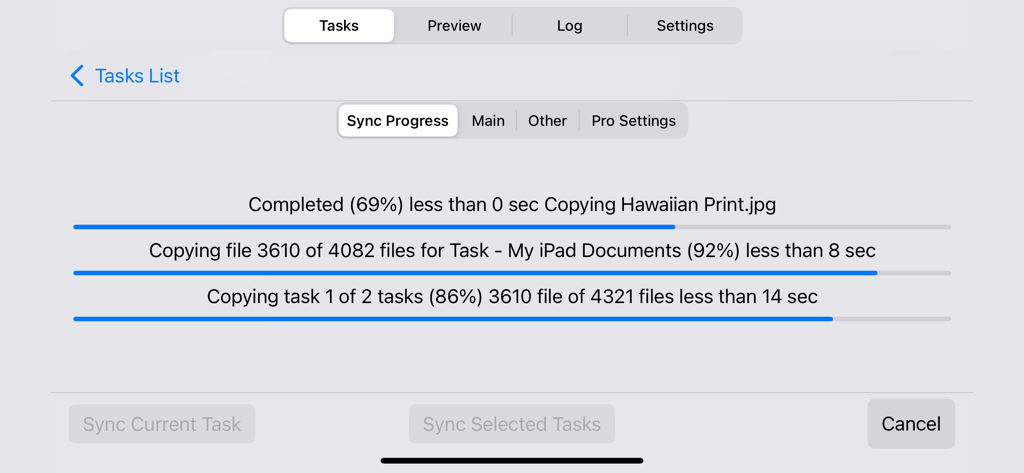
Sync Foldersアプリ画面、複数のステータスバーで詳細なファイル同期の進捗状況を表示

Sync Foldersアプリ画面、複数のステータスバーで詳細なファイル同期の進捗状況を表示

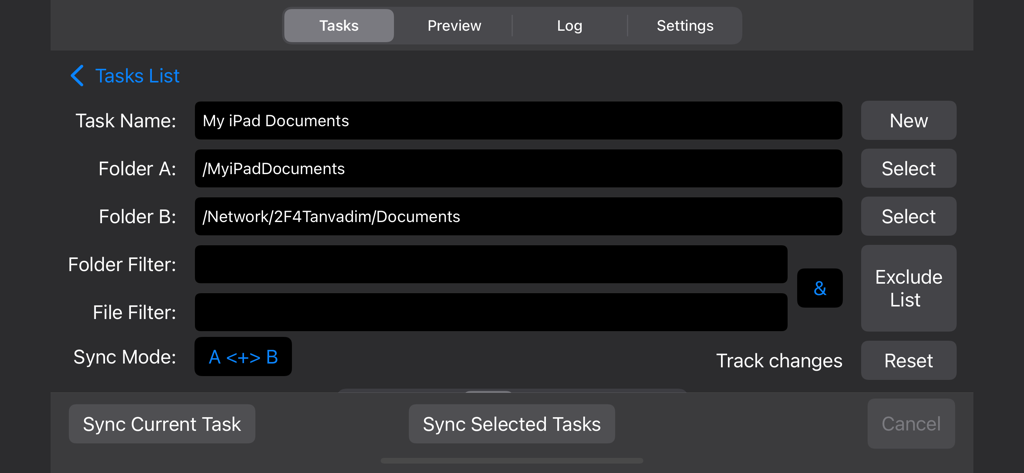
Sync Foldersアプリ画面、iPadとネットワークフォルダ間のファイル同期設定を表示

Sync Foldersアプリ画面、iPadとネットワークフォルダ間のファイル同期設定を表示

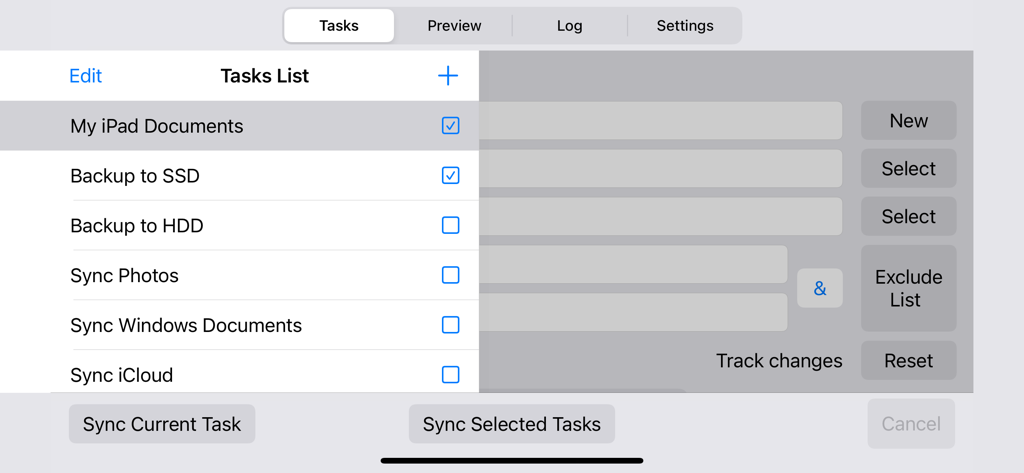
iPad上の同期およびバックアップタスクのリストを表示するSync Foldersアプリのインターフェイス。

iPad上の同期およびバックアップタスクのリストを表示するSync Foldersアプリのインターフェイス。

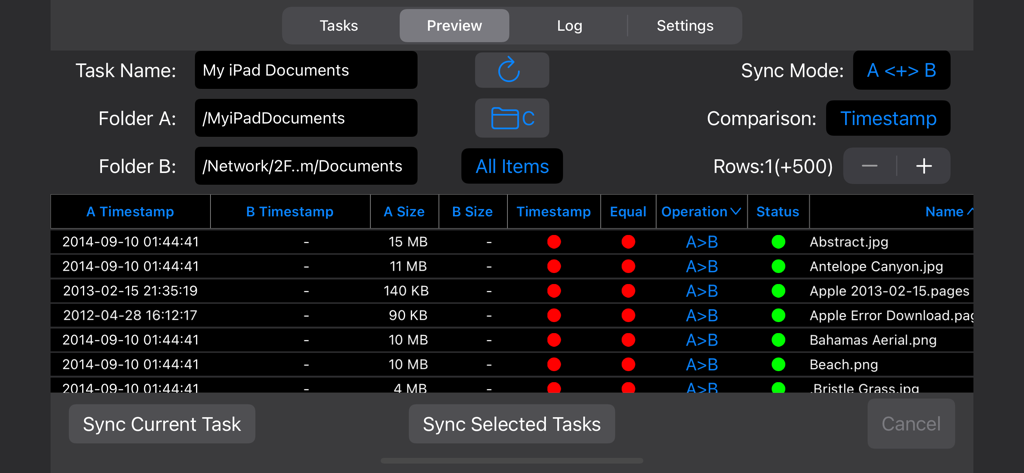
iPadとネットワークドライブ間の同期のための詳細なファイル比較を表示するSync Foldersのプレビューモードのインターフェイス

iPadとネットワークドライブ間の同期のための詳細なファイル比較を表示するSync Foldersのプレビューモードのインターフェイス

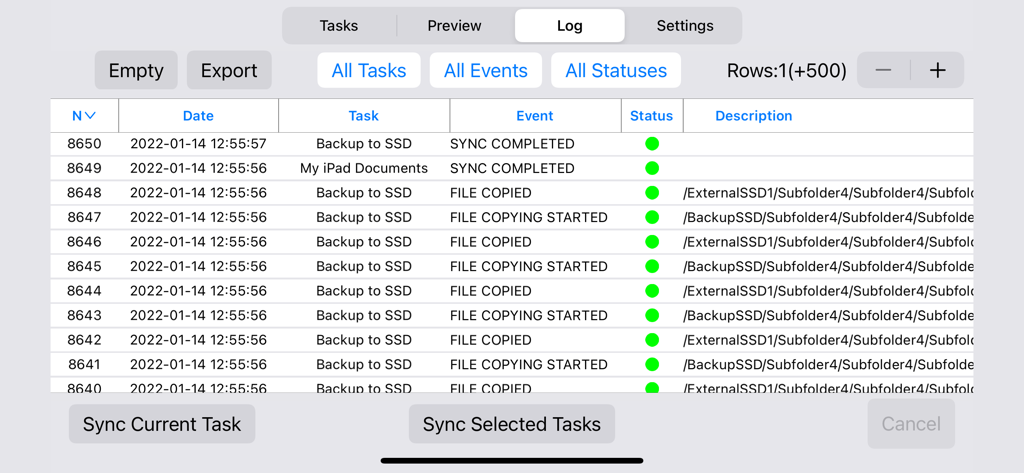
ファイル同期履歴とバックアップステータスを表示するSync Foldersアプリの詳細なイベントログ

ファイル同期履歴とバックアップステータスを表示するSync Foldersアプリの詳細なイベントログ

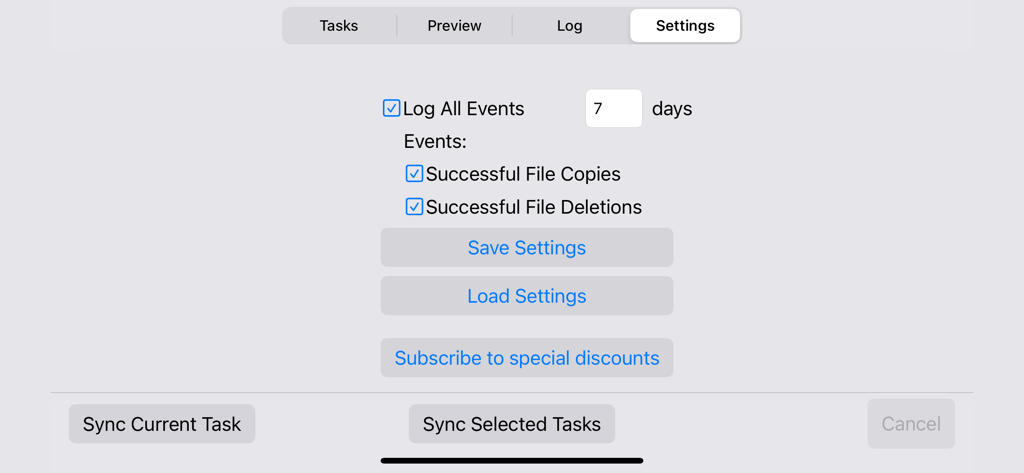
ファイルコピーと削除を7日間ログに記録するオプションを表示するSync Foldersアプリの設定画面

ファイルコピーと削除を7日間ログに記録するオプションを表示するSync Foldersアプリの設定画面

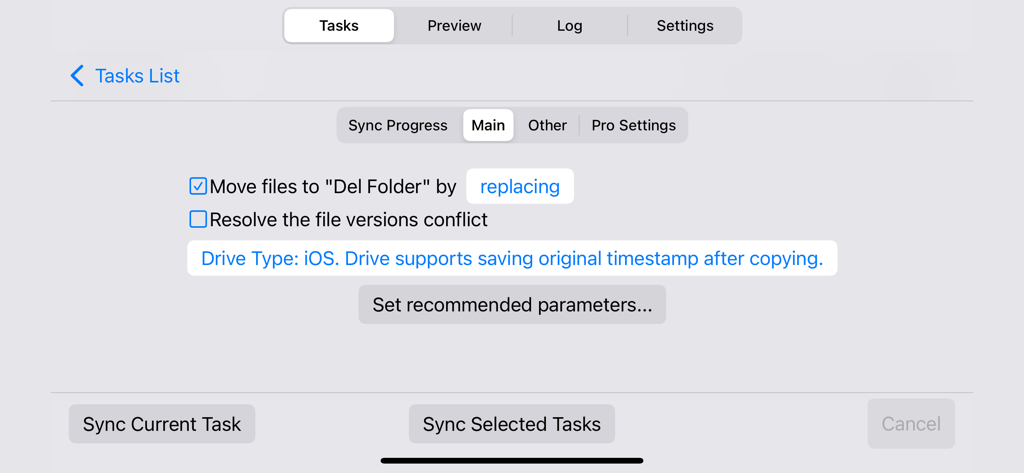
iOS上のSync Foldersアプリのファイル同期タスクのメイン設定画面。

iOS上のSync Foldersアプリのファイル同期タスクのメイン設定画面。

同期から特定のフォルダを除外するためのSync Foldersアプリ画面

同期から特定のフォルダを除外するためのSync Foldersアプリ画面

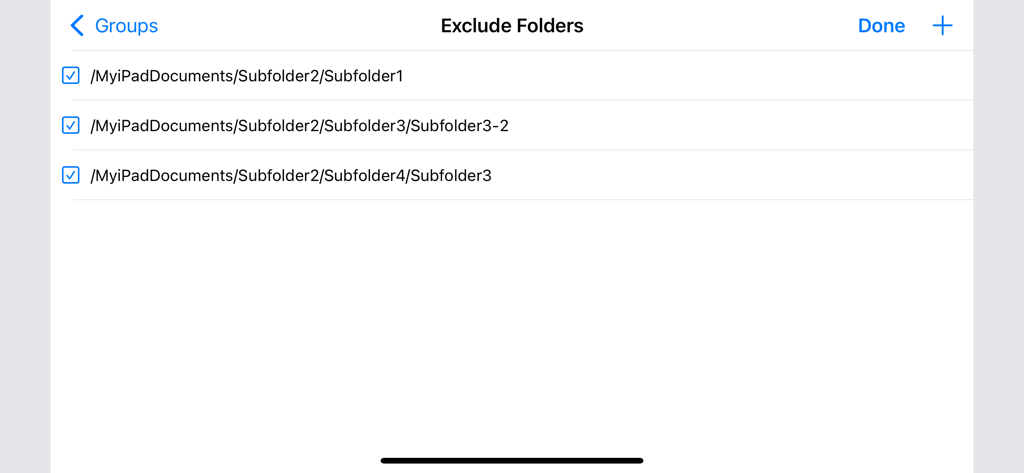
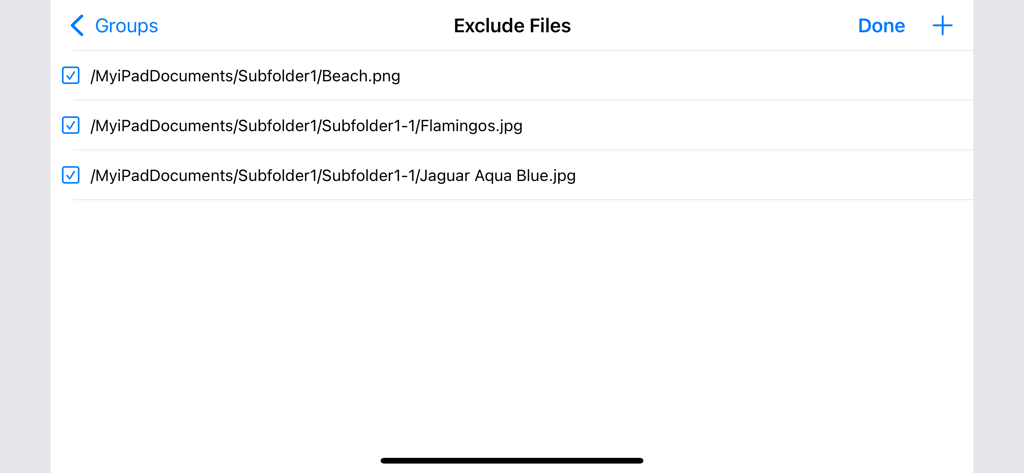
同期から除外するために選択されたファイルのリストを表示するSync Foldersアプリのインターフェイス

同期から除外するために選択されたファイルのリストを表示するSync Foldersアプリのインターフェイス

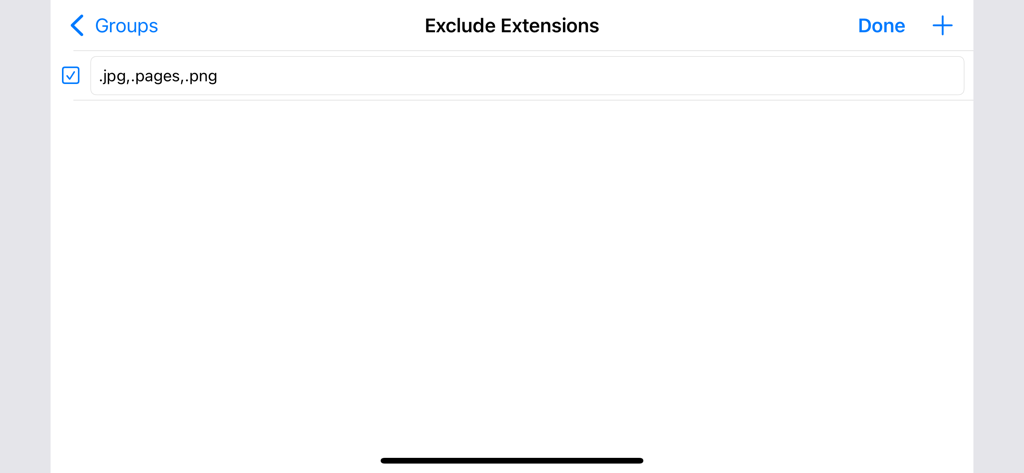
jpgやpngなどの特定のファイル拡張子を同期から除外するオプションを表示するSync Foldersアプリ画面

jpgやpngなどの特定のファイル拡張子を同期から除外するオプションを表示するSync Foldersアプリ画面

プロフェッショナルなワークフローを完全に制御

このアプリを際立たせるツール、 4K+ 人のユーザーが選択.

🔗

ユニバーサル接続

iOS、ネットワークフォルダ(SMB)、外部ドライブ間でシームレスに同期します。ローカルインフラストラクチャ全体で高解像度アセットを移動するのに最適です。

🛡️

データの整合性と安全性

堅牢なプレビューモード、イベントログ、削除されたファイルの以前のバージョンを保持する機能により、偶発的な損失を防ぎます。

🚀

エンタープライズグレードのパフォーマンス

大規模ライブラリ向けに最適化されています。増分バックアップエンジンは変更されたファイルのみを識別するため、TB規模の同期を高速かつ効率的に行えます。

アプリについて

について知っておくべきこと Sync Folders.

説明

• Synchronization and backup of local folders iOS, network folders Mac and PC, iCloud, external USB drives, memory cards, any other external media storage connected via Files.app • Bidirectional sync, one-way sync, mirror backup (In-App Purchases, two sync modes for free). • Powerful preview mode. Ability to change file operations before syncing. • Synchronization any number of pair folders at the same time (In-App Purchases, one pair folders for free). • With each re-backup, the app finds and copies only new files and new file versions, thereby reducing backup time and extending the life of your storage devices. • List of excluded subfolders, files, file extensions, filter for folders and files. Sync Folders is an easy-to-use app for beginners, has the ability to fine-tune synchronization settings for the most exacting professionals. Do you have terabytes (TB) of data to sync? No problem! Sync Folders has been optimized to work with extremely large number of files. Do you have questions? Please watch our helpful video tutorial on our website. FOR BEGINNERS - Select 2 folders to synchronize. - Select the synchronization mode, or use the default mode. You do not need to worry about other settings, they are set to the recommended. - Click the "Sync current task" button and your folders will be synchronized! FOR PROFESSIONALS - 9 sync modes (In-App Purchases, two sync modes for free). - 6 file comparison modes allow to synchronize files on the storage devices with different file systems. - Synchronization of files with all attributes (timestamps, tags). - Synchronization of subfolder attributes (timestamps, tags). - Ability to select what package types synchronize as files, and which as folders. - You can transform the app to the convenient file manager using powerful filters for files and folders. - Synchronization over the network. - Protection for unauthorized disconnect storage devices (folders) during synchronization. - Keeping the last/all versions of files to be deleted. Using this mode, you can always restore deleted files, even if folders have synchronized several times. - Ability to log events. You can filter events by type, task, status. Ability to export the event log to an external file.

最新バージョン

1.2

サイズ

3.5 MB

リリース日

2012年12月21日

プロフェッショナルなデータ管理を

Mac、PC、外部ドライブ間でテラバイト級のファイルを精密に同期します。サブスクリプションなし、純粋なパフォーマンスをデジタルワークフローに。

ダウンロード: App Store

App information, icons, screenshots, and descriptions displayed on this page are sourced from the Apple App Store and are the property of their respective developers. Download estimates and rankings are based on MWM's proprietary models and may not reflect actual figures. This page is provided for informational and analytical purposes only.

Believe this page infringes your intellectual property? File a dispute