Talking Bible for The Blind
ダウンロード: App Store

このページはアプリまたはその開発者の公式ページではなく、情報提供および論評を目的として作成された独立した編集出版物です。明示的に別段の記載がない限り、アプリおよびその開発者は、MWM、Apple、Google Play、アプリのパブリッシャー、またはアプリの開発者と提携、承認、後援、認可、またはその他の公式的な関係はなく、このページのいかなる内容も、アプリがMWMのサービスを使用して開発されたことを意味するものではありません。すべての商標、ロゴ、スクリーンショット、その他のコンテンツはそれぞれの所有者の財産です。


ロゴ: Talking Bible for The Blind
ダウンロード: App Store

Talking Bible for The Blind

視覚障害者や高齢者向けに特別に設計されたこのインタラクティブアプリでは、タップして話すだけで、任意の聖句を聞いたり、トピックを検索したりできます。視覚を必要とせずに、霊的な自立を取り戻し、神の言葉とのつながりを保ちましょう。

主要数値

ダウンロード

600

ユーザー評価

1.0/5

評価数

0

開発元

Bernard Simmons

カテゴリ

Reference

対応言語

1

最新バージョン

4.11

サイズ

106.5 MB

リリース日

2024年2月17日
機能

声で聖書を再発見する

視覚障害者のために特別に設計された当社のインタラクティブテクノロジーは、小さな文字の障壁を取り除き、簡単なハンズフリー会話を通じて神の言葉に触れることを可能にします。

音声起動ナビゲーション

画面をタップして、「ヨハネ第3章16節」のような任意の聖句を言うだけです。アプリがそれを聞き取り、即座に読み上げてくれるため、ナビゲーションは簡単で自立的です。

心で検索

特定のトピックを検索して、数秒で慰めを見つけましょう。「平和を検索」または「希望を検索」と言うと、旧約聖書と新約聖書全体に関連するすべての箇所を聞くことができます。

以下のスクリーンショットと説明は、アプリの公式ストアリスティングから直接取得されたものであり、アプリ開発者の所有物です。

アプリストア

スクリーンショット
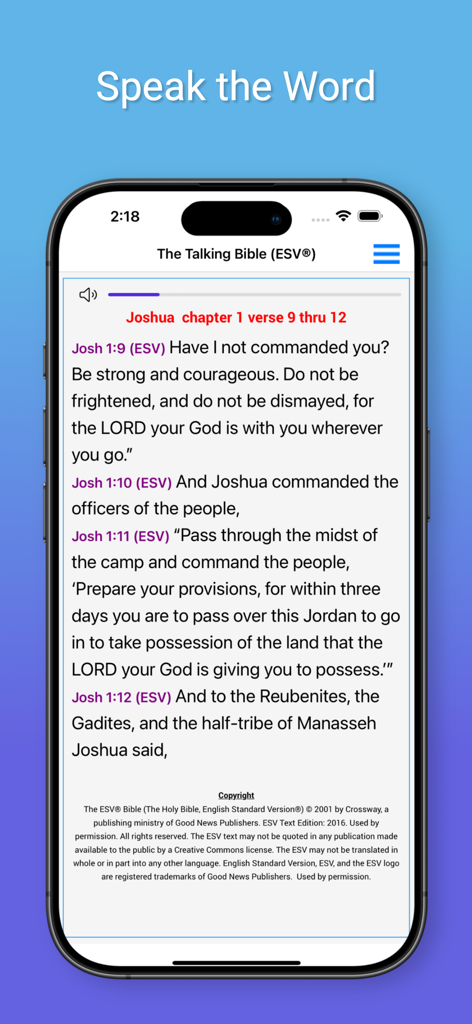
Talking Bible for The Blind - iPhone画面に英語標準訳の聖句が表示されているトーキングバイブルアプリのインターフェース
iPhone画面に英語標準訳の聖句が表示されているトーキングバイブルアプリのインターフェース

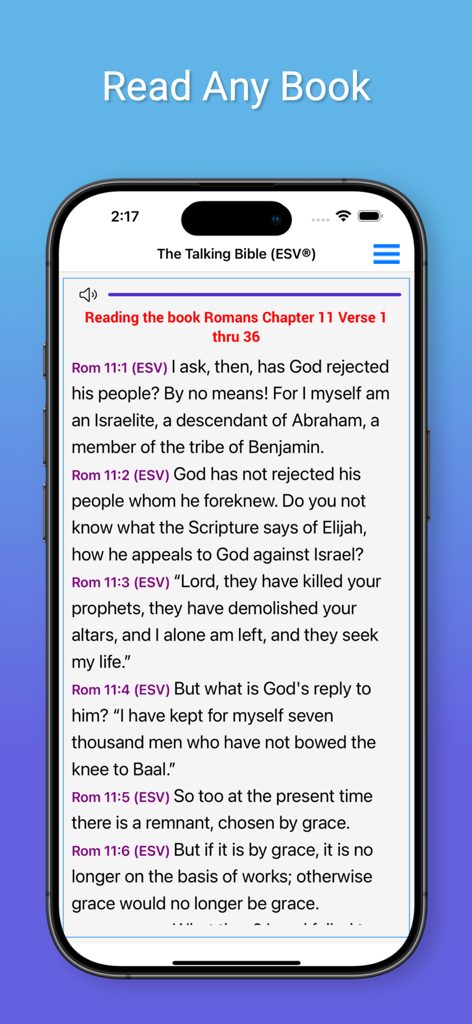
Talking Bible for The Blind - iPhone画面に、トーキングバイブルアプリがESV訳でローマ11章を読み上げている様子が表示されている。
iPhone画面に、トーキングバイブルアプリがESV訳でローマ11章を読み上げている様子が表示されている。

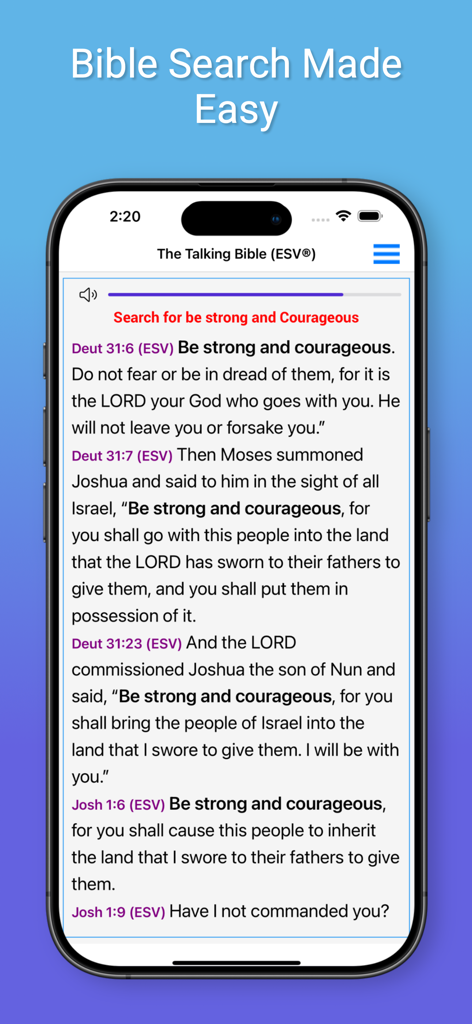
Talking Bible for The Blind - iPhone画面に、トーキングバイブルアプリのインターフェースが表示されており、「強く、雄々しくあれ」という聖句の検索結果が表示されている。
iPhone画面に、トーキングバイブルアプリのインターフェースが表示されており、「強く、雄々しくあれ」という聖句の検索結果が表示されている。

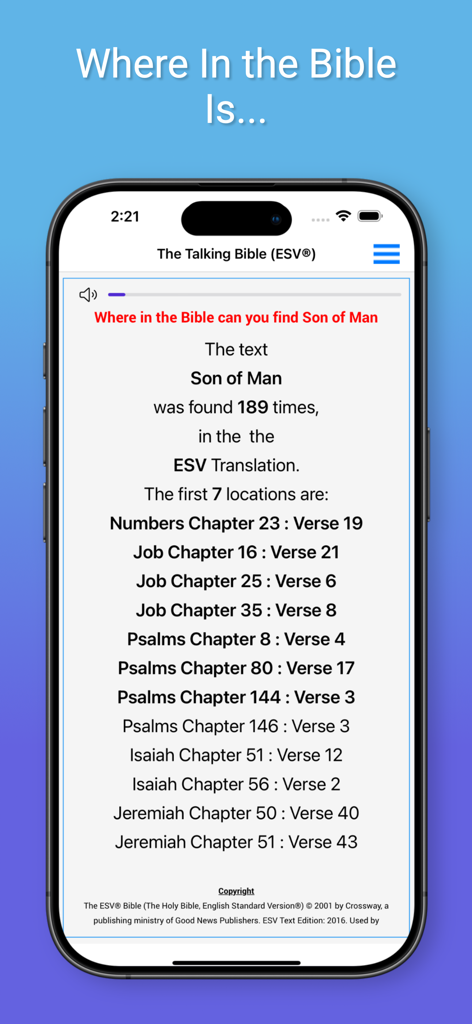
Talking Bible for The Blind - iPhone画面に、視覚障害者向けのトーキングバイブルアプリで「人の子」というフレーズの検索結果が表示されている。
iPhone画面に、視覚障害者向けのトーキングバイブルアプリで「人の子」というフレーズの検索結果が表示されている。

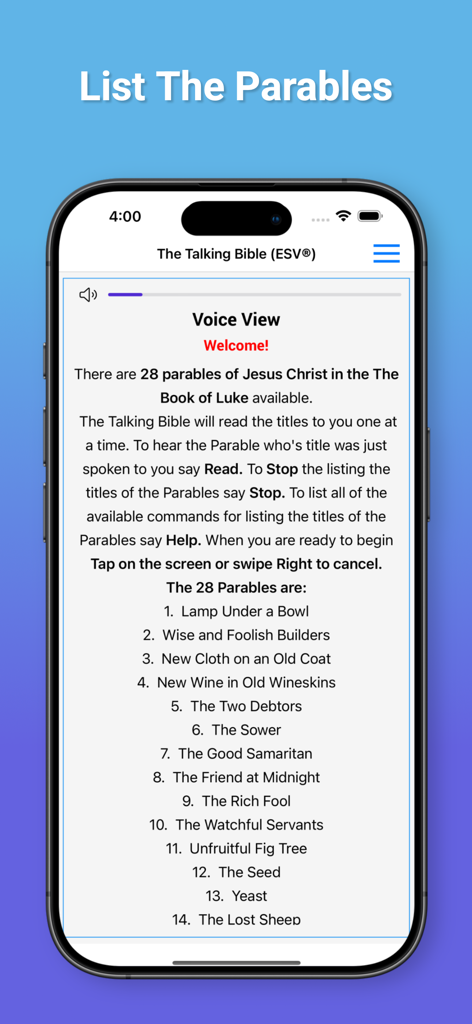
Talking Bible for The Blind - トーキングバイブル for the Blindアプリのインターフェースに、ルカによる福音書からのたとえ話のリストが表示されている。
トーキングバイブル for the Blindアプリのインターフェースに、ルカによる福音書からのたとえ話のリストが表示されている。

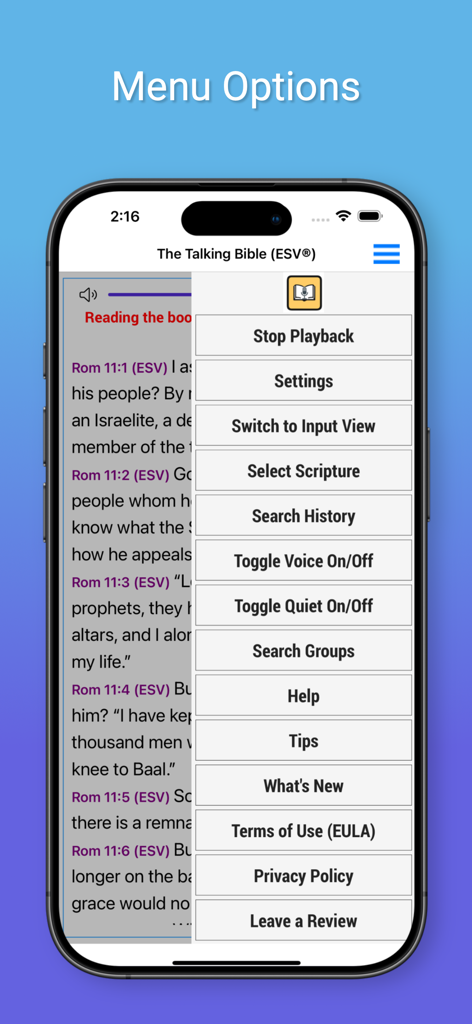
Talking Bible for The Blind - トーキングバイブル for the Blindアプリのメニューオプションに、アクセシブルなナビゲーション機能が表示されている。
トーキングバイブル for the Blindアプリのメニューオプションに、アクセシブルなナビゲーション機能が表示されている。

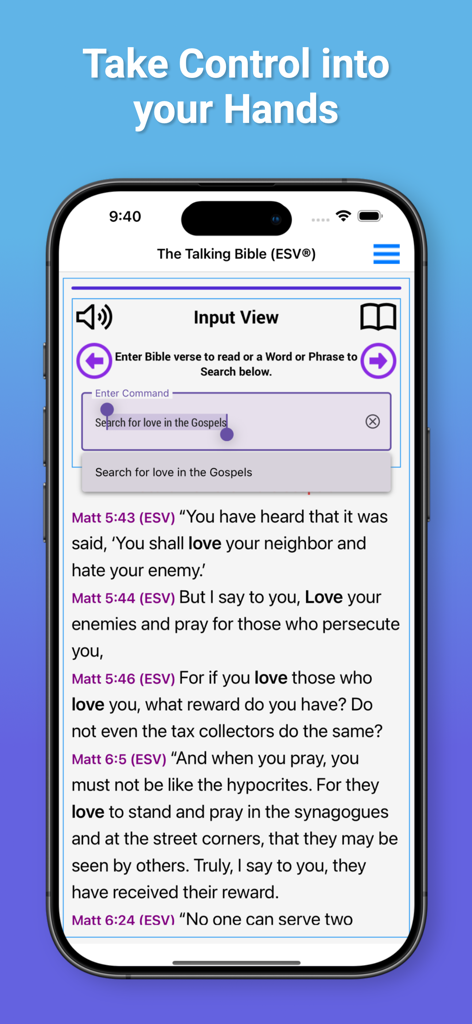
Talking Bible for The Blind - トーキングバイブル for the Blindの検索インターフェースに、福音書における「愛」の検索結果が表示されている。

トーキングバイブル for the Blindの検索インターフェースに、福音書における「愛」の検索結果が表示されている。

説明

Finally an Interactive Bible App that uses Speech Recognization to allow the visually impaired to ask the app to read Bible Passages and to search the Bible for topics of interest. Welcome to The Interactive Talking Bible "The Talking Bible" is specifically designed for the visually impaired. You speak the desired scripture and "The Talking Bible" reads them back to the you!. Usage: Just Tap on the screen and The Talking Bible will listen for your command. The commands will allow you to: 1. Read any scripture 2. Search the Bible 3. Repeat your last command: 4. Change the Bible Translation 5. Stop Continuous listening 6. Stop Voice Playback 7. Read the help file 8. Pause or Stop Reading To Read any Scriptures: Just Tap on the screen and say 'John Chapter 3 verse 16' and it will be read to you. To Search the Bible: Just Tap on the screen and say 'Search for Love' and all of the scriptures in the Bible containing the word 'Love' will be read to you. To Search just in a book of the Bible: Just Tap on the screen and say: 'Search for Love in the book of John' and all of the scriptures in the book of John containing the word 'Love' will be read to you. You can also search: The New Testament The Old Testament The Gospels The Torah To Repeat your last command: Just Tap on the screen and say 'Repeat' And your last command will be repeated! Bible Translations: The English Standard Version (ESV®) and the King James Version (KJV) are available. To switch translations: Just Tap on the screen say: 'Use ESV' for the English Standard Version® or 'Use KJV' for the King James Version Stop Voice Playback You can turn off the Voice playback that reads the scriptures and responds by just Tap on the screen and sayingVoice Off. When operating with 'Voice Off' The Talking Bible will operate the same as when Voice is On. To turn the Voice playback on, just Tap on the screen and say 'Voice On'. Read the help file: To have the detailed operating instruction read to you, just Tap on the screen and say ‘Help’ and the detailed instructions for using this app will be read to you. Pause or Stop Reading: To Pause a scripture that is being read to you, Press on the screen to pause the scripture reading. To Continue, Press on the screen again. Lastly, To Stop the reading, 'Swipe your finger to the right' to Stop the scripture reading.

Download

ダウンロード: App Store

このページはアプリまたはその開発者の公式ページではなく、情報提供および論評を目的として作成された独立した編集出版物です。明示的に別段の記載がない限り、アプリおよびその開発者は、MWM、Apple、Google Play、アプリのパブリッシャー、またはアプリの開発者と提携、承認、後援、認可、またはその他の公式的な関係はなく、このページのいかなる内容も、アプリがMWMのサービスを使用して開発されたことを意味するものではありません。すべての商標、ロゴ、スクリーンショット、その他のコンテンツはそれぞれの所有者の財産です。







