Tayasui Watercolor & Painting

Tayasui Watercolor & Painting


ダウンロード: App Store
ロゴ: Tayasui Watercolor & Painting

Tayasui Watercolor & Painting:本物の水彩絵の美しさを、散らかることなく。

超リアルなウェット・オン・ウェットブラシ、ミニマルな禅インターフェイス、そして独自のトレースプロジェクターでデジタルペインティングの芸術をマスターしましょう。iPadアーティストやマインドフルなクリエイターに最適なデジタルスケッチブックです。

開発元

SKETCHES SRL

カテゴリ

Graphics & Design

ダウンロード

604K+

ユーザー評価

4.6/5

評価数

31K+

対応言語

14

純粋な水彩画の魔法

このインターフェースを利用する 604K+ 人のユーザー.

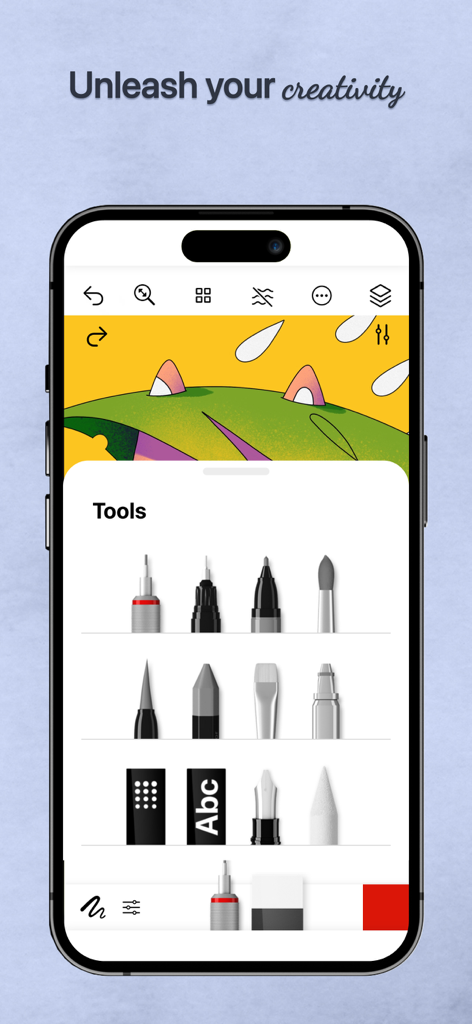
Tayasui Watercolorのモバイルインターフェイスで、さまざまなデジタルペインティングおよび描画ツールが表示されています。

Tayasui Watercolorのモバイルインターフェイスで、さまざまなデジタルペインティングおよび描画ツールが表示されています。

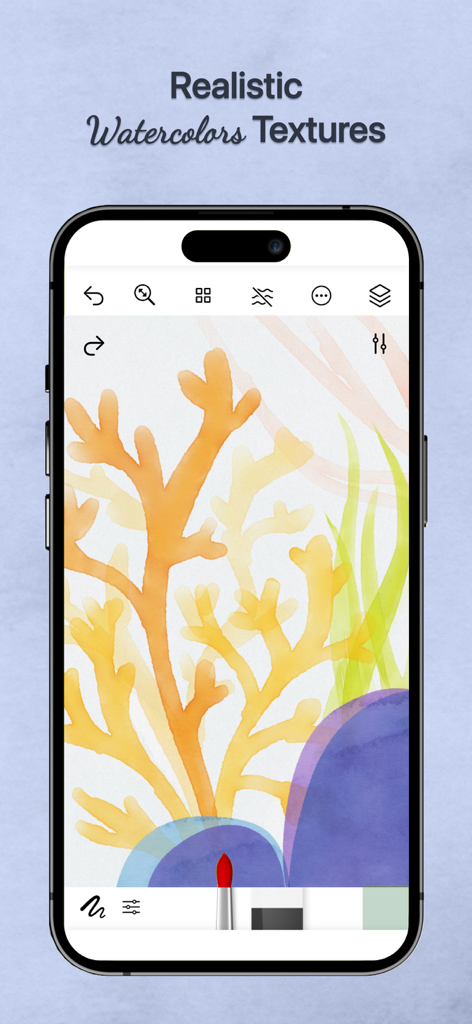
サンゴの絵にリアルな水彩テクスチャを表示するTayasui Watercolorアプリインターフェイス

サンゴの絵にリアルな水彩テクスチャを表示するTayasui Watercolorアプリインターフェイス

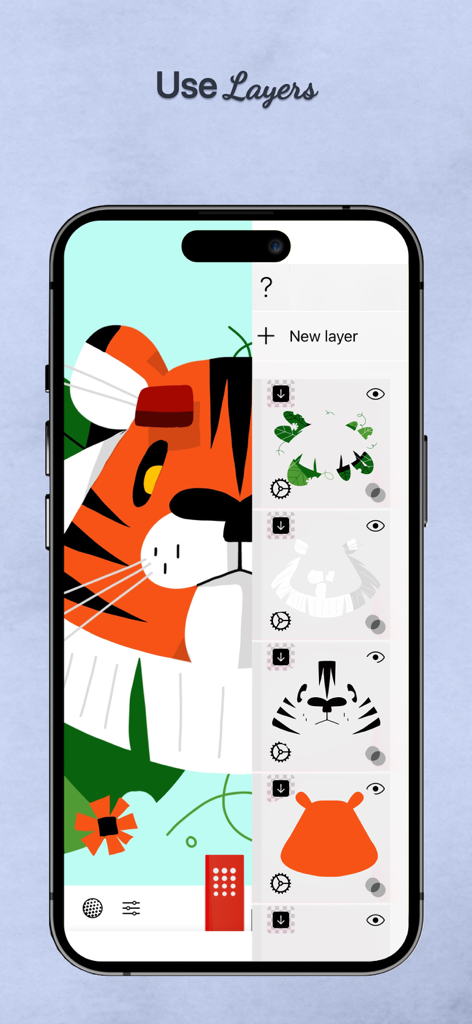
タイガーのイラストのために、複数の描画レイヤーが表示されているTayasui Watercolorアプリのインターフェイス

タイガーのイラストのために、複数の描画レイヤーが表示されているTayasui Watercolorアプリのインターフェイス

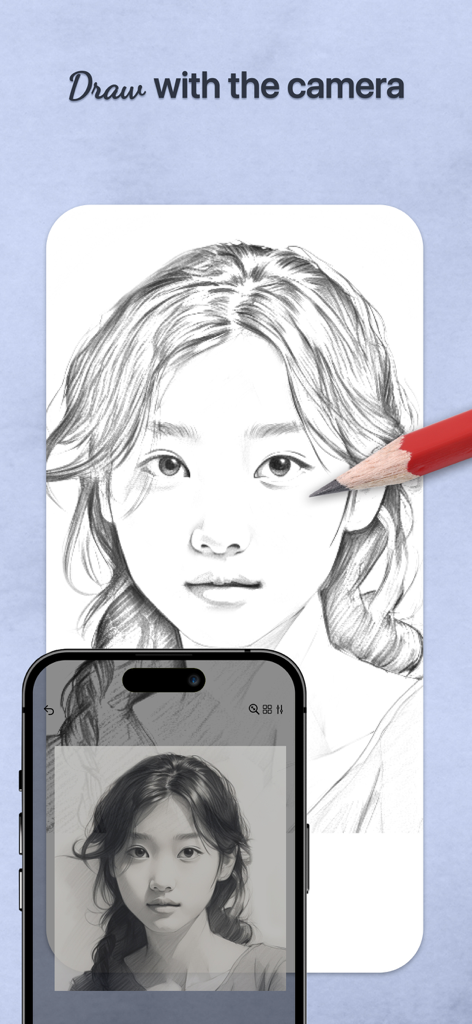
スマートフォンでトレースプロジェクター機能を使用して、紙に肖像画を描く鉛筆

スマートフォンでトレースプロジェクター機能を使用して、紙に肖像画を描く鉛筆

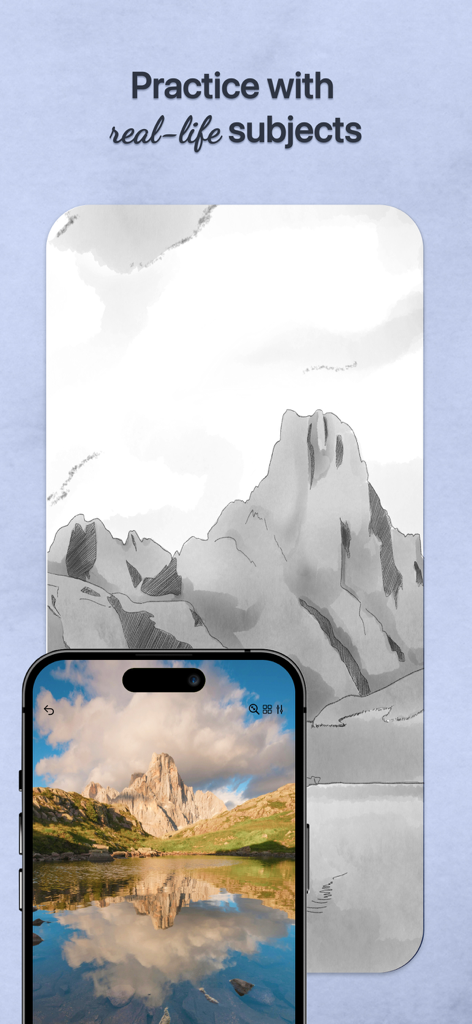
Tayasui Watercolorでデジタルスケッチの参照として使用されている山の写真が表示されているスマートフォン

Tayasui Watercolorでデジタルスケッチの参照として使用されている山の写真が表示されているスマートフォン

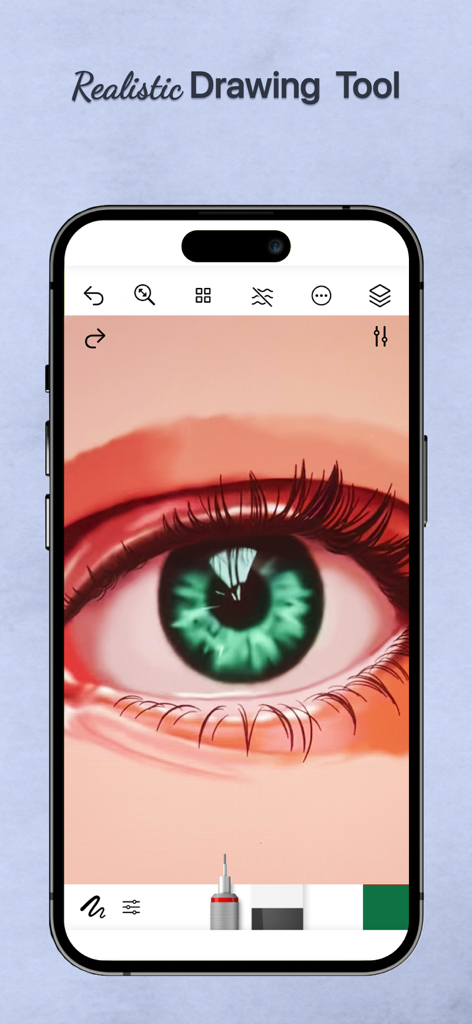
モバイルアプリインターフェイスに表示されたリアルな緑の目のデジタル水彩画

モバイルアプリインターフェイスに表示されたリアルな緑の目のデジタル水彩画

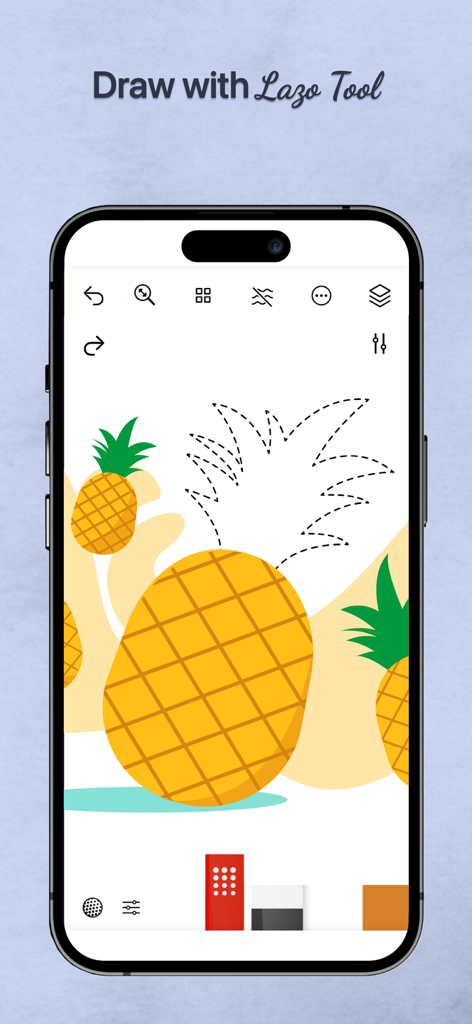
パイナップルの描画を選択するために、Lazoツールを使用したiPhone上のTayasui Watercolorアプリ

パイナップルの描画を選択するために、Lazoツールを使用したiPhone上のTayasui Watercolorアプリ

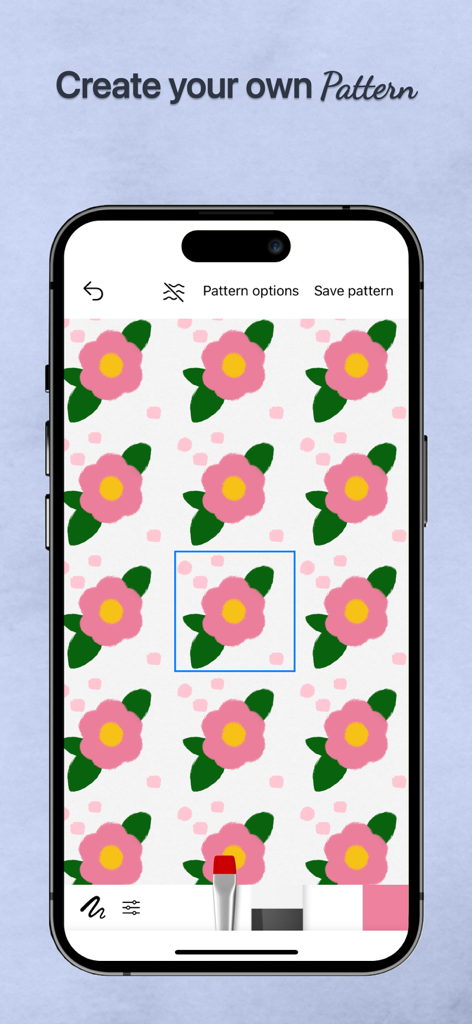
モバイルデバイス上のピンクの花のデザインで、パターン作成機能が表示されているTayasui Watercolorアプリのインターフェイス

モバイルデバイス上のピンクの花のデザインで、パターン作成機能が表示されているTayasui Watercolorアプリのインターフェイス

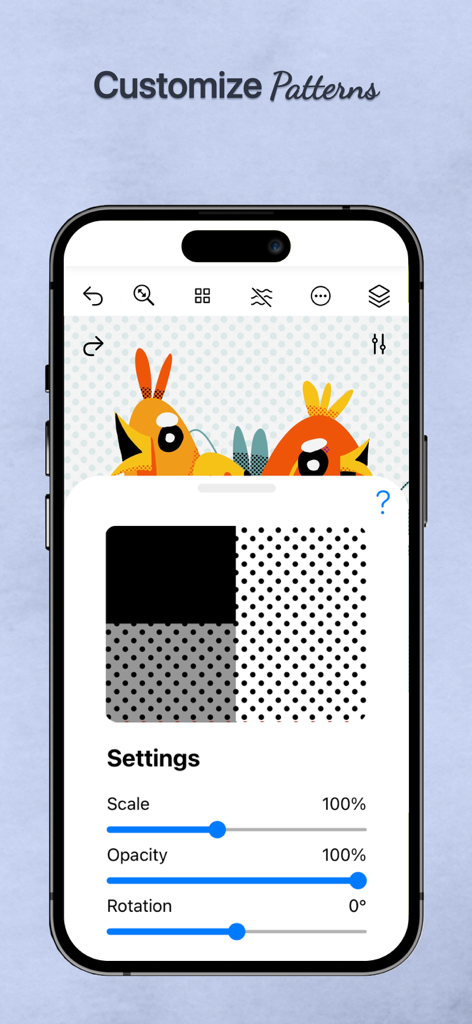
デジタル鳥のイラストの上に、スケール、不透明度、回転のカスタムパターン設定を表示しているTayasui Watercolorアプリ

デジタル鳥のイラストの上に、スケール、不透明度、回転のカスタムパターン設定を表示しているTayasui Watercolorアプリ

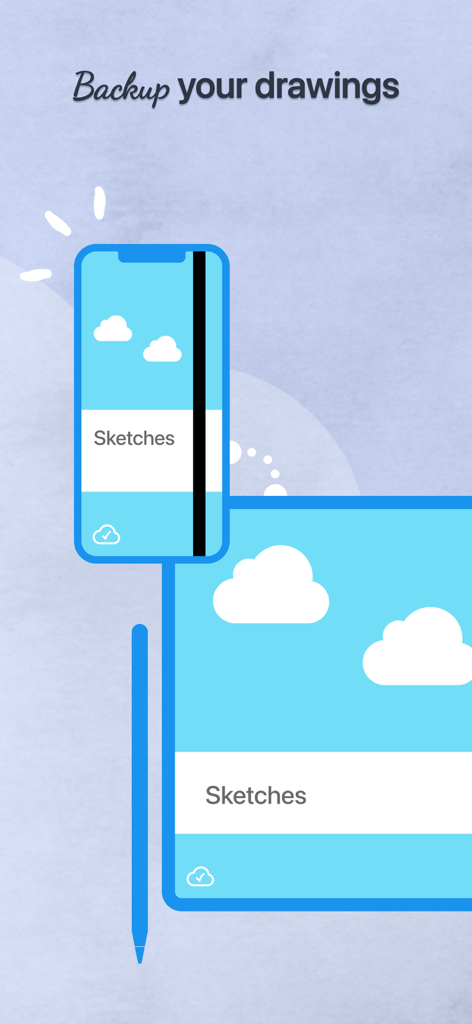
スマートフォンとタブレット間でバックアップおよび同期されているデジタルスケッチ

スマートフォンとタブレット間でバックアップおよび同期されているデジタルスケッチ

デジタル水彩画の芸術をマスターする

このアプリを際立たせるツール、 604K+ 人のユーザーが選択.

🎨

超リアルな流動性

高品質の紙の上で絵の具のように正確に反応するウェット・オン・ウェットブラシで、色の滲みと混ざり合いを自然に観察してください。

📸

簡単なトレースプロジェクター

お気に入りの写真を素晴らしい絵画に変えましょう。空白のページにストレスを感じることなく、思い出を捉えたり、テクニックを練習したりするのに最適です。

🧘‍♀️

マインドフルなミニマルキャンバス

作業中に複雑なツールを隠す、邪魔されないワークスペース。創造的な流れを見つけるための精神的な空間を提供します。

アプリについて

について知っておくべきこと Tayasui Watercolor & Painting.

説明

Tayasui Watercolor and Painting is the ultimate watercolor-focused drawing tool, with realistic brushes and an easy-to-use interface. We’ve created tools that feel like real ones, ensuring your watercolor paintings and sketches always look amazing. Tools and Features - Drawing Tools and Enhancements: With over 20 tools that mimic real-life drawing implements, Watercolor and Painting includes an array of options such as watercolor—featuring both dry and wet brushes that behave just like real paint on paper, pens, Rotring, felt pens, pen brushes, oil pastels, acrylic brushes, airbrushes - Tracing Projector: allows users to project their sketches onto any surface, facilitating tracing. This tool significantly enhances the creative workflow by enabling broader applications of the artwork. - Precision Tools: The application offers various rulers and magnetic shapes, including straight, arc, circle, and spline rulers, alongside symmetry and cutout shapes—perfect for laying out detailed watercolor compositions or adding structured elements within freeform washes. - Color Management: The app includes a color eyedropper, mixer, and support for color palettes (.ase). - Layer Management: With full layer support, users can build up watercolor paintings gradually, just like on paper. Export transparent PNGs or layered PSD files for further refinement in other software. - Cloud Sync and Organization: All your watercolor projects are backed up and synchronized across devices. Sync settings can be managed per folder, and projects can be neatly organized into custom folders or digital sketchbooks, keeping your watercolor works easy to access and beautifully presented. - Stylus and User Interface: Apple Pencil is fully supported, capturing pressure, tilt, and stroke width to simulate natural watercolor strokes. The minimalist interface stays out of your way while you paint, letting the focus remain on your watercolor expression. With its advanced watercolor simulation and the unique tracing projector, Tayasui Watercolor and Painting stands out as a powerful and versatile tool for artists, illustrators, and creative professionals who want to bring watercolor to life in the digital world. Subscribe to access to premium app features; subscription details are the following: - Length: monthly, yearly - Your payment will be charged to your iTunes Account as soon as you confirm your purchase - You can manage your subscriptions and turn off auto-renewal from your Account Settings after the purchase - Your subscription will renew automatically, unless you turn off auto-renew at least 24 hours before the end of the current period - The cost of renewal will be charged to your account in the 24 hours prior to the end of the current period - When canceling a subscription, your subscription will stay active until the end of the period. Auto-renewal will be disabled, but the current subscription will not be refunded - Any unused portion of a free trial period, if offered, will be forfeited when purchasing a subscription Terms of Use: https://www.apple.com/legal/internet-services/itunes/dev/stdeula/

最新バージョン

36.2.1

サイズ

283.4 MB

リリース日

2014年12月31日

これまでにない最もリラックスできるクリエイティブな旅を始めましょう

散らかることなく、本物の水彩絵の美しさを体験してください。何千人ものアーティストに加わり、今日あなたのiPadをプロ仕様のデジタルスタジオに変えましょう。

ダウンロード: App Store
FAQ

よくある質問

について知っておくべきこと Tayasui Watercolor & Painting

Tayasui Watercolor & Paintingで利用できる描画ツールは何ですか?

Tayasui Watercolor & Paintingは、ウェット・ドライ水彩、ペン、ロットリング、フェルトペン、オイルパステル、アクリルブラシ、エアブラシなど、20種類以上のリアルな描画ツールを提供しており、多様な芸術的ニーズに対応します。

Tayasui Watercolor & Paintingでスケッチをトレース用に投影することはできますか?

はい、Tayasui Watercolor & Paintingにはトレースプロジェクター機能があります。このツールを使用すると、ユーザーはスケッチを任意の表面に投影でき、トレースを容易にすることでクリエイティブなワークフローを大幅に向上させることができます。

Tayasui Watercolor & Paintingはアートワークのレイヤーをサポートしていますか?

はい、Tayasui Watercolor & Paintingは完全なレイヤーサポートを提供しています。ユーザーは水彩画を段階的に作成し、透明PNGまたはレイヤー化されたPSDファイルをエクスポートして、他のソフトウェアでさらに洗練させることができます。

Tayasui Watercolor & PaintingはApple Pencilと互換性がありますか?

はい、Tayasui Watercolor & PaintingはApple Pencilに完全対応しています。筆圧、傾き、ストローク幅を検知し、自然な水彩ストロークをシミュレートすることで、リアルで表現力豊かな描画体験を提供します。

Tayasui Watercolor & Paintingはプロジェクトのクラウドバックアップを提供していますか?

はい、Tayasui Watercolor & Paintingはすべてのプロジェクトをデバイス間でバックアップおよび同期します。ユーザーはフォルダごとに同期設定を管理し、プロジェクトをカスタムフォルダやデジタルスケッチブックに整理できます。

Tayasui Watercolor & Paintingのサブスクリプションをキャンセルするにはどうすればよいですか?

キャンセルするには、購入後にiTunesアカウント設定からサブスクリプションを管理し、自動更新をオフにしてください。自動更新は、現在の期間が終了する少なくとも24時間前までに無効にする必要があります。

Tayasui Watercolor & Paintingのサブスクリプションは返金可能ですか?

いいえ、Tayasui Watercolor & Paintingの現在のサブスクリプションは、キャンセル時に返金されません。サブスクリプションは期間終了まで有効ですが、自動更新は無効になります。

Tayasui Watercolor & Painting内でパターンを作成したりカスタマイズしたりできますか?

はい、Tayasui Watercolor & Paintingでは、ユーザーが独自のパターンを作成できます。また、スケール、不透明度、回転などの設定を調整してパターンをカスタマイズするオプションも提供しています。

App information, icons, screenshots, and descriptions displayed on this page are sourced from the Apple App Store and are the property of their respective developers. Download estimates and rankings are based on MWM's proprietary models and may not reflect actual figures. This page is provided for informational and analytical purposes only.

Believe this page infringes your intellectual property? File a dispute