TB Morphit
TB Morphit
ダウンロード: App Store

このページはアプリまたはその開発者の公式ページではなく、情報提供および論評を目的として作成された独立した編集出版物です。明示的に別段の記載がない限り、アプリおよびその開発者は、MWM、Apple、Google Play、アプリのパブリッシャー、またはアプリの開発者と提携、承認、後援、認可、またはその他の公式的な関係はなく、このページのいかなる内容も、アプリがMWMのサービスを使用して開発されたことを意味するものではありません。すべての商標、ロゴ、スクリーンショット、その他のコンテンツはそれぞれの所有者の財産です。


ロゴ: TB Morphit
ダウンロード: App Store

TB Morphit

リアルタイム補正、ハーマンドターゲットカーブ、業界標準のシミュレーションでプログレードの精度を実現。世界で最も信頼されているAUv3ヘッドフォンプラグインで、どこでも自信を持ってミックスできます。

主要数値

ダウンロード

12K+

ユーザー評価

4.7/5

評価数

0

開発元

Dirk Breebaart

カテゴリ

Music

対応言語

-

最新バージョン

2.1.2

サイズ

10.8 MB

リリース日

2019年11月16日
機能

ポケットに入るスタジオグレードの精度

お気に入りのヘッドフォンを高音質スタジオモニターに変えましょう。周波数応答を補正し、ワールドクラスのギアをシミュレートし、あらゆるサウンドシステムでミックスが完璧にトランスレートされることを保証します。

プロレベルのキャリブレーション

何百ものヘッドフォンモデルと業界をリードするハーマンドターゲットカーブのサポートにより、不要なカラーレーションを削除し、「フラット」な応答を実現します。

インスタントミックス・トランスレーション

仮想的に他のヘッドフォンをシミュレートし、椅子から離れることなく、コンシューマーイヤホンからハイエンドHi-Fiシステムまで、あらゆるものでトラックがどのように聞こえるかを確認できます。

以下のスクリーンショットと説明は、アプリの公式ストアリスティングから直接取得されたものであり、アプリ開発者の所有物です。

アプリストア

スクリーンショット
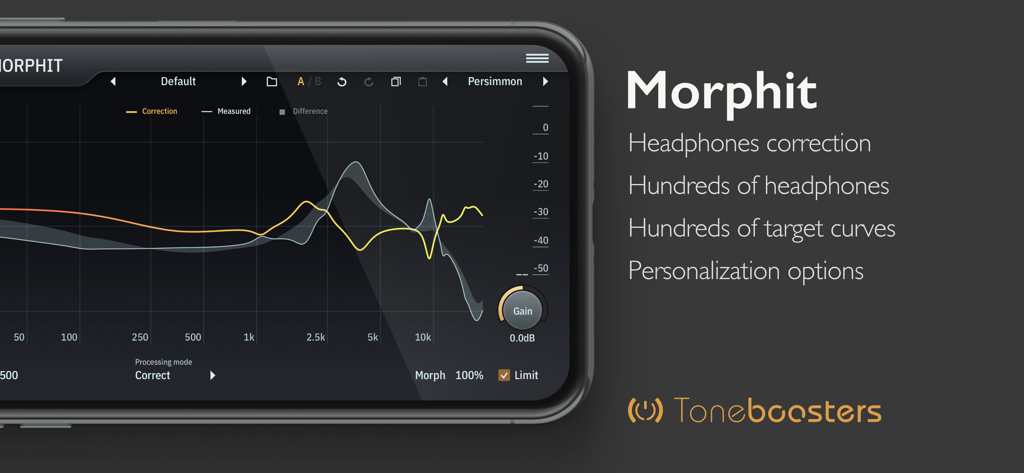
TB Morphit - プロフェッショナルなヘッドフォン補正のための周波数応答グラフを表示するTB Morphitモバイルアプリのインターフェース。
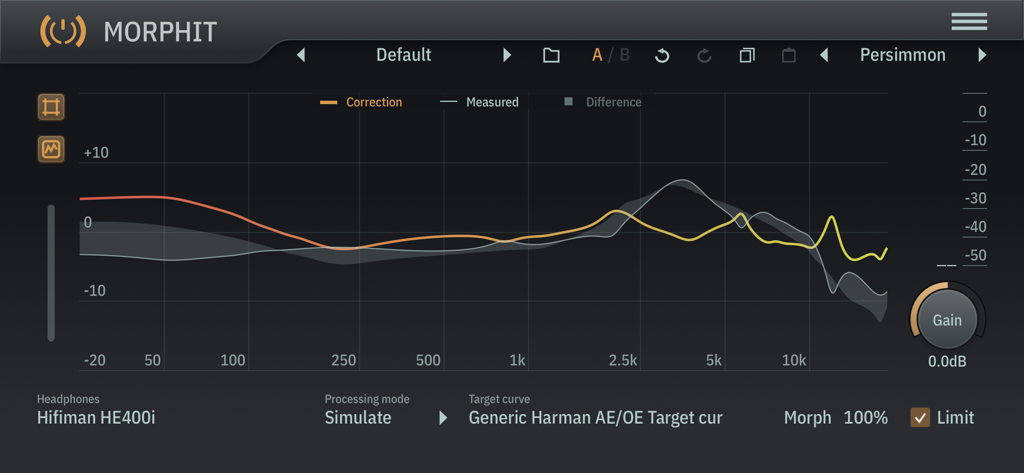
プロフェッショナルなヘッドフォン補正のための周波数応答グラフを表示するTB Morphitモバイルアプリのインターフェース。

TB Morphit - ヘッドフォン補正およびシミュレーションのための周波数応答グラフを表示するTB Morphitアプリのインターフェース
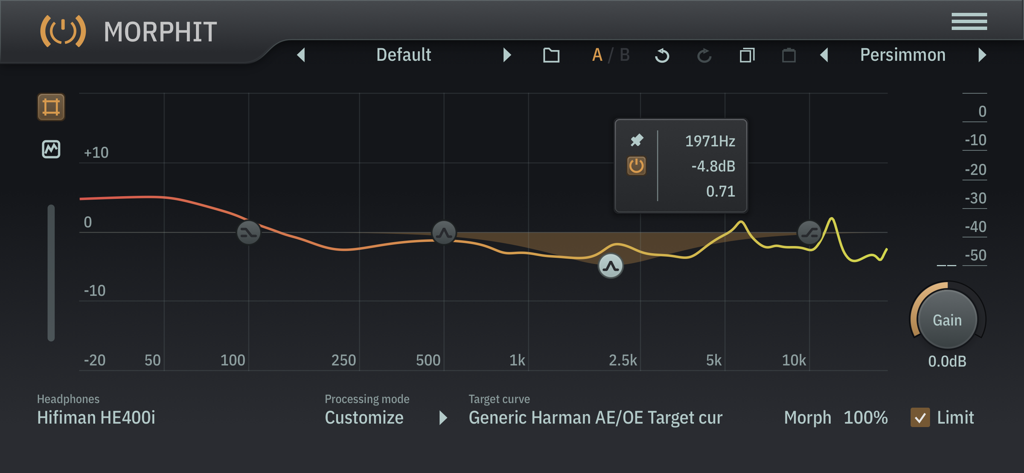
ヘッドフォン補正およびシミュレーションのための周波数応答グラフを表示するTB Morphitアプリのインターフェース

TB Morphit - ハーマンドターゲットカーブを使用したHifiman HE400iヘッドフォンの周波数応答キャリブレーションを表示するTB Morphitオーディオプラグインのインターフェース

ハーマンドターゲットカーブを使用したHifiman HE400iヘッドフォンの周波数応答キャリブレーションを表示するTB Morphitオーディオプラグインのインターフェース

説明

ToneBoosters Morphit is an AUv3 plugin for headphones correction and simulation and removes any unwanted coloration from your headphones! Enable accurate monitoring and calibration, mix with studio reference equalization, and improve the accuracy of your headphones. Used and trusted by thousands of studios worldwide, and now available on your mobile device! The ToneBoosters Morphit app captures the microphone (or external sound card) input and processes the signals in real time. To use it as a plug-in, use an AUv3-compatible host app such as Steinberg Cubasis, Apple Garageband, Audio Evolution Mobile Studio, Auria, AUM, or others. ToneBoosters Morphit will appear in the list of Audio Unit extensions for effect plug-ins. How to use Morphit as AUv3 plugin for headphones correction: 1. Connect your headphones to your iOS device (using the headphones jack, using BlueTooth, or using an adapter as supplied by Apple). You can use any of the many supported headphones listed here: www.toneboosters.com/tb_morphit_v1.html 2. Start your favourite AUv3 host app (Steinberg Cubasis, Apple Garageband, Audio Evolution Mobile Studio, Auria, AUM, or others) and add TB Morphit as Audio Unit insert effect to a track or output bus. See below on how to use Audio Units in various host apps. 3. Select the headphones you are using from the list of supported headphones provided within the TB Morphit app. That's it - all audio going through the Audio Unit plugin is optimised for your headphones. Key features: - The same professional sound as the acclaimed desktop version - Hundreds of headphones supported! - Unique feature: allow morphing of the amount of correction from 0 to 200% - Unique feature: allow simulation of any of the supported headphones and see how your mix translates - Unique feature: personalize the headphones target curve - Unique feature: use Harman calibration / target curves - Unique feature: data/measurement visualization mode - No external hardware required; works with any of the supported headphones models - Undo/redo, and A/B comparison - Color themes for the user interface - Max screen support in Garageband - Optimised for iPad and compatible with iPhone and iPod Touch See if your headphones are supported: www.toneboosters.com/tb_morhpit_v1.html What you should know: - Licenses acquired for this platform are not compatible with other platforms. - Audio Unit (AUv3) extensions require an iPad mini 2, iPad 4 or later models.

Download

ダウンロード: App Store

このページはアプリまたはその開発者の公式ページではなく、情報提供および論評を目的として作成された独立した編集出版物です。明示的に別段の記載がない限り、アプリおよびその開発者は、MWM、Apple、Google Play、アプリのパブリッシャー、またはアプリの開発者と提携、承認、後援、認可、またはその他の公式的な関係はなく、このページのいかなる内容も、アプリがMWMのサービスを使用して開発されたことを意味するものではありません。すべての商標、ロゴ、スクリーンショット、その他のコンテンツはそれぞれの所有者の財産です。







