TD Authenticate
TD Authenticate
ダウンロード: App Store

このページはアプリまたはその開発者の公式ページではなく、情報提供および論評を目的として作成された独立した編集出版物です。明示的に別段の記載がない限り、アプリおよびその開発者は、MWM、Apple、Google Play、アプリのパブリッシャー、またはアプリの開発者と提携、承認、後援、認可、またはその他の公式的な関係はなく、このページのいかなる内容も、アプリがMWMのサービスを使用して開発されたことを意味するものではありません。すべての商標、ロゴ、スクリーンショット、その他のコンテンツはそれぞれの所有者の財産です。

ロゴ: TD Authenticate
ダウンロード: App Store

TD Authenticate

SMSやモバイル接続不要。オフラインで即座に認証コードを生成し、EasyWeb、WebBroker、TD Business Central アカウントを保護します。

主要数値

ダウンロード

169K+

ユーザー評価

1.5/5

評価数

400

開発元

Toronto Dominion Bank Financial Group

カテゴリ

Finance

対応言語

2

最新バージョン

2.5.0

サイズ

62.1 MB

リリース日

2022年6月14日
機能

財務上の安心のための妥協のないセキュリティ

旅行者、ビジネスオーナー、セキュリティ意識の高いプロフェッショナル向けに設計された専用のセキュリティレイヤーで、TDバンキングおよび投資アカウントを保護します。

高度な本人確認保護

脆弱なSMSコードを超えて。ハードウェアにリンクされた認証アプリを使用して、EasyWebおよびWebBrokerアカウントを洗練された詐欺やSIMスワップから保護します。

シームレスなオフラインアクセス

Wi-Fiやモバイル接続がない場所でも、世界中どこでも安全な認証コードを生成できます。国境を越えた旅行やリモートワークに最適です。

以下のスクリーンショットと説明は、アプリの公式ストアリスティングから直接取得されたものであり、アプリ開発者の所有物です。

アプリストア

スクリーンショット
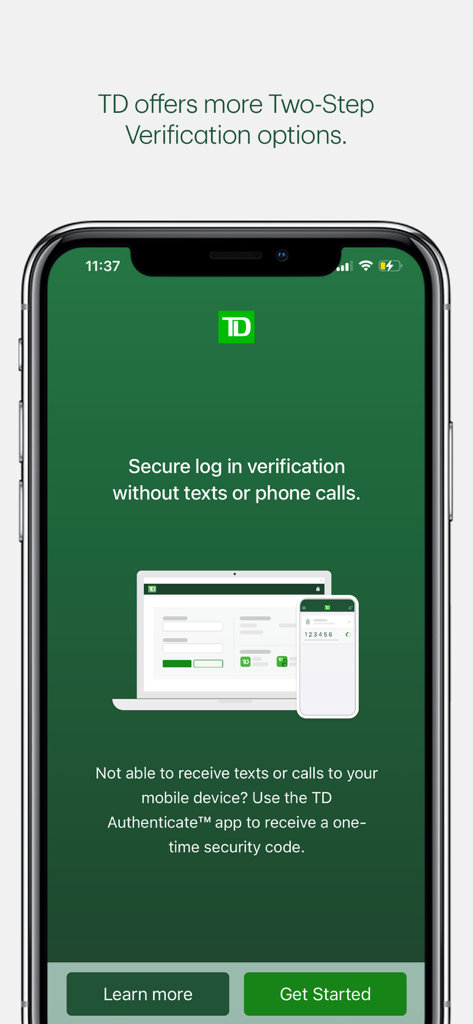
TD Authenticate - TD Authenticateアプリのセキュアログイン画面。テキストメッセージや電話なしで安全なログイン認証を行います。
TD Authenticateアプリのセキュアログイン画面。テキストメッセージや電話なしで安全なログイン認証を行います。

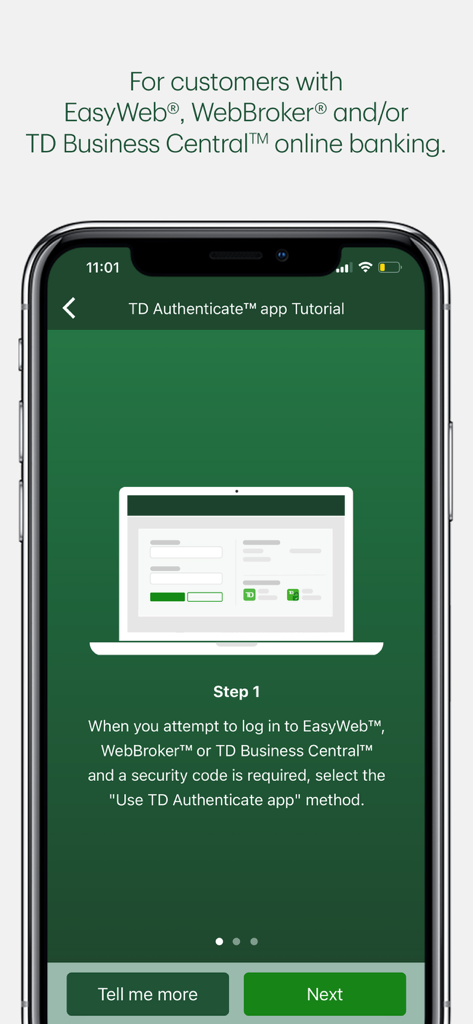
TD Authenticate - TD Authenticateアプリのチュートリアル画面。オンラインバンキングサービスにログインするための最初のステップを表示します。
TD Authenticateアプリのチュートリアル画面。オンラインバンキングサービスにログインするための最初のステップを表示します。

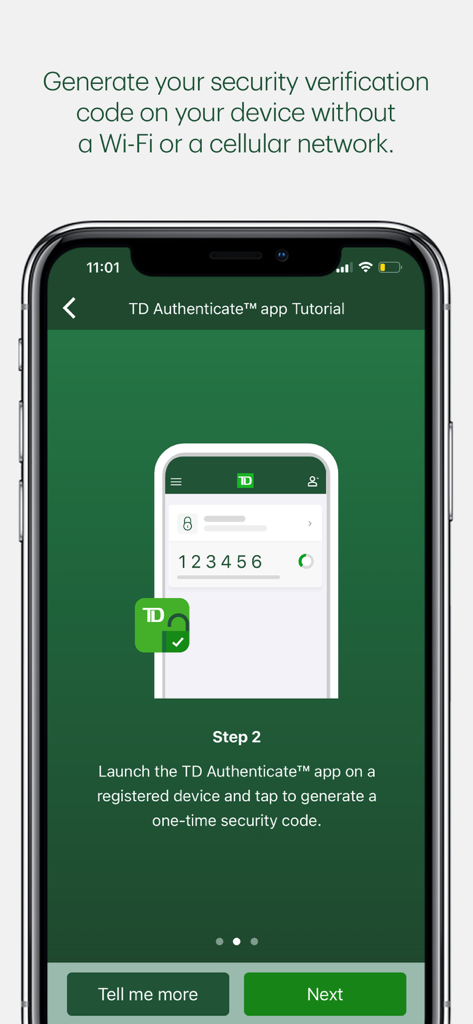
TD Authenticate - TD Authenticateアプリのチュートリアル画面。オフラインでセキュリティ認証コードを生成する方法を示します。
TD Authenticateアプリのチュートリアル画面。オフラインでセキュリティ認証コードを生成する方法を示します。

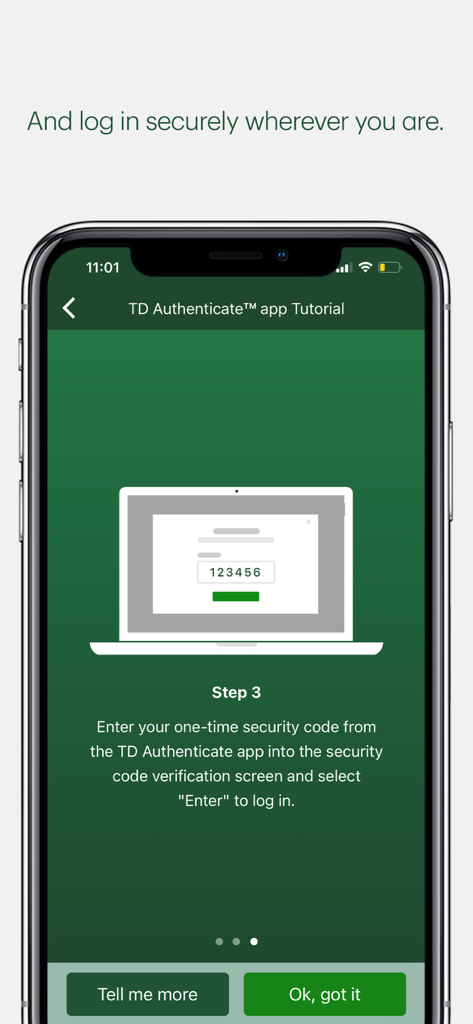
TD Authenticate - TD Authenticateアプリのチュートリアル画面。安全にログインするために、ワンタイムセキュリティコードを入力する3番目のステップを表示します。
TD Authenticateアプリのチュートリアル画面。安全にログインするために、ワンタイムセキュリティコードを入力する3番目のステップを表示します。

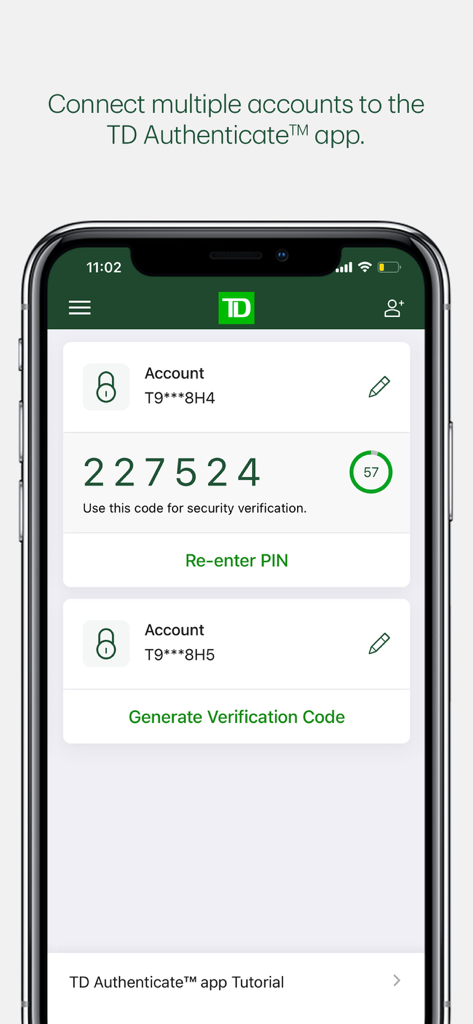
TD Authenticate - TD Authenticateアプリのインターフェース。複数のアカウントと、タイマー付きの6桁のセキュリティ認証コードが表示されます。
TD Authenticateアプリのインターフェース。複数のアカウントと、タイマー付きの6桁のセキュリティ認証コードが表示されます。

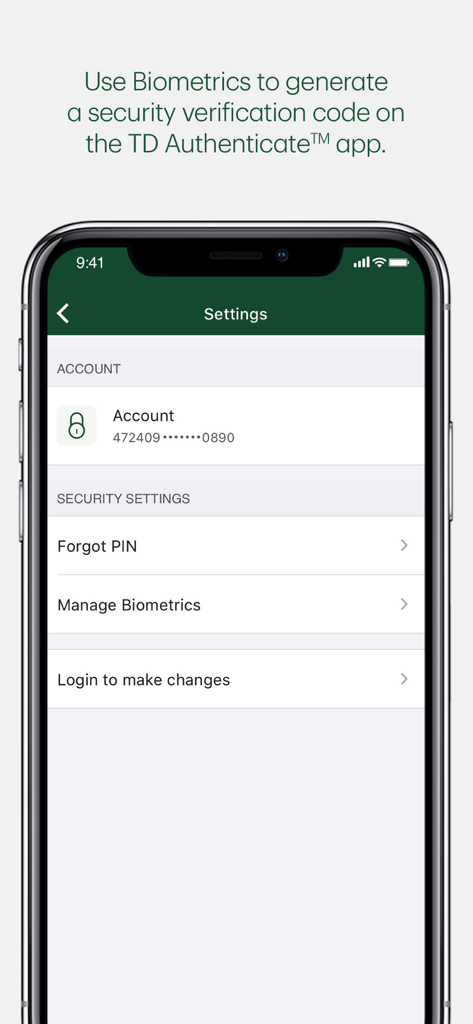
TD Authenticate - TD Authenticateアプリの設定画面。生体認証およびアカウントセキュリティを管理するためのオプションが表示されます。

TD Authenticateアプリの設定画面。生体認証およびアカウントセキュリティを管理するためのオプションが表示されます。

説明

The TD Authenticate™ app is a Two-Step Verification method for your EasyWeb®, WebBroker® or TD Business Central™ Canadian online banking applications.   Simply download the app and follow the registration process to connect your account and device to the TD Authenticate app. Once you've registered, you can generate a security verification code in the TD Authenticate app while online or offline (not connected to Wi-Fi or a mobile network), without the need for texts or phone calls. This confirms it's really you accessing your EasyWeb, WebBroker or TD Business Central online banking. The TD Authenticate app is for use with EasyWeb, WebBroker and TD Business Central. For other TD apps or digital platforms, please use the Two-Step Verification services they provide. We are working on enhancing the TD Authenticate app, as well as onboarding new businesses and platforms within TD. Note: Text or Voice One Time Passcode is required to register for the TD Authenticate app on your device. By tapping "Get", you consent to the installation of the TD Authenticate™ app* and any future updates that can perform the functions described. The TD Authenticate app is for use by customers with an active EasyWeb®, WebBroker®, and/or TD Business Central™ online banking profile. You may withdraw your consent at any time by removing your device from the list of registered devices under Password & Security within the applicable online banking profile.   *Provided by The TD Bank Group which includes The Toronto-Dominion Bank and its affiliates, who provide deposit, investment, loan, securities, trust, insurance and other products or services.

Download

ダウンロード: App Store

このページはアプリまたはその開発者の公式ページではなく、情報提供および論評を目的として作成された独立した編集出版物です。明示的に別段の記載がない限り、アプリおよびその開発者は、MWM、Apple、Google Play、アプリのパブリッシャー、またはアプリの開発者と提携、承認、後援、認可、またはその他の公式的な関係はなく、このページのいかなる内容も、アプリがMWMのサービスを使用して開発されたことを意味するものではありません。すべての商標、ロゴ、スクリーンショット、その他のコンテンツはそれぞれの所有者の財産です。








