
このページはアプリまたはその開発者の公式ページではなく、情報提供および論評を目的として作成された独立した編集出版物です。明示的に別段の記載がない限り、アプリおよびその開発者は、MWM、Apple、Google Play、アプリのパブリッシャー、またはアプリの開発者と提携、承認、後援、認可、またはその他の公式的な関係はなく、このページのいかなる内容も、アプリがMWMのサービスを使用して開発されたことを意味するものではありません。すべての商標、ロゴ、スクリーンショット、その他のコンテンツはそれぞれの所有者の財産です。


ダウンロード
12.5M+ユーザー評価
評価数
40.5K開発元
カテゴリ
Education対応言語
1最新バージョン
7590サイズ
162.4 MBリリース日
2010年10月14日知的好奇心の高い学習者に向けた、主要機能の戦略的評価
TED Talks: Watch and Learn アプリの機能分析
広範なビデオライブラリへのアクセス
本アプリは、インスピレーションと知識を提供する数千もの厳選されたビデオに無料でアクセスする機会をユーザーに提供します。
多言語字幕対応
ユーザーは、100以上の言語の字幕付きでビデオを視聴することができ、多様な言語圏の学習者がコンテンツを深く理解することを可能にします。
パーソナライズされたおすすめ
このアプリは、ユーザーの独自の興味に合わせてパーソナライズされたビデオのおすすめを提供し、関連性の高いコンテンツの発見を促進します。
オフライン視聴機能
ユーザーはビデオをダウンロードしてオフラインで視聴できるため、インターネット接続がない環境でも学習を継続することが可能です。
多様なコンテンツ探索オプション
本ツールは、最新、トレンド、トピック別、キュレーターのおすすめなど、複数のブラウジングオプションを提供し、ユーザーが興味に応じてコンテンツを自由に探索できます。
デバイス間でのアカウント同期
ユーザーはアカウントにサインインすることで、パーソナライズされたおすすめを取得し、複数のデバイス間で視聴履歴やリストを同期できます。
「おまかせ!」機能
この機能は、ユーザーに即座のインスピレーションを提供し、予期せぬ興味深いトピックやアイデアとの出会いを促します。
後で見るリスト
ユーザーは興味のあるトークを「後で見る」リストに追加できるため、自分のペースで学習計画を立て、コンテンツを整理できます。
AirPlayストリーミング対応
本アプリは、AirPlayを使用してApple TVにビデオをストリーミングする機能を提供し、より大画面で没入感のある視聴体験を可能にします。
ダークモード/ライトモード
ユーザーは、ダークモードとライトモードを切り替えることができ、視聴環境や個人の好みに合わせてインターフェースを調整できます。
よくある質問
について知っておくべきこと TED Talks: Watch and Learn
Is the TED Talks: Watch and Learn app free to use?
Yes, the TED Talks: Watch and Learn app offers thousands of inspiring, informative, and transformational videos available for free viewing to all users.
Does the TED Talks app offer personalized video recommendations?
The TED Talks app provides personalized video recommendations. Users can sign in to receive tailored suggestions based on their unique interests and viewing history.
Can I download videos for offline viewing in the TED Talks app?
Yes, the TED Talks: Watch and Learn app allows users to download videos. This feature enables offline viewing of content without an internet connection.
How many languages do TED Talks: Watch and Learn app subtitles support?
The TED Talks app supports subtitles in over 100 languages. This extensive language support enhances accessibility for a global audience.
Does the TED Talks app have a 'Surprise Me!' feature?
Yes, the TED Talks app includes a 'Surprise Me!' feature. This allows users to discover instant inspiration by playing a randomly selected talk with a single tap.
Can I save TED Talks videos to watch later?
The TED Talks app allows users to save talks to a 'watch later' list. This helps users organize and access preferred content efficiently within their library.
Does the TED Talks: Watch and Learn app support AirPlay for Apple TV?
Yes, the TED Talks app supports streaming videos to Apple TV using AirPlay. This allows users to enjoy talks on a larger screen.
Can I use dark mode in the TED Talks app?
Yes, the TED Talks app supports both dark and light modes. Users can toggle between these display settings to suit their viewing preference or environment.
Does the TED Talks app sync video progress across multiple devices?
Yes, the TED Talks app syncs videos across all your devices when you sign in. This ensures a consistent viewing experience on iPhone, iPad, and iPod touch.
Does the TED Talks: Watch and Learn app include podcasts?
Yes, the TED Talks app offers podcasts in addition to videos. Users can play award-winning podcasts and listen to them in the background.
以下のスクリーンショットと説明は、アプリの公式ストアリスティングから直接取得されたものであり、アプリ開発者の所有物です。
アプリストア
スクリーンショット

このアプリはユーザーの興味に基づいた最新のレコメンデーションを表示し、厳選された多様なトピックの動画を提供します。
思考を刺激する

ユーザーは「Science」や「Psychology」といった興味に合わせたカテゴリーを選択することで、パーソナライズされた動画表示を体験できます。
興味を深掘り
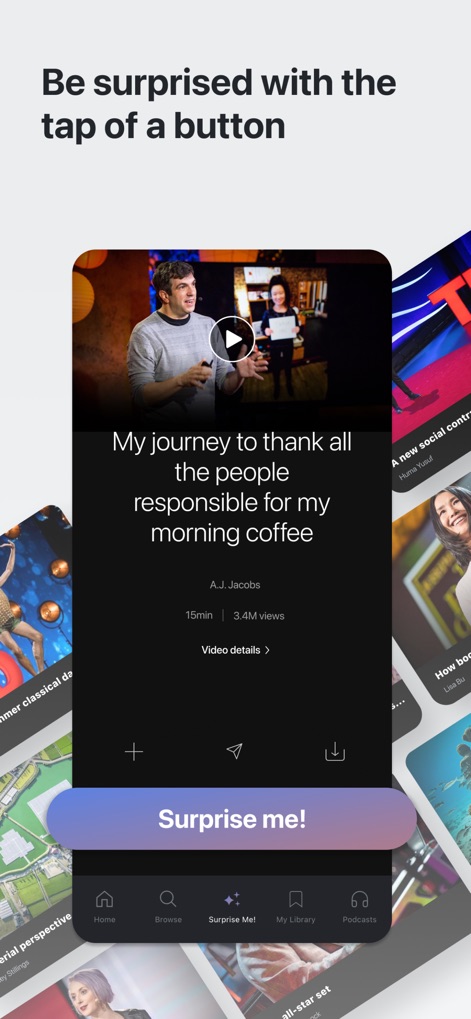
「Surprise me!」機能により、ユーザーは予想外の興味深いトークと出会え、再生中の動画情報も詳細に確認できます。
新たな発見
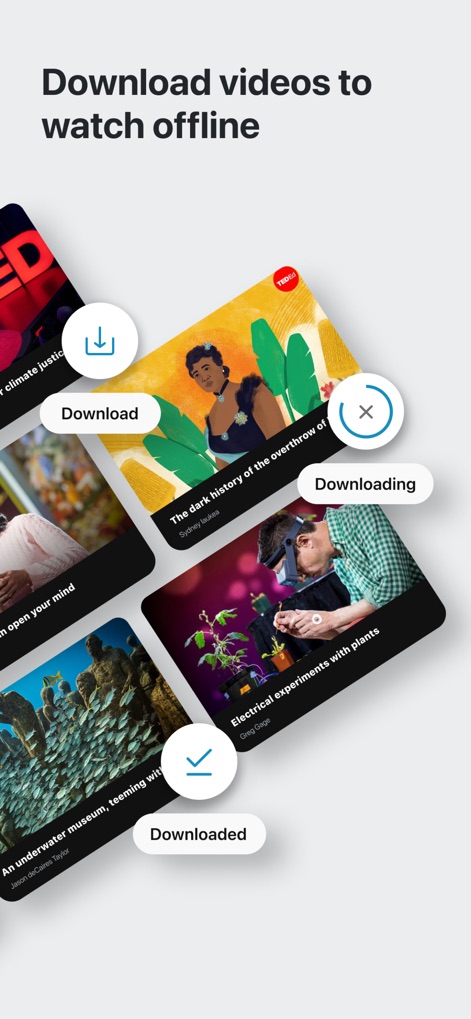
このアプリは動画のオフライン再生を可能にし、ユーザーはダウンロードの進捗表示を通じて視聴準備が整ったかを確認できます。
いつでもどこでも
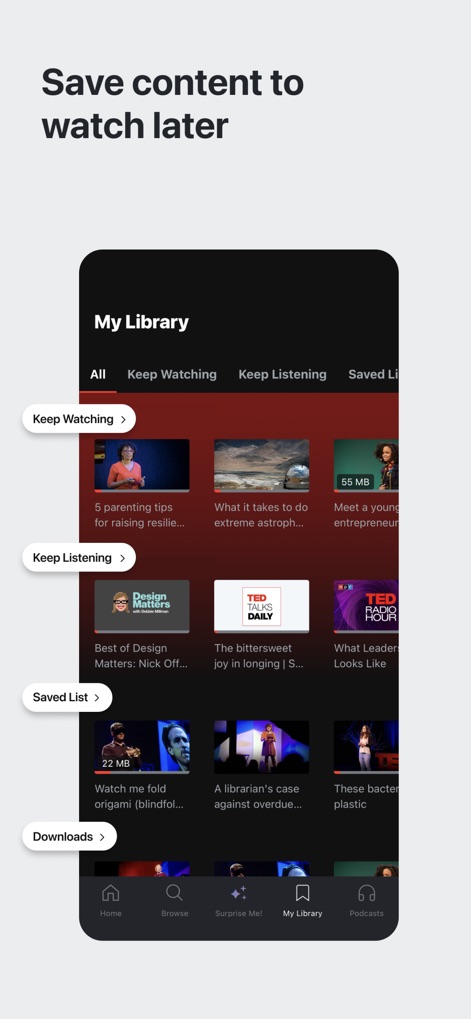
ユーザーは「My Library」機能を利用して、視聴途中や後で見るための動画、聞くためのポッドキャストをリストとして管理できます。
マイライブラリ

このアプリは100以上の言語に対応した字幕を提供し、ユーザーは詳細な字幕選択リストから希望の言語を選んで理解を深めることができます。
多言語字幕
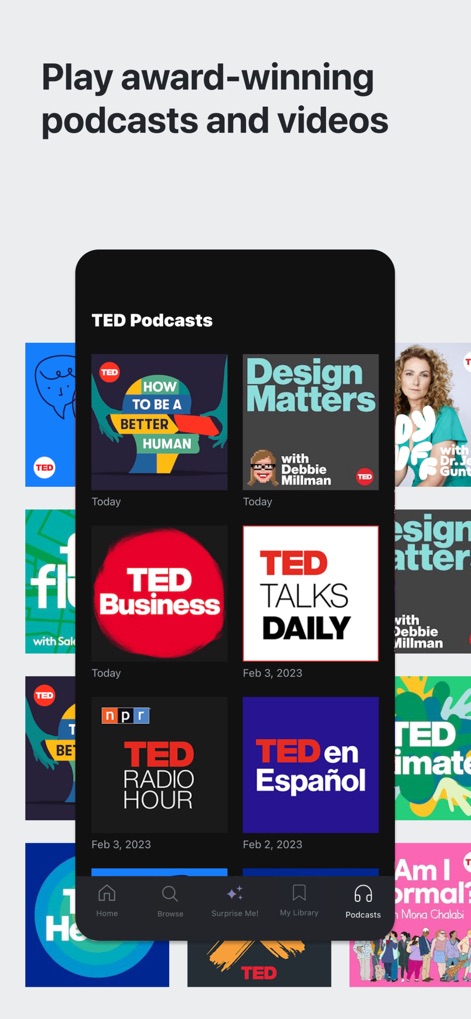
このプラットフォームでは、ユーザーは受賞歴のある厳選されたポッドキャストを視聴でき、「TED Business」や「TED Talks Daily」といった多彩なTEDコンテンツを楽しめます。
ポッドキャストも
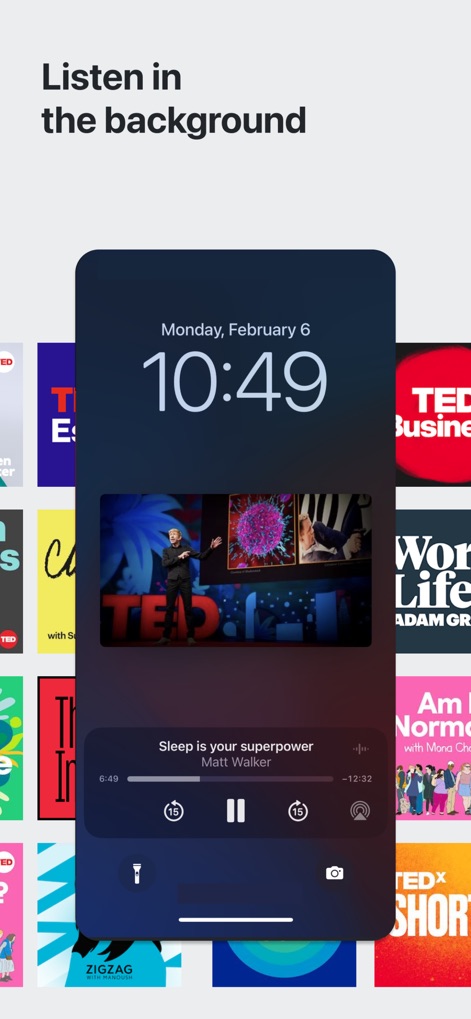
ユーザーはバックグラウンド再生機能により、他のアプリを使用しながら学習を続けられ、ロック画面から直接再生コントロールを操作できます。
途切れない学び
説明
Download




このページはアプリまたはその開発者の公式ページではなく、情報提供および論評を目的として作成された独立した編集出版物です。明示的に別段の記載がない限り、アプリおよびその開発者は、MWM、Apple、Google Play、アプリのパブリッシャー、またはアプリの開発者と提携、承認、後援、認可、またはその他の公式的な関係はなく、このページのいかなる内容も、アプリがMWMのサービスを使用して開発されたことを意味するものではありません。すべての商標、ロゴ、スクリーンショット、その他のコンテンツはそれぞれの所有者の財産です。