Text Scanner OCR Image to Text
ダウンロード: App Store

このページはアプリまたはその開発者の公式ページではなく、情報提供および論評を目的として作成された独立した編集出版物です。明示的に別段の記載がない限り、アプリおよびその開発者は、MWM、Apple、Google Play、アプリのパブリッシャー、またはアプリの開発者と提携、承認、後援、認可、またはその他の公式的な関係はなく、このページのいかなる内容も、アプリがMWMのサービスを使用して開発されたことを意味するものではありません。すべての商標、ロゴ、スクリーンショット、その他のコンテンツはそれぞれの所有者の財産です。


ロゴ: Text Scanner OCR Image to Text
ダウンロード: App Store

Text Scanner OCR Image to Text

写真、PDF、手書きメモを数秒で編集可能なテキストに変換。ペーパーレスな生活のために設計された高速OCRは、外出中の専門家や学生に最適です。

主要数値

ダウンロード

14K+

ユーザー評価

4.0/5

評価数

100

開発元

Pretty Boa Media Ltd

カテゴリ

Games

対応言語

1

最新バージョン

2.1

サイズ

71.2 MB

リリース日

2022年11月14日
機能

生産性ワークフローをマスターする

印刷されたテキストでも手書きテキストでも、数秒で編集可能なデジタルコンテンツに変換。iPhoneおよびiPad専用に設計されています。

手書き文字認識

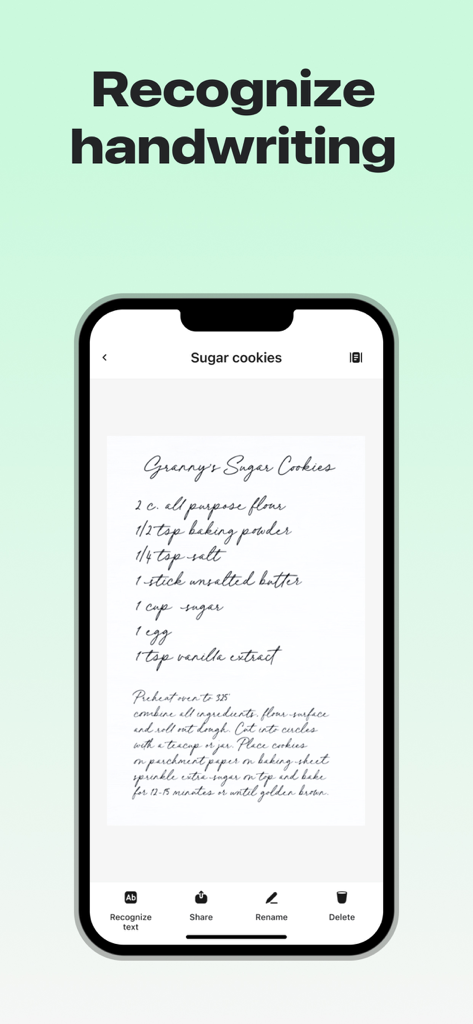
手書きの講義ノートや会議のブレインストーミングを、検索可能で編集可能なテキストに瞬時に変換します。

インスタントクリップボード抽出

画像やPDFから超高速でテキストを取得し、プロフェッショナルアプリやメールに直接貼り付けます。

以下のスクリーンショットと説明は、アプリの公式ストアリスティングから直接取得されたものであり、アプリ開発者の所有物です。

アプリストア

スクリーンショット
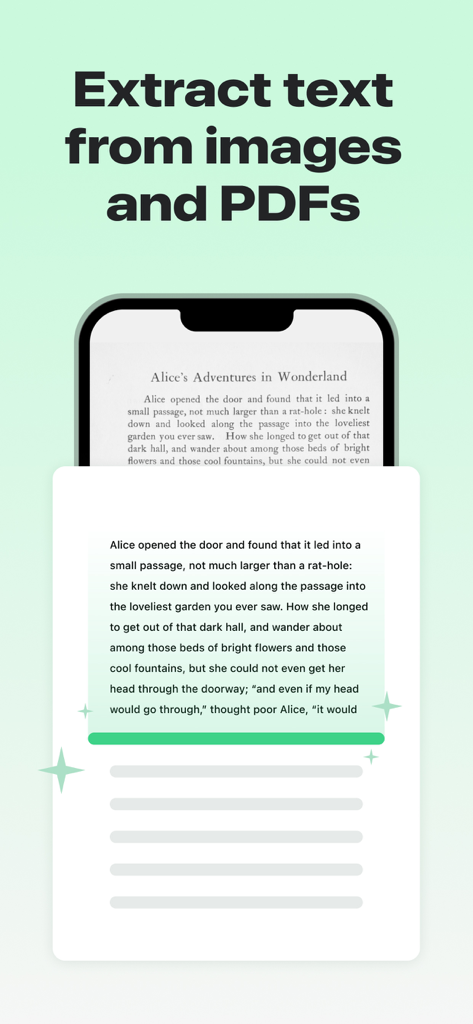
Text Scanner OCR Image to Text - iPhone画面に、書籍のページからテキストを抽出しているText Scanner OCRアプリが表示されている
iPhone画面に、書籍のページからテキストを抽出しているText Scanner OCRアプリが表示されている

Text Scanner OCR Image to Text - Text Scannerアプリが手書きのレシピを認識しているiPhone画面
Text Scannerアプリが手書きのレシピを認識しているiPhone画面

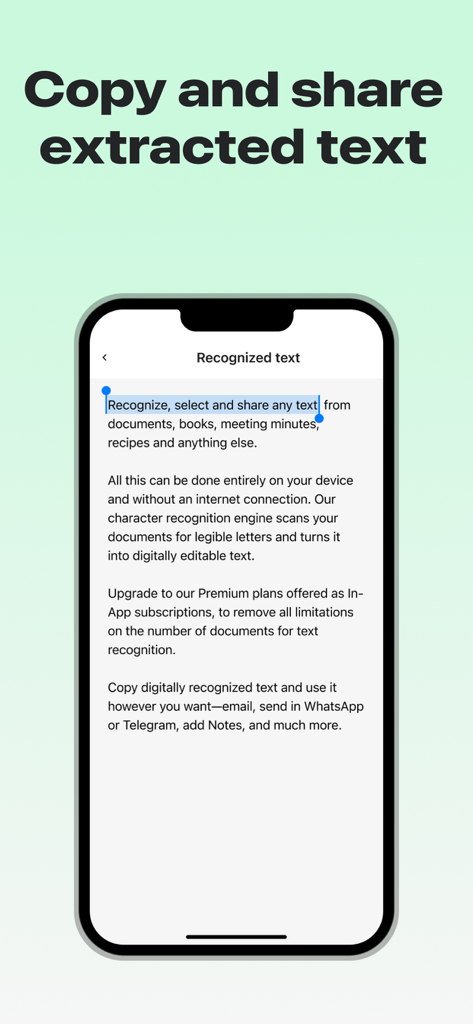
Text Scanner OCR Image to Text - 認識されたテキストがコピーと共有のために選択されているインターフェース、iPhone画面が表示されている。
認識されたテキストがコピーと共有のために選択されているインターフェース、iPhone画面が表示されている。

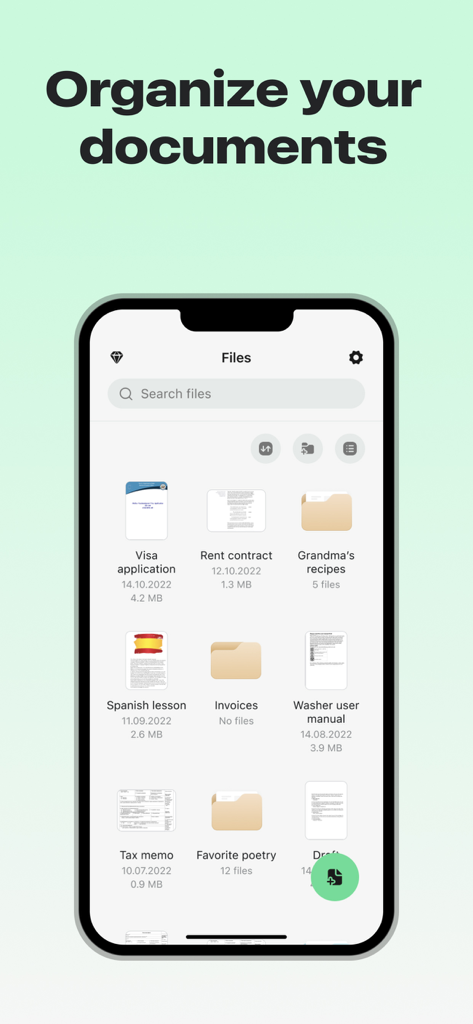
Text Scanner OCR Image to Text - ビザ申請や賃貸契約などの整理されたドキュメントやフォルダが表示されたファイル管理インターフェースを示すiPhone画面。
ビザ申請や賃貸契約などの整理されたドキュメントやフォルダが表示されたファイル管理インターフェースを示すiPhone画面。

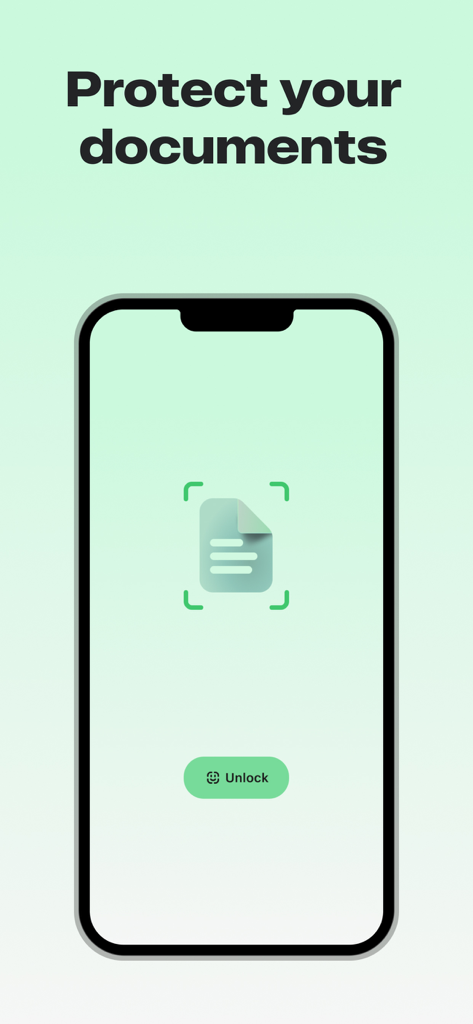
Text Scanner OCR Image to Text - ドキュメント保護とFace IDロック解除ボタンを示すText Scanner OCRアプリインターフェース

ドキュメント保護とFace IDロック解除ボタンを示すText Scanner OCRアプリインターフェース

説明

Convert any image / PDF to text. Use Text Scanner OCR to automatically recognize characters from an image or PDF and instantly copy the text to your clipboard. FEATURES - Extract text from any image or PDF on your device - Works with English language only - Supports handwriting - High speed OCR This app includes an auto renewing subscription option in order to access all functionality: - Subscription options are either every weekly, monthly or yearly - Payment will be charged to your Apple ID account at the confirmation of purchase. - Subscription automatically renews unless the subscription is cancelled at least 24-hours before the end of the current period. - Your account will be charged for renewal within 24 hours prior to the end of the current period. - You can manage and cancel your subscriptions by going to your account settings on the App Store after purchase. - When canceling a subscription, your subscription will stay active until the end of the subscription period and you will have access to all the content that you subscribed to. Auto-renewal will be disabled and you will not be charged again, but the current subscription will not be refunded. - You may be eligible to sign up for a trial period to evaluate the app. Please note that at the end of the trial period you will be billed for the subscription amount and the subscription will automatically renew. - Any unused portion of a trial period, if offered, will be forfeited when purchasing a subscription. Privacy Policy and Terms of Use are available at: - http://prettyboamedia.com/privacy-policy/ - http://prettyboamedia.com/terms-conditions/ We are constantly improving this app and we would love to hear your suggestions for improvement! If you have found a bug, have a suggestion, or want a new feature, please email us at: support@prettyboamedia.com

Download

ダウンロード: App Store

このページはアプリまたはその開発者の公式ページではなく、情報提供および論評を目的として作成された独立した編集出版物です。明示的に別段の記載がない限り、アプリおよびその開発者は、MWM、Apple、Google Play、アプリのパブリッシャー、またはアプリの開発者と提携、承認、後援、認可、またはその他の公式的な関係はなく、このページのいかなる内容も、アプリがMWMのサービスを使用して開発されたことを意味するものではありません。すべての商標、ロゴ、スクリーンショット、その他のコンテンツはそれぞれの所有者の財産です。








