
このページはアプリまたはその開発者の公式ページではなく、情報提供および論評を目的として作成された独立した編集出版物です。明示的に別段の記載がない限り、アプリおよびその開発者は、MWM、Apple、Google Play、アプリのパブリッシャー、またはアプリの開発者と提携、承認、後援、認可、またはその他の公式的な関係はなく、このページのいかなる内容も、アプリがMWMのサービスを使用して開発されたことを意味するものではありません。すべての商標、ロゴ、スクリーンショット、その他のコンテンツはそれぞれの所有者の財産です。


The Couple (Days in Love)
記念日を自動追跡し、共有フォトストーリーを作成。二人だけの特別なストーリーのためにデザインされた美しいホーム画面ウィジェットで、パートナーをいつも身近に感じられます。
ダウンロード
4M+ユーザー評価
評価数
45K+開発元
カテゴリ
Lifestyle対応言語
7最新バージョン
3.10.5サイズ
311.0 MBリリース日
2016年7月19日すべての節目を一緒に祝おう
付き合って100日から金婚式まで、The Coupleは二人のラブストーリーを記録し、最も大切な思い出をいつでも振り返ることができる、美しくプライベートなスペースを提供します。
記念日の自動追跡
特別な瞬間をもう二度と逃しません。100日、200日、そして毎年の記念日を自動的に計算。カスタム通知が届くので、お祝いすることに集中できます。
おしゃれなホーム画面ウィジェット
フルカスタマイズ可能なウィジェットで、パートナーをいつも身近に。様々なテーマ、フォント、ハートのアイコンでスマホの雰囲気に合わせ、ホーム画面を二人のデジタルな聖域に変えましょう。
よくある質問
について知っておくべきこと The Couple (Days in Love)
The Coupleアプリは何のためにありますか?
The Coupleアプリは、カップルがお互いの共有された道のりを記録するための専用スペースとして機能します。記念日を追跡したり、デート日記を作成したり、思い出や写真を共有したりするのに役立ち、大切な瞬間を忘れないようにします。
記念日について、The Coupleアプリはどのようにユーザーに通知しますか?
The Coupleアプリは、100日目や200日目などの記念日を自動的に計算してリストアップします。記念日の7日前、5日前、3日前、または1日前にカスタマイズ可能な通知を送信し、ユーザーが大切な日付を逃さないようにします。
The Coupleアプリの外観をカスタマイズできますか?
はい、The Coupleアプリでは包括的なカスタマイズが可能です。ユーザーは、さまざまなテーマ、ハートのアイコン、背景効果、そして自分の写真で背景画面を飾ることができます。さらに、追加のカスタマイズのために複数のフォントも提供されています。
The Coupleアプリにはホーム画面ウィジェットが含まれていますか?
はい、The CoupleアプリにはiPhone用のさまざまなホーム画面ウィジェットが用意されています。これらのウィジェットにより、ユーザーはデバイスのホーム画面から直接、記念日やパートナーの誕生日を便利に確認できます。
The Couple Premiumサブスクリプションにはどのような機能が含まれていますか?
The Couple Premiumサブスクリプションは、いくつかの強化機能を提供します。広告が削除され、より多くの装飾テーマ、写真アップロード数の増加(ストーリーあたり30枚)、写真保存機能、そしてプライバシー強化のための限定ロックダウン機能へのアクセスが可能になります。
The Coupleアプリのサブスクリプションはどのように管理しますか?
The Coupleアプリのサブスクリプションは、Apple App Storeアカウントを通じて管理されます。更新の少なくとも24時間前に、App Storeの設定で直接キャンセルする必要があります。サブスクリプションの復元には、同じAppleアカウントが必要です。
The Coupleアプリのストーリーの1回の写真アップロード制限は何枚ですか?
The Coupleアプリのストーリー機能では、一般ユーザーは1つのストーリーにつき3枚の写真をアップロードできます。プレミアムサブスクライバーは、アップロード制限が増加し、各ストーリーエントリに最大30枚の写真までアップロードできます。
ユーザーはThe Coupleアプリのストーリー内でコミュニケーションしたり、やり取りしたりできますか?
はい、The Coupleアプリはストーリー内でのやり取りを促進します。ユーザーはお互いのストーリーエントリにコメントを投稿したり、ストーリーで共有された写真をダウンロードしたりすることができ、共有された思い出の保存を促進します。
以下のスクリーンショットと説明は、アプリの公式ストアリスティングから直接取得されたものであり、アプリ開発者の所有物です。
アプリストア
スクリーンショット
トップクラスのカップルカウントダウンアプリとしての地位を強調する、The Coupleアプリの紹介画面
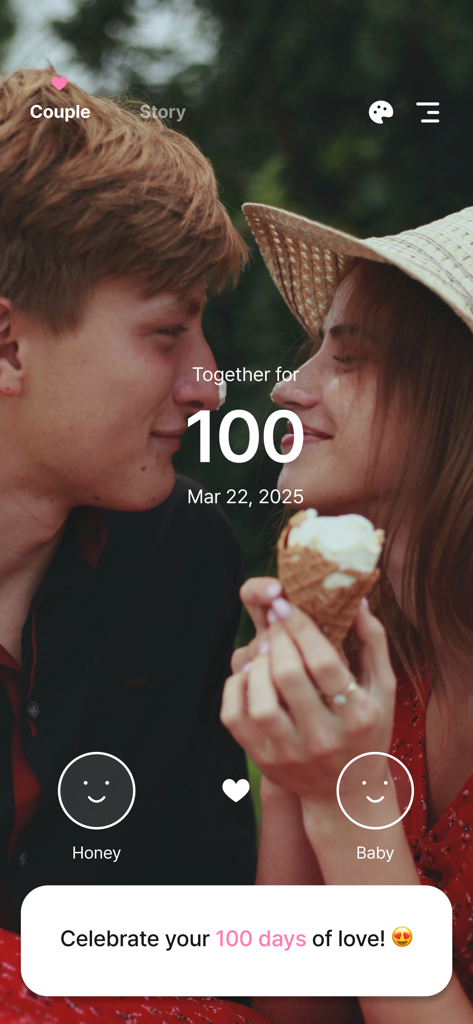
The Coupleアプリの画面で100日記念日を祝うカップル

カップルの写真とハートのアイコンが付いた100日記念日ウィジェットのビジュアル
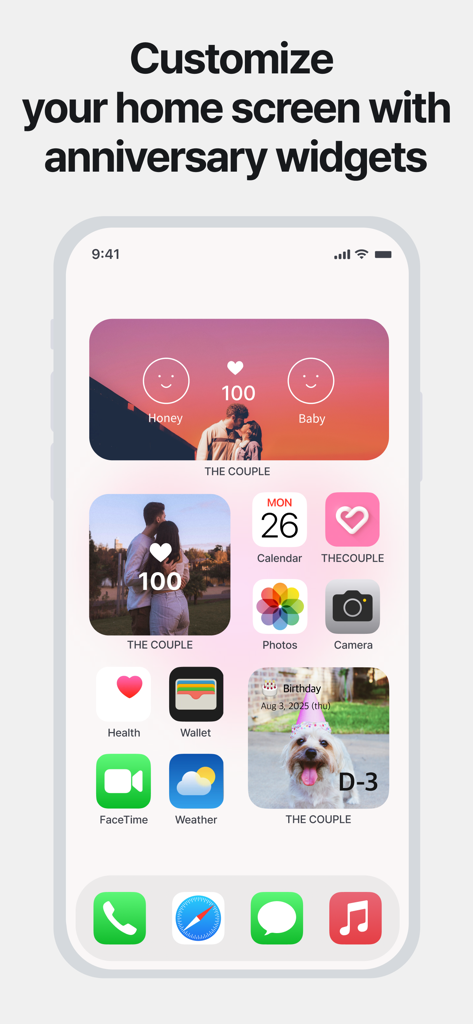
カスタム記念日・カウントダウンウィジェットが表示されたiPhoneのホーム画面
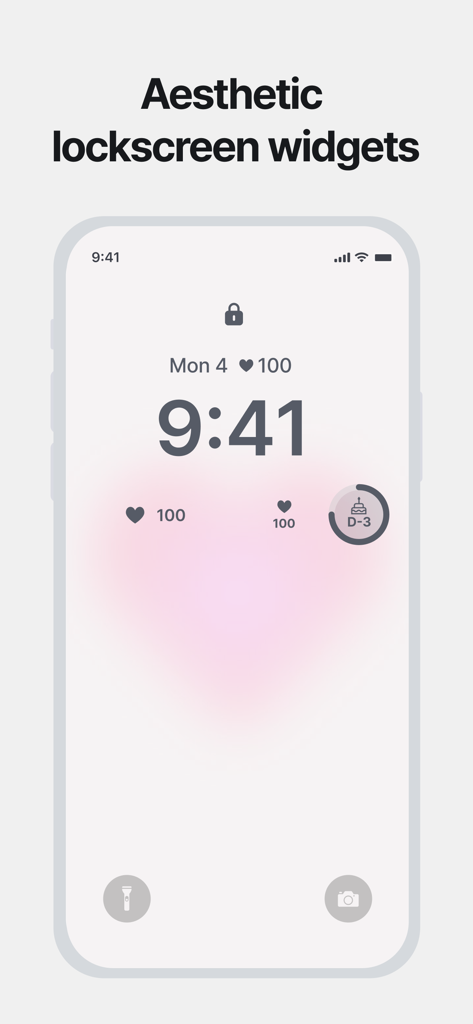
The Coupleアプリのおしゃれなハートと記念日カウントダウンウィジェットが表示されたiPhoneのロック画面
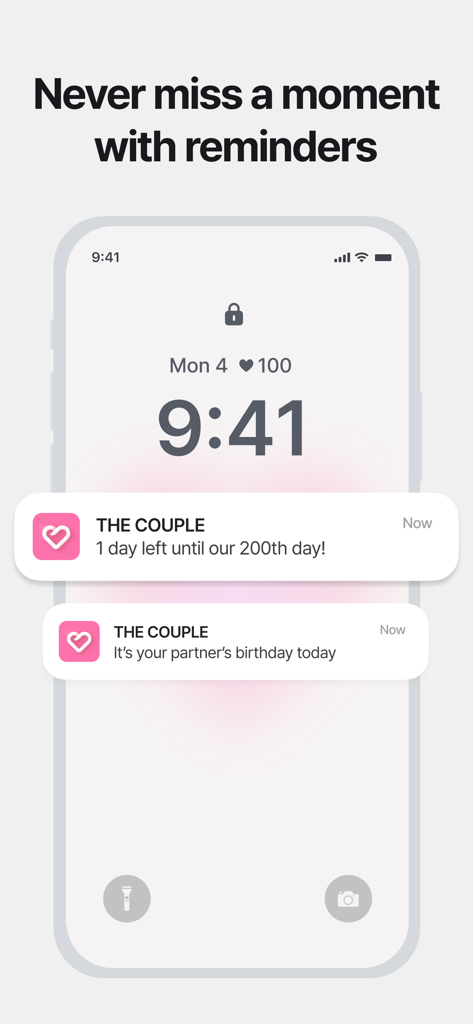
The Coupleアプリからの200日記念日とパートナーの誕生日の通知が表示されたiPhoneのロック画面
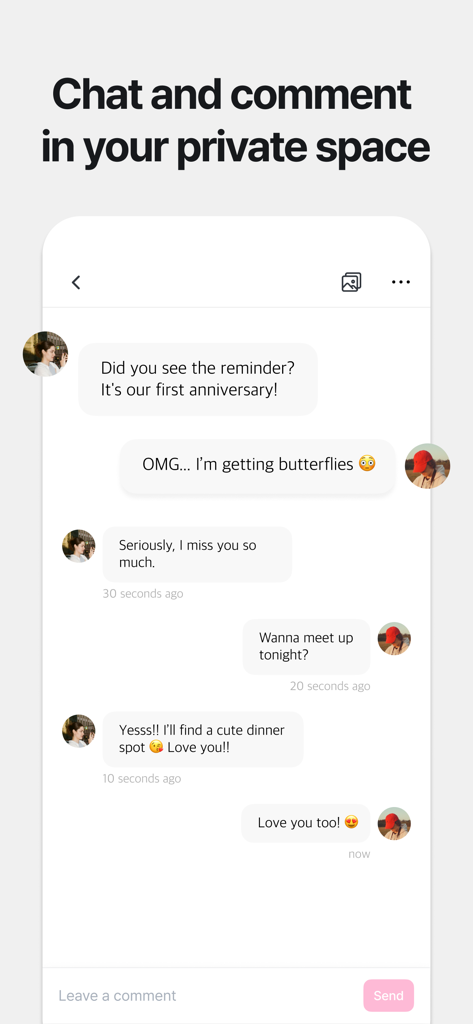
ロマンチックなメッセージを送り合い、記念日のディナーを計画しているカップルが表示されたアプリ内のプライベートチャット画面
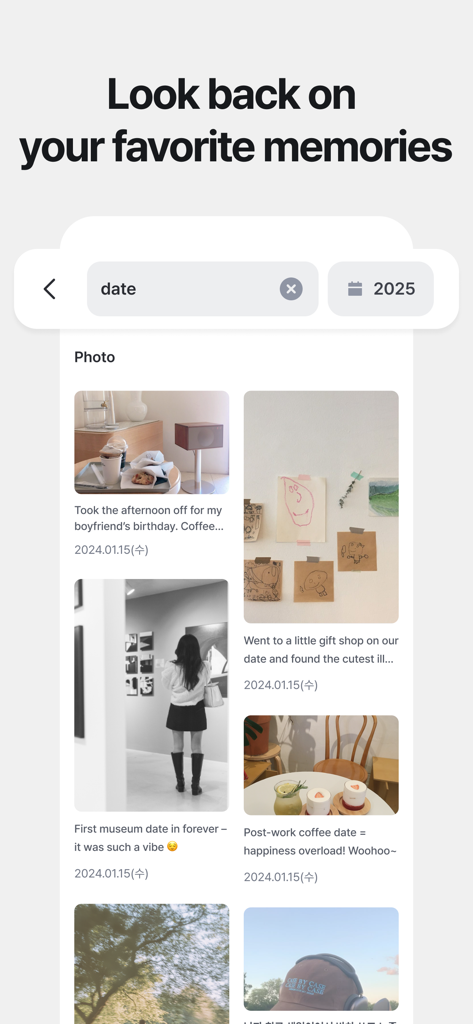
清潔感のあるおしゃれなレイアウトで、キャプションと日付が付いた様々なデートの思い出を表示する時系列のフォトジャーナル
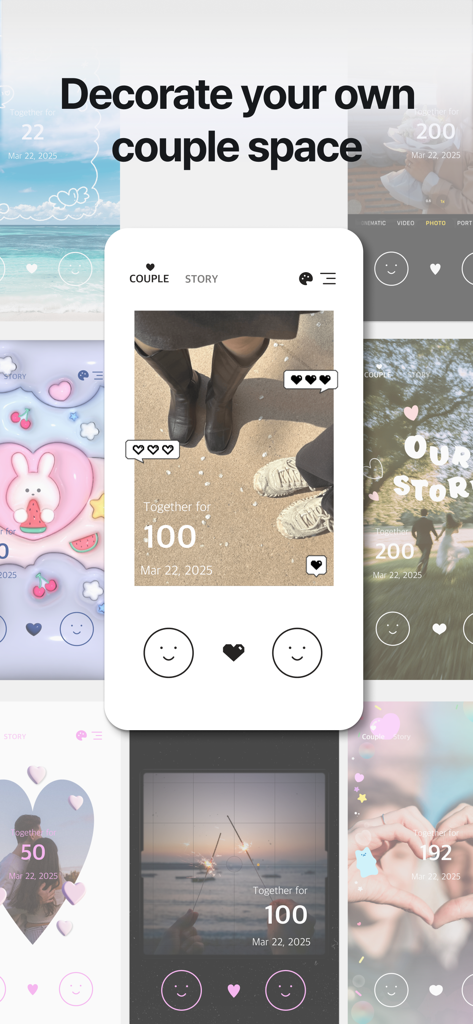
カップルの記念日や思い出を追跡するための、様々なおしゃれなホーム画面レイアウトのコラージュ
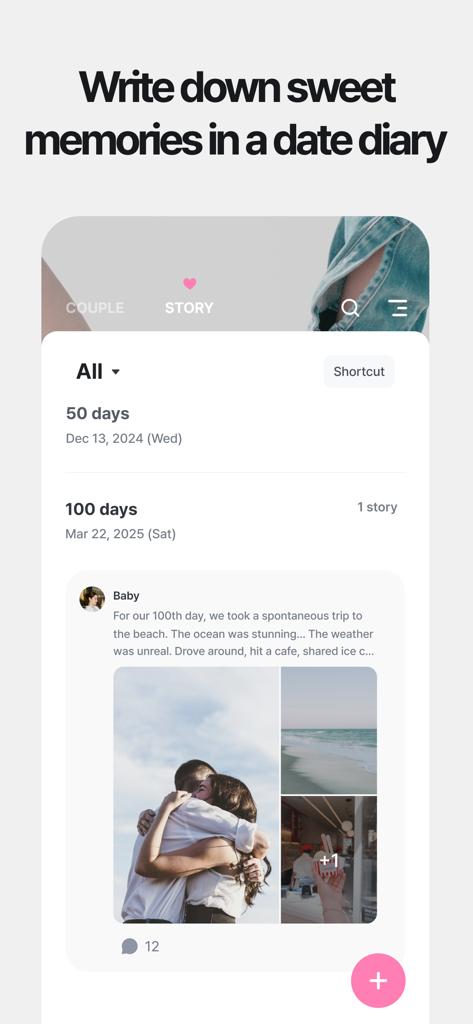
ロマンチックな写真や100日などの記念日の節目が表示された、The Coupleアプリのデジタル日記インターフェース
説明
Download
類似アプリ
似た機能とユーザー体験を持つアプリ

My Love - Relationship Counter
Bjoern Bartels

Memories: My Love Days Counter
开学 唐

LoveCounter - My Love
Dennis Wassenberg

inlove - D-Day for Couples
Danh Huynh

Couple Widget : Love Countdown
Jae Young Kim

ДМБ Таймер - The Official App
Kirill Galkin

Been Love Memory -Love Counter
Dat Do

군돌이 - 군대 전역일계산기
Goondori, Inc.

OurDay - Our Minimi in Widget
Gaeun Lee
このページはアプリまたはその開発者の公式ページではなく、情報提供および論評を目的として作成された独立した編集出版物です。明示的に別段の記載がない限り、アプリおよびその開発者は、MWM、Apple、Google Play、アプリのパブリッシャー、またはアプリの開発者と提携、承認、後援、認可、またはその他の公式的な関係はなく、このページのいかなる内容も、アプリがMWMのサービスを使用して開発されたことを意味するものではありません。すべての商標、ロゴ、スクリーンショット、その他のコンテンツはそれぞれの所有者の財産です。