The Lyrics App
The Lyrics App
ダウンロード: App Store

このページはアプリまたはその開発者の公式ページではなく、情報提供および論評を目的として作成された独立した編集出版物です。明示的に別段の記載がない限り、アプリおよびその開発者は、MWM、Apple、Google Play、アプリのパブリッシャー、またはアプリの開発者と提携、承認、後援、認可、またはその他の公式的な関係はなく、このページのいかなる内容も、アプリがMWMのサービスを使用して開発されたことを意味するものではありません。すべての商標、ロゴ、スクリーンショット、その他のコンテンツはそれぞれの所有者の財産です。


ロゴ: The Lyrics App
ダウンロード: App Store

The Lyrics App

メモとボイスメモの間を行き来するのはやめましょう。あなたの言葉を書き、メロディーを録音し、創造的なゾーンを壊すことなく完璧なライムを見つけましょう。

主要数値

ダウンロード

74K+

ユーザー評価

4.7/5

評価数

500

開発元

Michael Handkins

カテゴリ

Music

対応言語

1

最新バージョン

2.11.3

サイズ

23.2 MB

リリース日

2020年10月25日
機能

ソングライティングの流れをレベルアップ

閃きを捉える必要があるクリエイターのためにデザインされた究極のデジタルノートブック。一つのシームレスな体験で、あなたの次のヒット曲を書き、録音し、洗練させましょう。

歌詞とメロディーをキャプチャ

メモとボイスメモの間を行き来するのはやめましょう。歌詞シートの中に直接メロディーのアイデアを録音し、創造的な勢いを維持しましょう。

瞬時のクリエイティブブースト

統合されたライムジェネレーターと類語辞典で、ライターズブロックを打破しましょう。アプリを離れることなく、完璧なライムを見つけるために単語をダブルタップします。

以下のスクリーンショットと説明は、アプリの公式ストアリスティングから直接取得されたものであり、アプリ開発者の所有物です。

アプリストア

スクリーンショット
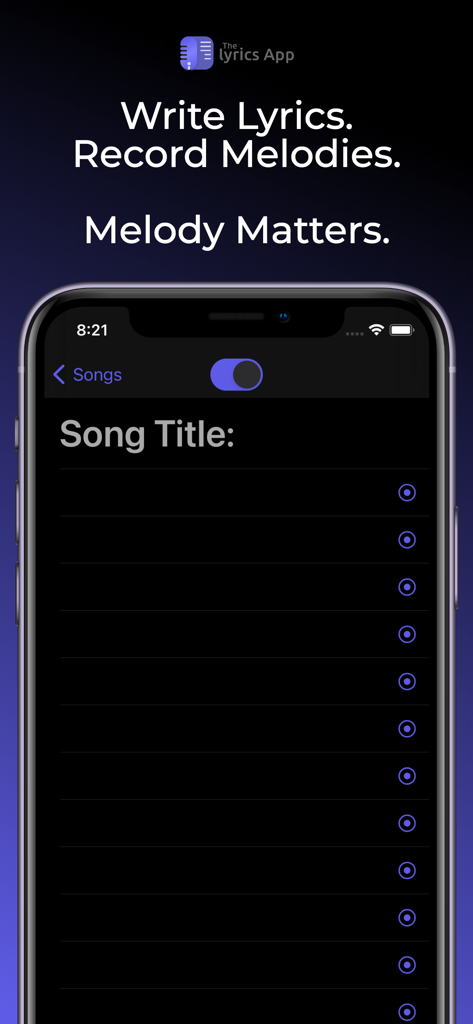
The Lyrics App - iPhoneで歌詞の作成とメロディーの録音を行うためのThe Lyrics Appインターフェース
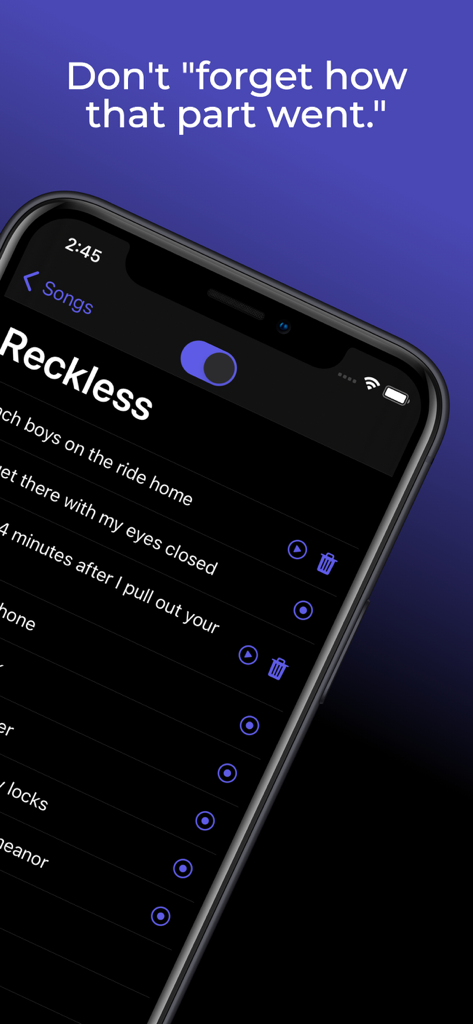
iPhoneで歌詞の作成とメロディーの録音を行うためのThe Lyrics Appインターフェース

The Lyrics App - 特定の歌詞の録音済みオーディオクリップが表示されたThe Lyrics Appインターフェースのスマートフォン画面
特定の歌詞の録音済みオーディオクリップが表示されたThe Lyrics Appインターフェースのスマートフォン画面

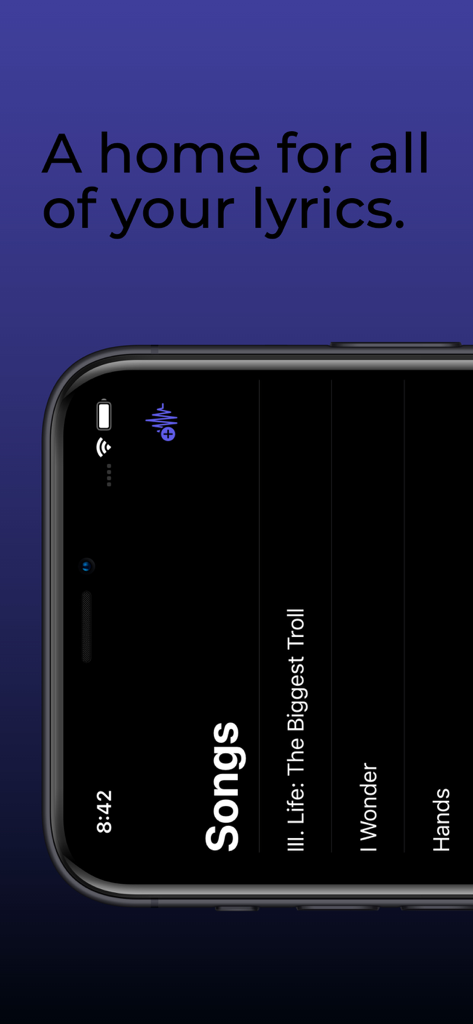
The Lyrics App - The Lyrics Appインターフェース内の保存された曲のリストを表示するスマートフォン画面

The Lyrics Appインターフェース内の保存された曲のリストを表示するスマートフォン画面

説明

If you're a songwriter, you probably recognize that melody is usually at least just as important as the lyrics they belong to. If you're a human, you've probably experienced what we like to call "forgetting." Lyrics can be forgotten as easily as they're thought of, which is why most of us (Lil Wayne excluded) choose to write them down. Melody, however, can easily be forgotten as well. To combat this, many songwriters end up going back and forth between a notes app and a voice recorder app while writing in order to preserve both their lyrics and the corresponding melodies. With The Lyrics App, there's no need to switch back and forth between apps while you're writing. You can finally write your lyrics and record your melodies in the same place. Rhyme Generator: The Rhyme Generator provides seamless access to thousands of rhyming words and phrases at your finger tips. To use the generator, simply highlight the word you'd like to see rhymes for (which you can do quickly by double tapping the word), then tap the Rhymes button that appears just above your keyboard. A list of up to 1,000 rhyming words and phrases will then be displayed on a scrollable bar on top of your device's keyboard. Tap one of the rhyme options to replace your highlighted word with the selected option. Thesaurus: Use the Thesaurus to gain instant access to thousands of synonyms for your lyrics. To use the Thesaurus, highlight the word you'd like to see synonyms for (which you can do quickly by double tapping a word), then tap the Thesaurus button that appears just above your keyboard. A list of up to 1,000 synonyms will then be displayed on a scrollable bar on top of your device's keyboard. Tap one of the options to replace your highlighted text with the selected option. iCloud Backup: All of your songs, lyrics, and melodies will now be safely backed up to your iCloud (as long as you have storage available, of course). If you lose your phone or have to redownload The Lyrics App for any reason, rest assured that all of the songs you've written will still be available and will automatically be synced to your device after you open the app while you are logged in to your iCloud account on your device. This feature will also keep The Lyrics App synchronized across all of your devices that are logged in to the same iCloud account. iCloud Drive: All of your songs, lyrics, and melody recordings will now be backed up to your iCloud Drive. If you've ever wanted to export any of your recordings, this is the solution. From your iOS device, go to the Files app on your phone. From there, tap browse, then select iCloud Drive (if it isn't already selected). In that folder you will see a folder for The Lyrics App, which contains folders for each of your songs. Each song folder contains a text file with the lyrics of the song, as well as a folder containing all of the recordings for that song. You will also be able to access these folders from the Finder on your Mac. In order to utilize this new feature, make sure that iCloud Drive is enabled on your device.

Download

ダウンロード: App Store

このページはアプリまたはその開発者の公式ページではなく、情報提供および論評を目的として作成された独立した編集出版物です。明示的に別段の記載がない限り、アプリおよびその開発者は、MWM、Apple、Google Play、アプリのパブリッシャー、またはアプリの開発者と提携、承認、後援、認可、またはその他の公式的な関係はなく、このページのいかなる内容も、アプリがMWMのサービスを使用して開発されたことを意味するものではありません。すべての商標、ロゴ、スクリーンショット、その他のコンテンツはそれぞれの所有者の財産です。







