
このページはアプリまたはその開発者の公式ページではなく、情報提供および論評を目的として作成された独立した編集出版物です。明示的に別段の記載がない限り、アプリおよびその開発者は、MWM、Apple、Google Play、アプリのパブリッシャー、またはアプリの開発者と提携、承認、後援、認可、またはその他の公式的な関係はなく、このページのいかなる内容も、アプリがMWMのサービスを使用して開発されたことを意味するものではありません。すべての商標、ロゴ、スクリーンショット、その他のコンテンツはそれぞれの所有者の財産です。


TheMagic5
独自の3Dスキャン技術で完璧なフィット感を体験してください。あなたのユニークな顔の構造のために特別に作られたゴーグルで、漏れ、曇り、圧迫感にさよならを告げましょう。
ダウンロード
97K+ユーザー評価
評価数
1K+開発元
カテゴリ
Sports対応言語
4最新バージョン
3.48.1サイズ
63.3 MBリリース日
2018年2月8日あなたの最高のパフォーマンスのために設計
独自のAIスキャン技術を活用して、あなたのユニークな顔の構造に合わせたオーダーメイドのゴーグルを作成し、気を散らすものを排除して水に集中できるようにします。
独自の3D顔スキャン
高度なAIを使用して60秒以内にあなたのユニークな顔の輪郭をマッピングし、100%漏れのない高精度なフィット感を保証します。
「パンダの目」(くま)を解消
カスタム成形されたガスケットが圧力を均等に分散し、水漏れや既製品にありがちな深いスイム後の跡を防ぎます。
ワンタップでのパフォーマンス再注文
あなたの生体認証プロファイルは安全に保存されており、レース当日への準備をしながら、ギアを更新したり、レンズの色合いを切り替えたりするのが簡単です。
ワンタップでパフォーマンス再注文
あなたの生体認証プロファイルは安全に保存されており、レース当日への準備をしながら、ギアを更新したり、レンズの色合いを切り替えたりするのが簡単です。
ワンタップでパフォーマンス再注文
あなたの生体認証プロファイルは安全に保存されており、レース当日への準備をしながら、ギアを更新したり、レンズの色合いを切り替えたりするのが簡単です。
ワンタップでパフォーマンス再注文
あなたの生体認証プロファイルは安全に保存されており、レース当日への準備をしながら、ギアを更新したり、レンズの色合いを切り替えたりするのが簡単です。
以下のスクリーンショットと説明は、アプリの公式ストアリスティングから直接取得されたものであり、アプリ開発者の所有物です。
アプリストア
スクリーンショット
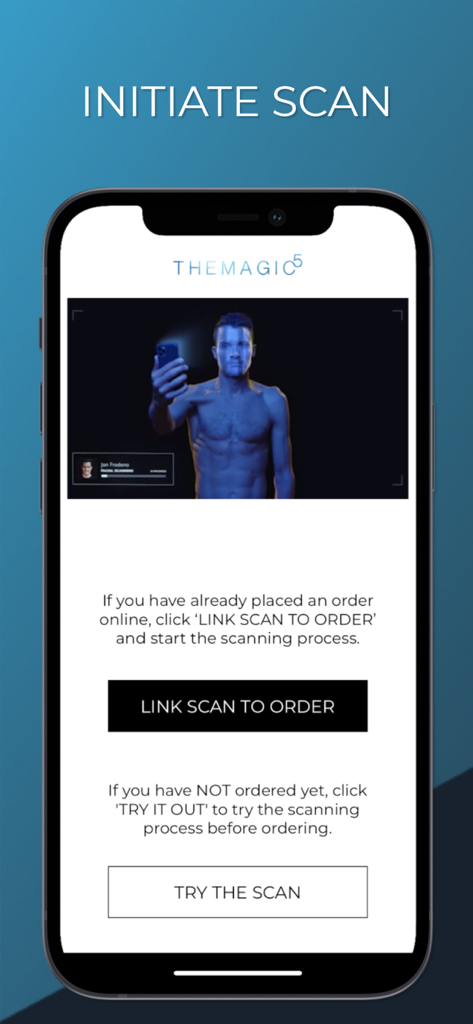
カスタムフィット水泳ゴーグル用の顔スキャンを開始するオプションを表示するTheMagic5アプリのインターフェース
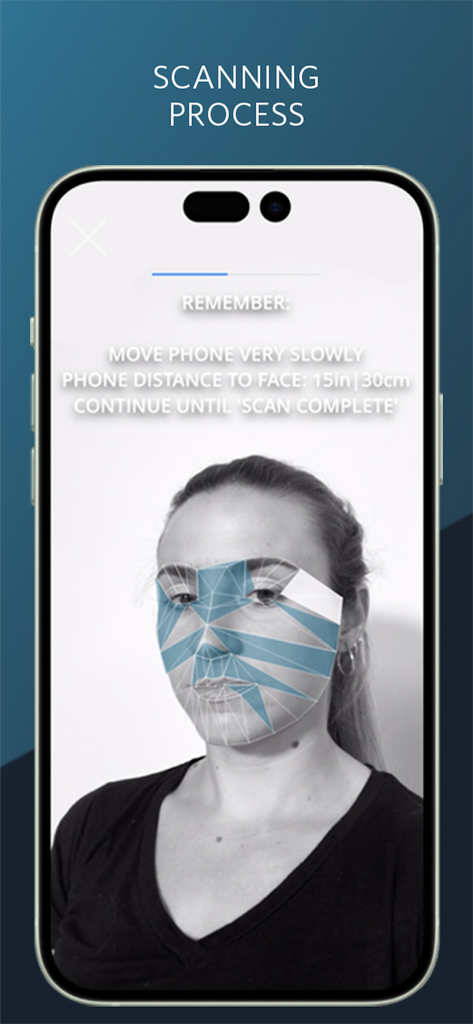
カスタムフィット水泳ゴーグル用のTheMagic5アプリの顔スキャンインターフェース
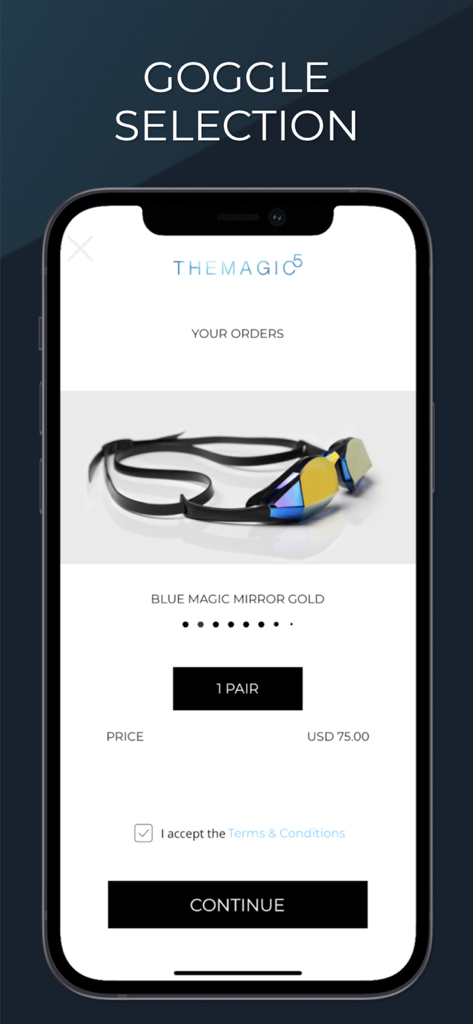
75ドルでカスタムのBlue Magic Mirror Gold水泳ゴーグルを選択しているTheMagic5アプリの画面。
説明
Download
類似アプリ
同じカテゴリのトップランクアプリ

得物 - 得到美好事物
Shanghai Dewu Information Group Co., Ltd.

懂球帝 - 足球篮球体坛数据
Hainan Football-Loving Girl Network Technology Co., Ltd.

虎扑-评分篮球足球游戏影视
Shanghai Kuanghui Network Technology Co., LTD

Underdog Sports
Underdog Sports, Inc.

Olympic Games™
International Olympic Committee

ESPN: Live Sports & Scores
Disney Electronic Content, Inc.

Flashscore: Live Scores & News
Livesport s.r.o.

DraftKings Sportsbook & Casino
DRAFTKINGS LLC.

PrizePicks - Sports Picks
SidePrize, LLC
このページはアプリまたはその開発者の公式ページではなく、情報提供および論評を目的として作成された独立した編集出版物です。明示的に別段の記載がない限り、アプリおよびその開発者は、MWM、Apple、Google Play、アプリのパブリッシャー、またはアプリの開発者と提携、承認、後援、認可、またはその他の公式的な関係はなく、このページのいかなる内容も、アプリがMWMのサービスを使用して開発されたことを意味するものではありません。すべての商標、ロゴ、スクリーンショット、その他のコンテンツはそれぞれの所有者の財産です。