Thunder-Go
Thunder-Go
ダウンロード: App Store

このページはアプリまたはその開発者の公式ページではなく、情報提供および論評を目的として作成された独立した編集出版物です。明示的に別段の記載がない限り、アプリおよびその開発者は、MWM、Apple、Google Play、アプリのパブリッシャー、またはアプリの開発者と提携、承認、後援、認可、またはその他の公式的な関係はなく、このページのいかなる内容も、アプリがMWMのサービスを使用して開発されたことを意味するものではありません。すべての商標、ロゴ、スクリーンショット、その他のコンテンツはそれぞれの所有者の財産です。

ロゴ: Thunder-Go
ダウンロード: App Store

Thunder-Go

渋滞をスキップして、地球を救いましょう。近くのEバイクをスキャンしてロックを解除し、汗も駐車料金もかけずに数分で目的地に到着しましょう。

主要数値

ダウンロード

37K+

ユーザー評価

2.6/5

評価数

100

開発元

Wuhan Huakexunce Technology Co., Ltd.

カテゴリ

Navigation

対応言語

15

最新バージョン

1.1.21

サイズ

157.9 MB

リリース日

2024年6月19日
機能

あなたの都市の自由をアンロック

渋滞とはおさらばし、楽々通勤を始めましょう。Thunder-Goは、オンデマンドで街を移動するための最も速く、最も信頼性の高い方法を提供します。

稲妻のように速いロック解除

待つ必要はありません。当社の合理化されたロック解除インターフェースで、30秒未満で任意のバイクのQRコードをスキャンして旅を始めましょう。

スムーズなライド

内蔵の懐中電灯サポートとセカンダリBluetoothロック解除システムを使用して、低照度および信号の悪いゾーンでも簡単に走行できます。

以下のスクリーンショットと説明は、アプリの公式ストアリスティングから直接取得されたものであり、アプリ開発者の所有物です。

アプリストア

スクリーンショット
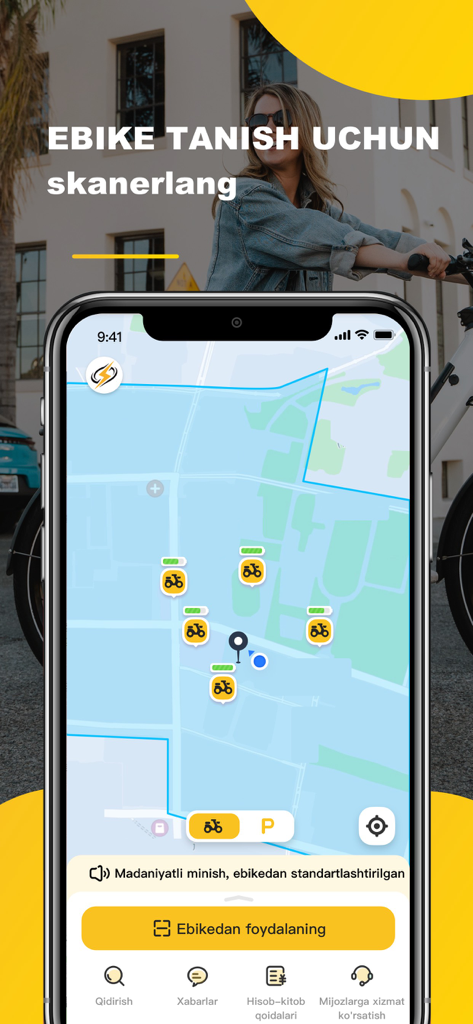
Thunder-Go - 利用可能なEバイクの場所とバッテリーレベルを示すアイコンが表示されたThunder-Goアプリマップを表示するスマートフォン画面。
利用可能なEバイクの場所とバッテリーレベルを示すアイコンが表示されたThunder-Goアプリマップを表示するスマートフォン画面。

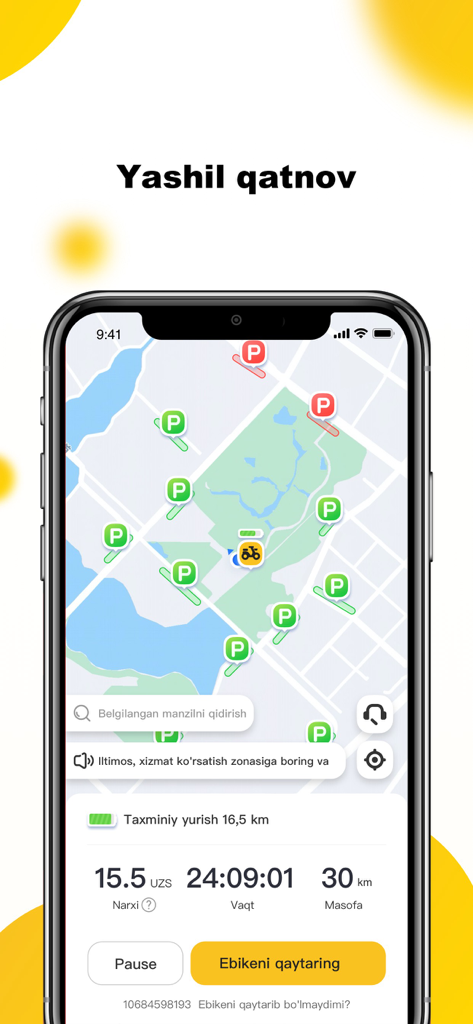
Thunder-Go - スマートフォンにEバイクの駐車場所とアクティブなライド統計が表示されたマップを示すThunder-Goモバイルアプリインターフェース。
スマートフォンにEバイクの駐車場所とアクティブなライド統計が表示されたマップを示すThunder-Goモバイルアプリインターフェース。

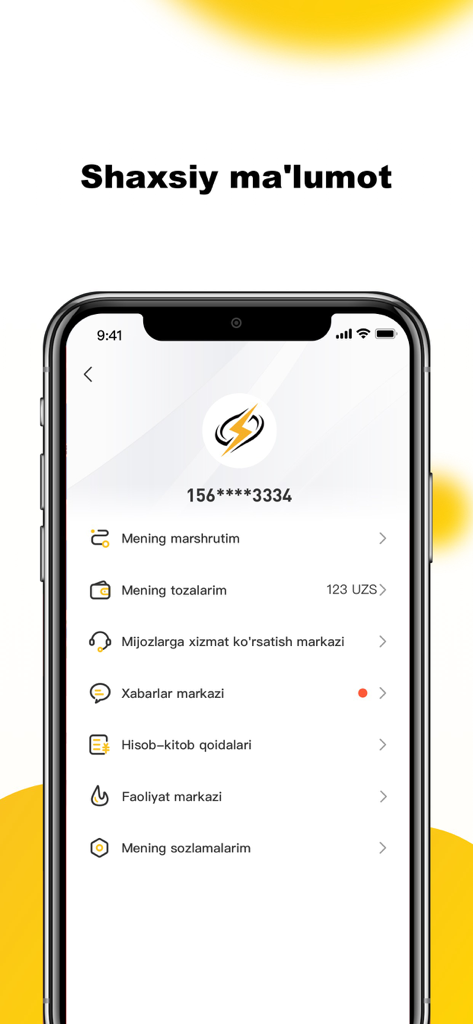
Thunder-Go - アカウントの詳細と設定メニューが表示されたThunder-Go Eバイクアプリのユーザープロファイルインターフェース。
アカウントの詳細と設定メニューが表示されたThunder-Go Eバイクアプリのユーザープロファイルインターフェース。

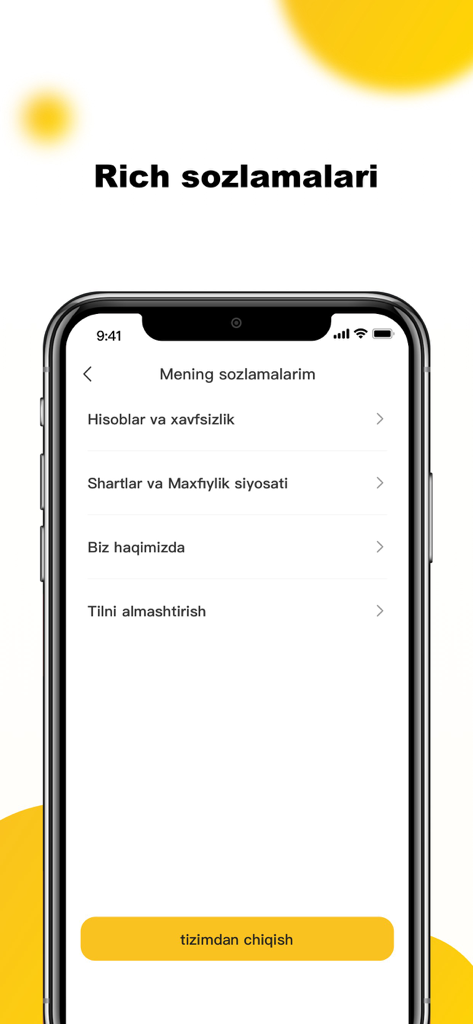
Thunder-Go - アカウントのセキュリティと言語オプションが表示されたThunder-Goアプリの設定画面。

アカウントのセキュリティと言語オプションが表示されたThunder-Goアプリの設定画面。

説明

Thunder Go Ebike is an electric bike-sharing platform that is easily accessible via a mobile application. Here are the instructions: 1. **Usage Instructions** - **Finding a Bike:** Discover nearby bikes by clicking on the bike icon to view information. - **Unlocking:** Scan the QR code on the bike, display the unlocking interface, tap the unlock button, and the bike will unlock automatically. - **Starting:** Gently twist the right handle inward to start riding. - **Ending the Ride:** Tap the "End Ride" button, and the bike will automatically lock, ending the billing. 2. **Locking Failure** - If locking fails, check if the network is functioning properly. You can also try unlocking via Bluetooth. Multiple attempts might lead to successful locking. If repeated attempts fail, provide timely feedback through the "Online Customer Service." 3. **How to Unlock** - Hello, open the "Scan to Ride" feature at the bottom of the app. Enter the scanning page and place the bike's QR code in the viewfinder. Confirm clear focus. Shortly, the remaining mileage of the bike will pop up. Confirm that the displayed distance is greater than the distance to your destination. Click "Unlock," and the bike will audibly confirm "Unlock Successful." If the lighting is low, you can choose to activate the "Flashlight." Alternatively, on the scanning page, select "Input Number to Unlock" and manually input the bike number. 4. **Unlocking Failure** - If scanning indicates bike maintenance, ongoing use by others, or unlocking failure, Thunder Go suggests switching to another bike. Check the network or attempt unlocking via Bluetooth. 5. **How to Lock** - After using Thunder Go Ebike, freely return the bike within the service area. You can park the bike at roadside white lines or non-motorized vehicle parking areas. In the app, tap "End Ride." Don't rush to leave. Upon hearing the bike audibly confirm "Lock Successful," the corresponding trip details will display your ride bill, confirming a successful return. Currently, Thunder Go Ebike only supports bike return via mobile app operation. 6. **Forgetting to Lock** - Overdue orders will incur certain fees. Therefore, promptly lock the bike after use. Thunder Go Ebike sends reminders via SMS or calls for long periods of inactivity or excessive overdue periods. Fees incurred during this time will be charged normally. Thus, after returning the bike, ensure it's properly locked. If forgotten and the bike cannot be found, please contact customer service promptly for assistance. 7. **Temporary Locking** - Temporary locking incurs regular charges. To save costs, manage the duration of temporary parking according to your needs. Drive to your destination promptly to minimize expenses.

Download

ダウンロード: App Store

このページはアプリまたはその開発者の公式ページではなく、情報提供および論評を目的として作成された独立した編集出版物です。明示的に別段の記載がない限り、アプリおよびその開発者は、MWM、Apple、Google Play、アプリのパブリッシャー、またはアプリの開発者と提携、承認、後援、認可、またはその他の公式的な関係はなく、このページのいかなる内容も、アプリがMWMのサービスを使用して開発されたことを意味するものではありません。すべての商標、ロゴ、スクリーンショット、その他のコンテンツはそれぞれの所有者の財産です。








