Time Arc - Time Tracking

Time Arc - Time Tracking

ダウンロード: App Store
ロゴ: Time Arc - Time Tracking

Time Arc - 時間管理:請求可能な時間を最大化するミニマルツール

スピードを重視するフリーランサーやコンサルタントのために設計。複数のプロジェクトを追跡し、ロック画面でライブ進捗を監視し、プロフェッショナルなログを数秒でエクスポートできます。

開発元

Arvid Bjorkqvist

カテゴリ

Business

ダウンロード

75K+

ユーザー評価

4.8/5

評価数

0

対応言語

1

効率的な動き

このインターフェースを利用する 75K+ 人のユーザー.

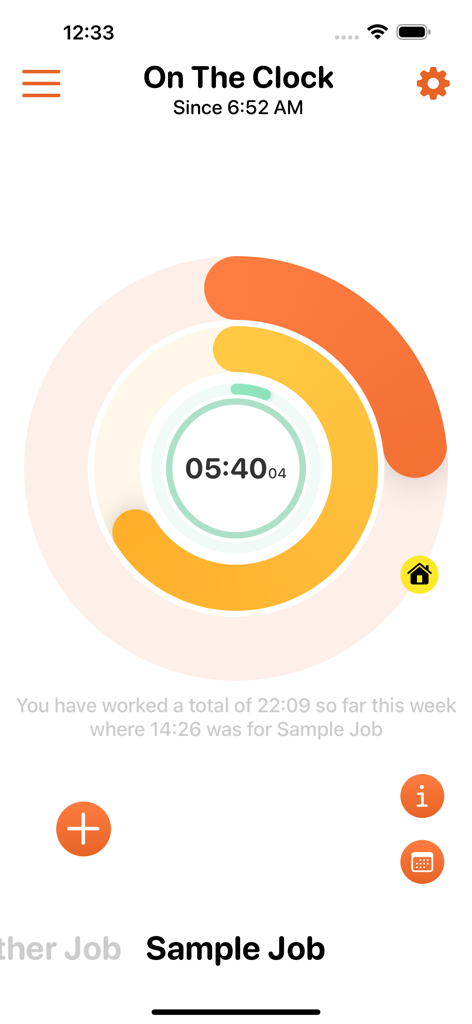
Time Arcアプリのダッシュボード。円形の作業タイマーと、サンプルジョブで追跡された週次時間数を表示しています。

Time Arcアプリのダッシュボード。円形の作業タイマーと、サンプルジョブで追跡された週次時間数を表示しています。

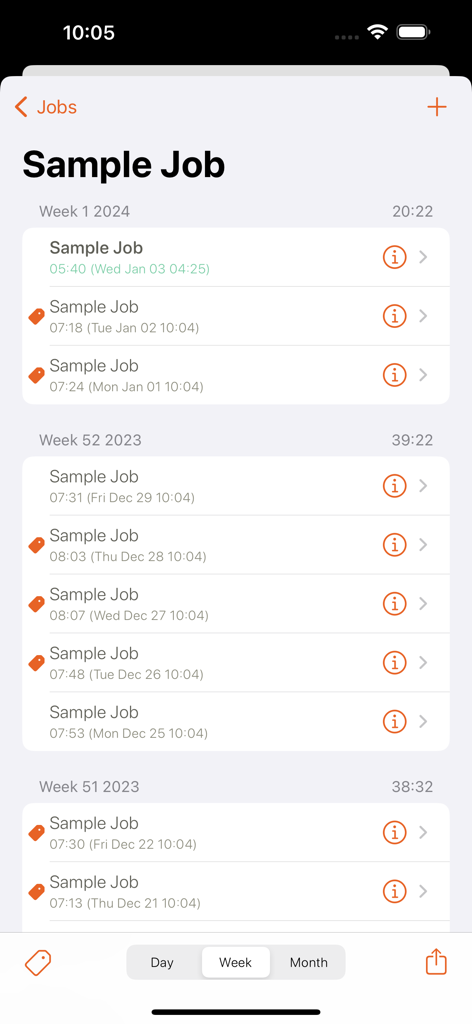
Time Arcアプリのジョブの週次時間記録履歴。作業時間と日付が表示されています。

Time Arcアプリのジョブの週次時間記録履歴。作業時間と日付が表示されています。

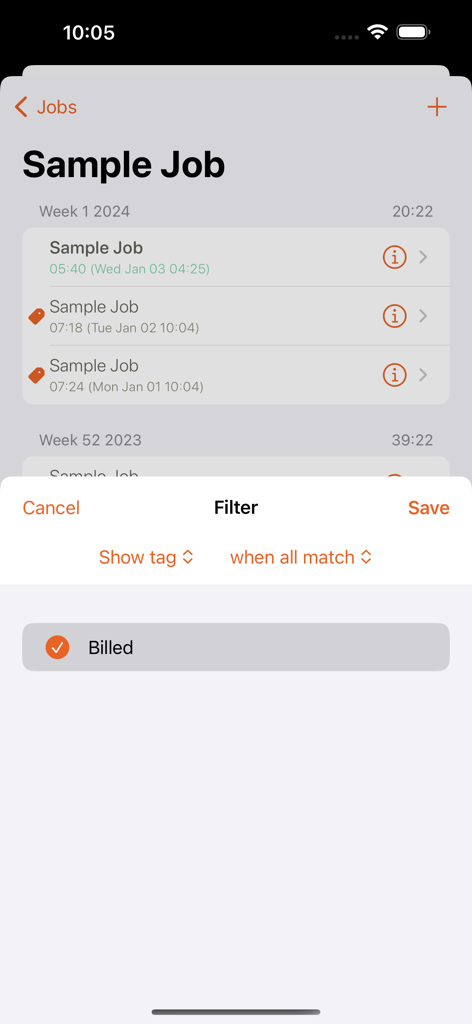
Time Arcアプリ。請求済みタスクのフィルターオーバーレイ付きのジョブログを表示しています。

Time Arcアプリ。請求済みタスクのフィルターオーバーレイ付きのジョブログを表示しています。

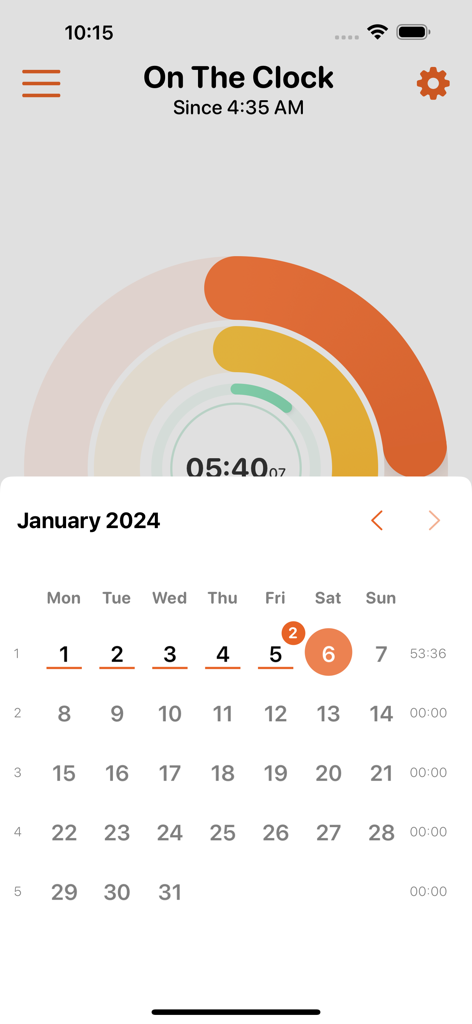
Time Arcアプリのインターフェース。視覚的なアークプログレスバーと月間カレンダービューを備えたアクティブな作業タイマーが表示されています。

Time Arcアプリのインターフェース。視覚的なアークプログレスバーと月間カレンダービューを備えたアクティブな作業タイマーが表示されています。

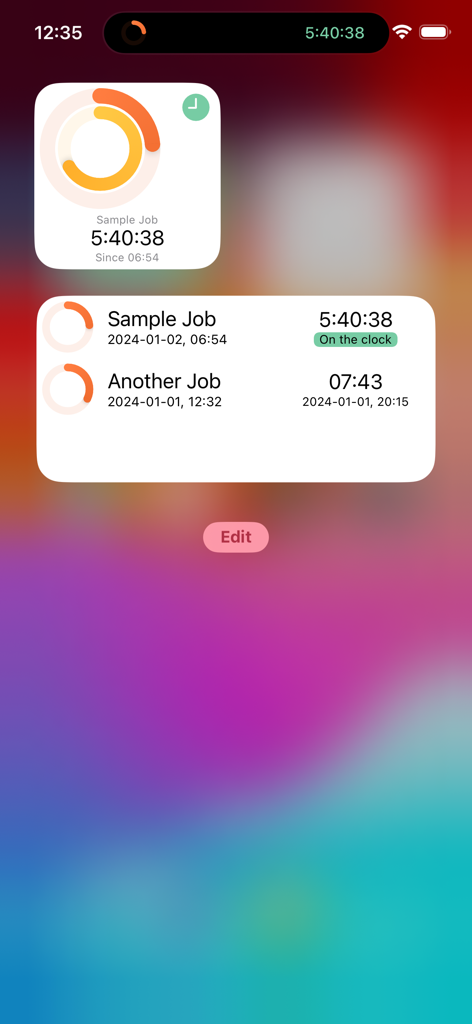
Time ArcのiOSウィジェット。ホーム画面に、複数のジョブのアクティブな時間追跡タイマーとプログレスリングが表示されています。

Time ArcのiOSウィジェット。ホーム画面に、複数のジョブのアクティブな時間追跡タイマーとプログレスリングが表示されています。

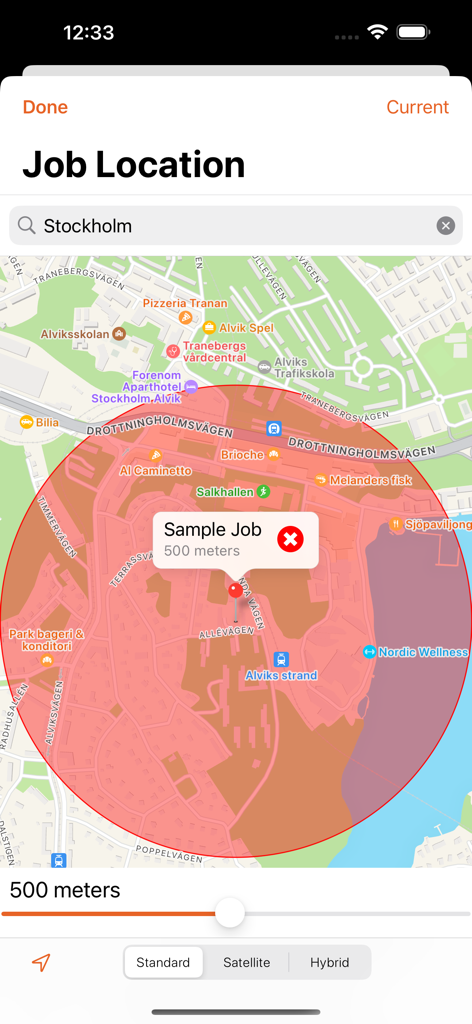
Time Arcアプリのインターフェース。ジョブ追跡のために地図上にジオフェンス半径設定を表示しています。

Time Arcアプリのインターフェース。ジョブ追跡のために地図上にジオフェンス半径設定を表示しています。

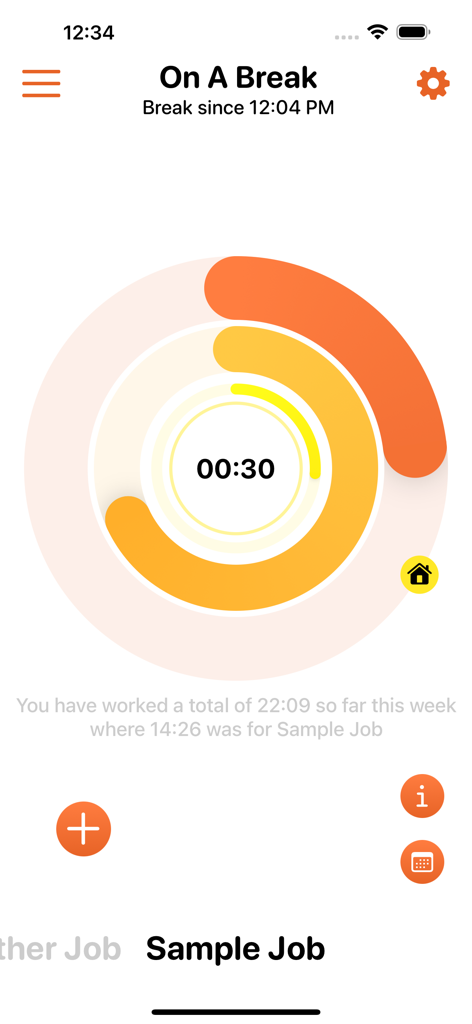
Time Arcアプリのインターフェース。円形のプログレスバーと週次作業時間概要を備えた休憩タイマーを表示しています。

Time Arcアプリのインターフェース。円形のプログレスバーと週次作業時間概要を備えた休憩タイマーを表示しています。

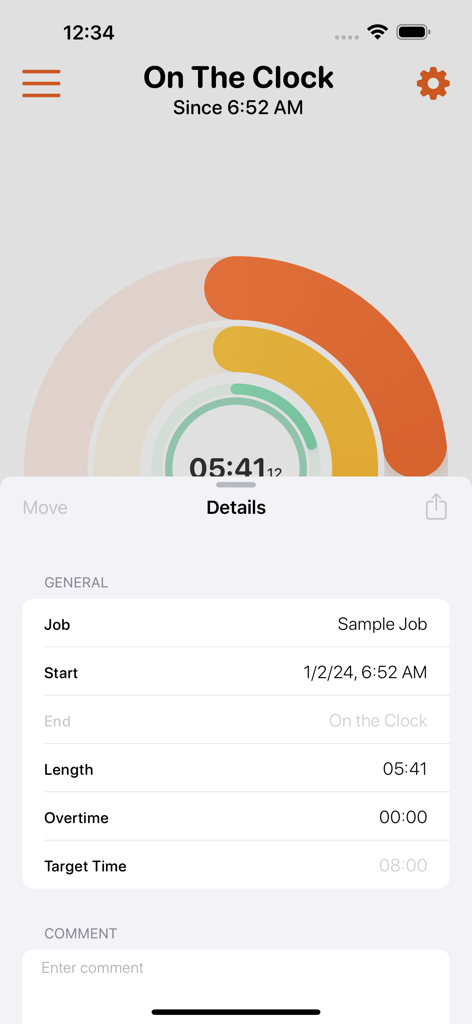
Time Arcアプリのインターフェース。作業タイマーとジョブ期間の詳細を表示しています。

Time Arcアプリのインターフェース。作業タイマーとジョブ期間の詳細を表示しています。

時間と収入を管理する

このアプリを際立たせるツール、 75K+ 人のユーザーが選択.

超高速トラッキング

数秒で操作を完了できる、ミニマルで直感的なインターフェース。時計ではなく、仕事に集中できます。

⏱️

ライブアクティビティ監視

ロック画面から直接進捗状況を追跡できます。携帯電話のロックを解除せずに、現在のプロジェクトと請求可能な時間を一目で確認できます。

📊

プロ仕様のログとエクスポート

請求書作成に便利なクリーンなCSVワークログを生成し、位置情報に基づいたリマインダーを使用して、現場に到着したときに自動的にチェックインできます。

アプリについて

について知っておくべきこと Time Arc - Time Tracking.

説明

Time Arc helps you keep track of the time you have worked. Minimal and intuitive interface gives you the fastest possible access to all important features. Time Arc features a completely unique interface with a lot of smart intuitive features. A must have for anyone who needs to keep track of their time. Great for contractors, freelancers and consultants who are working on one or many projects. Some of the many features of Time Arc: ◆ Simple interface to give fastest possible access to the most necessary features ◆ Keep track of multiple jobs simultaneously ◆ Clock in/out directly or at a specific time ◆ Track breaks ◆ Comments/Notes for both breaks and entries ◆ Keep track of overtime ◆ Target time - lets you see when you could leave for the day ◆ Reminders - reminds you when you have worked a full day ◆ Location based Reminders - get notified when you have entered or exited a job's location ◆ Export work logs in CSV format ◆ Calendar view, Tags and filters, Widgets, Live activity and much more!

最新バージョン

5.1.0

サイズ

9.0 MB

リリース日

2013年6月4日

請求可能な時間を失うのは今日で終わりにしましょう

Time Arcを使って、手間なく正確に時間を管理している75,000人以上のハイパフォーマーに加わりましょう。今すぐダウンロードして、仕事の時間を最大限に活用し、収益を最大化しましょう。

ダウンロード: App Store

App information, icons, screenshots, and descriptions displayed on this page are sourced from the Apple App Store and are the property of their respective developers. Download estimates and rankings are based on MWM's proprietary models and may not reflect actual figures. This page is provided for informational and analytical purposes only.

Believe this page infringes your intellectual property? File a dispute