Tiny Scanner - PDF Scanner App

Tiny Scanner - PDF Scanner App


ダウンロード: App Storeダウンロード: Google Play
ロゴ: Tiny Scanner - PDF Scanner App
Tiny Scanner - PDFスキャナーアプリ: あなたのプロフェッショナルなポケットオフィス

数秒で高品質PDFにドキュメントを変換する800万人以上のユーザーに加わりましょう。AI搭載の精度と安全なクラウド同期で、仕事の効率を上げ、署名し、整理しましょう。

開発元

TinyWork Apps

カテゴリ

Business

ダウンロード

8M+

ユーザー評価

4.8/5

評価数

336K+

対応言語

12

効率の断片を覗いてみよう

このインターフェースを利用する 8M+ 人のユーザー.

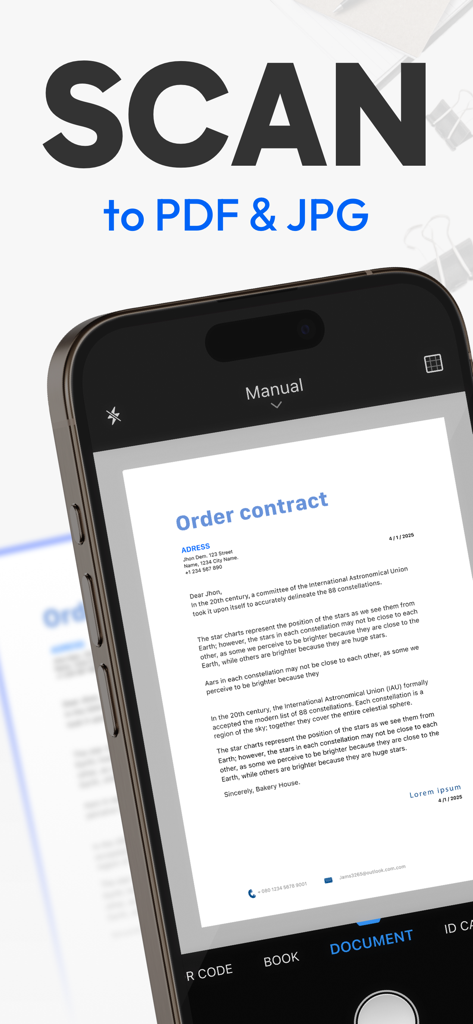
Tiny Scannerを使用して、紙の注文契約書をデジタルPDFまたはJPGファイルにスキャンしているスマートフォン

Tiny Scannerを使用して、紙の注文契約書をデジタルPDFまたはJPGファイルにスキャンしているスマートフォン

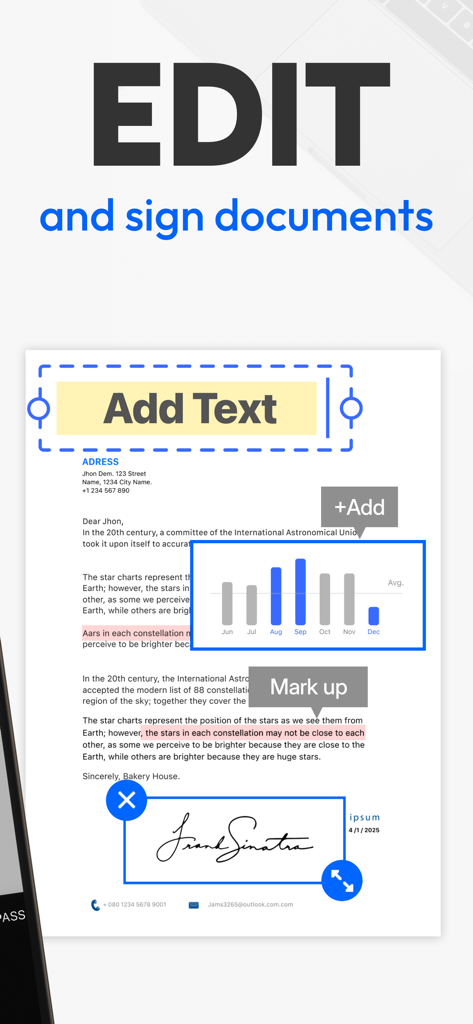
Tiny Scannerアプリのインターフェースで、PDFドキュメントにテキストを編集、コンテンツにマークアップ、署名を追加する機能が表示されている

Tiny Scannerアプリのインターフェースで、PDFドキュメントにテキストを編集、コンテンツにマークアップ、署名を追加する機能が表示されている

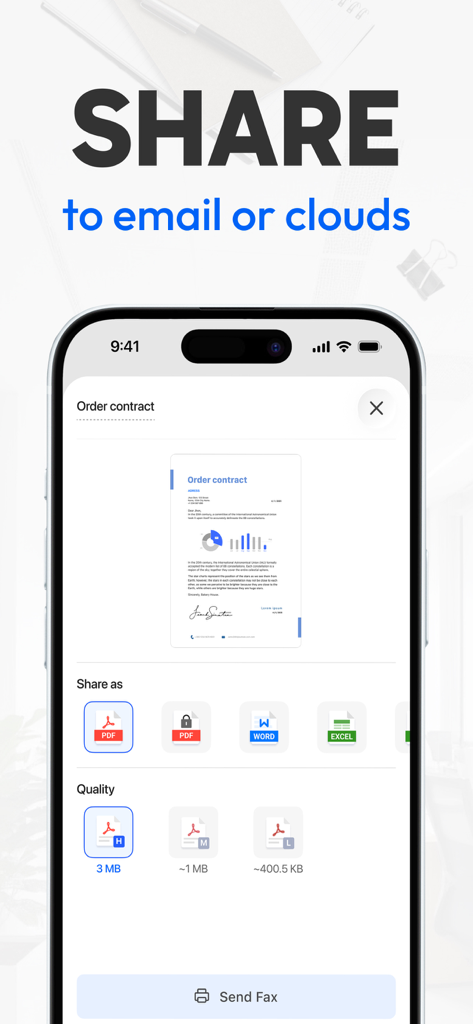
Tiny Scannerモバイルアプリのインターフェースで、スキャンされたドキュメントをPDF、Word、またはExcel形式でメールまたはクラウドストレージに共有するオプションが表示されている

Tiny Scannerモバイルアプリのインターフェースで、スキャンされたドキュメントをPDF、Word、またはExcel形式でメールまたはクラウドストレージに共有するオプションが表示されている

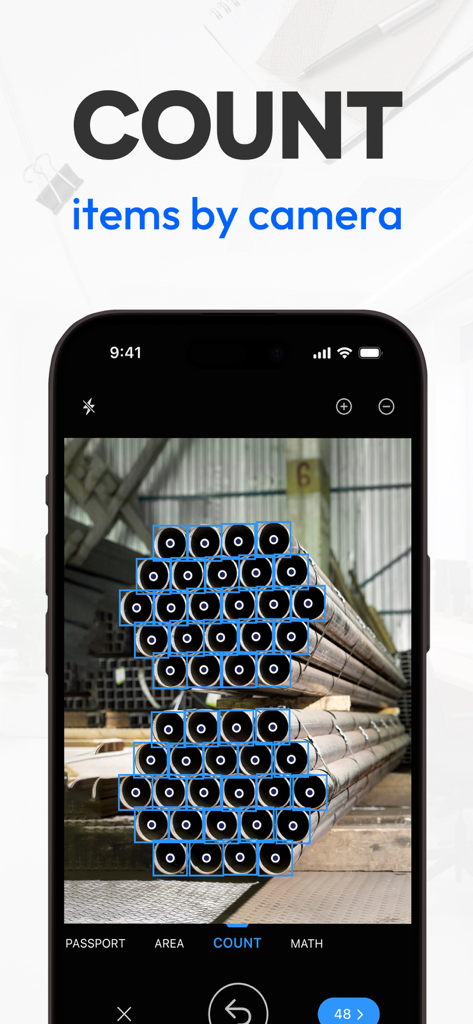
Tiny Scannerのモバイルアプリインターフェースで、パイプの山にカメラベースのアイテムカウントツールを表示している

Tiny Scannerのモバイルアプリインターフェースで、パイプの山にカメラベースのアイテムカウントツールを表示している

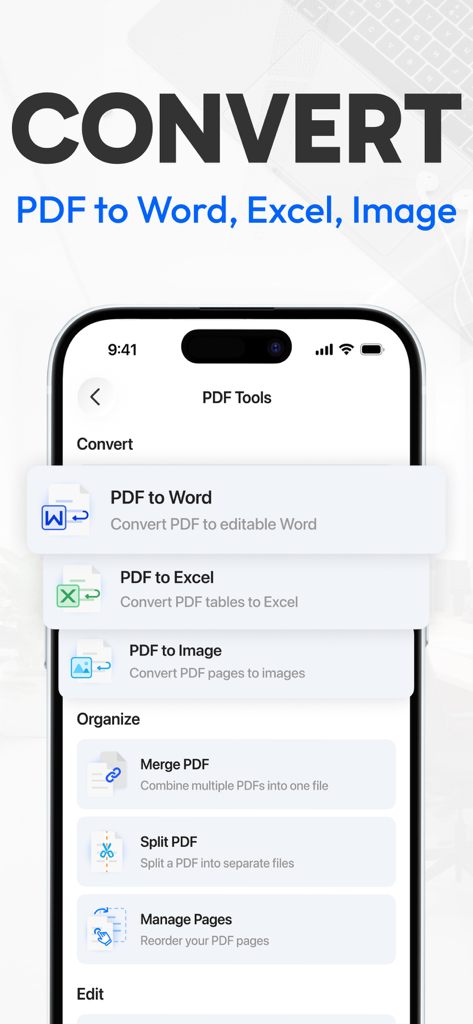
Tiny Scannerモバイルアプリのインターフェースで、WordおよびExcelへのPDF変換オプションとドキュメント整理ツールが表示されている

Tiny Scannerモバイルアプリのインターフェースで、WordおよびExcelへのPDF変換オプションとドキュメント整理ツールが表示されている

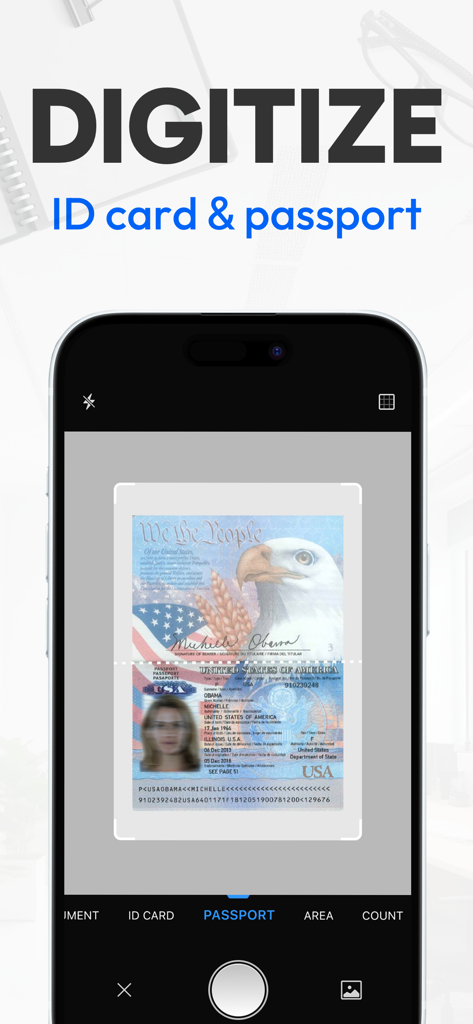
Tiny Scannerアプリを使用してパスポートをスキャンしデジタル化しているスマートフォン

Tiny Scannerアプリを使用してパスポートをスキャンしデジタル化しているスマートフォン

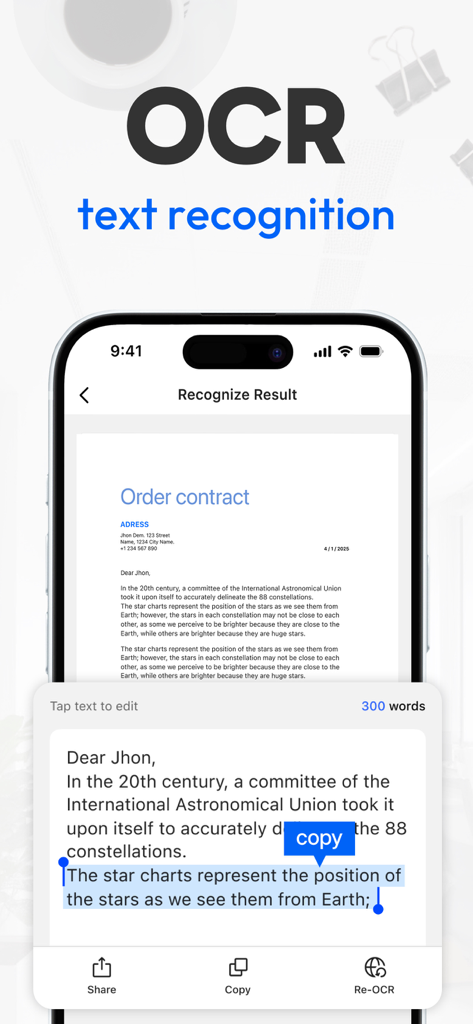
Tiny Scannerアプリのインターフェースで、iPhone上のOCRテキスト認識機能が表示されている

Tiny Scannerアプリのインターフェースで、iPhone上のOCRテキスト認識機能が表示されている

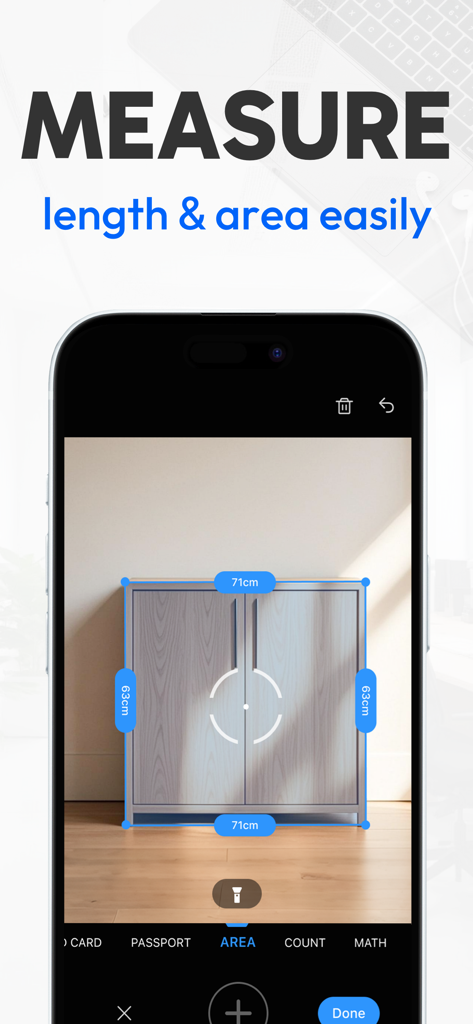
Tiny Scannerアプリがキャビネットの長さと面積を測定しているスマートフォン画面

Tiny Scannerアプリがキャビネットの長さと面積を測定しているスマートフォン画面

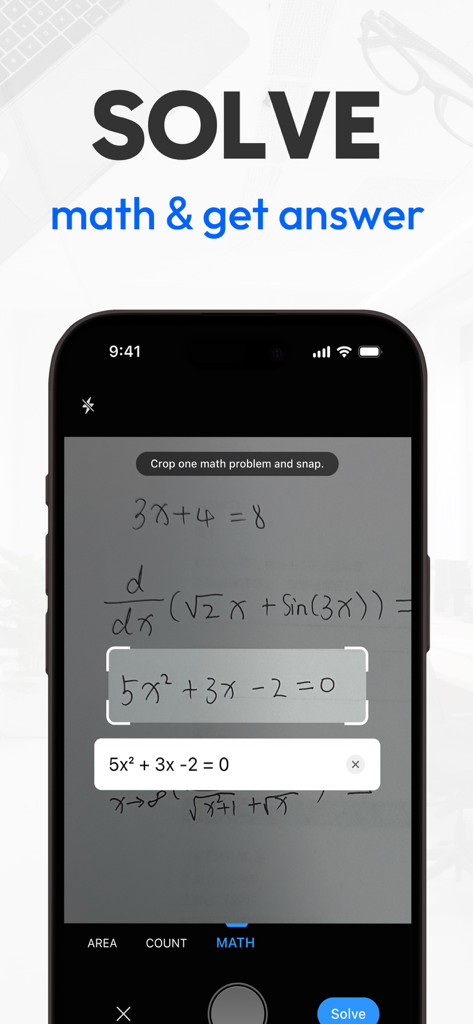
iPhone画面にTiny Scannerアプリが手書きの数学方程式をスキャンして解いている様子が表示されている

iPhone画面にTiny Scannerアプリが手書きの数学方程式をスキャンして解いている様子が表示されている

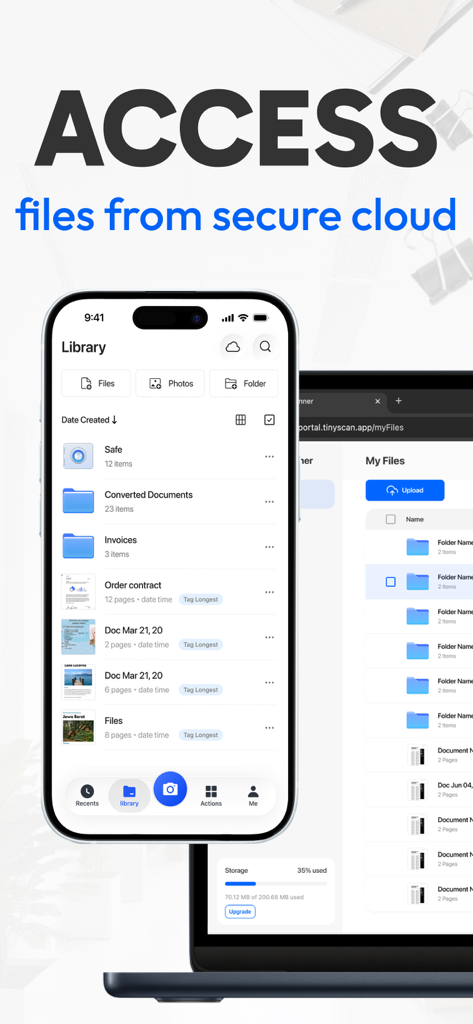
iPhone上のTiny Scannerアプリライブラリとラップトップ上のWebポータルに、安全なクラウドファイル同期が表示されている

iPhone上のTiny Scannerアプリライブラリとラップトップ上のWebポータルに、安全なクラウドファイル同期が表示されている

指先ひとつで効率化

このアプリを際立たせるツール、 8M+ 人のユーザーが選択.

スマートAIスキャン

境界線を自動検出し、テキストの鮮明度を瞬時に向上させます。物理的なドキュメントをワンタップでプロフェッショナルな高品質PDFに変換します。

✍️

どこでも署名・送信

プリンターは不要です。移動中でも、契約書に署名し、ドキュメントをマージし、Google Drive、Dropbox、またはSlackに直接エクスポートできます。

🔒

安全な整理

パスワード暗号化で機密ファイルを保護し、カスタムフォルダとインテリジェントタグで生活を整理整頓しましょう。

アプリについて

について知っておくべきこと Tiny Scanner - PDF Scanner App.

説明

Trusted by millions worldwide for more than 10 years. Simple, fast and professional, Tiny Scanner lets you scan and recognize almost any document, from receipts and notes to IDs, certificates and posters. From work documents to personal files, Tiny Scanner handles all your PDF needs: - Convert: Instantly turn any document into a high-quality PDF, and convert PDFs into Excel, Word, or image files.- Sign: Add your signature to PDFs directly from your device. - Merge: Quickly combine multiple files into a single PDF. - Organize: Easily reorder or delete PDF pages. - Share: Export and share your PDFs securely anywhere. - Protect: Password-protect sensitive PDFs for extra security. - Scan: Capture receipts, notes, and documents as PDFs in one tap. - Compress: Reduce PDF file size without losing quality. Tiny Scanner helps you transform paper documents into professional PDF files within seconds. Edit PDF text, sign with ease, and manage your files with rich PDF tools that cover everything from conversion to secure sharing. FREE SCANNER APP WITH POWERFUL TOOLS - Single/Multi-page scan mode allowing document scanning from a single page to an entire book, guided by helpful tutorials; - AI-powered OCR text recognition; - Smart border detection for automatic document recognition; - Professional filter options, including Color, Black & White, Photo, and Grayscale; - Document sharing as PDF, JPG through fax or email, or uploading to Dropbox, Google Drive, Box, OneDrive, Evernote, iCloud Drive; - Share your document seamlessly via a link; - Add tags to files to make them easier to search and organize; - Instantly measure the length of objects; - Scan math questions and get accurate answers instantly; - Automatically count items in your scan for quick organization; - Recovery of documents from the trash bin. CLOUD SYNC OF TINY SCANNER - Store and sync your files in a secure cloud. - Transfer and view files from any platform. - Use one subscription for all your devices. --- WHY Tiny Scanner? - Speed: Decades of refining ensure the smoothest and fastest scanning experience. - Convenience: Quickly access the functions you need through the "Actions" page. - Organization: All scanned documents or files can be neatly organized in your preferred manner. Move or archive them into folders at your convenience. - Accessibility: Cloud storage allows you to access your scanned documents anytime, anywhere. - Reliability: With a decade of trust from millions of small businesses and individuals, Tiny Scanner stands as a reliable scanning solution. - Free your space: Scan important documents into your phone to free up space in your backpack, eliminating the need for piles of paper documents. Subscription Details • Weekly and annual subscriptions are available. • Payment will be charged to your Apple ID Account at confirmation of purchase. • Your subscription will automatically renew unless auto-renew is disabled at least 24 hours before the end of the current subscription period. • Subscriptions can be managed by going to Account Settings on the App Store after purchase. Terms of Service: https://bit.ly/3kaDAeG Privacy Policy: https://bit.ly/2UzHqVJ Tiny Scanner is constantly updated with new features. Please write to us before leaving negative reviews, as we can often help with your problem or help you better use the app. If you have any problem or suggestion, please send mail to support@tinyscanner.app, you will get the response and solution in a short time. The content of the screenshots, preview videos, and audio are provided by the following platforms: - Shutterstock: Used with permission from Shutterstock.com (where applicable) - Epidemic Sound: Tik Tok Tok by PØW / provided by Epidemic Sound - Freepik: Designed by Freepik - iStock: Standard license obtained from iStock

最新バージョン

8.10.0

サイズ

222.4 MB

リリース日

2013年1月31日

ミリオン・ストロング・ペーパーレス革命に参加しよう

かさばるハードウェアは捨てて、ポケットの中にあるプロフェッショナルスキャナーのスピードを体験してください。今すぐTiny Scannerをダウンロードして、仕事、署名、共有の方法を変えましょう。

ダウンロード: App Storeダウンロード: Google Play
FAQ

よくある質問

について知っておくべきこと Tiny Scanner - PDF Scanner App

Tiny Scannerでスキャンできる書類の種類は何ですか?

Tiny Scannerは紙の書類をプロフェッショナルなPDFファイルに変換します。書類、パスポート、IDカード、運転免許証のスキャンをサポートし、それらをPDFまたはJPG形式に変換して簡単に管理できます。

Tiny Scannerアプリで書類を編集したり署名したりできますか?

はい、Tiny Scannerは完全なPDF編集ツールを提供します。ユーザーはスキャンした署名または直接の署名で書類に署名したり、スキャンした書類にテキスト、画像、図形、日付、フッター、ページ番号、透かし、マークアップを追加したりできます。

Tiny ScannerはどのようなAI搭載ツールを提供していますか?

Tiny Scannerは、自動スキャン用のAI搭載境界線検出、コンテンツを抽出するためのOCRテキスト認識、要約、コンテンツの洗練、主要エンティティ抽出のためのAI機能を提供します。また、数学の問題も認識して解くことができます。

Tiny Scannerから書類を共有およびエクスポートするにはどうすればよいですか?

Tiny Scannerは、複数の方法でスキャンした書類を共有したり、ファイルサイズを圧縮したりすることをサポートしています。PDFをWord、JPG、Excel形式に変換できます。共有されたPDFファイルは、セキュリティを強化するために暗号化することもできます。

Tiny Scannerは私の書類と個人情報を保護しますか?

はい、Tiny Scannerはファイルのセキュリティを確保します。共有されたPDFファイルを暗号化し、個人情報用のアプリ暗号化をサポートし、ユーザーがフォルダを暗号化して、重要なファイルをデバイス上でのみ安全に保存できるようにします。

Tiny Scannerアプリのサブスクリプションはどのように機能しますか?

Tiny Scannerは、週次および年次のサブスクリプションを提供しています。購入時にApple IDアカウントに支払い料金が請求されます。サブスクリプションは、期間終了の24時間前までに無効にされない限り自動更新されます。これはApp Storeの設定で管理できます。

Tiny ScannerはQRコードを認識したり、数学の問題を解いたりできますか?

はい、Tiny Scannerには複数のスキャンモードがあります。QRコードの内容を自動的に認識してリンクを開き、数学の問題を認識して即座の結果を提供できます。また、オブジェクトの長さを測定したり、同一のオブジェクトを数えたりすることもできます。

Tiny Scannerはスキャンした書類用のクラウドストレージを提供していますか?

はい、Tiny Scannerは無料ストレージを備えたクラウド同期を提供しています。これにより、いつでもどこでもすべてのデバイスでスキャンした書類にシームレスにアクセスでき、すべてのユーザーにアクセシビリティと利便性を保証します。

App information, icons, screenshots, and descriptions displayed on this page are sourced from the Apple App Store and are the property of their respective developers. Download estimates and rankings are based on MWM's proprietary models and may not reflect actual figures. This page is provided for informational and analytical purposes only.

Believe this page infringes your intellectual property? File a dispute