touchAble Pro
touchAble Pro
ダウンロード: App Store

このページはアプリまたはその開発者の公式ページではなく、情報提供および論評を目的として作成された独立した編集出版物です。明示的に別段の記載がない限り、アプリおよびその開発者は、MWM、Apple、Google Play、アプリのパブリッシャー、またはアプリの開発者と提携、承認、後援、認可、またはその他の公式的な関係はなく、このページのいかなる内容も、アプリがMWMのサービスを使用して開発されたことを意味するものではありません。すべての商標、ロゴ、スクリーンショット、その他のコンテンツはそれぞれの所有者の財産です。


ロゴ: touchAble Pro
ダウンロード: App Store

touchAble Pro

マウスを捨て、iPadをプロフェッショナルなカスタムワークステーションに変えましょう。詳細なピアノロール編集からカスタムパフォーマンスレイアウトまで、スタジオからステージまで、音楽を完全に感覚的に操作できます。

主要数値

ダウンロード

103K+

ユーザー評価

3.2/5

評価数

300

開発元

Christian Blomert

カテゴリ

Music

対応言語

1

最新バージョン

1.761

サイズ

48.0 MB

リリース日

2018年10月3日
機能

完全な触覚的自由でミックスをマスター

マウスからの解放。touchAble Proは、セッションビューから最も複雑なデバイスパラメーターまで、Ableton Liveのあらゆるコーナーに深くワイヤレスでアクセスできます。

ダイナミックパフォーマンスインターフェース

低遅延タッチレスポンスでクリップを起動し、トラックをミックスし、バーチャルインストゥルメントを演奏。ステージとスタジオの両方に最適化されています。

詳細なMIDIおよびオートメーション編集

波形を視覚化し、画面上に複雑なオートメーションカーブを描画。より有機的で流れるような音楽制作フローを実現します。

以下のスクリーンショットと説明は、アプリの公式ストアリスティングから直接取得されたものであり、アプリ開発者の所有物です。

アプリストア

スクリーンショット
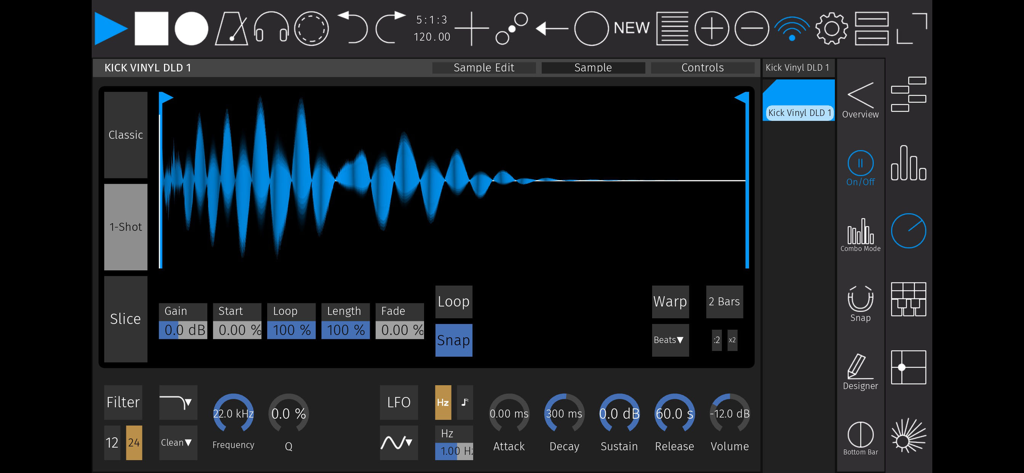
touchAble Pro - 波形表示とシンセシスコントロールを備えた、touchAble Proのオーディオサンプルエディタ
波形表示とシンセシスコントロールを備えた、touchAble Proのオーディオサンプルエディタ

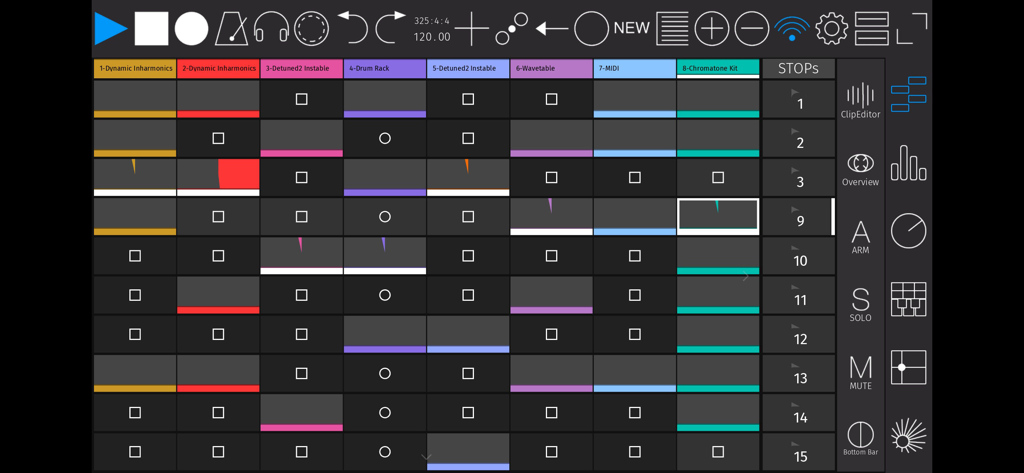
touchAble Pro - Ableton Liveのクリップとトランスポートコントロールのグリッドを表示するtouchAble Proアプリインターフェイス
Ableton Liveのクリップとトランスポートコントロールのグリッドを表示するtouchAble Proアプリインターフェイス

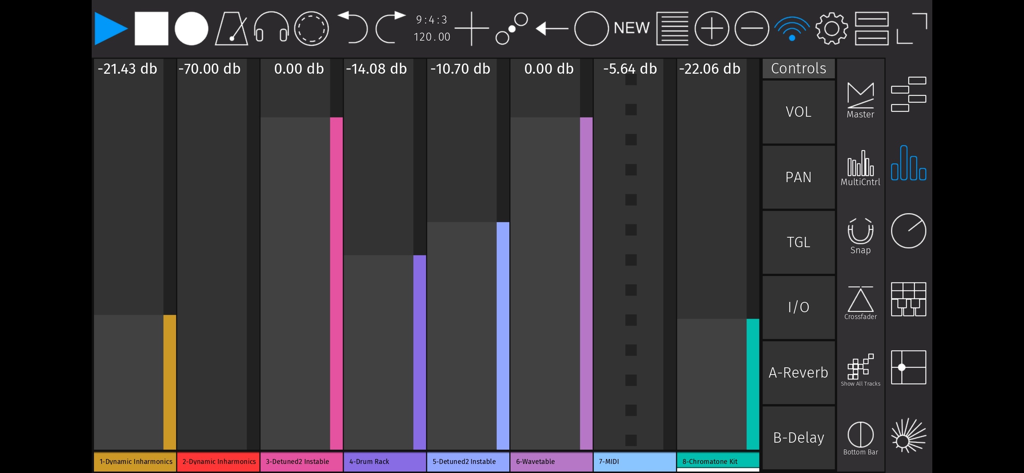
touchAble Pro - Ableton Liveのオーディオトラックフェーダーとコントロールを示すtouchAble Proアプリのデジタルミキサーインターフェイス
Ableton Liveのオーディオトラックフェーダーとコントロールを示すtouchAble Proアプリのデジタルミキサーインターフェイス

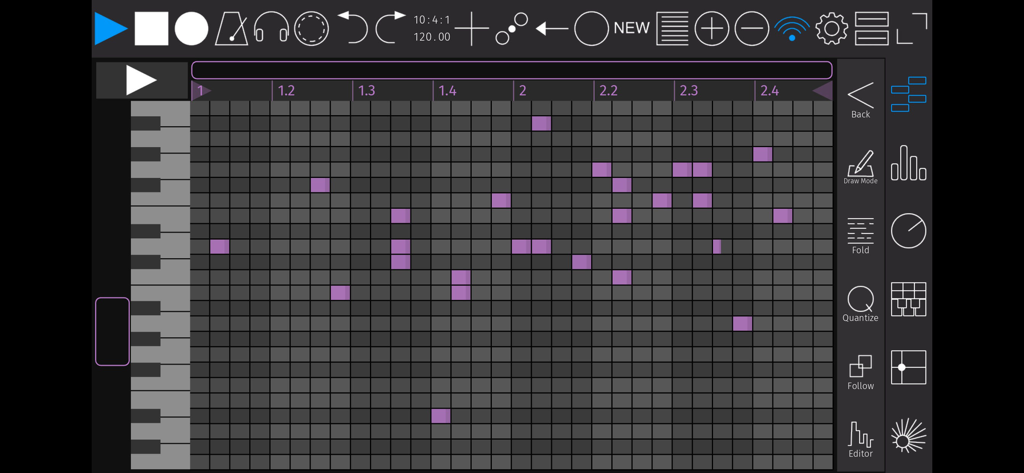
touchAble Pro - 音楽制作のためのtouchAble ProアプリのMIDIピアノロールエディタインターフェイス
音楽制作のためのtouchAble ProアプリのMIDIピアノロールエディタインターフェイス

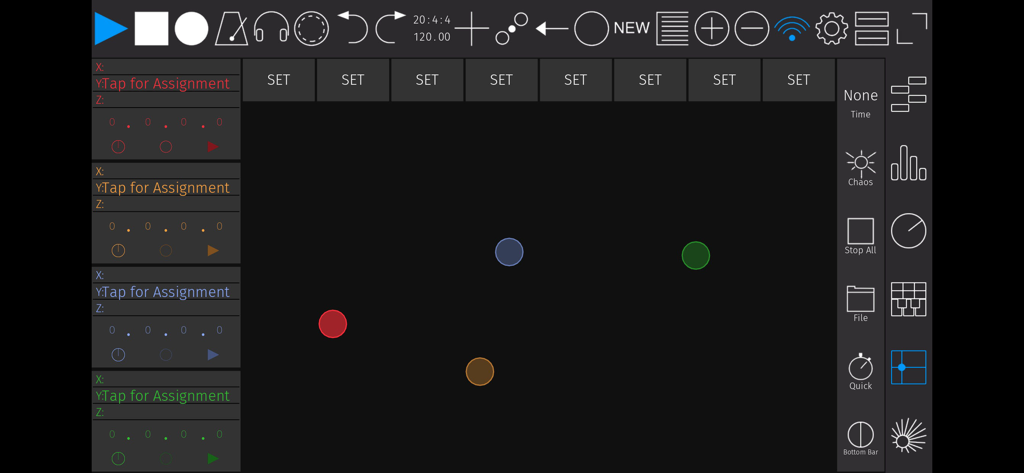
touchAble Pro - Ableton Live MIDIコントロール用のtouchAble Proのカスタマイズ可能なXYパッドインターフェイス

Ableton Live MIDIコントロール用のtouchAble Proのカスタマイズ可能なXYパッドインターフェイス

説明

touchAble Pro makes it easy to produce and perform music in Ableton Live by putting everything you need directly at your fingertips. Eight years ago touchAble defined what a touch controller app for Live could do. touchAble Pro has been reimagined and recoded from the ground up, incorporating years of feedback from musicians at every level. touchAble Pro provides a cleaner interface, allows much more powerful customisation and gives you the deepest access possible to Ableton Live. From waveform views to editors to automations - with touchAble Pro, you now have the complete Ableton Live experience literally at your fingertips. You can perform and edit without ever touching a mouse, you can customize your experience to access exactly the controls you need to edit or play. You’ll gain complete control that’s as portable as the smartphone, tablet or laptop you’re carrying with you. - Audio clip view with waveforms, including side-by-side waveform view - Edit patterns easier and faster than ever with the new piano roll view - Draw and edit Clip-Automations - Templates for Live devices are now included at no added cost - Create your own custom Device Templates for M4L or Live Devices, VSTs & AUs - Access a tracks I/O right from the app. - Make your own Device templates, with complete support for third-party plug-ins and Max for Live (IAP - soon to come) - Build your own complete custom layouts with the overhauled Template Editor - Make performance-friendly templates that include focus on individual clips and scenes, custom controls and even full modules. - New layout options: view modules fullscreen or duplicate them side by side - For iPhone & iPad (Universal) touchAble lets you access all of Ableton Live via simple, robust connections, either wired or wireless, and provides access to nearly every aspect of the software. touchAble Pro builds on that support with an updated interface for all of the features that made touchAble popular: - Control the transport, metronome, cues, and quantization - Trigger clips and scenes and control looping - Arm, mute, and solo tracks - Adjust monitoring - Mix, pan, crossfade, and control sends and returns - Play instruments with grid or piano-style layouts, with scales, note repeat, aftertouch, and velocity (based on finger position) - Control device parameters, using faders or assignable X/Y pad modules - X/Y Pad: assign physics, make and morph snapshots or even record full gestures - Navigate Live’s Browser, and drag and drop Devices and samples Please find the Server and installation instructions on https://zerodebug.com/#/touchable Requires iOS 9.3 Requires the latest version of Ableton Live 9 or 10 Introduction: https://youtu.be/H6EnpjfztNw (Youtube) Features: https://youtu.be/R4_GRVPbDn8 (Youtube) Multiplatform demo: https://youtu.be/-NPXlJcyELY (Youtube)

Download

ダウンロード: App Store

このページはアプリまたはその開発者の公式ページではなく、情報提供および論評を目的として作成された独立した編集出版物です。明示的に別段の記載がない限り、アプリおよびその開発者は、MWM、Apple、Google Play、アプリのパブリッシャー、またはアプリの開発者と提携、承認、後援、認可、またはその他の公式的な関係はなく、このページのいかなる内容も、アプリがMWMのサービスを使用して開発されたことを意味するものではありません。すべての商標、ロゴ、スクリーンショット、その他のコンテンツはそれぞれの所有者の財産です。







