
このページはアプリまたはその開発者の公式ページではなく、情報提供および論評を目的として作成された独立した編集出版物です。明示的に別段の記載がない限り、アプリおよびその開発者は、MWM、Apple、Google Play、アプリのパブリッシャー、またはアプリの開発者と提携、承認、後援、認可、またはその他の公式的な関係はなく、このページのいかなる内容も、アプリがMWMのサービスを使用して開発されたことを意味するものではありません。すべての商標、ロゴ、スクリーンショット、その他のコンテンツはそれぞれの所有者の財産です。


ダウンロード
100k+ユーザー評価
評価数
361開発元
カテゴリ
Graphics & Design対応言語
9最新バージョン
1.0.9サイズ
169.7 MBリリース日
2025年4月11日テックアナリストによる主要機能評価
アプリ「TraceArt: Learn How To Draw」の分析
ステップバイステップ描画ガイド
このアプリは、描画プロセスを管理しやすいステップに分解し、ユーザーのスキルレベルに合わせて、自分のペースで学習できるよう支援します。
多様なカテゴリ
ユーザーは、動物、アニメ、漫画、人物、コミック、車、食べ物など、幅広いカテゴリから選択でき、さまざまなアートスタイルを探索できます。
鮮やかなカラーパレット
本ツールは、特別にデザインされたカラーパレットを提供し、ユーザーは創造性を鮮やかに表現し、作品に命を吹き込むことができます。
直感的な描画ツール
本アプリは、リセット、元に戻す/やり直し、消去などの使いやすいツールを備えており、シームレスな描画体験を可能にします。
カスタマイズ可能なブラシ設定
ユーザーは、ブラシと消しゴムのサイズを調整して好みに合わせ、必要な詳細を表現できます。
進捗トラッカー
このアプリは、視覚的なステップカウンターで進捗を追跡することを可能にし、ユーザーは傑作の完成までの残りを知ることができます。
無制限の共有機能
ユーザーは、作成した素晴らしい絵を友人や家族と制限なく保存および共有できます。
お気に入りリスト
本アプリは、ユーザーがお気に入りのレッスンをパーソナライズされたリストに作成し、いつでも再訪問できるようにします。
よくある質問
について知っておくべきこと TraceArt: Learn How To Draw
What is TraceArt and what does it offer?
TraceArt is a drawing app designed for all skill levels. It provides step-by-step lessons, user-friendly tools, and customizable settings to enhance artistic skills and foster creativity through drawing and coloring.
What drawing categories are available in the TraceArt app?
TraceArt offers diverse drawing categories including animals, anime, cartoons, people, comics, cars, and food. Users can explore various art styles within these categories.
Does TraceArt offer step-by-step drawing guidance?
Yes, TraceArt provides step-by-step guidance for drawing. Each lesson breaks down the drawing process into manageable steps, tailored to the user's skill level, allowing them to learn at their own pace.
How many drawing templates are available in TraceArt?
TraceArt offers over 300 drawing templates and lessons. These templates are available across various categories and range from basic to advanced levels, providing extensive practice opportunities.
Can users track their drawing progress in TraceArt?
Yes, users can track their progress in the TraceArt app. It includes a Progress Tracker with detailed statistics on time spent in the app and the number of lessons completed.
What drawing tools are available in TraceArt?
TraceArt provides user-friendly drawing tools such as reset, undo/redo, and erase functions. It also offers customizable brush settings to adjust brush and eraser sizes for detailed work.
Can I share my artworks created with TraceArt?
Yes, TraceArt allows unlimited sharing of artworks. Users can save and share their completed drawings with friends and family directly from the app.
Is the TraceArt app available in multiple languages?
Yes, TraceArt is localized and supports multiple languages. This feature ensures a broader user experience across different linguistic backgrounds.
以下のスクリーンショットと説明は、アプリの公式ストアリスティングから直接取得されたものであり、アプリ開発者の所有物です。
アプリストア
スクリーンショット

本アプリは、動物やアニメなどの多様なカテゴリから描画レッスンを選択でき、初心者でも簡単に学習を始められる直感的なカテゴリ選択画面が特徴です。
豊富なカテゴリ選択
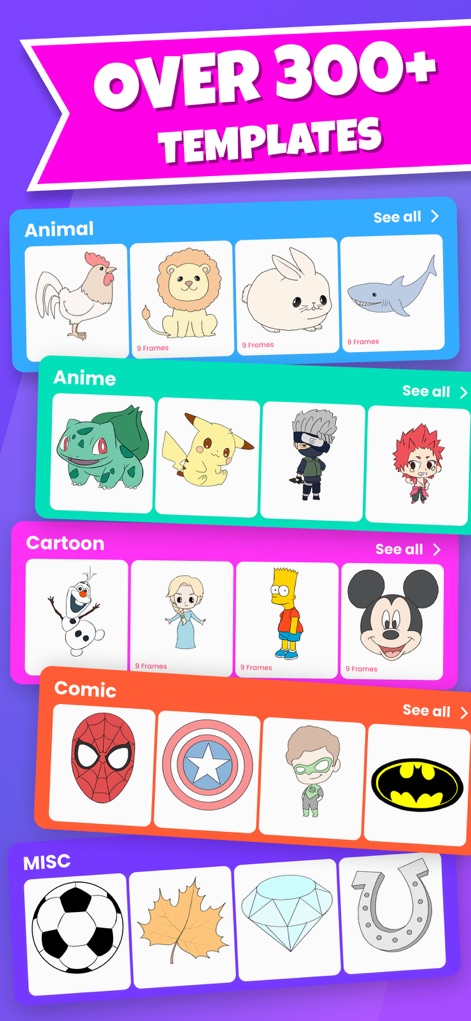
300以上の豊富なテンプレートが用意されており、動物やアニメ、カートゥーンといった多様なジャンルから選択でき、各描画にはステップ数を示すフレーム数が表示されています。
300以上の図案
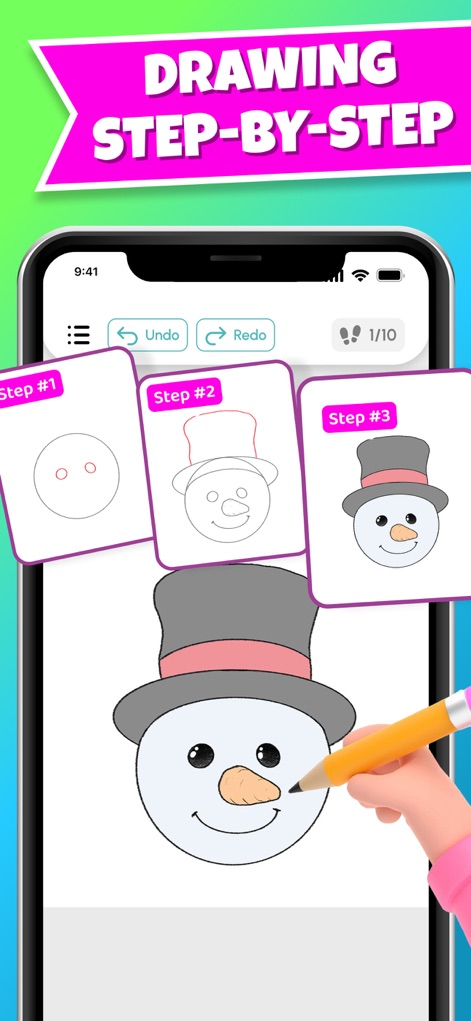
本アプリは、絵を段階的に描くためのステップバイステップのガイドを提供し、ユーザーは「元に戻す」や「やり直し」ボタンで簡単に修正できます。
段階的な描画学習

完成したアートワークは「マイアルバム」に保存され、FacebookやInstagramなどの複数のソーシャルメディアプラットフォームを通じて友人と簡単に共有できます。
作品の保存と共有
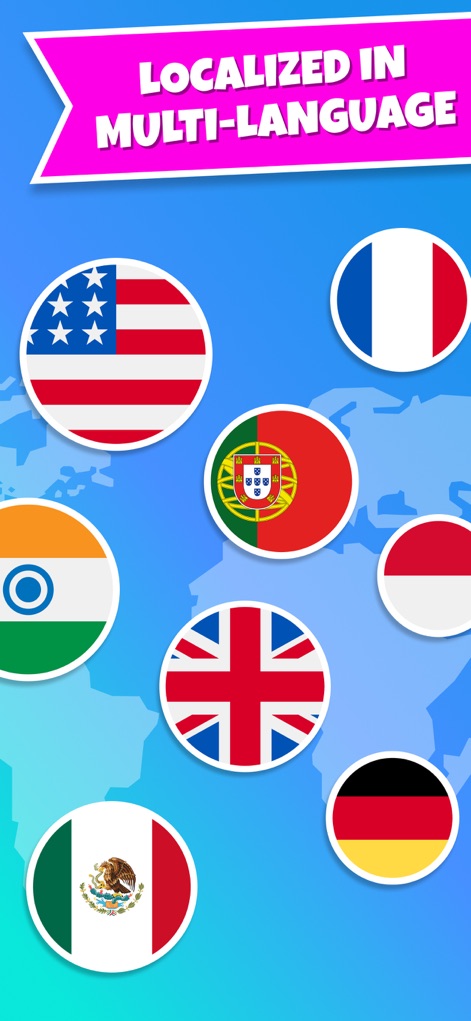
世界地図上に表示された様々な国の旗が示すように、本アプリは多言語に対応しており、世界中のユーザーがそれぞれの言語で利用できるグローバルな学習体験を提供します。
グローバルな多言語対応
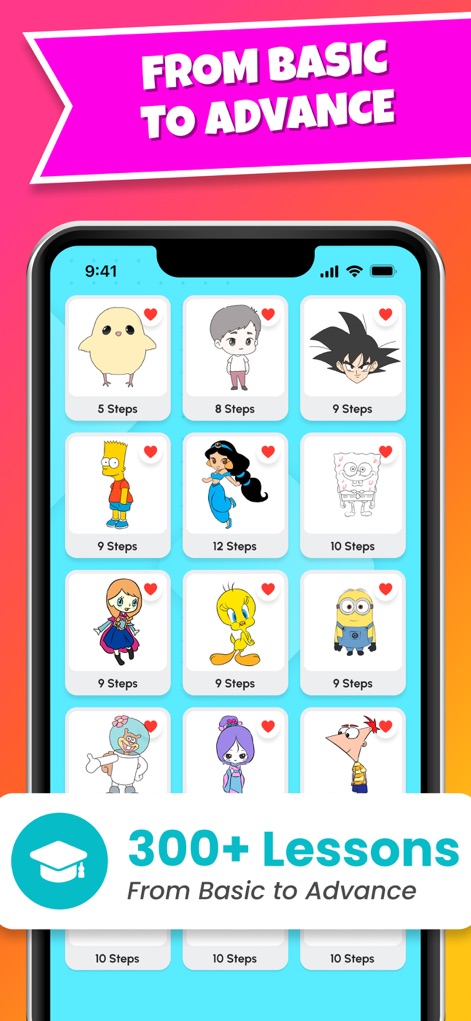
初級から上級まで幅広いレベルのレッスンが300以上用意されており、各レッスンには描画に必要なステップ数が明記され、ユーザーのスキル向上をサポートします。
初級から上級まで
説明
Download
類似アプリ
似た機能とユーザー体験を持つアプリ

DrawUp - Learn To Draw
Outlane, Inc.

Domestika - Online courses
Domestika, Inc.

MICHAEL JAMES SMITH TV
PalettePro Ltd

ArtWorkout: Learn How to Draw
Aleksandr Ulitin
Simply Draw: Learn to Draw
Simply Ltd
Drawly: Learn to Draw Together
Sum of Technologies Ltd
Drawing Vibe:Learn how to draw
ART GAMES KOSTIANTYN SALANDA

Draw Anime: Paint & Sketch App
CEM SOFTWARE COMPANY LIMITED

Labo Doodle:Drawing Games
Labo Lado Co., Ltd.
このページはアプリまたはその開発者の公式ページではなく、情報提供および論評を目的として作成された独立した編集出版物です。明示的に別段の記載がない限り、アプリおよびその開発者は、MWM、Apple、Google Play、アプリのパブリッシャー、またはアプリの開発者と提携、承認、後援、認可、またはその他の公式的な関係はなく、このページのいかなる内容も、アプリがMWMのサービスを使用して開発されたことを意味するものではありません。すべての商標、ロゴ、スクリーンショット、その他のコンテンツはそれぞれの所有者の財産です。