TripREC Driving Recorder
ダウンロード: App Store

このページはアプリまたはその開発者の公式ページではなく、情報提供および論評を目的として作成された独立した編集出版物です。明示的に別段の記載がない限り、アプリおよびその開発者は、MWM、Apple、Google Play、アプリのパブリッシャー、またはアプリの開発者と提携、承認、後援、認可、またはその他の公式的な関係はなく、このページのいかなる内容も、アプリがMWMのサービスを使用して開発されたことを意味するものではありません。すべての商標、ロゴ、スクリーンショット、その他のコンテンツはそれぞれの所有者の財産です。


ロゴ: TripREC Driving Recorder
ダウンロード: App Store

TripREC Driving Recorder

リアルタイムGPS追跡、速度オーバーレイ、自動インシデント検出で旅を守る40万人以上のドライバーに加わりましょう。通勤者、ロードトリッパー、ギグワーカーにとって究極のオールインワン安全ツールです。

主要数値

ダウンロード

152K+

ユーザー評価

4.1/5

評価数

800

開発元

正选 董

カテゴリ

Navigation

対応言語

13

最新バージョン

2.5.0

サイズ

20.3 MB

リリース日

2012年5月24日
機能

あらゆる旅のためのプロテクション

TripRECを使用してiPhoneを高解像度ダッシュボードカメラに変えている40万人以上のドライバーに加わりましょう。高価なハードウェアなしで安心、保険のセキュリティ、詳細な旅行ログを入手できます。

スマートインシデント保護

「彼が言った、彼女が言った」をなくしましょう。アプリは異常な運転や急ブレーキを自動検出し、重要な映像をロックして、保険請求のためのデジタル証人を確保します。

バッテリー最適化録画

電話のバッテリーを消耗させることなく保護されます。画面オフ録画とバックグラウンドモードを使用して、バッテリー寿命を維持し、お気に入りの音楽を聴きながら、すべてのマイルをキャプチャします。

以下のスクリーンショットと説明は、アプリの公式ストアリスティングから直接取得されたものであり、アプリ開発者の所有物です。

アプリストア

スクリーンショット
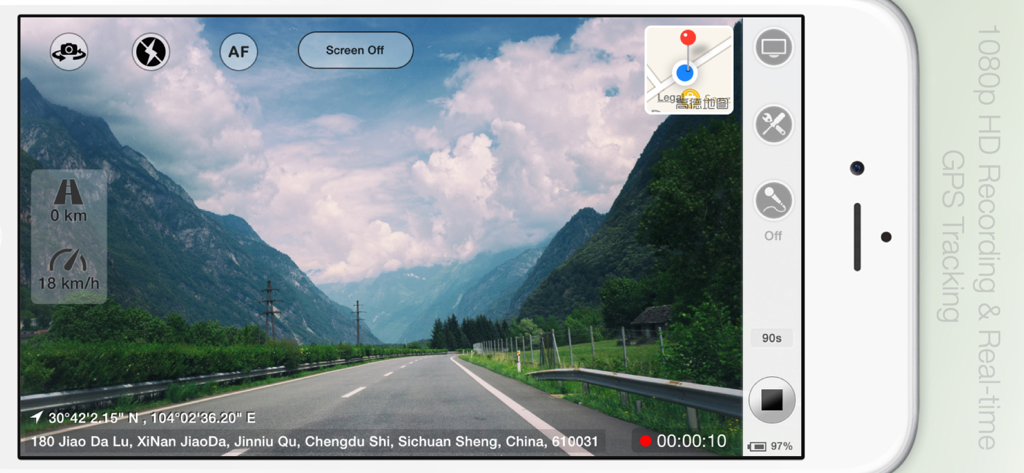
TripREC Driving Recorder - TripRECドライブレコーダーアプリがiPhoneで、リアルタイムGPS追跡と速度オーバーレイ付きの景色の良いドライブを録画している様子
TripRECドライブレコーダーアプリがiPhoneで、リアルタイムGPS追跡と速度オーバーレイ付きの景色の良いドライブを録画している様子

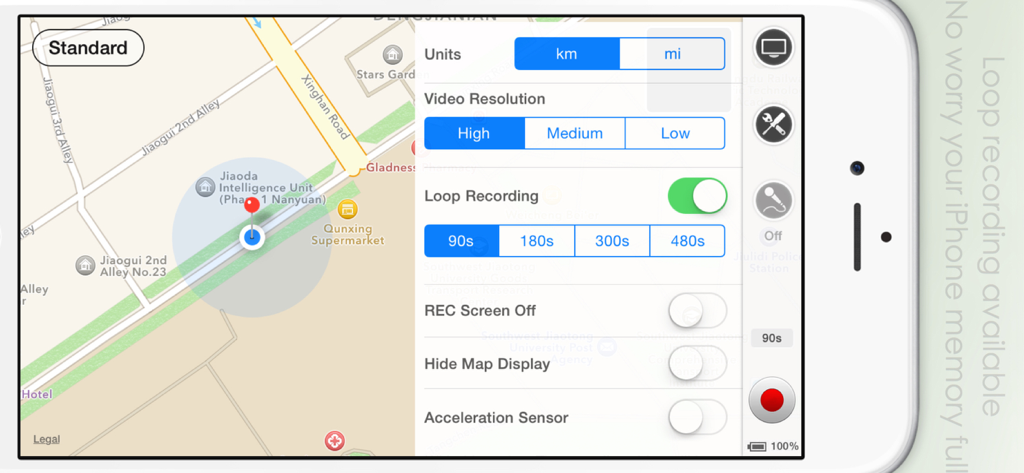
TripREC Driving Recorder - TripRECドライブレコーダーアプリのインターフェースで、iPhone上のループ録画設定とマップビューが表示されている様子
TripRECドライブレコーダーアプリのインターフェースで、iPhone上のループ録画設定とマップビューが表示されている様子

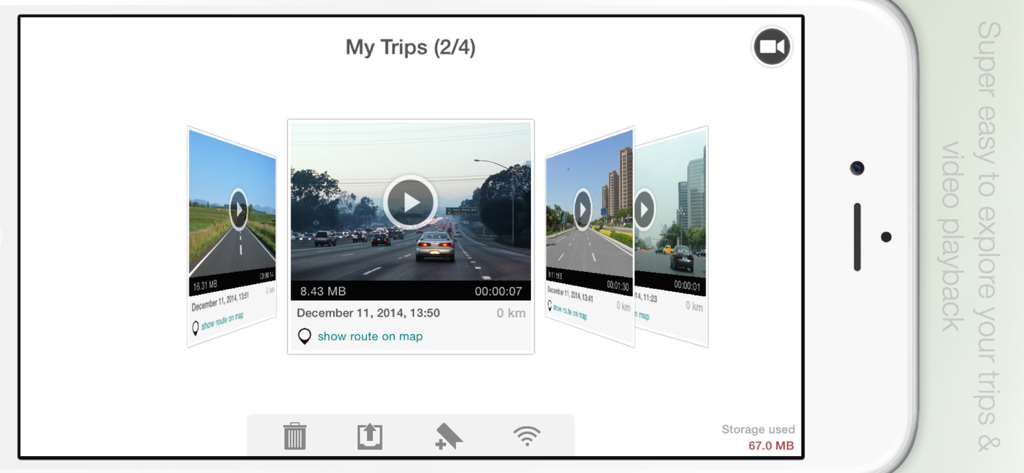
TripREC Driving Recorder - TripRECアプリのギャラリーのスクリーンショットで、トリップの詳細とルートオプション付きの録画された運転ビデオのカルーセルが表示されている様子
TripRECアプリのギャラリーのスクリーンショットで、トリップの詳細とルートオプション付きの録画された運転ビデオのカルーセルが表示されている様子

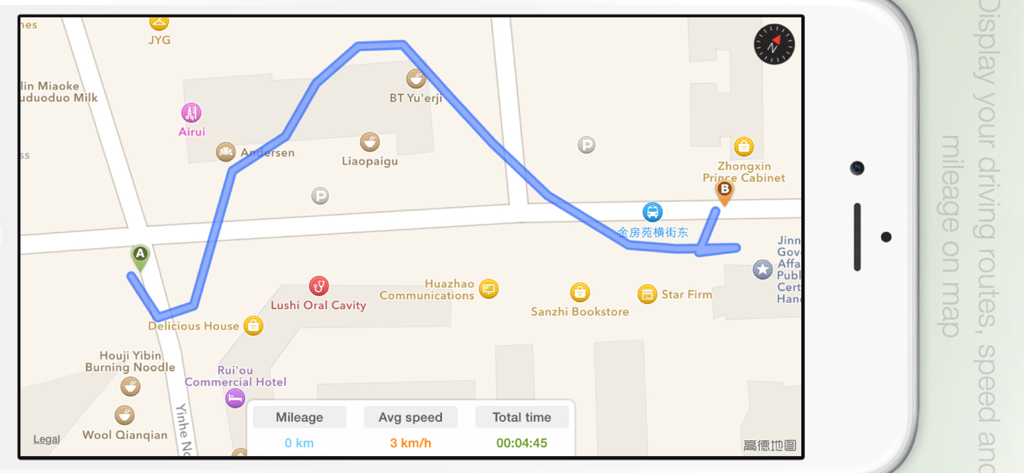
TripREC Driving Recorder - TripRECアプリのインターフェースで、リアルタイムの走行距離、平均速度、移動時間データとともにマップ上に運転ルートが表示されている様子

TripRECアプリのインターフェースで、リアルタイムの走行距離、平均速度、移動時間データとともにマップ上に運転ルートが表示されている様子

説明

** Over 400,000 users have downloaded TripREC. Try it out today and transform your iPhone into a powerful car recorder! ** Looking for a simple and user-friendly driving recorder app for your iPhone? Look no further than TripREC - the perfect app for drivers and travel enthusiasts alike! With TripREC, you can transform your iPhone into a powerful video recorder that captures all the key information about your journeys, including your route, location, mileage, speed, and more. Here are some of the key features that TripREC offers: Real-time display of maps, tracks, speed, mileage, and other important information. Support for multiple video resolutions to ensure that you can capture the footage you need. Loop recording to ensure that your phone's memory doesn't get filled up. Automatic video saving when you receive a call, with recording resuming automatically once the call is finished. Detection of abnormal vehicle driving conditions, with automatic video saving when abnormal braking is detected. Screen-off recording mode to conserve your phone's battery life. Background music playback during video recording to keep you entertained while you drive. Option to turn the map display on or off as needed. Mute mode for video recording to ensure that you don't distract yourself while driving. Ability to turn on your iPhone's flashlight to capture video in low-light conditions. Option to turn on camera fixed-focus mode to keep your videos sharp and clear. Easy video playback and route viewing to help you review your footage and see where you've been. Multiple video export options, including Camera Roll, Email, Wi-Fi, and iTunes, to make it easy to share your videos with others. Exported videos include time, speed, location, and other important information to help you keep track of your journeys. KML-format route export supported, allowing you to view your routes on Google Maps.

Download

ダウンロード: App Store

このページはアプリまたはその開発者の公式ページではなく、情報提供および論評を目的として作成された独立した編集出版物です。明示的に別段の記載がない限り、アプリおよびその開発者は、MWM、Apple、Google Play、アプリのパブリッシャー、またはアプリの開発者と提携、承認、後援、認可、またはその他の公式的な関係はなく、このページのいかなる内容も、アプリがMWMのサービスを使用して開発されたことを意味するものではありません。すべての商標、ロゴ、スクリーンショット、その他のコンテンツはそれぞれの所有者の財産です。








