TV Remote - Universal Remote
ダウンロード: App Store

このページはアプリまたはその開発者の公式ページではなく、情報提供および論評を目的として作成された独立した編集出版物です。明示的に別段の記載がない限り、アプリおよびその開発者は、MWM、Apple、Google Play、アプリのパブリッシャー、またはアプリの開発者と提携、承認、後援、認可、またはその他の公式的な関係はなく、このページのいかなる内容も、アプリがMWMのサービスを使用して開発されたことを意味するものではありません。すべての商標、ロゴ、スクリーンショット、その他のコンテンツはそれぞれの所有者の財産です。

ロゴ: TV Remote - Universal Remote
ダウンロード: App Store

TV Remote - Universal Remote

物理的なリモコンを捨てて、リビングルームを取り戻しましょう。すべてのAppleデバイスで、Siri、ライブアクティビティ、フルキーボードによるシームレスな操作を体験してください。

主要数値

ダウンロード

151K+

ユーザー評価

4.3/5

評価数

800

開発元

Adam Foot

カテゴリ

Entertainment

対応言語

14

最新バージョン

4.0.3

サイズ

116.9 MB

リリース日

2020年11月22日
機能

テレビを操作する最もスマートな方法

Appleエコシステム専用に構築された、強力でカスタマイズ可能なユニバーサルリモコンで、コーヒーテーブルの散らかりを解消しましょう。

フルキーボードでより速く検索

映画のタイトルやパスワードを一度に1文字ずつ入力するのにうんざりしていませんか?iPhoneを使って、映画のタイトルやパスワードを瞬時に入力できます。

ロック解除せずに操作

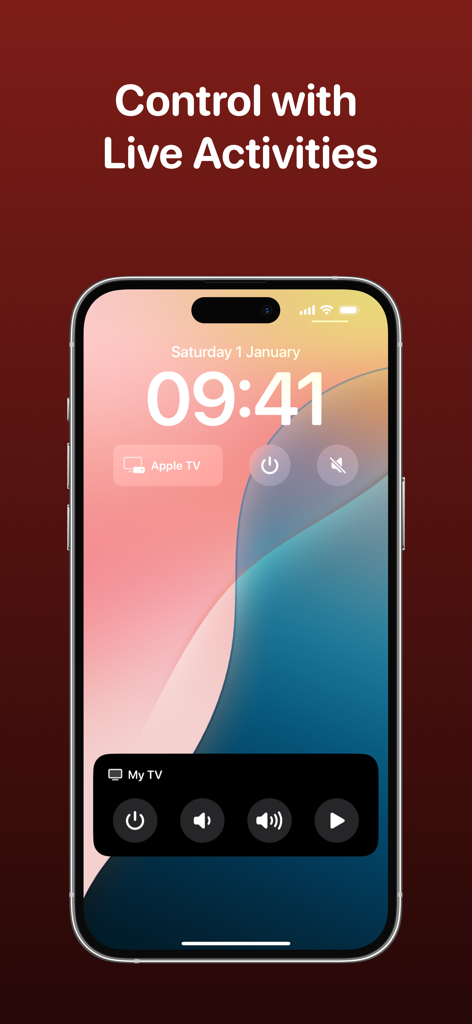
ライブアクティビティを使用して、ロック画面、ダイナミックアイランド、またはApple Watchから直接音量とチャンネルコントロールにアクセスできます。

以下のスクリーンショットと説明は、アプリの公式ストアリスティングから直接取得されたものであり、アプリ開発者の所有物です。

アプリストア

スクリーンショット
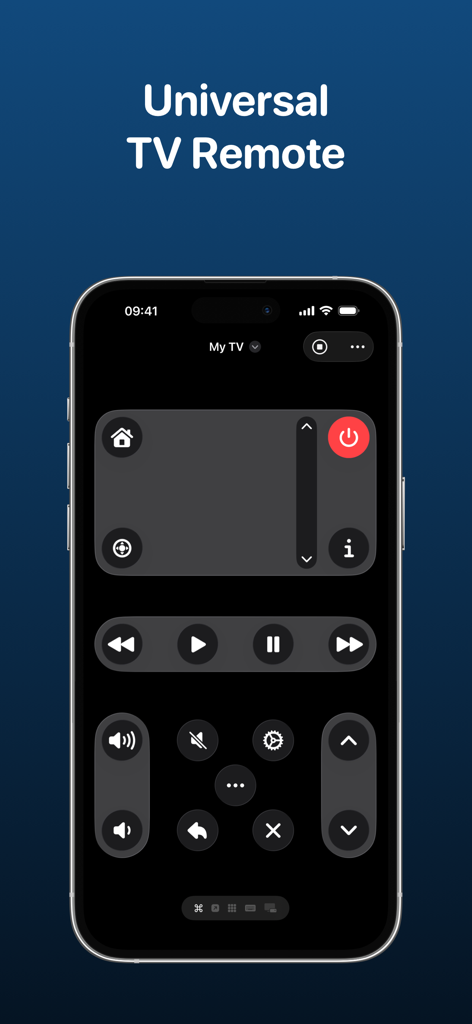
TV Remote - Universal Remote - ユニバーサルTVリモコンアプリのインターフェースが、ダークモードのコントロールとカスタムボタンレイアウトを表示したiPhoneに表示されています。
ユニバーサルTVリモコンアプリのインターフェースが、ダークモードのコントロールとカスタムボタンレイアウトを表示したiPhoneに表示されています。

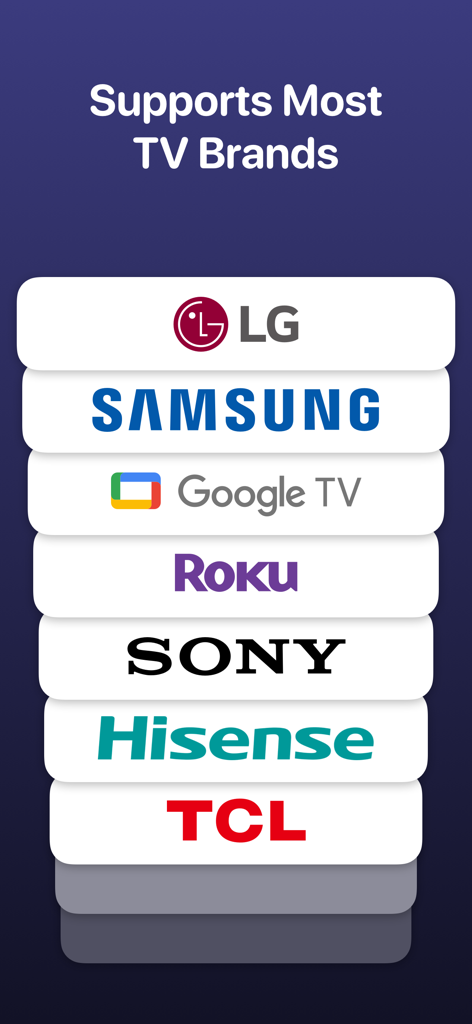
TV Remote - Universal Remote - LG、Samsung、Google TV、Roku、Sony、Hisense、TCLなどのサポートされているTVブランドのリスト。
LG、Samsung、Google TV、Roku、Sony、Hisense、TCLなどのサポートされているTVブランドのリスト。

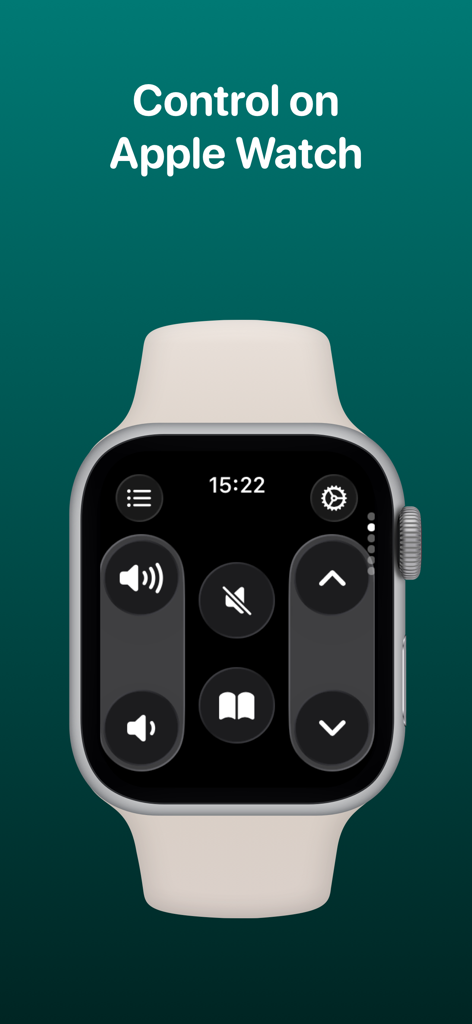
TV Remote - Universal Remote - Apple Watchに表示されているTVリモコンアプリのインターフェース。音量とナビゲーションコントロールが表示されています。
Apple Watchに表示されているTVリモコンアプリのインターフェース。音量とナビゲーションコントロールが表示されています。

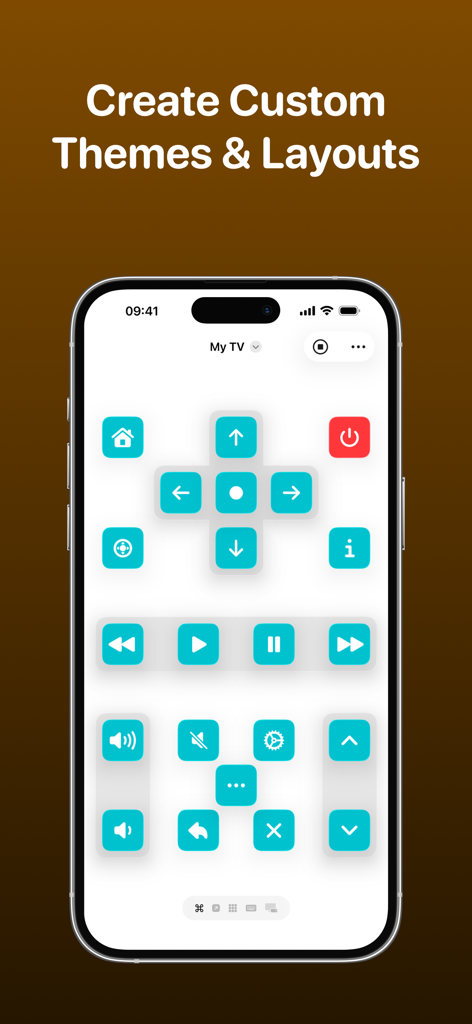
TV Remote - Universal Remote - ターコイズ色のボタンとパーソナライズされたレイアウトを備えたカスタムTVリモコンインターフェースを表示したスマートフォンの画面。
ターコイズ色のボタンとパーソナライズされたレイアウトを備えたカスタムTVリモコンインターフェースを表示したスマートフォンの画面。

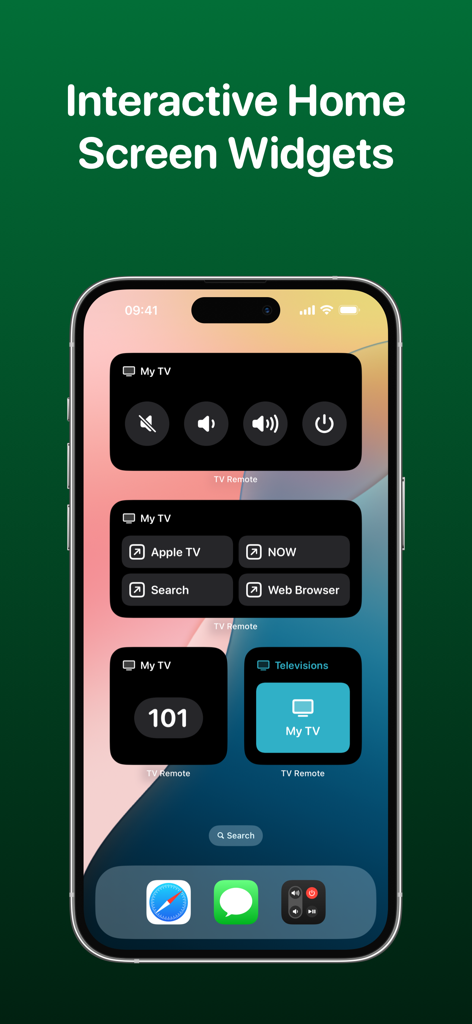
TV Remote - Universal Remote - 音量、電源、アプリコントロールのためのインタラクティブなTVリモコンウィジェットを表示するiPhoneホーム画面。
音量、電源、アプリコントロールのためのインタラクティブなTVリモコンウィジェットを表示するiPhoneホーム画面。

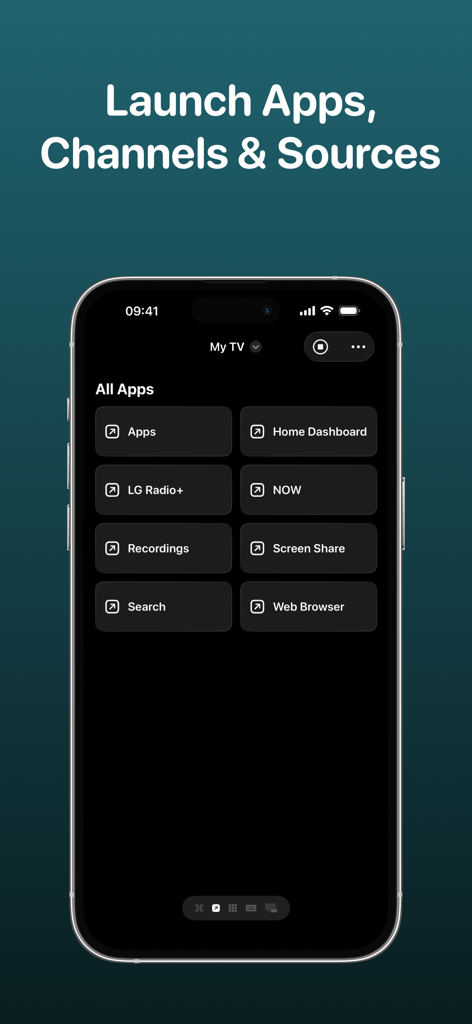
TV Remote - Universal Remote - スマートTVでアプリ、チャンネル、ソースを起動するためのメニューを表示するTVリモコンアプリのインターフェース。
スマートTVでアプリ、チャンネル、ソースを起動するためのメニューを表示するTVリモコンアプリのインターフェース。

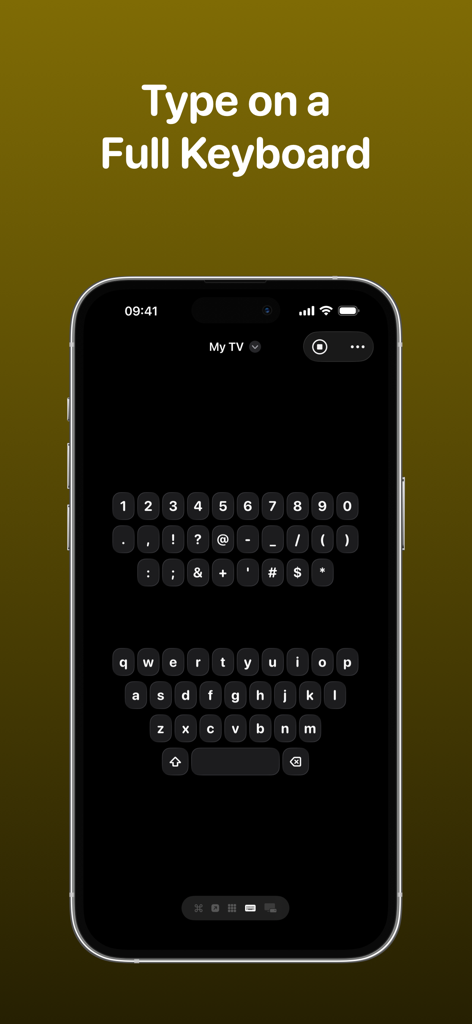
TV Remote - Universal Remote - スマートテレビで入力するために、TVリモコンアプリのフルQWERTYキーボードインターフェースを表示するiPhone画面。
スマートテレビで入力するために、TVリモコンアプリのフルQWERTYキーボードインターフェースを表示するiPhone画面。

TV Remote - Universal Remote - iPhoneのロック画面に、TVリモコンアプリのライブアクティビティとウィジェットが表示され、テレビコントロールにすばやくアクセスできます。
iPhoneのロック画面に、TVリモコンアプリのライブアクティビティとウィジェットが表示され、テレビコントロールにすばやくアクセスできます。

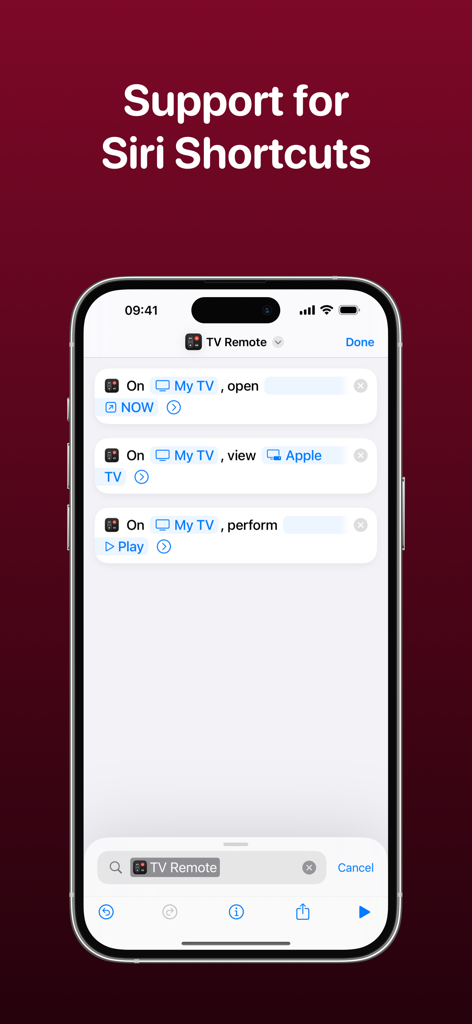
TV Remote - Universal Remote - iPhoneでSiriショートカットの統合を表示するTVリモコンアプリのインターフェース。

iPhoneでSiriショートカットの統合を表示するTVリモコンアプリのインターフェース。

説明

Control your television using your iPhone, iPad, Apple Watch, Apple Vision Pro or HomePod with the TV Remote app. * As featured on 9to5Mac, MacRumors, MacStories, TechCrunch & more* TV Remote combines a beautiful and simple interface with advanced features that enable you to control your television without the need for a physical remote. Add all of your televisions to TV Remote and you’ll be able to customize the layout, apply themes and interact through Widgets and Siri Shortcuts. TV Remote contains these great features: UNIVERSAL REMOTE TV Remote supports many brands of TVs (see below) and makes it easy for you to setup each one in a single app. You’ll find the buttons you’re used to seeing and there’s even the ability to launch apps and switch sources too. INTERACTIVE WIDGETS Remote commands can be added to your Home Screen or Lock Screen for quick access to your remote when you need it. There’s supports for launching apps, sources and changing channels all from a Widget too and with Interactive Widgets, you won't even need to open the app! SIRI SHORTCUTS Without even opening the app, you’ll be able to perform commands, change channels, launch apps and more with the Siri Shortcuts integration! For example, you’ll be able to configure a string of commands together to change a specific setting on your TV without even lifting a finger. LIVE ACTIVITIES Get access to a set of configured commands on your Lock Screen or Dynamic Island that allows you to quickly change channels, adjust volume and much more - all without opening the app! CUSTOM LAYOUTS TV Remote gives you the ability to fully customize how you want the remote for each TV to look. Using a set of pre-configured layout components, you’ll be able to choose which buttons go where so you get the exact look you’re after. THEMES Gone are the days of a plain remote! With TV Remote, you can be bold and design the exact look and feel of your television remote - even down to the icon tint on a button, and whether buttons are round or square. Each television has its own theme and there are plenty of presets to choose from too. You can even lock the app to light/dark mode. KEYBOARD No need to use arrow keys to navigate round an on-screen keyboard. With TV Remote, you’ll have access to a full keyboard you can use to search for programmes and more! CHANNELS, APPS & SOURCES TV Remote will load the available channels, apps and sources available on your television and allow you to launch them with just a tap. WAKE FROM SLEEP TV Remote supports Wake-on-LAN to allow you to power on your television when it is asleep. TOUCHPAD Control your television using swipe gestures on a touchpad instead of the standard directional keypad for a more fluid experience. SYNCING TV Remote syncs with your iCloud account to allow you to access your TVs across all your devices. TV Remote supports televisions from these manufacturers and operating systems (+ many more!): - LG/webOS - Samsung/Tizen - Sony - Roku - Google Chromecast - NVIDIA SHIELD - Sky Q - TCL - Hitachi - Sharp - Hisense - Philips - Toshiba - JVC - Panasonic UNIVERSAL PURCHASE Get this app across multiple Apple platforms with a single purchase. Your TV Remote Premium subscription works across devices too. If you like this app, I’d really appreciate it if you could take the time to leave a positive review! Having issues? Please get in touch: Email: support@adamfoot.dev Website: https://adamfoot.dev Please note that a supported television is required to use the app and the manufacturers listed above are a guide only. A more comprehensive list can be found within the app settings where release dates and versions are listed too. Some features may require a TV Remote Premium subscription which can be purchased in the app. You can cancel at anytime. All brand names, copyrights and trademarks belong to the companies and not the TV Remote app. Terms: https://adamfoot.dev/terms-of-use

Download

ダウンロード: App Store

このページはアプリまたはその開発者の公式ページではなく、情報提供および論評を目的として作成された独立した編集出版物です。明示的に別段の記載がない限り、アプリおよびその開発者は、MWM、Apple、Google Play、アプリのパブリッシャー、またはアプリの開発者と提携、承認、後援、認可、またはその他の公式的な関係はなく、このページのいかなる内容も、アプリがMWMのサービスを使用して開発されたことを意味するものではありません。すべての商標、ロゴ、スクリーンショット、その他のコンテンツはそれぞれの所有者の財産です。








