uAttend
uAttend
ダウンロード: App Store

このページはアプリまたはその開発者の公式ページではなく、情報提供および論評を目的として作成された独立した編集出版物です。明示的に別段の記載がない限り、アプリおよびその開発者は、MWM、Apple、Google Play、アプリのパブリッシャー、またはアプリの開発者と提携、承認、後援、認可、またはその他の公式的な関係はなく、このページのいかなる内容も、アプリがMWMのサービスを使用して開発されたことを意味するものではありません。すべての商標、ロゴ、スクリーンショット、その他のコンテンツはそれぞれの所有者の財産です。


ロゴ: uAttend
ダウンロード: App Store

uAttend

スマートな打刻と経費追跡で従業員を支援し、ビジネスのコンプライアンスとリアルタイムでの監督を、すべて手のひらから実現します。

主要数値

ダウンロード

375K+

ユーザー評価

2.1/5

評価数

300

開発元

Workwell Technologies, Inc.

カテゴリ

Business

対応言語

-

最新バージョン

3.1.23

サイズ

253.6 MB

リリース日

2011年4月5日
機能

労働力を強化し、成功を効率化

スマートな打刻からリアルタイムの経費追跡まで、uAttendは効率的な時間管理と財務の透明性をあなたのポケットに入れます。

スマートで予測的な打刻

休憩や退勤を簡単に行えます。直感的なインターフェースが次の操作を予測し、時間の節約とミスの削減を実現します。

チップと経費を即座に追跡

移動中でも、旅費やチップを記録できます。アプリ内で総収入と経費を直接フィルタリングして、収入を把握しましょう。

以下のスクリーンショットと説明は、アプリの公式ストアリスティングから直接取得されたものであり、アプリ開発者の所有物です。

アプリストア

スクリーンショット
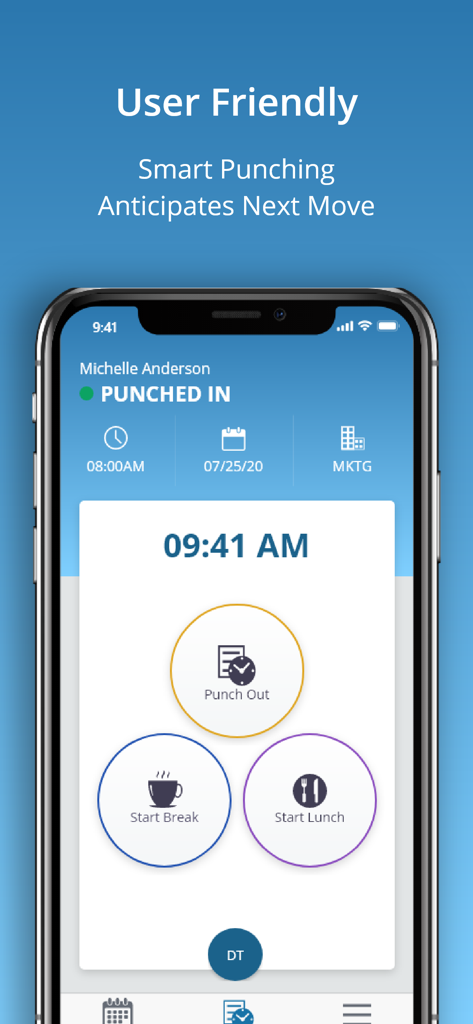
uAttend - uAttendモバイルアプリの画面に、退勤または休憩開始ボタンが表示されています。
uAttendモバイルアプリの画面に、退勤または休憩開始ボタンが表示されています。

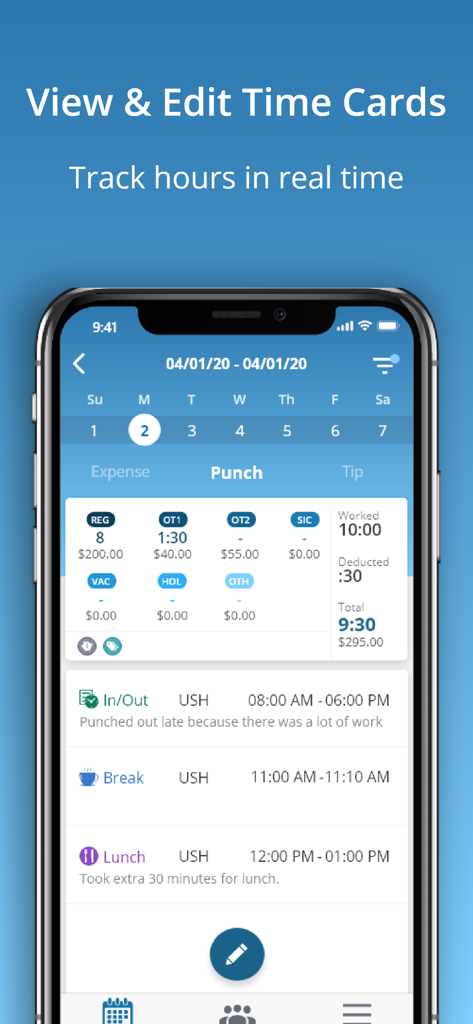
uAttend - uAttendモバイルアプリのスクリーンショットで、労働時間、休憩、残業情報が表示された詳細な勤怠カードビューを示しています。
uAttendモバイルアプリのスクリーンショットで、労働時間、休憩、残業情報が表示された詳細な勤怠カードビューを示しています。

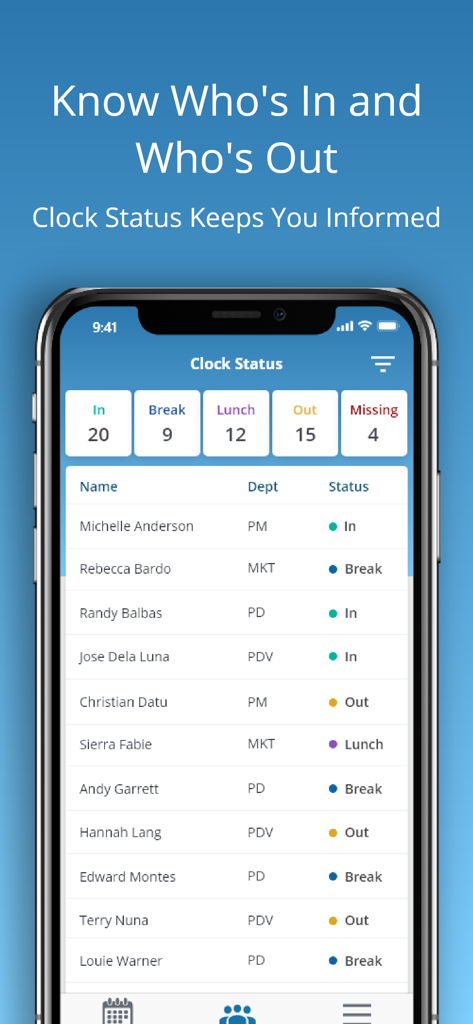
uAttend - uAttendモバイルアプリのダッシュボードに、マネージャー向けのリアルタイム従業員出勤状況が表示されています。
uAttendモバイルアプリのダッシュボードに、マネージャー向けのリアルタイム従業員出勤状況が表示されています。

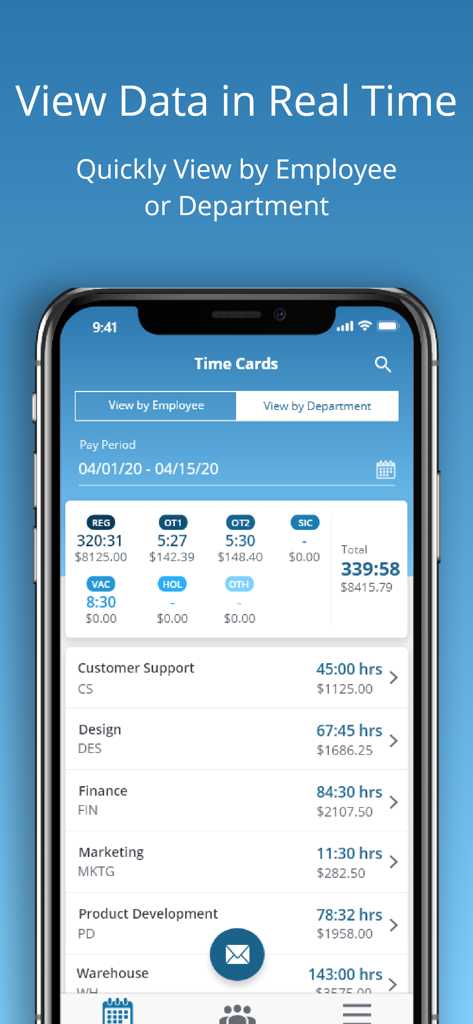
uAttend - uAttendアプリの勤怠カードダッシュボードに、部署ごとの労働時間と給与合計が表示されています。
uAttendアプリの勤怠カードダッシュボードに、部署ごとの労働時間と給与合計が表示されています。

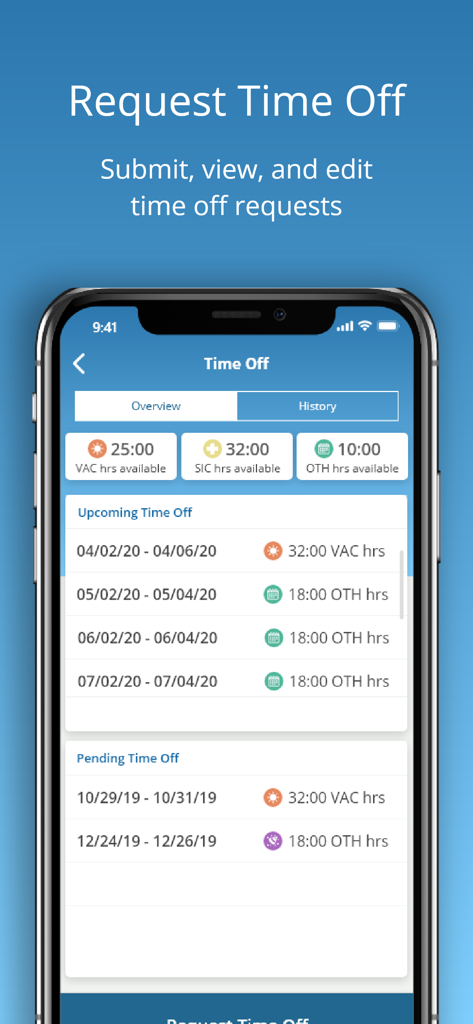
uAttend - uAttendモバイルアプリの画面に、休暇や病気休暇の残高を含む休暇申請の送信と表示が表示されています。
uAttendモバイルアプリの画面に、休暇や病気休暇の残高を含む休暇申請の送信と表示が表示されています。

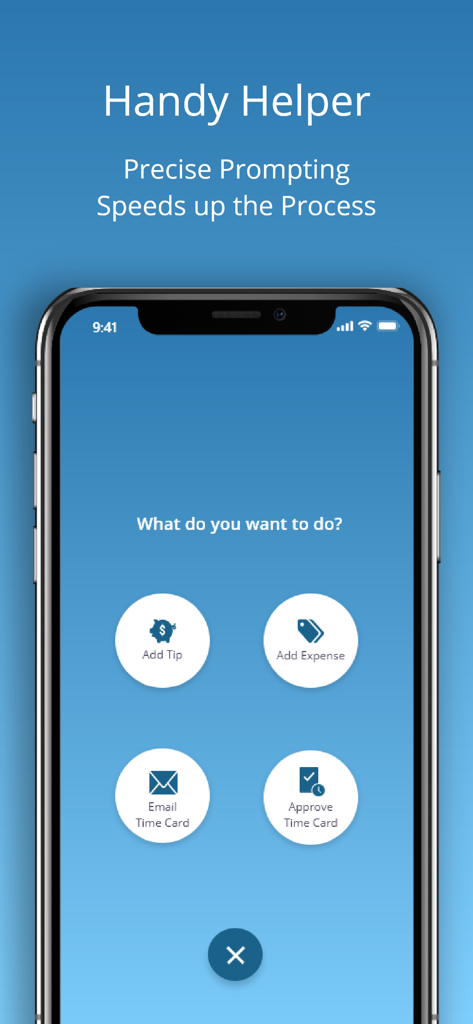
uAttend - uAttendモバイルアプリの画面に、チップの追加、経費の追加、勤怠カードのメール送信、勤怠カードの承認のためのクイックアクションボタンが表示されています。

uAttendモバイルアプリの画面に、チップの追加、経費の追加、勤怠カードのメール送信、勤怠カードの承認のためのクイックアクションボタンが表示されています。

説明

The uAttend mobile app works in conjunction with uAttend’s Cloud-Connected Time and Attendance System. Employees appreciate the convenience of in and out punching in the palm their hands while administrators and supervisors manage timecards with ease. For a personalized touch, the app displays your company logo upon login once you’ve added it to your existing uAttend account. SMART PUNCHING Hourly employees can clock in and out for work, lunches and breaks. It’s all possible in the app! To streamline the process, the app shows the next most likely punch option available to each employee. When someone is on their lunch break, they’ll return to a screen prompt to punch in from lunch.Once punched in, the employee will see their punch status along with the time, date and department they are punched into. They can even transfer departments with the touch of a button. DEPARTMENT TRANSFERS When transferring departments employees are prompted to enter the new department or search by name. Once you transfer it automatically punches you out of your existing department and punches you into the new one. EASY ACCESS TO TIME CARDS Employees with permission can view current and past time cards. It’s easy to approve or email their time cards to a supervisor or themselves in an instant. ADDING TIPS AND EXPENSES Employees can add tips and expenses right from the app. This comes in handy for reporting purposes and so payroll can handle. Add expenses based on the expense codes your account has set up. Track gas, team lunches or whatever you need by selecting the category and adding the amount. Once everything is entered, you can filter by gross pay, notes, tips and expenses. LEAVING NOTES Keep the lines of communication open knowing staff can write a short note to their supervisor with each punch. ADMINISTRATOR/SUPERVISOR FEATURES Administrators and supervisors enjoy real-time oversight on employee time and attendance regardless of location. The app provides a list of all employees and their punch status. At a glance you’ll know who’s in, who’s out and who’s missing. Filter by different statuses to identify who’s at lunch. Administrators view and edit all departments while supervisors view and edit departments or employees they are responsible for. Email timecards individually or to multiple people. EDITING TIME CARDS Within your account, you can filter by employee or department to return results. Search employees to show gross pay, overtime, benefit hours and more. Email the timecard summary for all employees and add notes before sending.As an administrator you can edit punches, facilitate group punches, approve timecards and even contact support directly from the app. If you change your pay period after the fact, there is a way to recalculate timecards as well.

Download

ダウンロード: App Store

このページはアプリまたはその開発者の公式ページではなく、情報提供および論評を目的として作成された独立した編集出版物です。明示的に別段の記載がない限り、アプリおよびその開発者は、MWM、Apple、Google Play、アプリのパブリッシャー、またはアプリの開発者と提携、承認、後援、認可、またはその他の公式的な関係はなく、このページのいかなる内容も、アプリがMWMのサービスを使用して開発されたことを意味するものではありません。すべての商標、ロゴ、スクリーンショット、その他のコンテンツはそれぞれの所有者の財産です。








