
このページはアプリまたはその開発者の公式ページではなく、情報提供および論評を目的として作成された独立した編集出版物です。明示的に別段の記載がない限り、アプリおよびその開発者は、MWM、Apple、Google Play、アプリのパブリッシャー、またはアプリの開発者と提携、承認、後援、認可、またはその他の公式的な関係はなく、このページのいかなる内容も、アプリがMWMのサービスを使用して開発されたことを意味するものではありません。すべての商標、ロゴ、スクリーンショット、その他のコンテンツはそれぞれの所有者の財産です。


Uhale
距離を超えて、思い出を共有するデジタルゲートウェイ。Uhaleは、あなたのアルバムを瞬時にデジタルフォトフレームへ送り込み、家族や友人と大切な瞬間を分かち合う、その手間を完全に排除する。
ダウンロード
1M+ユーザー評価
評価数
10.7K開発元
カテゴリ
Photo & Video対応言語
1最新バージョン
4.43サイズ
120.0 MBリリース日
2020年10月12日ユーザーフレンドリーな接続性と記憶保存に焦点を当てた主要機能評価
Uhaleアプリ:デジタルフォトフレーム向け記憶共有プラットフォームの分析
写真共有
このアプリは、ユーザーがスマートフォンから直接、またはカメラで撮影した新しい写真をデジタルフォトフレームに送信することを可能にします。最大100枚の写真を一度に共有でき、各写真やビデオにはカスタムタイトルを追加できます。
デバイス共有
ユーザーは、家族や友人を招待し、自身のフォトフレームに写真やビデオを共有してもらうことができます。これにより、複数の関係者からのコンテンツでフレームを豊かにすることが可能になります。
ビデオクリップ対応
本アプリは、最大2分間のビデオクリップの共有に対応しており、編集後にデジタルフォトフレームへ送信することができます。これにより、静止画だけでなく、動きのある記憶を共有することが可能になります。
ベストウィッシュ機能
本ツールは、デジタルフォトフレームにグリーティングカードやポップアップメッセージを送信する機能を提供します。ユーザーは、離れた場所にいる大切な人へ心温まるメッセージを届けることができます。
複数デバイス接続
一つのアカウントで複数のデジタルフォトフレームを管理でき、また一つのフォトフレームに複数のアカウントを紐付けることができます。これにより、家族間での共有や複数のフレームへのコンテンツ配信が柔軟に行えます。
履歴管理
送信された写真のステータスを一覧で確認することが可能です。ユーザーは、写真の再送、取り消し、または記録の削除を行うことができ、共有コンテンツに対する管理と信頼性を提供します。
よくある質問
について知っておくべきこと Uhale
What is the Uhale APP?
The Uhale APP is an application that syncs photos and videos from your phone's album to an electronic digital photo frame. It connects frames via invitation or QR code.
How do I connect a photo frame to the Uhale app?
Users connect a photo frame to the Uhale app by binding it using an invitation code or QR code. This process enables sending photos and videos to the frame.
Can I manage photos in the frame using the Uhale app?
Yes, the Uhale app allows users to manage photos that have been successfully sent to the digital photo frame. This includes organizing and potentially editing them within the app.
What is the 'Best Wishes' feature in the Uhale app?
The Uhale app's 'Best Wishes' feature enables users to send personalized greeting cards or pop-up messages directly to their connected digital photo frames for special occasions.
Does the Uhale app support multiple photo frames or accounts?
Yes, the Uhale app supports multi-device connection. One account can bind to multiple photo frames, and one photo frame can bind to multiple Uhale user accounts.
Can I share my Uhale photo frame with family and friends?
Yes, the Uhale app offers a 'Device share' feature. This allows users to invite family or friends to share their photos and videos directly onto the owner's digital photo frame.
How many photos can I share at once with the Uhale app?
The Uhale app allows users to share a maximum of 100 photos at a time. This feature also supports customizing titles for favorite photos or videos.
What is the maximum video length supported by the Uhale app?
The Uhale app supports video clips up to 2 minutes in length. Users can share these videos to their photo frames after editing them within the application.
Can I withdraw or delete photos sent through the Uhale app?
Yes, the Uhale app's 'History' feature allows users to resend, withdraw, or delete photo records after they have been sent to the digital photo frame.
Does the Uhale app allow photo adjustment for frames?
Yes, the Uhale app includes a 'Target important areas' feature. This allows users to adjust their photos to lock in a preferred perspective before sending them to the digital frame.
以下のスクリーンショットと説明は、アプリの公式ストアリスティングから直接取得されたものであり、アプリ開発者の所有物です。
アプリストア
スクリーンショット
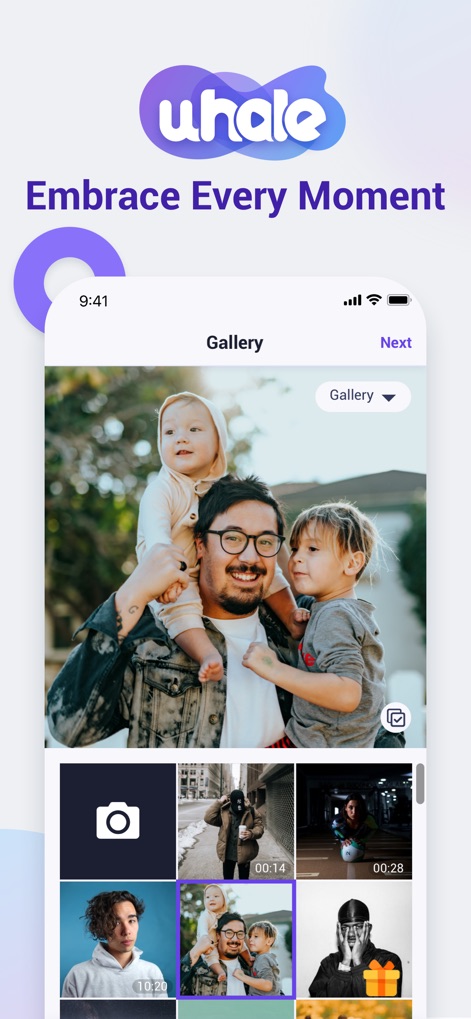
この画面では、ギャラリービューから大切な写真や動画を簡単に見つけ、複数メディア選択機能で一度に多数のコンテンツを選べます。
思い出を共有
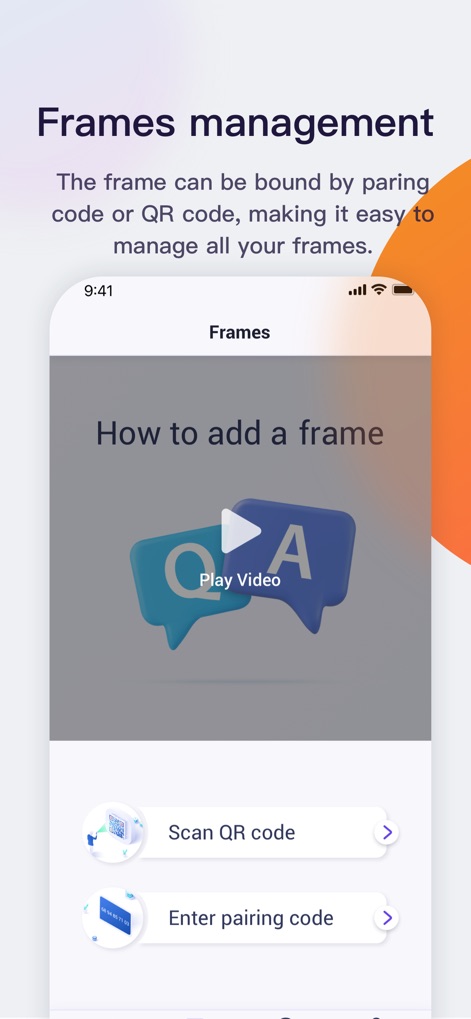
本アプリは、QRコードスキャンまたはペアリングコード入力により、デジタルフォトフレームとの接続を直感的に行えます。
フレームを簡単接続
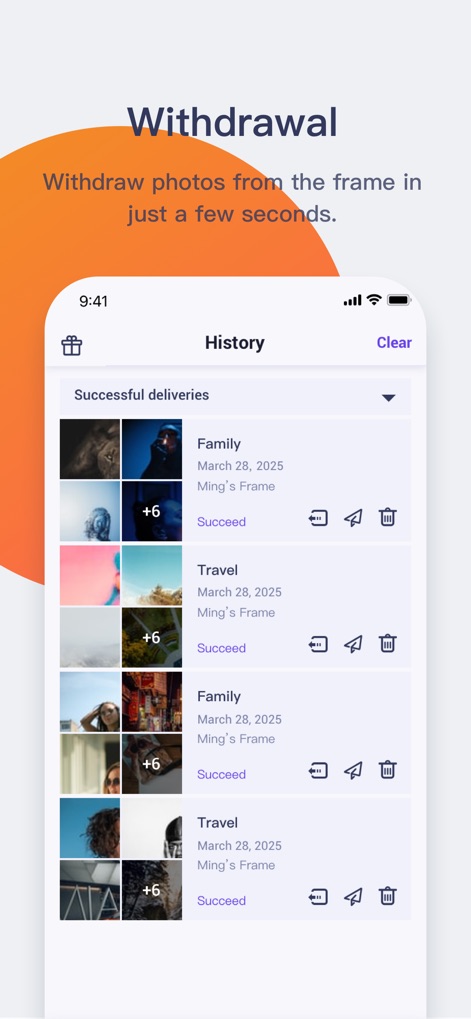
送信履歴表示でこれまでの共有状況を一目で把握し、必要に応じて画像の取り消し機能でフレームからコンテンツを削除できます。
送信履歴を管理
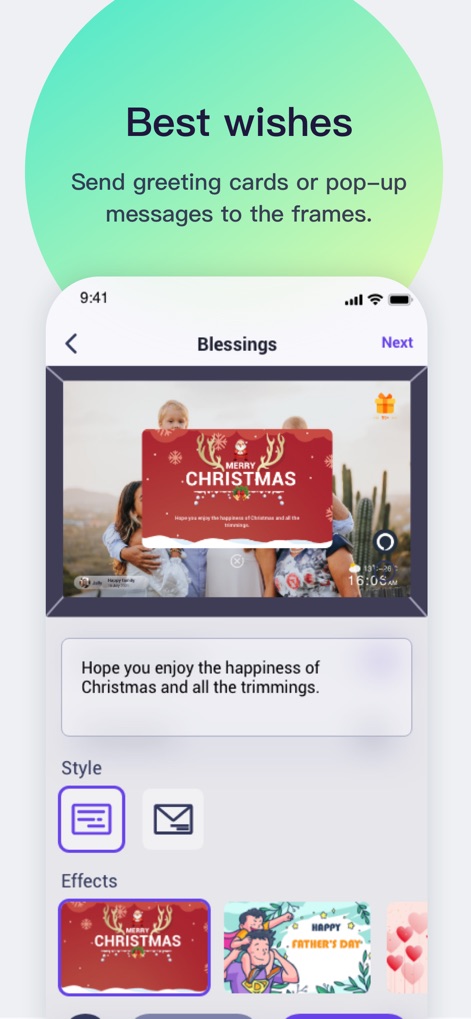
グリーティングカード作成を通じて、季節の挨拶や心温まるメッセージをフレームに送ることができ、メッセージのカスタマイズで気持ちを表現できます。
特別なメッセージ
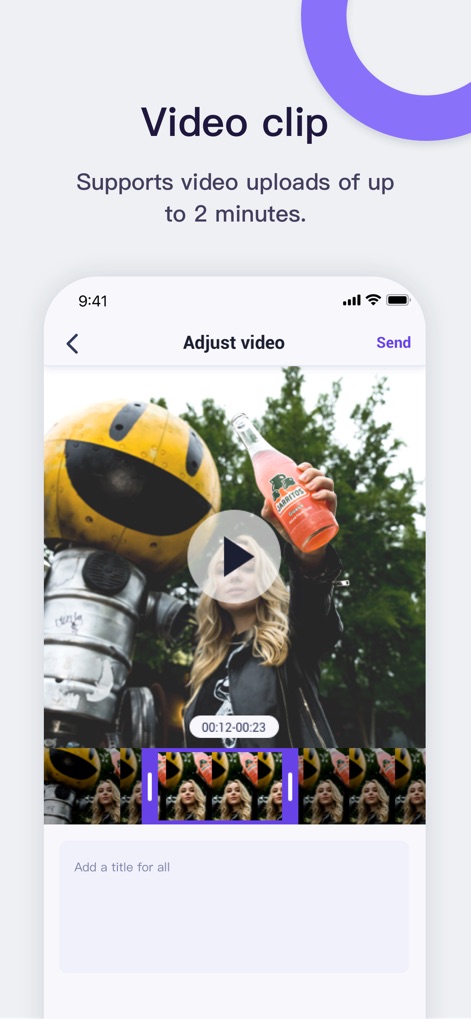
この直感的な動画編集インターフェースを利用して最大2分の動画を調整し、タイトル追加機能で共有する動画にパーソナルな説明を加えられます。
動画を手軽に編集
説明
Download
類似アプリ
似た機能とユーザー体験を持つアプリ








このページはアプリまたはその開発者の公式ページではなく、情報提供および論評を目的として作成された独立した編集出版物です。明示的に別段の記載がない限り、アプリおよびその開発者は、MWM、Apple、Google Play、アプリのパブリッシャー、またはアプリの開発者と提携、承認、後援、認可、またはその他の公式的な関係はなく、このページのいかなる内容も、アプリがMWMのサービスを使用して開発されたことを意味するものではありません。すべての商標、ロゴ、スクリーンショット、その他のコンテンツはそれぞれの所有者の財産です。