Unofficial Palia Notebook
ダウンロード: App Store

このページはアプリまたはその開発者の公式ページではなく、情報提供および論評を目的として作成された独立した編集出版物です。明示的に別段の記載がない限り、アプリおよびその開発者は、MWM、Apple、Google Play、アプリのパブリッシャー、またはアプリの開発者と提携、承認、後援、認可、またはその他の公式的な関係はなく、このページのいかなる内容も、アプリがMWMのサービスを使用して開発されたことを意味するものではありません。すべての商標、ロゴ、スクリーンショット、その他のコンテンツはそれぞれの所有者の財産です。

ロゴ: Unofficial Palia Notebook
ダウンロード: App Store

Unofficial Palia Notebook

究極のセカンドスクリーン体験のために設計された、プレイヤーメイドのアドフリーツールキットで、すべての村人との交流をマスターし、インベントリを追跡し、農場の利益を最適化しましょう。

主要数値

ダウンロード

0

ユーザー評価

1.0/5

評価数

0

開発元

Kristina Frye

カテゴリ

Reference

対応言語

1

最新バージョン

2.0

サイズ

129.3 MB

リリース日

2026年1月8日
機能

あなたの究極のPaliaコンパニオン

プレイヤーがプレイヤーのために設計したアドフリーノートブックで、整理整頓を保ち、コジートタイムを最大化しましょう。

すべての人間関係をマスターする

毎日のギフトやチャットを忘れることはありません。村人の好み、リアルタイムの場所、スケジュールを追跡して、友情をより早く築きましょう。

ゴールドの利益を最大化する

推測するのをやめましょう。最大の効率を得るために、種子コレクター、ジャー、またはワームビンを使用してアイテムを処理する最善の方法を即座に確認できます。

以下のスクリーンショットと説明は、アプリの公式ストアリスティングから直接取得されたものであり、アプリ開発者の所有物です。

アプリストア

スクリーンショット
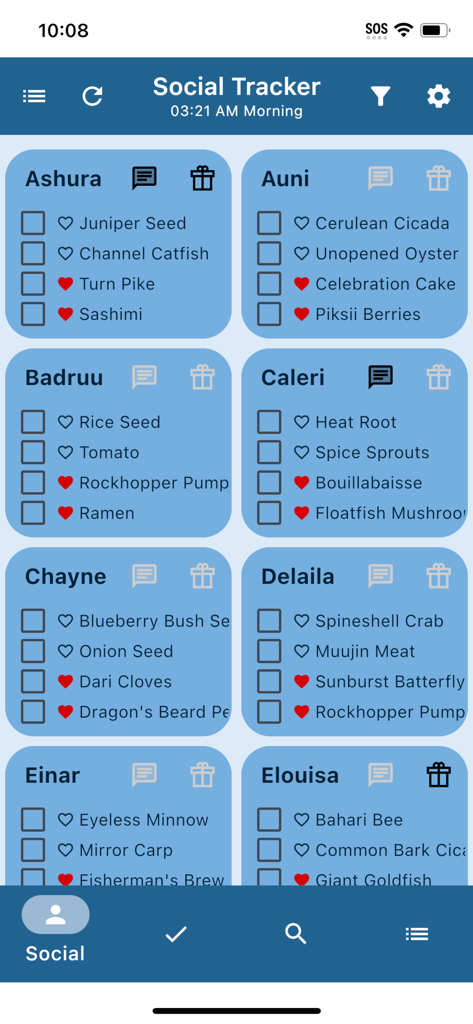
Unofficial Palia Notebook - Palia Notebookアプリのソーシャルトラッカー画面。村人のギフトの好みとインタラクションチェックリストが表示されています。
Palia Notebookアプリのソーシャルトラッカー画面。村人のギフトの好みとインタラクションチェックリストが表示されています。

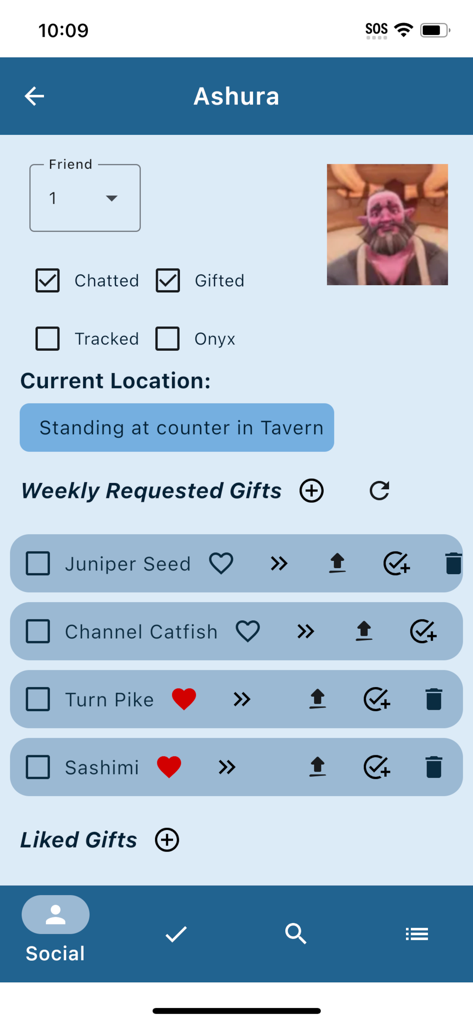
Unofficial Palia Notebook - Palia Notebookアプリのインターフェース。アシュラの場所と要求されたギフトが追跡されています。
Palia Notebookアプリのインターフェース。アシュラの場所と要求されたギフトが追跡されています。

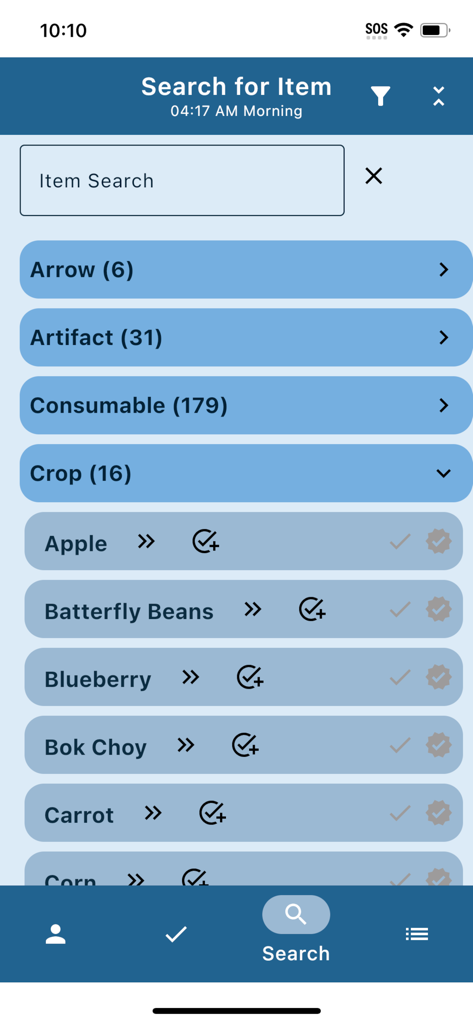
Unofficial Palia Notebook - Palia Notebookアプリの検索画面。作物のリストとその他のゲームアイテムカテゴリが表示されています。
Palia Notebookアプリの検索画面。作物のリストとその他のゲームアイテムカテゴリが表示されています。

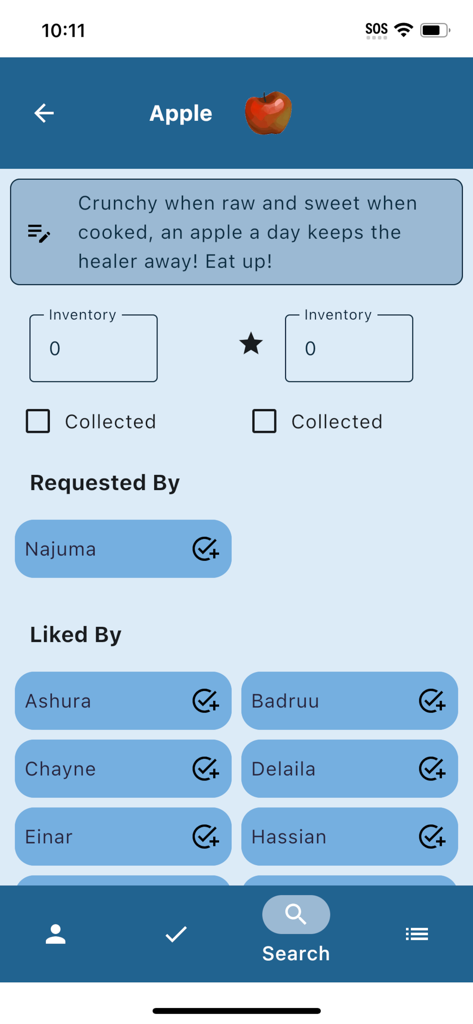
Unofficial Palia Notebook - Unofficial Palia Notebookアプリのスクリーンショット。リンゴのアイテム詳細が表示されており、インベントリ追跡と村人のギフトの好みが含まれています。
Unofficial Palia Notebookアプリのスクリーンショット。リンゴのアイテム詳細が表示されており、インベントリ追跡と村人のギフトの好みが含まれています。

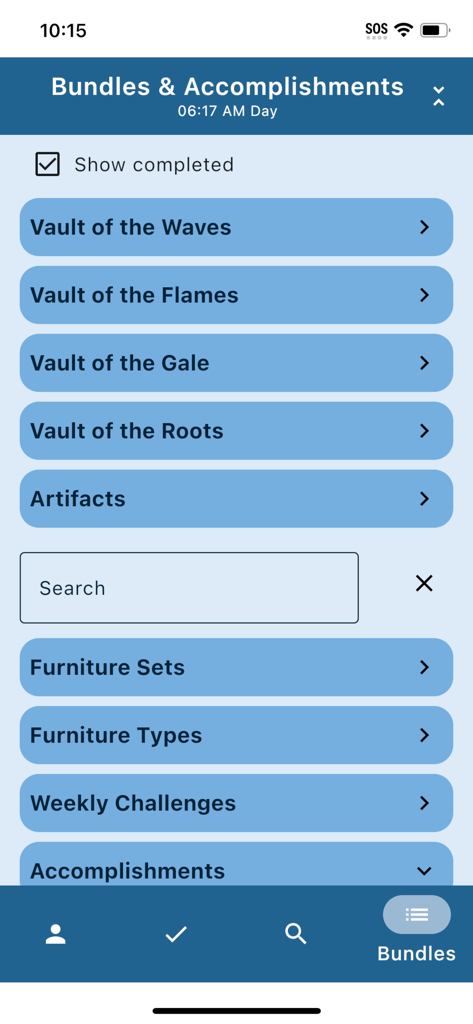
Unofficial Palia Notebook - バンドルと実績の画面。ゲームの保管庫とPaliaの進捗状況の追跡が表示されています。
バンドルと実績の画面。ゲームの保管庫とPaliaの進捗状況の追跡が表示されています。

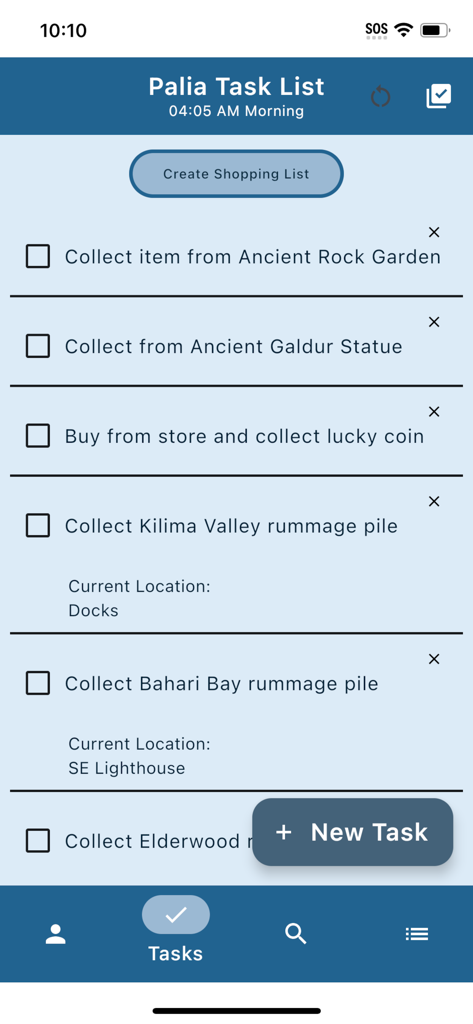
Unofficial Palia Notebook - Unofficial Palia Notebookアプリの毎日のタスクリストインターフェース。追跡されたゲーム内アクティビティが表示されています。

Unofficial Palia Notebookアプリの毎日のタスクリストインターフェース。追跡されたゲーム内アクティビティが表示されています。

説明

Palia Notebook is an ad-free companion application for the video game Palia to help keep track of your daily interactions with Palia villagers including daily chatting, gifts, their schedule, and their current location. You can keep track of your inventory, create tasks, track your preserves, seeds, & worms processing offline, track your achievements, look up which villager likes, and even see the current Palia game time. In the Villager screen, you can keep track of your chats and gifts, see their schedule, discover their current location, look up their likes, and create tasks for obtaining items for them. The villager's chat and gift statuses automatically update with the game time. In the Social Tracker screen, you can view all of the villagers at once, see whether you have chatted or given them a gift, and filter out those who you have already chatted or gifted. You can also search for a particular item and see which villagers have requested or liked it. In the Task Edit screen, you can create a new task or edit an existing one. In the task, you can specify whether a particular item is needed for the task and create a gift to a particular villager for the task. You can also link other tasks as requirements to the current task. In the Item screen, you can check off if you've collected a particular item or its quality counterpart, input your current inventory, and see which villagers like that item. The item properties are also displayed. If the item can be processed by a seed collector, preserves jar, or worm bin, the value you would get per item is also shown, making it easy to figure out the best way to process and sell an item for maximum profit. In the Search screen, you can browse through all the different item categories, search by item name, and filter by location, biome, and time. This helps you figure out what fish, bugs. or assorted items are available at a particular time of day or a particular location. If you are decorating your home, you may really like the feature that allows you to filter all the furniture items by furniture set and furniture type. The Bundles and Accomplishments screens lets you track your bundle, accomplishment, weekly challenge, monthly bulletin board, and quest progress. For accomplishments such as tracking all the fish or bugs, items are listed in the order they are shown in the in-game accomplishments screen. You can easily run through the list and check off all the items you have already collected in game. Then you can easily filter the items in the Search screen to see which ones you still need to find. Palia Notebook is created by an independent developer who is also a Palia player. I created this app as a way to help me track all the things that I wanted to track in the game without needing to wade through all the game screens to find the info I needed. This app is in current development as I find more features that I would really like to exist. I hope they also help your game play too!

Download

ダウンロード: App Store

このページはアプリまたはその開発者の公式ページではなく、情報提供および論評を目的として作成された独立した編集出版物です。明示的に別段の記載がない限り、アプリおよびその開発者は、MWM、Apple、Google Play、アプリのパブリッシャー、またはアプリの開発者と提携、承認、後援、認可、またはその他の公式的な関係はなく、このページのいかなる内容も、アプリがMWMのサービスを使用して開発されたことを意味するものではありません。すべての商標、ロゴ、スクリーンショット、その他のコンテンツはそれぞれの所有者の財産です。







