UPDF - AI-Powered PDF Editor

UPDF - AI-Powered PDF Editor


ダウンロード: App Storeダウンロード: Google Play
ロゴ: UPDF - AI-Powered PDF Editor

UPDF: モバイルオフィスに最適なAI搭載PDFエディター

デスクに戻るのを待つのはやめましょう。iPhoneとiPad専用に設計された、デスクトップクラスのPDF編集、インスタントAI要約、安全なドキュメント管理を体験してください。

ダウンロード: App Store

開発元

Superace Software Technology Co., Ltd.

カテゴリ

Productivity

ダウンロード

559K+

ユーザー評価

4.7/5

評価数

3K+

対応言語

12

あなたのワークフローを可視化

このインターフェースを利用する 559K+ 人のユーザー.

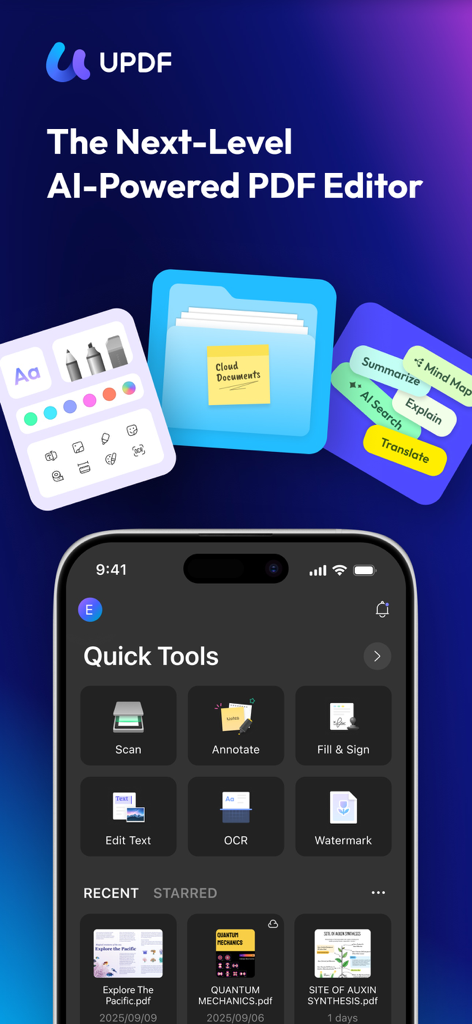
UPDF、AI搭載PDFエディターのインターフェース、スキャン、注釈、テキスト編集などのクイックツールを表示

UPDF、AI搭載PDFエディターのインターフェース、スキャン、注釈、テキスト編集などのクイックツールを表示

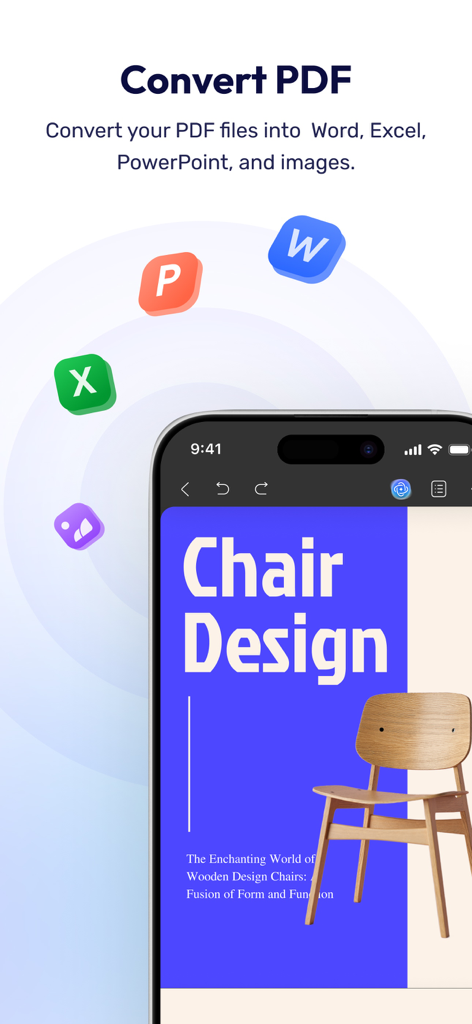
PDFファイルをWord、Excel、PowerPoint形式に変換するUPDFアプリの機能を表示するスマートフォン画面。

PDFファイルをWord、Excel、PowerPoint形式に変換するUPDFアプリの機能を表示するスマートフォン画面。

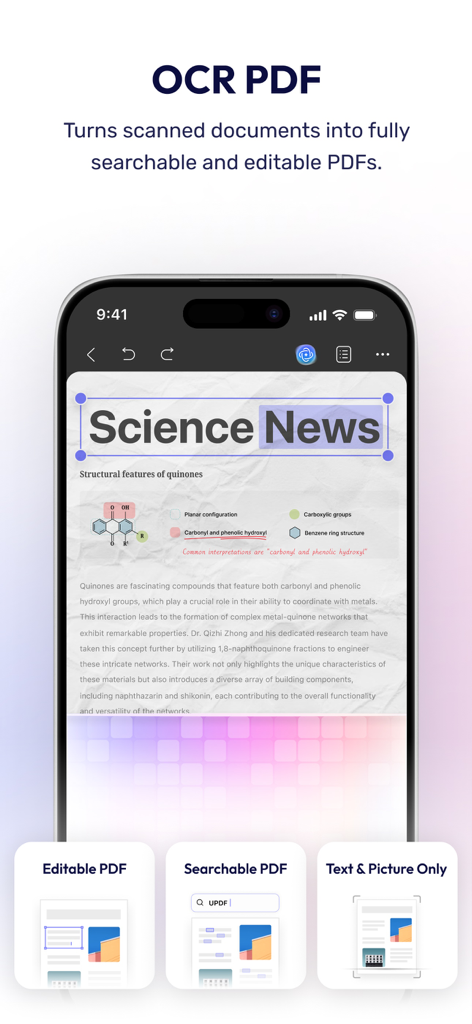
スキャンされたドキュメントを検索可能で編集可能なPDFに変換するOCRテクノロジーを紹介するUPDFアプリ。

スキャンされたドキュメントを検索可能で編集可能なPDFに変換するOCRテクノロジーを紹介するUPDFアプリ。

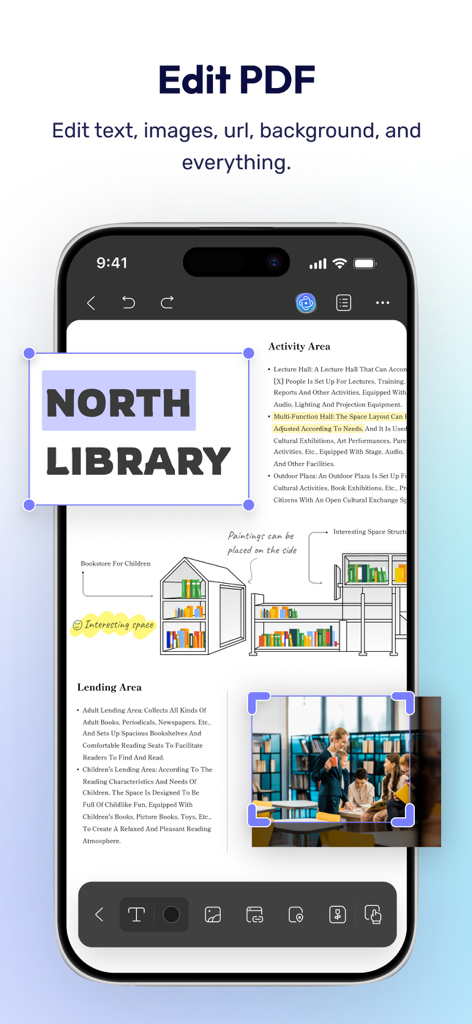
PDFドキュメントのテキストおよび画像の編集用UPDFアプリインターフェースを表示するスマートフォン画面。

PDFドキュメントのテキストおよび画像の編集用UPDFアプリインターフェースを表示するスマートフォン画面。

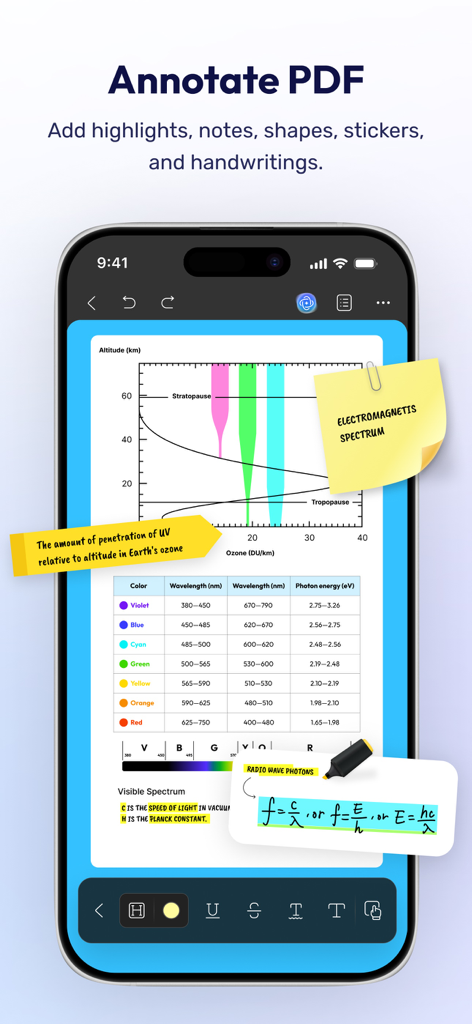
科学文書のハイライト、付箋、手書きメモを含むPDF注釈機能を示すUPDFアプリインターフェース。

科学文書のハイライト、付箋、手書きメモを含むPDF注釈機能を示すUPDFアプリインターフェース。

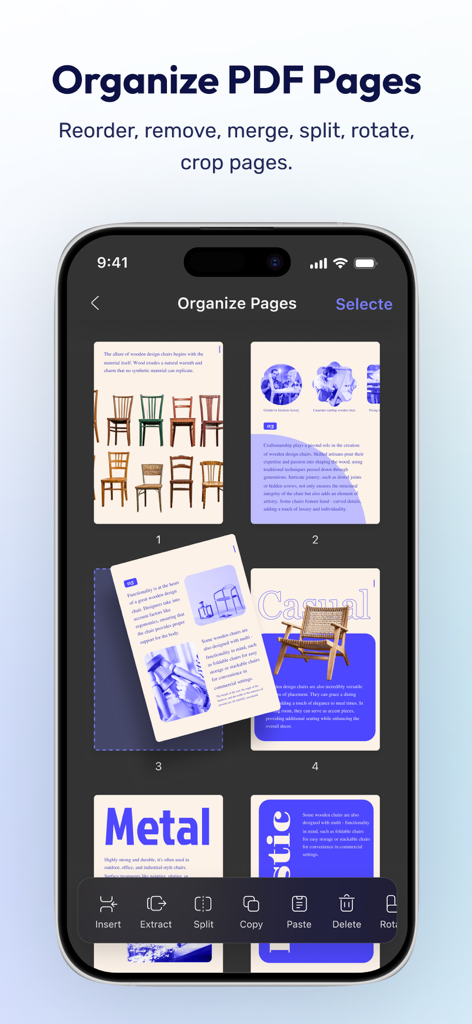
iPhoneでPDFページを整理および並べ替える方法を示すUPDFモバイルアプリ画面。

iPhoneでPDFページを整理および並べ替える方法を示すUPDFモバイルアプリ画面。

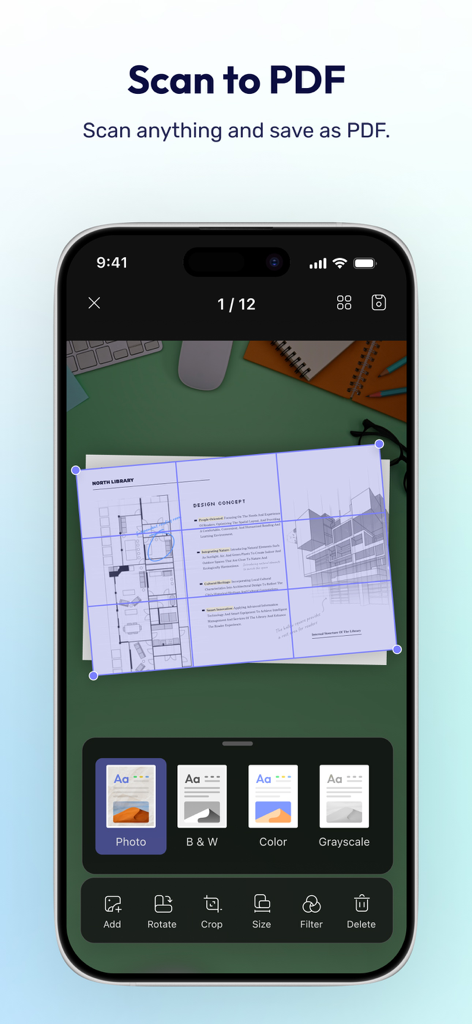
ドキュメントの切り抜きとフィルターオプションを備えたスキャンしてPDFにする機能を示すUPDFモバイルアプリインターフェース。

ドキュメントの切り抜きとフィルターオプションを備えたスキャンしてPDFにする機能を示すUPDFモバイルアプリインターフェース。

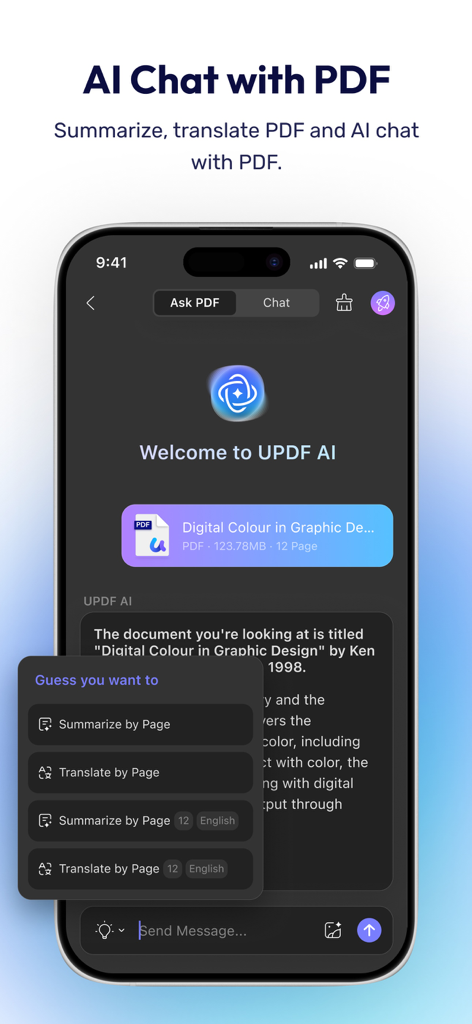
モバイルデバイスでドキュメントの要約や翻訳などのAIチャット機能を実証するUPDF AI搭載PDFエディターインターフェース。

モバイルデバイスでドキュメントの要約や翻訳などのAIチャット機能を実証するUPDF AI搭載PDFエディターインターフェース。

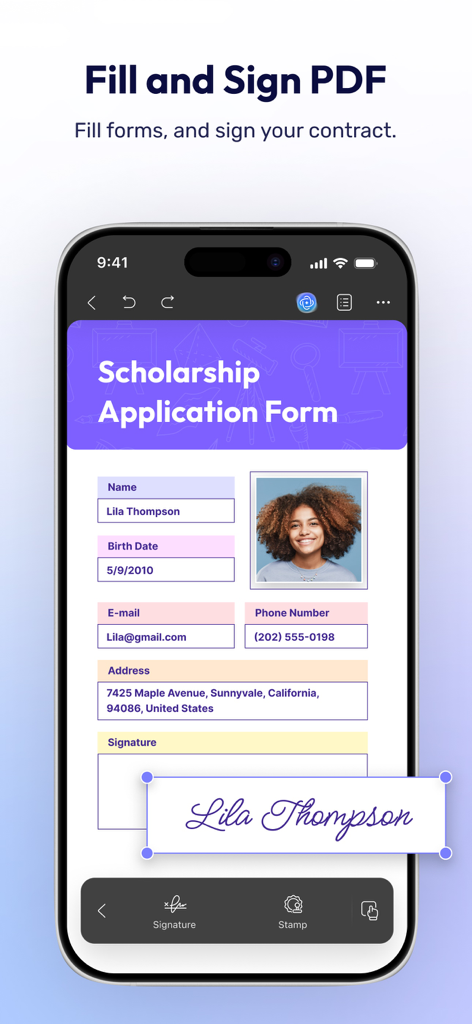
iPhoneでPDF申請フォームに記入および署名する方法を示すUPDFアプリインターフェース。

iPhoneでPDF申請フォームに記入および署名する方法を示すUPDFアプリインターフェース。

AI搭載の精度でドキュメントをマスターする

このアプリを際立たせるツール、 559K+ 人のユーザーが選択.

🤖

AI主導のインサイト

ざっと読むのをやめて、理解しましょう。複雑なPDFを瞬時に要約、翻訳、チャットして、数秒で重要な情報を抽出します。

✍️

完全なデスクトップクラスの編集

デスクから解放されましょう。プロフェッショナルなコンピュータスイートと同じ精度で、PDF内のテキスト、画像、リンクを直接編集します。

🛡️

プロフェッショナルなセキュアワークフロー

自信を持ってスキャン、署名、整理しましょう。Face IDと専用のプライベートセキュリティスペースを使用して、機密ドキュメントを保護します。

アプリについて

について知っておくべきこと UPDF - AI-Powered PDF Editor.

説明

UPDF for iOS is an AI-integrated PDF editor app for your iPhone or iPad. It supports summarizing, translating, viewing, editing, annotating, OCR, scanning documents to PDF, converting, organizing, cropping, searching, copying & pasting, deleting, renaming, compressing, decompressing, sharing, and securing PDF documents—all from your iOS device. Amazing features of UPDF for iOS: Edit PDF - Edit text in PDF (change color, font style, font size) - Edit images in PDF (rotate, extract, replace, and crop images) - Edit watermark in PDF (add, edit, delete and favor watermark) - Edit links in PDF (add, edit, copy, and delete) AI Assistant - Summarize, translate, explain, and rephrase lengthy PDFs in minutes. - Engage in a chat with UPDF AI and ask it any questions you have. - Summarize or translate PDF by pages. - Export conversations to Markdown or TXT files. Read PDF - Flexible reading settings: vertical and horizontal scrolling, single-page and two-page view - Theme: Dark reading mode protects your eyes - Bookmarks: Go to specific points of interest using bookmark links - PDF slideshow: Present PDF documents as slideshows Annotate PDFs - Annotate PDFs using markup tools like pencil, highlight, underline, strikethrough, or squiggly line. - Add comments like text boxes and sticky notes. - Add shapes, stamps, and stickers to PDFs. Organize PDF pages - Easily rotate, extract, insert, and delete pages. - Copy, paste, and share specific pages in a PDF. Scan to PDF - Scan to create a PDF. - Scan an ID card/driving license/bank card onto one side of a page. - Crop, rotate, filter, delete, and reorder the scanned images. OCR PDF - Extract/copy text in scanned documents and paste to any PDF you want. Fill and Sign the PDF - Fill out PDF forms and add signatures to your PDF. - Create and add image signatures - Save the created signatures to cloud to use across platforms. Create PDF - Create PDF with blank, lined, dotted, grid, and graph papers - Create PDF by combining multiple images into a single PDF. Protect PDF - Add watermarks. - Add digital signatures. File Manager - Upload, create, rename, move, copy, duplicate, and reorder files or folders. - Unzip files by simply tapping .zip files - Search for files. - Supports two-finger multiple selections and operations. - Move files or folders to trash, and find deleted items in the trash. - Protect PDF files with a password or unlock protected PDF files. - Compress one or multiple files into a zip file. Security Space - Protect your privacy by moving your files or folders to Security Space. - Enable Face ID & Passcode to access your Security Space. Import File - Import files from Photos albums. - Import files from the Files App. - Transfer files from a computer over the same Wi-Fi. View files in All Formats - Browse dozens of different file formats including PDFs, Office documents (.doc, .docx, .ppt, .pptx, .xls, .xlsx), Pages, Keynotes, and Numbers with a single app. - Open other formats such as text, HTML(.html, xhtml), XML, Web Archive, Images( JPG, JPEG, GIF, PNG, TIFF, SVG, BMP) , video, audio. *** Pro Features of In-App Purchase*** - Use UPDF across all platforms including desktops and mobiles. Check features on different platforms:https://updf.com/tech-spec/ - Free Users will get 1 GB of Cloud Storage; Paid users will get 10 GB of Cloud Storage for free. - Advanced PDF features such as Convert PDF with OCR, batch process, etc. are available on the desktop. - Unliimted use of Scan to PDF(Free trial only scans up to 5 pages) - Unlimited use of Security Space(Trial version stores up to 10 items) - Secure App with passcode/TouchID/FaceID Need help? If you have any questions about this app, please email us at support@superace.com. You can follow us on Facebook: @superacesoftware Twitter: @updfeditor Youtube: @UPDF Instagram: @updfeditor If you feel this app helped you, please leave us a positive review in the App Store. Much appreciated!

最新バージョン

2.2.6

サイズ

182.9 MB

リリース日

2021年12月5日

AIでドキュメントワークフローに革命を

外出先で編集、署名、要約を行う55万以上の専門家や学生の仲間入りをしましょう。今すぐiPhoneとiPadで究極のオールインワンPDFパワーを体験してください。

ダウンロード: App Storeダウンロード: Google Play
FAQ

よくある質問

について知っておくべきこと UPDF - AI-Powered PDF Editor

UPDF for iOSとは何ですか?

UPDF for iOSは、iPhoneおよびiPad向けのAI統合PDFエディターアプリです。iOSデバイスから直接、ドキュメントの表示、編集、注釈付け、整理、保護など、広範なPDF機能に対応しています。

UPDF AIはPDFの要約機能を提供しますか?

はい、UPDF AIは長文PDFの要約機能を統合しています。ユーザーは、AIアシスタントを使用して、ドキュメント全体または特定のページを要約したり、コンテンツを翻訳、説明、または言い換えたりすることができます。

iOSのUPDFでPDFのテキストを編集するにはどうすればよいですか?

UPDF for iOSを使用すると、PDF内のテキストを直接編集できます。色、フォントスタイル、フォントサイズの変更も可能です。ドキュメント内の画像、透かし、リンクの編集もサポートされています。

UPDFはスキャンしたドキュメントを編集可能なPDFに変換できますか?

はい、UPDFはOCR(光学文字認識)技術を搭載しています。この機能により、スキャンしたドキュメントを完全に検索可能で編集可能なPDFに変換し、ユーザーはそこからテキストを抽出およびコピーできます。

UPDF for iOSで利用できる注釈ツールは何ですか?

UPDFには、さまざまな注釈ツールが用意されています。ユーザーは、ペン、蛍光ペン、下線、取り消し線、テキストボックス、付箋、図形、スタンプ、ステッカーを使用してPDFにマークアップできます。

UPDF for iOSはダークリーディングモードを提供しますか?

はい、UPDF for iOSには、柔軟なリーディング設定の一部としてダークリーディングモードが含まれています。この機能は、ユーザーの目を保護し、PDFの読書体験を向上させるのに役立ちます。

UPDFで物理的なドキュメントをスキャンしてPDFにするにはどうすればよいですか?

UPDFを使用すると、物理的なドキュメントをスキャンしてPDFを作成できます。IDカードを1ページにスキャンすることをサポートしており、保存前にスキャンした画像のトリミング、回転、フィルター処理のオプションがあります。

UPDF for iOSはパスワードでPDFファイルを保護できますか?

はい、UPDF for iOSを使用すると、パスワードでPDFファイルを保護できます。この機能は、デジタル署名や透かしとともに、PDFドキュメントのセキュリティを強化します。

UPDFにはどのようなクラウドストレージが含まれていますか?

無料のUPDFユーザーには1GBのクラウドストレージが提供されます。有料ユーザーには、追加費用なしで10GBのクラウドストレージが付与され、サポートされているすべてのプラットフォームでシームレスに統合されます。

UPDFではPDFフォームへの入力と署名の追加ができますか?

はい、UPDF for iOSでは、PDFフォームへの入力と署名の追加が可能です。画像署名の作成と追加をサポートしており、クラウドに保存できるため、クロスプラットフォームで便利に使用できます。

App information, icons, screenshots, and descriptions displayed on this page are sourced from the Apple App Store and are the property of their respective developers. Download estimates and rankings are based on MWM's proprietary models and may not reflect actual figures. This page is provided for informational and analytical purposes only.

Believe this page infringes your intellectual property? File a dispute