
このページはアプリまたはその開発者の公式ページではなく、情報提供および論評を目的として作成された独立した編集出版物です。明示的に別段の記載がない限り、アプリおよびその開発者は、MWM、Apple、Google Play、アプリのパブリッシャー、またはアプリの開発者と提携、承認、後援、認可、またはその他の公式的な関係はなく、このページのいかなる内容も、アプリがMWMのサービスを使用して開発されたことを意味するものではありません。すべての商標、ロゴ、スクリーンショット、その他のコンテンツはそれぞれの所有者の財産です。


VicEmergency
公式のリアルタイム緊急アラートソースで距離を縮めましょう。ハイパーローカルなウォッチゾーンと権威ある政府の警告を通じて、家族、家、資産を監視し、デバイスに直接配信します。
ダウンロード
1M+ユーザー評価
評価数
2K+開発元
カテゴリ
News対応言語
1最新バージョン
6.9.0サイズ
15.3 MBリリース日
2010年3月13日つながり続ける。安全でい続ける。
米国にいても、海外旅行中でも、VicEmergencyはビクトリア州政府の公式安全情報とあなたをつなぎます。
グローバル監視、ローカルフォーカス
特定の住所のカスタムウォッチゾーンを作成し、数千マイル離れた場所から家族の家や財産を監視します。
クリティカルリアルタイムアラート
警告を見逃さないでください。火災、洪水、厳しい天候に関する公式プッシュ通知を、発行された瞬間に受信します。
よくある質問
について知っておくべきこと VicEmergency
VicEmergencyアプリとは何ですか?
VicEmergencyアプリは、オーストラリアのビクトリア州の緊急警報と情報を提供する、ビクトリア州政府公式のアプリケーションです。ユーザーはプロファイルと監視ゾーンを設定してアラートを受け取ることができます。
VicEmergencyはライブインシデントマップを表示しますか?
はい、VicEmergencyアプリにはライブインシデントマップが搭載されています。このマップは、ビクトリア州全域の現在の警報、計画的な火災、およびその他のさまざまな種類のインシデントを表示します。
VicEmergencyで公式の警告をどのように受け取りますか?
ユーザーは、VicEmergencyアプリ内でユーザープロファイルと監視ゾーンを設定することで、公式の警告と情報を受け取ります。これらのアラートはユーザーの携帯電話に直接プッシュされます。
VicEmergencyはアラートのために私の現在地を使用できますか?
はい、VicEmergencyアプリはGPSを統合してユーザーの現在地を特定します。この機能により、アプリは周囲のインシデントを表示し、関連するアラートを提供できます。
iOSでVicEmergencyアプリの通知を有効にするにはどうすればよいですか?
iOSでVicEmergencyの通知を有効にするには、[設定] > [通知]に移動し、VicEmergencyアプリを選択して、「通知を許可」がオンになっていることを確認します。推奨されるように、アラートスタイルとロック画面のオプションを調整します。
VicEmergencyは火災危険度を表示しますか?
はい、VicEmergencyアプリは、マップ上に予測される火災危険度を直接表示します。また、本日の総火災禁止令のステータスも表示します。
VicEmergencyアプリはインターネット接続が必要ですか?
はい、VicEmergencyアプリは、ビクトリア州の緊急サービスが発行した警告や情報を受信するために、デバイスのインターネット接続が必要です。
VicEmergencyは機能するためにGPSが必要ですか?
はい、VicEmergencyアプリ内で現在地と周囲のインシデントを表示するには、GPSがオンになっており、デバイスで位置情報機能が有効になっている必要があります。
VicEmergencyはどのような種類の警告を提供しますか?
VicEmergencyアプリは、ビクトリア州の緊急サービスが発行した緊急警報、警報、アドバイス、および一般情報を提供します。コミュニティ情報メッセージも含まれています。
VicEmergencyから緊急情報を共有できますか?
はい、VicEmergencyアプリには、ユーザーがインシデントや警告をアプリケーションから直接友人や家族と共有できる機能が含まれています。
以下のスクリーンショットと説明は、アプリの公式ストアリスティングから直接取得されたものであり、アプリ開発者の所有物です。
アプリストア
スクリーンショット
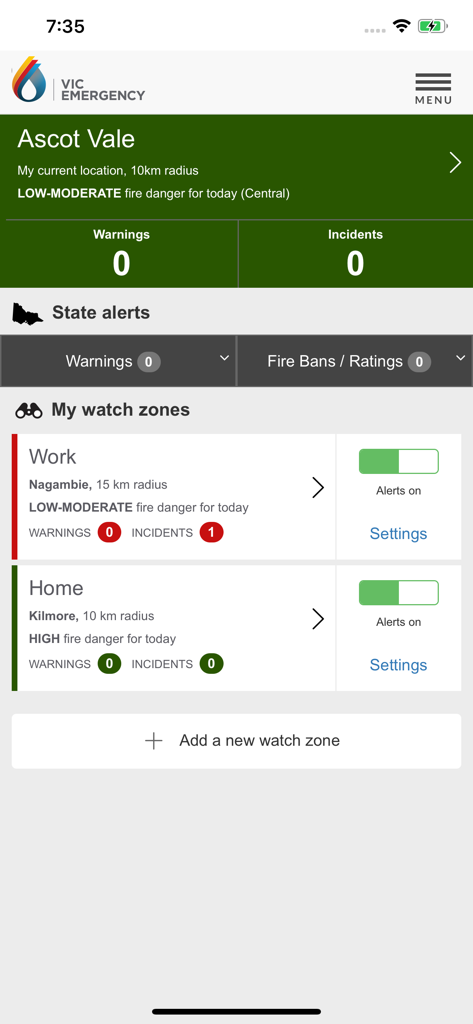
VicEmergencyアプリのダッシュボード。職場と自宅の場所のパーソナライズされたウォッチゾーンと、リアルタイムの火災危険度が表示されています。
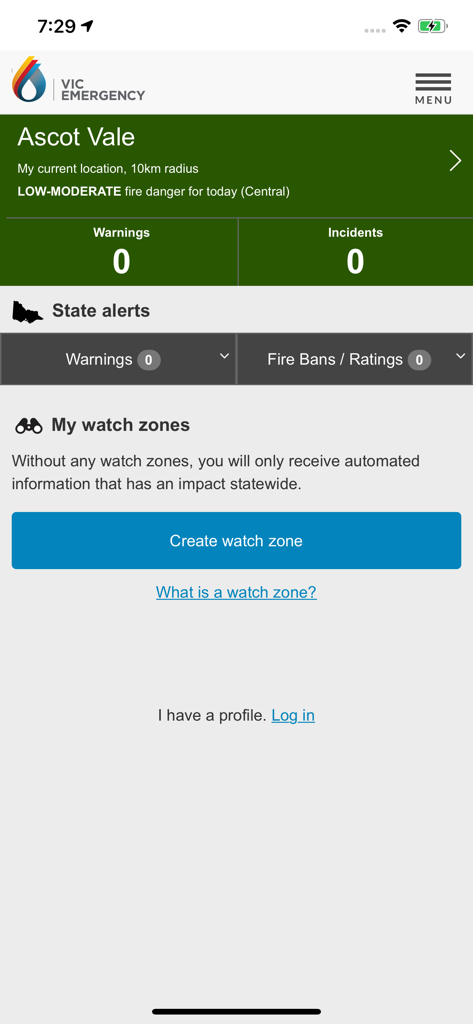
VicEmergencyアプリのホームページ。アスコットベールの緊急アラートとウォッチゾーン設定が表示されています。
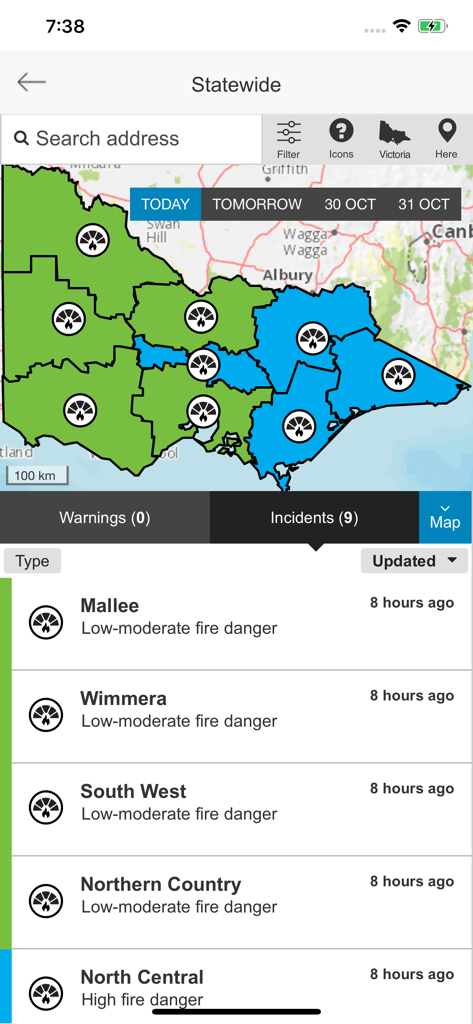
VicEmergencyアプリ。ビクトリア州の州全体の地図に、マリーやウィメラなどの地域の火災危険度が表示されています。
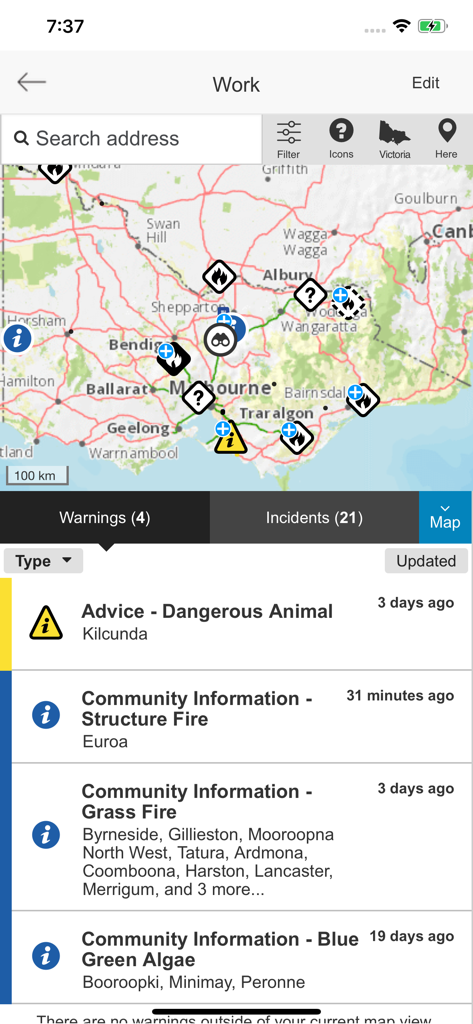
VicEmergencyアプリのインターフェース。インシデントアイコンとアクティブな緊急警告のリストが表示されたマップを表示します。
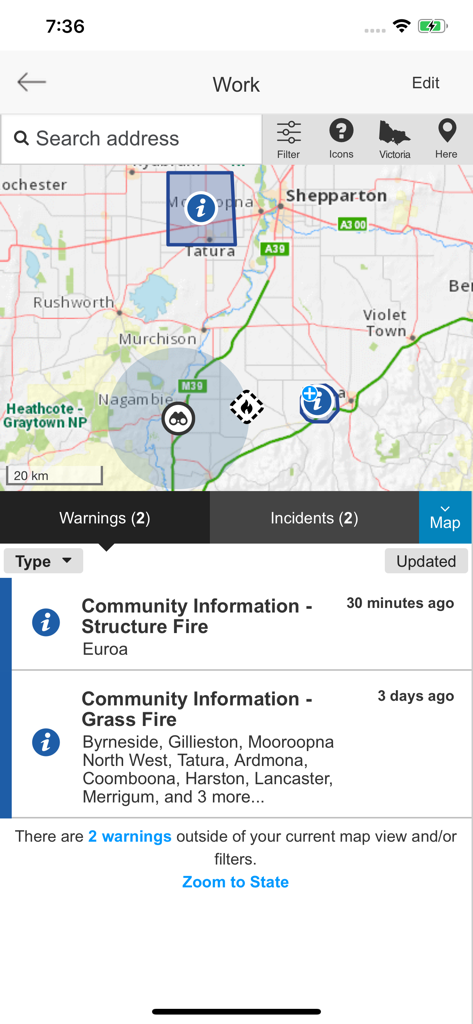
VicEmergencyアプリのインターフェース。緊急マーカーと下部の火災警告リストが表示されたインタラクティブマップを表示します。
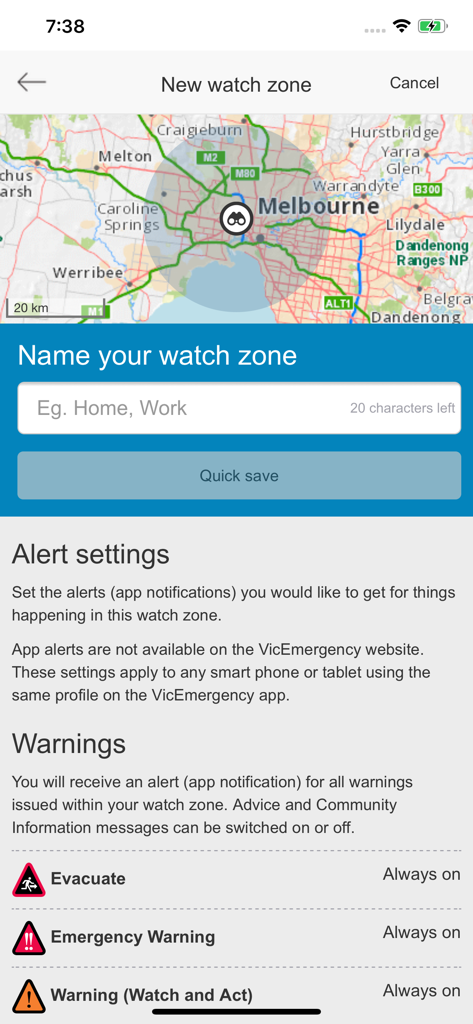
VicEmergencyアプリの画面。マップとアラート設定で新しいウォッチゾーンを設定します。
説明
Download
類似アプリ
似た機能とユーザー体験を持つアプリ

Politiloggen
Politiets IKT-tjenester

Food Recalls & Alerts
SmartAddress, Inc.

Повітряна тривога
AJAX SCIENTIFIC AND PRODUCTION ENTERPRISE LIMITED LIABILITY COMPANY

Alert SA
South Australian Fire and Emergency Commission

Tzofar - Red Alert
Hoshen Kadosh
Emergency: Severe Weather App
American Red Cross

myENV
National Environment Agency

lebensmittelwarnung.de
Bundesamt fuer Verbraucherschutz und Lebensmittelsicherheit (BVL)

Olay Var
IMPERIO YAZILIM BILISIM TEKNOLOJILERI ANONIM SIRKETI
このページはアプリまたはその開発者の公式ページではなく、情報提供および論評を目的として作成された独立した編集出版物です。明示的に別段の記載がない限り、アプリおよびその開発者は、MWM、Apple、Google Play、アプリのパブリッシャー、またはアプリの開発者と提携、承認、後援、認可、またはその他の公式的な関係はなく、このページのいかなる内容も、アプリがMWMのサービスを使用して開発されたことを意味するものではありません。すべての商標、ロゴ、スクリーンショット、その他のコンテンツはそれぞれの所有者の財産です。