
このページはアプリまたはその開発者の公式ページではなく、情報提供および論評を目的として作成された独立した編集出版物です。明示的に別段の記載がない限り、アプリおよびその開発者は、MWM、Apple、Google Play、アプリのパブリッシャー、またはアプリの開発者と提携、承認、後援、認可、またはその他の公式的な関係はなく、このページのいかなる内容も、アプリがMWMのサービスを使用して開発されたことを意味するものではありません。すべての商標、ロゴ、スクリーンショット、その他のコンテンツはそれぞれの所有者の財産です。


ダウンロード
100k+ユーザー評価
評価数
6.7K開発元
カテゴリ
Utilities対応言語
16最新バージョン
2.0サイズ
48.8 MBリリース日
2025年2月17日iPhoneユーザー向け多機能メディア編集ツールの主要機能に焦点を当てたテックアナリストレポート
「Vid-Matè : Video & Music」機能分析
高度なビデオ編集
強力な編集ツールでビデオを強化します。明るさ、コントラスト、彩度を調整し、フィルターを適用してメディアを際立たせます。視覚要素のトリミング、回転、サイズ変更も簡単に行えます。
ビデオのトリミング
ビデオから不要な部分を簡単に切り取ることができます。クリップを完璧な長さにトリミングし、最高の瞬間だけを残します。
ビデオの分割
長いビデオをより小さく、管理しやすいクリップに分割します。ハイライト、リール、またはソーシャルメディア用のビデオ分割に最適です。
ビデオからMP3への変換
お気に入りのビデオから音声を抽出し、高品質なMP3ファイルとして保存できます。着信音、ポッドキャスト作成、またはビデオからの音楽保存に最適です。
メディアの保存と整理
編集したビデオ、写真、オーディオファイルを簡単に保存・整理します。いつでもどこでもメディアにアクセスでき、アプリから直接共有可能です。
ビデオのリバース再生
タップ一つで魅力的なリバースビデオを作成します。クリップを逆再生することで、視聴者を魅了するユニークでクリエイティブな効果を生み出します。
よくある質問
について知っておくべきこと Vid-Matè : Video & Music
What is Vid-Matè : Video & Music?
Vid-Matè : Video & Music is a comprehensive video editing app for iPhone users. It provides tools to edit, enhance, and transform videos, photos, and audio files, serving all multimedia creation needs.
Does Vid-Matè : Video & Music include a video to MP3 converter?
Yes, Vid-Matè : Video & Music includes a Video to MP3 Converter. This feature allows users to extract audio from their favorite videos and save them as high-quality MP3 files.
What video editing features does Vid-Matè : Video & Music offer?
Vid-Matè : Video & Music offers powerful video editing features including adjusting brightness, contrast, saturation, applying filters, cropping, rotating, resizing, trimming, splitting, and reversing videos.
Can users store links within Vid-Matè : Video & Music?
Yes, Vid-Matè : Video & Music features Link Storage. Users can save and organize their edited videos, photos, and audio files, and access or share them directly from within the app.
What are the subscription costs for Vid-Matè : Video & Music?
Subscriptions for Vid-Matè : Video & Music are available weekly ($2.99), monthly ($4.99), and annually ($29.49). These auto-renewing purchases unlock all app features without ads.
Is the Vid-Matè : Video & Music subscription automatically renewed?
Yes, the Vid-Matè : Video & Music subscription is auto-renewable. It charges to your iTunes account upon purchase confirmation and automatically renews unless turned off 24 hours before the period ends.
How do I cancel my Vid-Matè : Video & Music subscription?
Users can manage their Vid-Matè : Video & Music subscription and turn off auto-renewal by visiting their iTunes Account Settings after purchase. Cancellation is not possible during an active subscription period.
Where can I access the Privacy Policy for Vid-Matè : Video & Music?
The Privacy Policy for Vid-Matè : Video & Music is accessible at: https://vimrovideotools.blogspot.com/2025/02/privacy-policy.html. Users can review the full terms of service and privacy details there.
Does Vid-Matè : Video & Music support high-quality video output?
Yes, Vid-Matè : Video & Music supports high-quality video output. Users can export their projects in HD format, ensuring no loss of quality and professional-grade results for their media.
What types of media can Vid-Matè : Video & Music manage?
Vid-Matè : Video & Music is designed to manage videos, photos, and audio files. It offers a comprehensive suite of features for editing, enhancing, and transforming all these media types seamlessly.
以下のスクリーンショットと説明は、アプリの公式ストアリスティングから直接取得されたものであり、アプリ開発者の所有物です。
アプリストア
スクリーンショット

このアプリは、ユーザーが直感的なグリッドレイアウトで保存された動画コンテンツを閲覧し、各動画に表示される再生ボタンアイコンから直接視聴を開始できる機能を提供します。
動画を再生
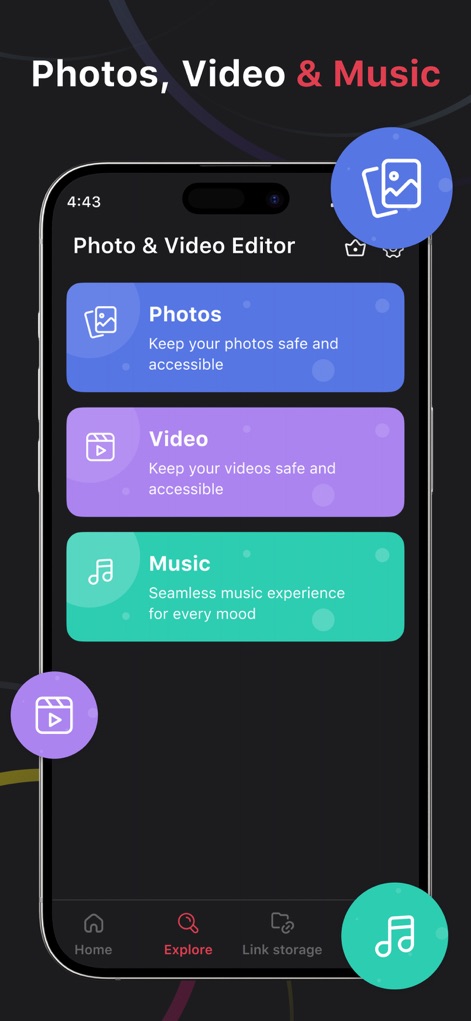
本アプリは、写真、ビデオ、音楽の各コンテンツをシームレスに管理できる専用セクションを提供し、下部のナビゲーションバーから「Explore」機能へ簡単にアクセスできます。
オールインワン管理
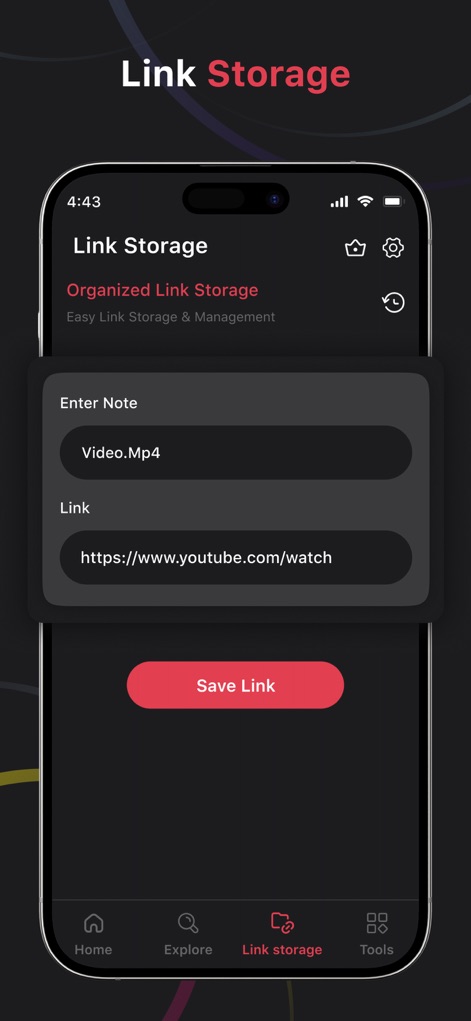
このアプリのリンクストレージ機能では、ユーザーがメモとURLを入力してコンテンツを保存でき、画面下部にある「Save Link」ボタンでリンクの保存を完了します。
リンクを保存
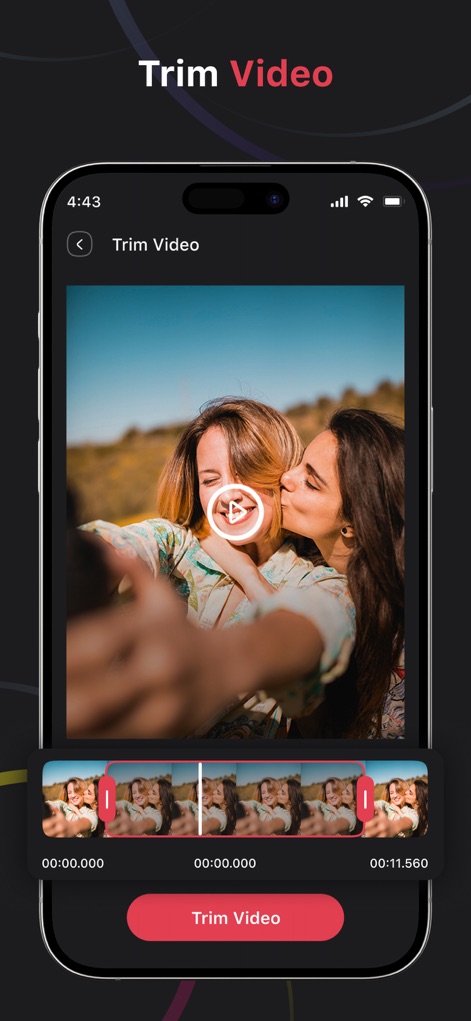
動画トリム機能により、ユーザーは動画のプレビュー画面と下部の詳細なタイムライン上でトリムハンドルを調整し、不要な部分を正確にカットすることができます。
動画をトリム
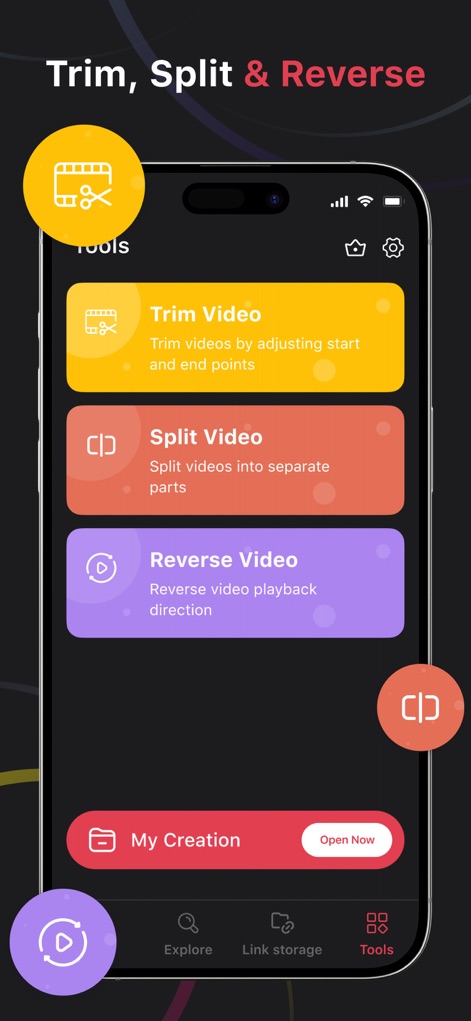
本ツールは、「Trim Video」や「Split Video」といった多彩な動画編集オプションを明確なセクションで提供し、下部の「Tools」タブからこれらの機能に素早くアクセス可能です。
高度な編集機能
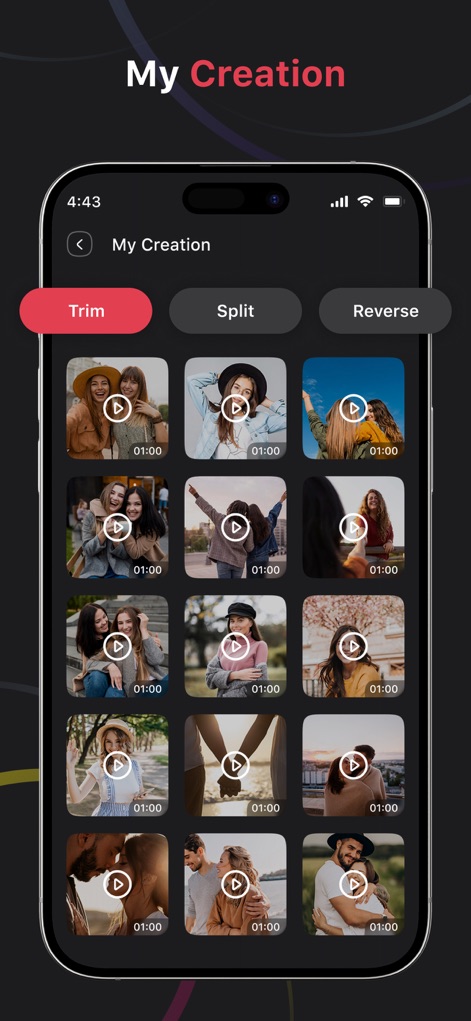
「My Creation」セクションでは、ユーザーが作成した動画作品がグリッド形式で一覧表示され、上部には「Trim」や「Split」といった編集操作を呼び出すボタンが配置されています。
作品ギャラリー
説明
Download
類似アプリ
似た機能とユーザー体験を持つアプリ


このページはアプリまたはその開発者の公式ページではなく、情報提供および論評を目的として作成された独立した編集出版物です。明示的に別段の記載がない限り、アプリおよびその開発者は、MWM、Apple、Google Play、アプリのパブリッシャー、またはアプリの開発者と提携、承認、後援、認可、またはその他の公式的な関係はなく、このページのいかなる内容も、アプリがMWMのサービスを使用して開発されたことを意味するものではありません。すべての商標、ロゴ、スクリーンショット、その他のコンテンツはそれぞれの所有者の財産です。