
このページはアプリまたはその開発者の公式ページではなく、情報提供および論評を目的として作成された独立した編集出版物です。明示的に別段の記載がない限り、アプリおよびその開発者は、MWM、Apple、Google Play、アプリのパブリッシャー、またはアプリの開発者と提携、承認、後援、認可、またはその他の公式的な関係はなく、このページのいかなる内容も、アプリがMWMのサービスを使用して開発されたことを意味するものではありません。すべての商標、ロゴ、スクリーンショット、その他のコンテンツはそれぞれの所有者の財産です。


VideoCopy: Download manager
クラウドからダウンロード、数秒でAIキャプション生成、バックグラウンド再生。外出先でのコンテンツ作成・視聴に最適なメディアハブ。
ダウンロード
3M+ユーザー評価
評価数
23K+開発元
カテゴリ
Music対応言語
1最新バージョン
1.44サイズ
36.6 MBリリース日
2019年9月9日メディアをマスターするために必要なすべて
クラウドからダウンロード、編集、お気に入りの動画や音楽をいつでもどこでも再生できるオールインワンツールキット — デスクトップ不要。
シームレスなクラウド&ソーシャルインポート
Google Drive、Dropbox、またはソーシャルメディアから動画や曲をプライベートローカルライブラリに即座にインポート。
AI搭載自動キャプション
高度なAIで即座に生成される100以上の言語のバイラルカラオケ風キャプションでエンゲージメントを高めよう。
よくある質問
について知っておくべきこと VideoCopy: Download manager
VideoCopyはGoogleドライブのようなクラウドストレージサービスからコンテンツをダウンロードできますか?
はい、VideoCopyではGoogleドライブ、Dropbox、OneDriveなどのクラウドサービスからビデオや曲をダウンロードしてインポートできます。また、コンピューターからiPhoneへのWi-Fi共有もサポートしています。
VideoCopyはAI搭載の自動キャプション機能をビデオに提供していますか?
はい、VideoCopyにはAI搭載の自動キャプションツールが搭載されています。ビデオをサーバーにアップロードして、100以上の主要な世界言語をサポートするカラオケ風キャプション付きビデオを生成します。
VideoCopyで利用できるビデオ編集機能は何ですか?
VideoCopyでは、フィルター、トリミング、キャプションの追加、ステッカー、ビデオの反転、ビデオのマージ、オーディオの削除、ビデオをM4Aオーディオに変換するなど、さまざまなビデオ編集ツールを提供しています。
VideoCopyはバックグラウンド再生とメディア用のナノプレーヤーをサポートしていますか?
はい、VideoCopyにはビデオ、M4A、MP3ファイルをサポートする多機能プレーヤーが含まれています。ナノプレーヤー、バックグラウンド再生モード、ロック画面コントロールを備えており、連続再生が可能です。
VideoCopyアプリ内でプレイリストを作成・管理できますか?
はい、VideoCopyでは複数のプレイリストを作成し、各プレイリストに任意の数のアイテムを追加できます。ユーザーは選択した曲を再生したり、シャッフルしたり、プレイリスト内のビデオや曲の順序を変更したりできます。
VideoCopyにはコンテンツを整理するための組み込みファイルマネージャーがありますか?
はい、VideoCopyにはファイルマネージャーが含まれており、サブフォルダーの作成、WhatsAppやTelegramなどのサードパーティアプリケーションからのビデオの追加、ファイルの名前変更、削除、共有、保存ができます。
VideoCopyはビデオを保護するためのセキュリティ機能を提供していますか?
はい、VideoCopyはビデオのパスコード保護を含むセキュリティ機能を提供しています。強化された生体認証セキュリティのためにFace IDもサポートしています。
VideoCopyプレミアムメンバーシップの利点は何ですか?
VideoCopyでは、3ヶ月、年間、ライフタイムオプションのあるプレミアムメンバーシップを提供しています。プレミアムでは、ダウンロード制限と広告が削除され、すべてのビデオ編集ツールがアンロックされます。
VideoCopyのサブスクリプションと更新はどのように機能しますか?
VideoCopy Premiumのサブスクリプション料金は、購入時にiTunesアカウントに請求されます。現在の期間が終了する少なくとも24時間前に自動更新をオフにしない限り、サブスクリプションは自動的に更新されます。
以下のスクリーンショットと説明は、アプリの公式ストアリスティングから直接取得されたものであり、アプリ開発者の所有物です。
アプリストア
スクリーンショット
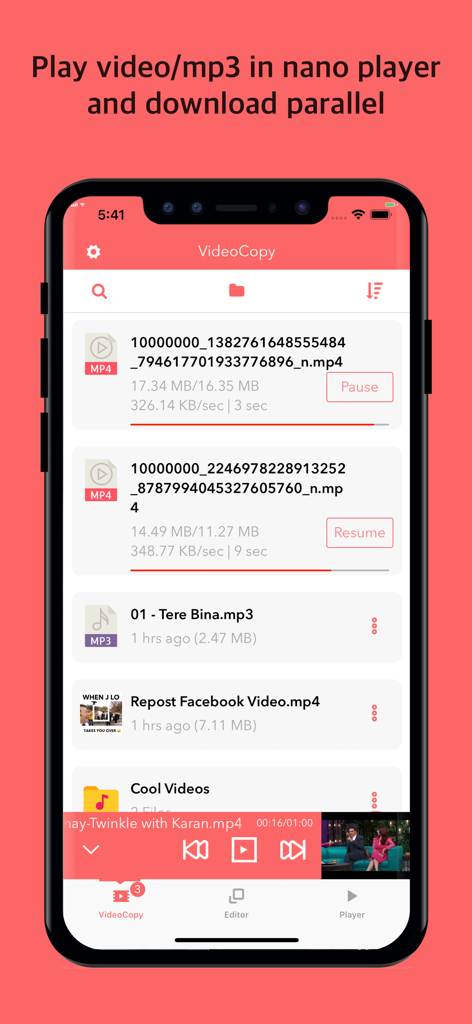
複数のファイルが同時にダウンロードされている様子と、下部にあるナノビデオプレーヤーが表示されているVideoCopyアプリのインターフェース
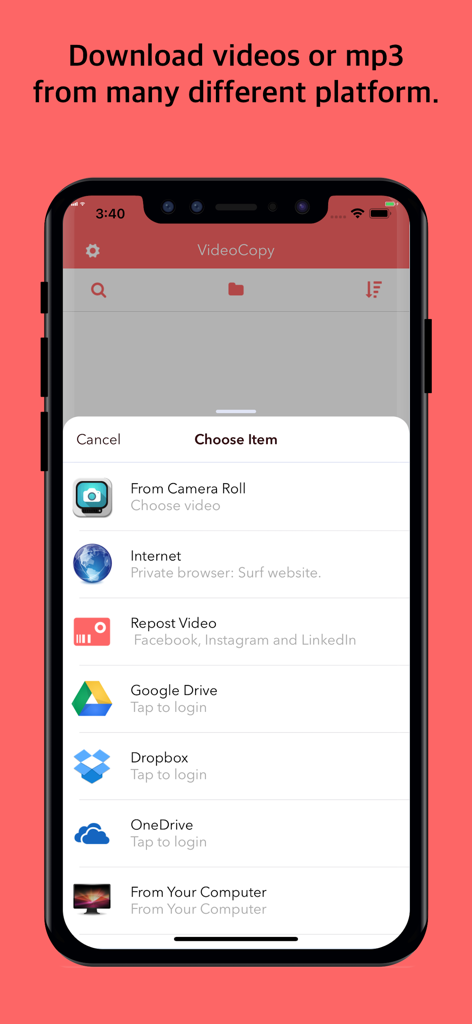
ソーシャルメディアプラットフォーム、クラウドストレージ、コンピューターからメディアをダウンロードまたはインポートするための複数のオプションが表示されているVideoCopyアプリのインターフェース
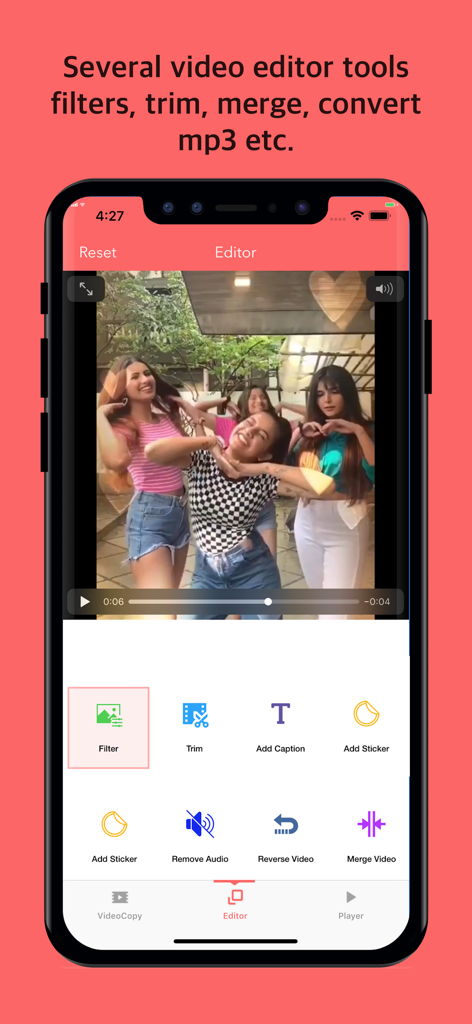
フィルター、トリミング、キャプション追加などのビデオ編集ツールが表示されているVideoCopyアプリのインターフェース
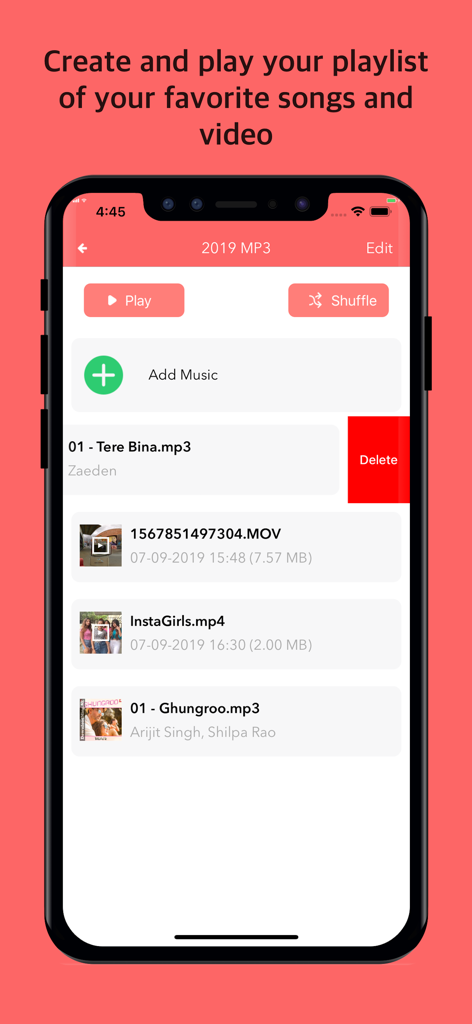
音楽とビデオファイルおよび再生コントロールが表示されているメディアプレイリストのVideoCopyアプリのインターフェース
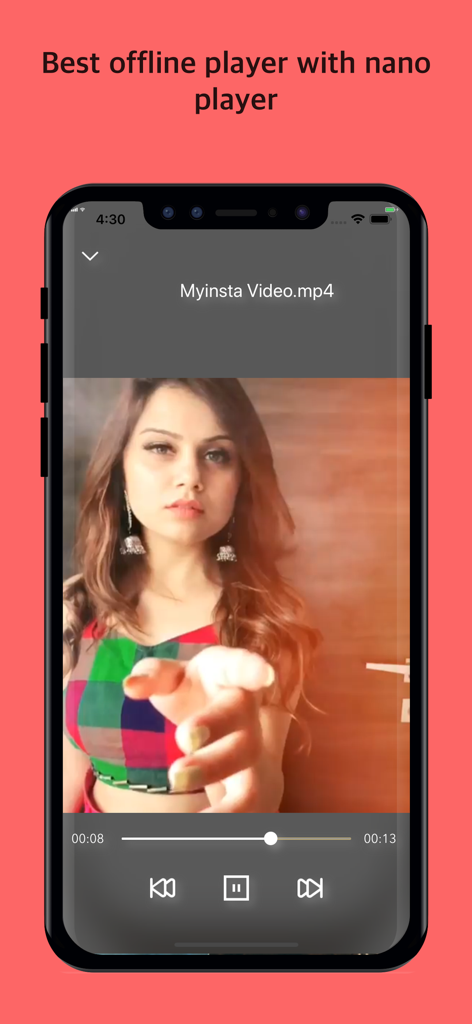
スマートフォン画面上の再生コントロールを備えたオフラインビデオプレーヤーインターフェースを示すVideoCopyアプリ
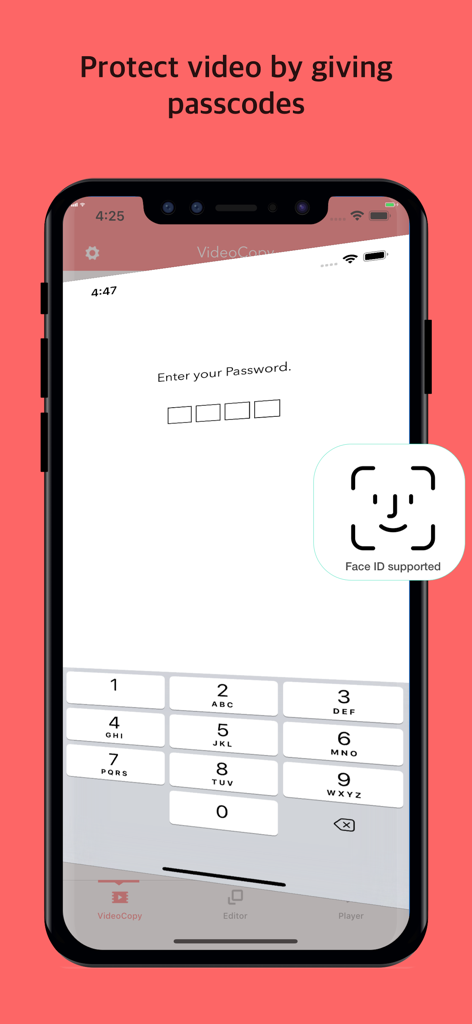
VideoCopyアプリのビデオに対するパスコードとFace ID保護を示すスマートフォンの画面
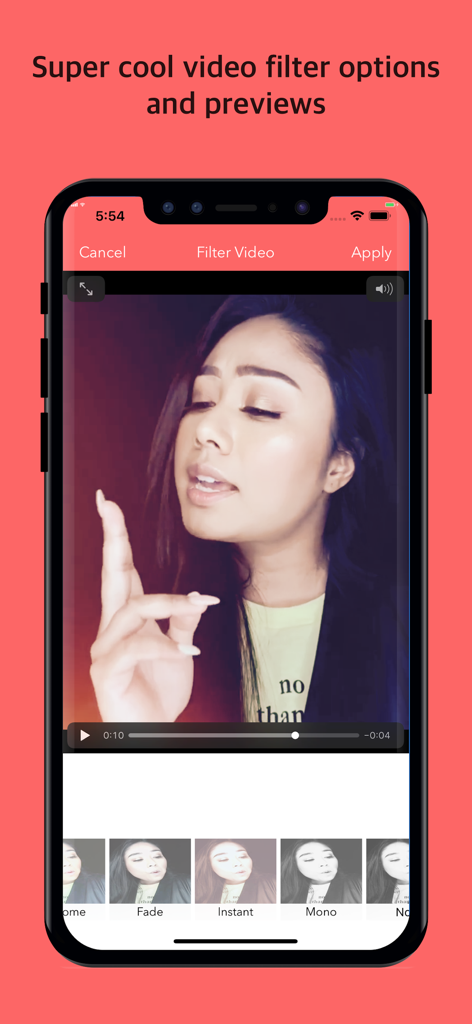
編集用のさまざまなビデオフィルターとプレビューが表示されているVideoCopyアプリのインターフェース
説明
Download
類似アプリ
似た機能とユーザー体験を持つアプリ

OpusClip - AI video clipping
Opusclip Inc.

水印大师-提取素材视频水印编辑
Changsha Tanbei Information Technology Co., Ltd

龙猫工具大师-素材文案提取&文本转语音&智能提词器&AI创作
彦超 仝

水印猫-视频解析保存素材一键水印
Changsha yunxiaoguo technology co., ltd

FameTop - Viral Fans Growth
Susanne Anders

高清素材大全 - 高清热门素材库短视频创作
StarShine Technology Co. Ltd.

素材神器-短视频制作辅助素材库
Xiamen Bita Network Technology Co., Ltd.

Video Downloader & Saver
Derek Coutinho

SnapTik - Tik Video Downloader
Madhuri Pujara
このページはアプリまたはその開発者の公式ページではなく、情報提供および論評を目的として作成された独立した編集出版物です。明示的に別段の記載がない限り、アプリおよびその開発者は、MWM、Apple、Google Play、アプリのパブリッシャー、またはアプリの開発者と提携、承認、後援、認可、またはその他の公式的な関係はなく、このページのいかなる内容も、アプリがMWMのサービスを使用して開発されたことを意味するものではありません。すべての商標、ロゴ、スクリーンショット、その他のコンテンツはそれぞれの所有者の財産です。