Visma M2

Visma M2

ダウンロード: App Storeダウンロード: Google Play
ロゴ: Visma M2

Visma M2:外出中のプロフェッショナル向けスマート経費・マイレージ追跡

手作業の書類作成に時間を無駄にするのはやめましょう。レシートをキャプチャし、GPSでマイレージを追跡し、承認を即座に管理—すべて手のひらから行えます。

開発元

Visma Aquila Oy

カテゴリ

Business

ダウンロード

34K+

ユーザー評価

1.7/5

評価数

0

対応言語

3

すべてのスナップに効率

このインターフェースを利用する 34K+ 人のユーザー.

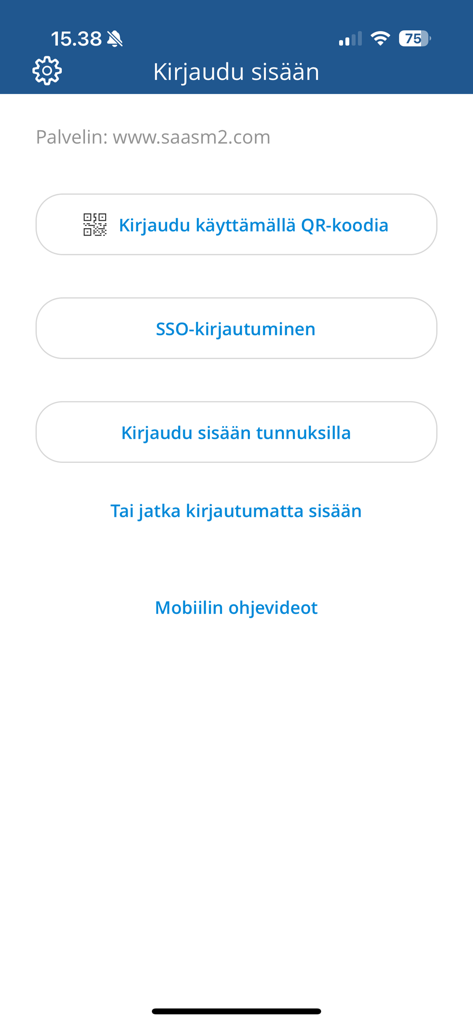
Visma M2モバイルアプリのログイン画面。QRコード、SSO、資格情報ログインのオプションが表示されます。

Visma M2モバイルアプリのログイン画面。QRコード、SSO、資格情報ログインのオプションが表示されます。

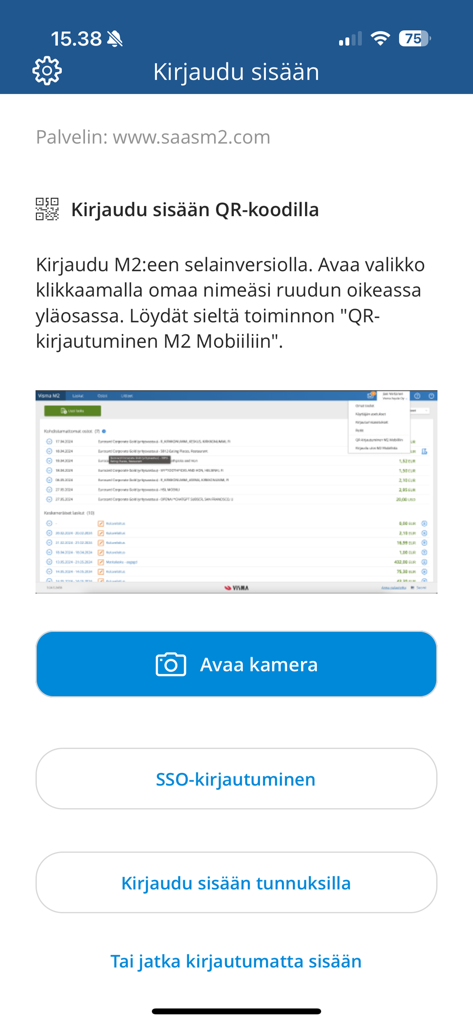
Visma M2アプリのログイン画面。QRコードスキャンやSSOを含む複数のログインオプションが特徴です。

Visma M2アプリのログイン画面。QRコードスキャンやSSOを含む複数のログインオプションが特徴です。

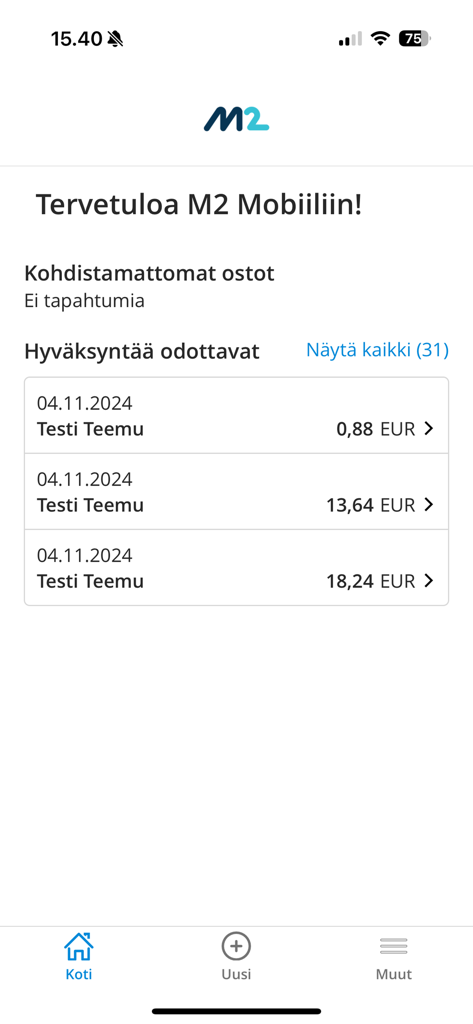
Visma M2モバイルアプリのインターフェース。名前と金額を含む保留中のビジネス経費承認のリストが表示されます。

Visma M2モバイルアプリのインターフェース。名前と金額を含む保留中のビジネス経費承認のリストが表示されます。

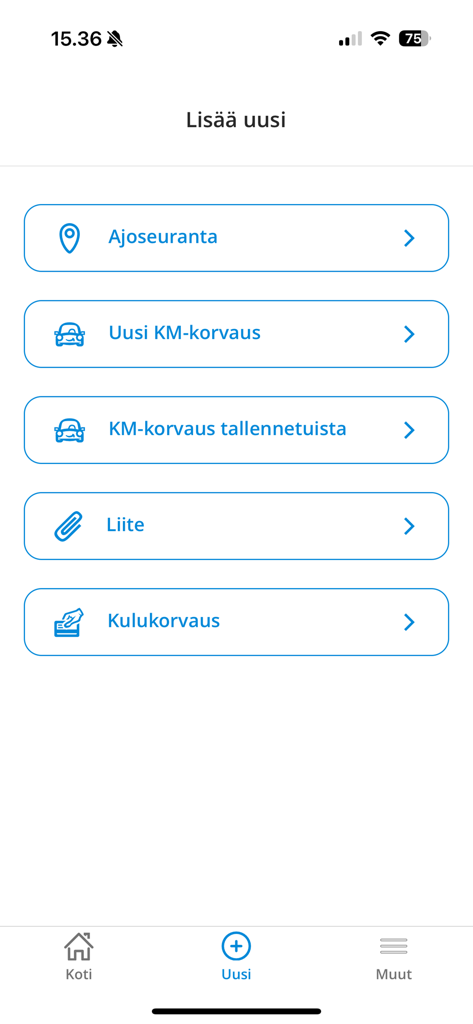
Visma M2モバイルアプリのインターフェース。新しいマイレージ追跡および経費請求を追加するオプションが表示されます。

Visma M2モバイルアプリのインターフェース。新しいマイレージ追跡および経費請求を追加するオプションが表示されます。

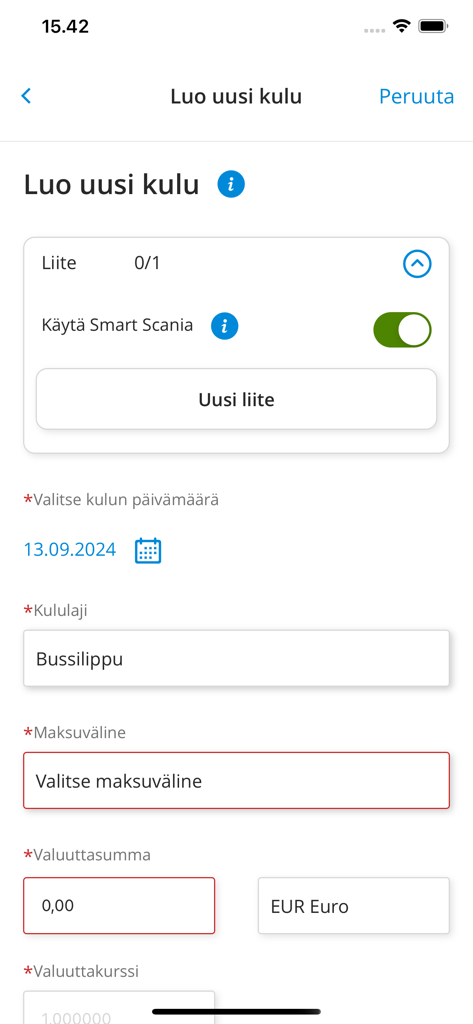
Visma M2アプリのインターフェース。レシート添付ファイルや経費詳細のフィールドがある新しい経費作成フォームが表示されます。

Visma M2アプリのインターフェース。レシート添付ファイルや経費詳細のフィールドがある新しい経費作成フォームが表示されます。

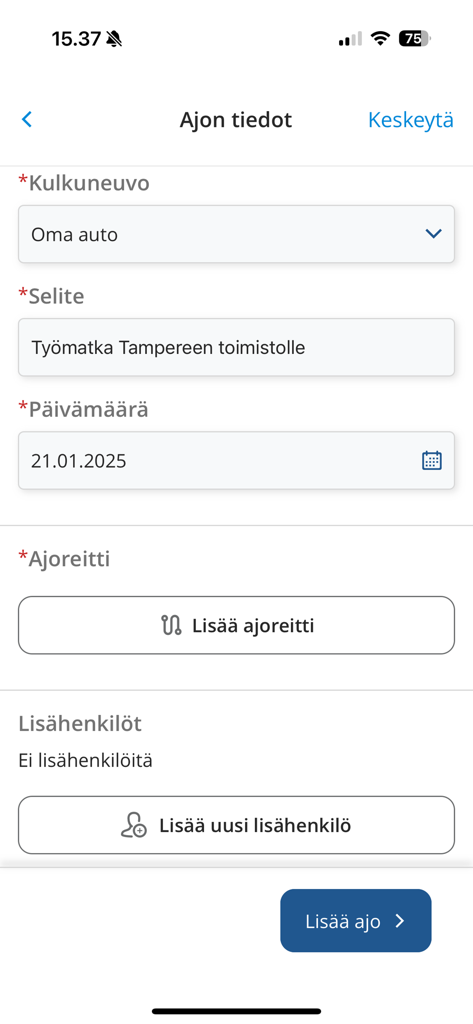
Visma M2モバイルアプリのインターフェース。車両タイプやルートを含むビジネス走行の詳細を入力するためのフォームが表示されます。

Visma M2モバイルアプリのインターフェース。車両タイプやルートを含むビジネス走行の詳細を入力するためのフォームが表示されます。

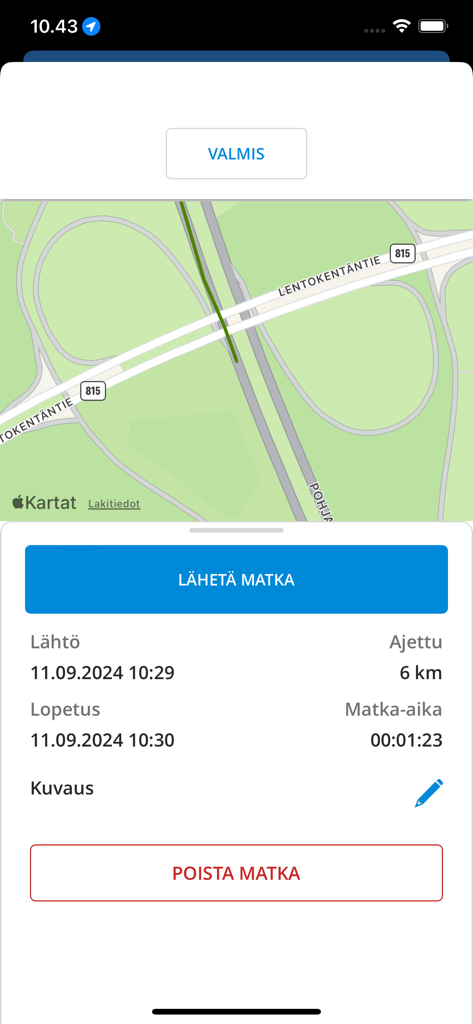
Visma M2アプリのインターフェース。ルートマップとマイレージデータを含むビジネス移動の概要が表示されます。

Visma M2アプリのインターフェース。ルートマップとマイレージデータを含むビジネス移動の概要が表示されます。

経費管理を楽にします

このアプリを際立たせるツール、 34K+ 人のユーザーが選択.

📸

即座にレシートをキャプチャ

外出先でレシートの写真を撮るだけ。デジタルスキャンにより、払い戻しを逃したり、紙のレシートを紛失したりすることはもうありません。

🚗

スマートGPSマイレージ追跡

高精度GPSでビジネスの移動を自動記録。正確なマイレージ請求を簡単に作成し、完全なコンプライアンスを確保します。

迅速なモバイル承認

ワンタップで経費レポートや旅行計画を確認・承認。チームを動かし続け、予算を管理します。どこからでも。

アプリについて

について知っておくべきこと Visma M2.

説明

With M2 Mobile, you can photograph receipts and collect driving data via GPS, and send them to M2 (web service) for further processing, or make a kilometre claim directly in Mobile. You can manage costs and purchases including receipts conveniently anywhere you like, directly in the M2 Mobile and send them for approval. If you have approval responsibilities for claims or plans, you can approve almost all of these transactions directly in Mobile. If necessary, you can also use the M2 Blue user interface through the Mobile. Using M2 Mobile requires that you have personal credentials for the M2 SaaS service and that your organisation has enabled mobile functions. Some of M2 Mobile's functionalities are optional (on / off) depending on the customer. You can download the user manual for M2 Mobile from the help menu of the M2 browser interface. If necessary, ask your organisation's M2 Administrator for more information. Thank you for using M2 Mobile.

最新バージョン

1.5.0

サイズ

35.0 MB

リリース日

2020年5月15日

レシートの追跡をやめて、払い戻しを受け取りましょう。

数千人のプロフェッショナルに加わり、外出先での経費レポートとマイレージ追跡を自動化しましょう。今すぐVisma M2をダウンロードして、書類作成を生産性に変えましょう。

ダウンロード: App Storeダウンロード: Google Play

App information, icons, screenshots, and descriptions displayed on this page are sourced from the Apple App Store and are the property of their respective developers. Download estimates and rankings are based on MWM's proprietary models and may not reflect actual figures. This page is provided for informational and analytical purposes only.

Believe this page infringes your intellectual property? File a dispute