
このページはアプリまたはその開発者の公式ページではなく、情報提供および論評を目的として作成された独立した編集出版物です。明示的に別段の記載がない限り、アプリおよびその開発者は、MWM、Apple、Google Play、アプリのパブリッシャー、またはアプリの開発者と提携、承認、後援、認可、またはその他の公式的な関係はなく、このページのいかなる内容も、アプリがMWMのサービスを使用して開発されたことを意味するものではありません。すべての商標、ロゴ、スクリーンショット、その他のコンテンツはそれぞれの所有者の財産です。


Visme - Presentation & Charts
非デザイナーのためのオールインワンAIデザインツール。会議室で通用するプレゼンテーション、インタラクティブなインフォグラフィック、視聴者を惹きつけるデータに基づいたストーリーを作成しましょう。
ダウンロード
491K+ユーザー評価
評価数
600開発元
カテゴリ
Graphics & Design対応言語
1最新バージョン
4.57.13サイズ
103.8 MBリリース日
2022年8月16日プロのようにデザインし、リーダーのようにプレゼンテーション
複雑なデータやアイデアをインパクトのあるビジュアルに変換しましょう。会議室で通用するプレゼンテーションからバイラルなソーシャルコンテンツまで、Vismeはデザインの学習曲線なしにプロフェッショナルなエッジを提供します。
データをストーリーに変える
レポートから目が離せなくなるような、素晴らしいインフォグラフィックとインタラクティブなチャートを作成しましょう。ライブデータに接続して、リアルタイムでインパクトを視覚化します。
数分で会議室レベルに
空白のページはスキップしましょう。AI搭載テンプレートを使用して、ステークホルダーに即座に感銘を与える、洗練されたピッチデッキ、ホワイトペーパー、ビジネス提案書を組み立てましょう。
よくある質問
について知っておくべきこと Visme - Presentation & Charts
Vismeは何に使われますか?
Vismeは、プレゼンテーション、インフォグラフィック、ドキュメント、ソーシャルメディアグラフィックなど、多様なビジュアルコンテンツを作成するためのオールインワンデザインツールです。すべてのデザインレベルのユーザーのために、テンプレートと直感的なエディタを提供します。
Vismeでソーシャルメディア投稿を作成できますか?
はい、Vismeは投稿、ヘッダー、広告などのアニメーションまたは静止画のソーシャルメディアコンテンツを作成します。ユーザーはVismeダッシュボードから直接、接続されたソーシャルアカウントにこれらの投稿をスケジュールして公開できます。
Vismeはコンテンツ作成のためのAI機能を提供していますか?
はい、Visme AIはプロンプトからテンプレート、画像、テキストを生成することでコンテンツ作成を加速します。また、AI編集ツールは背景、オブジェクトを削除し、写真を効率的にアップスケールおよびアンブラーします。
VismeのAI画像ジェネレーターはどのように機能しますか?
VismeのAI画像ジェネレーターは、テキストプロンプトに基づいてユニークなビジュアルを生成します。ユーザーは希望する画像を説明し、写真、描画、3Dモデルなどのスタイルを選択すると、Vismeが画像を生成します。
Vismeはインタラクティブなデザインを作成できますか?
はい、Vismeはホットスポット、ポップアップ、ホバーエフェクトを使用してインタラクティブなグラフィックとドキュメントを作成します。ユーザーはデザインにアニメーション要素を追加することもでき、視聴者にとってコンテンツをより魅力的にします。
Vismeはデータ視覚化にどのように役立ちますか?
Vismeは、さまざまなチャート、グラフ、フローチャート要素、データウィジェットを使用してデータを視覚化します。動的なレポート作成のために、Googleスプレッドシートから直接グラフにライブデータを入力することをサポートしています。
Vismeはチームコラボレーションをサポートしていますか?
はい、Vismeはメンバーがプロジェクトにコメントしたり共同作業したりすることを許可することで、チームコラボレーションをサポートしています。これにより、初期ドラフトから最終フォーマットまでのプロセスを効率的に合理化できます。
Vismeプレミアムサブスクリプションをキャンセルするにはどうすればよいですか?
Vismeデスクトップアプリまたはウェブブラウザを介してVismeプレミアムサブスクリプションをキャンセルします。デバイスからVismeアプリをアンインストールしても、プランはキャンセルされません。
Vismeプレミアムの特典は何ですか?
Vismeプレミアムは、Vismeのブランディングなしですべての機能とテンプレートにアクセスできます。これにより、完全にカスタマイズされたプロフェッショナルな見た目のコンテンツ作成が保証されます。
Vismeでプレゼンテーションを作成できますか?
はい、Vismeは、 boardroom-readyのプレゼンテーションやピッチデッキを組み立てるための包括的なツールです。効果的に、驚くほどダイナミックなスライドショーを作成するためのアニメーション効果が含まれています。
Vismeはビデオ編集を許可していますか?
はい、Vismeにはビデオやアニメーションクリップを作成するためのタイムライン編集パネルが含まれています。ユーザーはアニメーション要素を追加したり、ビデオセグメントをトリミングしたり、プラットフォーム内で直接オーディオを組み込んだりできます。
Vismeでロゴをデザインすることは可能ですか?
はい、Vismeは独自のフォントとアイコンを使用してロゴをデザインするためのツールを提供しています。この機能は、包括的なデザイン機能セットに統合されています。
以下のスクリーンショットと説明は、アプリの公式ストアリスティングから直接取得されたものであり、アプリ開発者の所有物です。
アプリストア
スクリーンショット
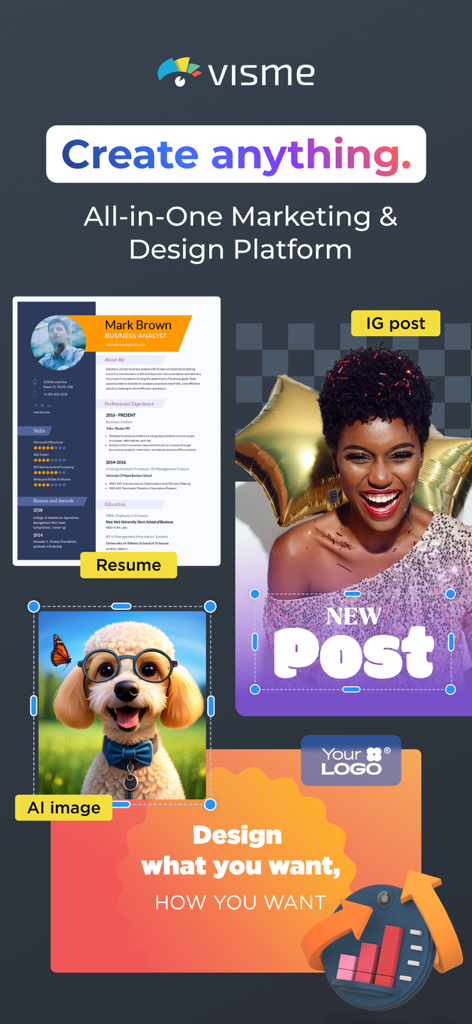
Vismeモバイルアプリの画面。履歴書、Instagram投稿、AI生成画像のデザインツールが表示されています。
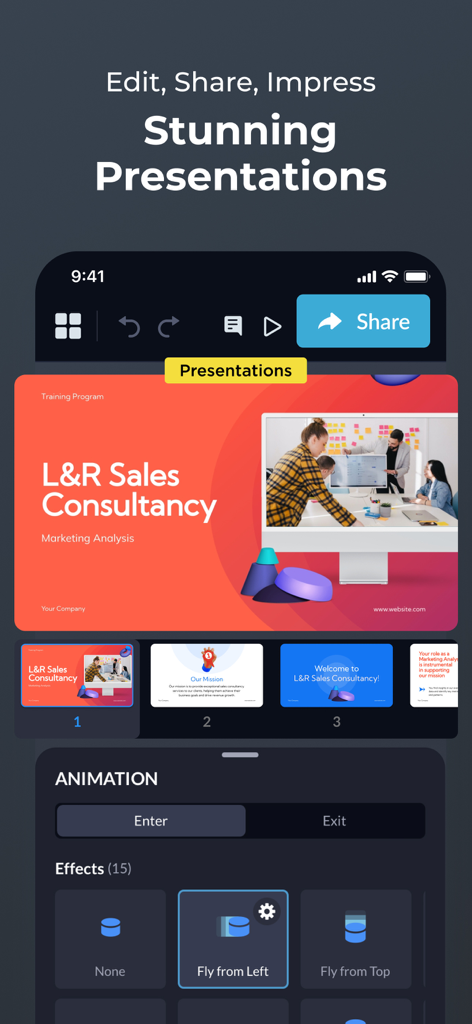
Vismeアプリのモバイルインターフェース。プレゼンテーションスライドエディターに、アニメーション効果とセールスコンサルティングテンプレートが表示されています。
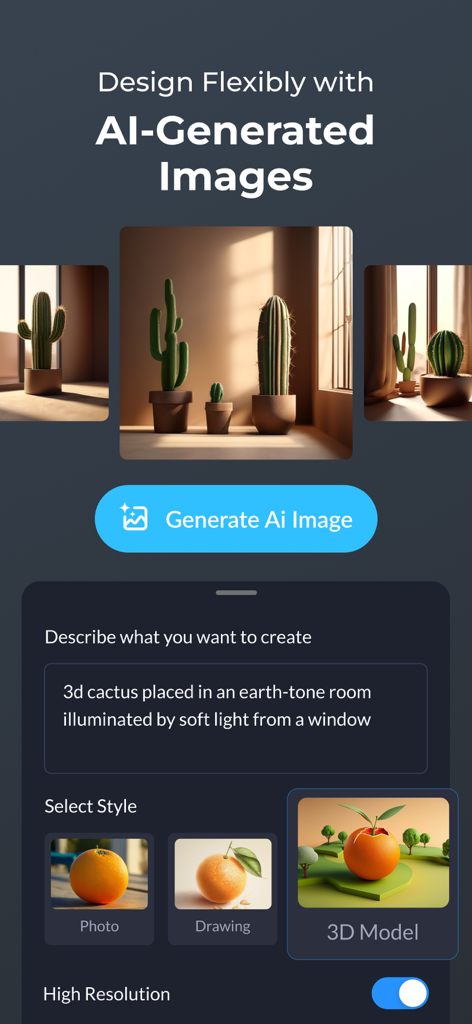
Vismeアプリのインターフェース。AI画像生成機能に、テキストプロンプトと3Dサボテンのシーンのスタイル選択が表示されています。
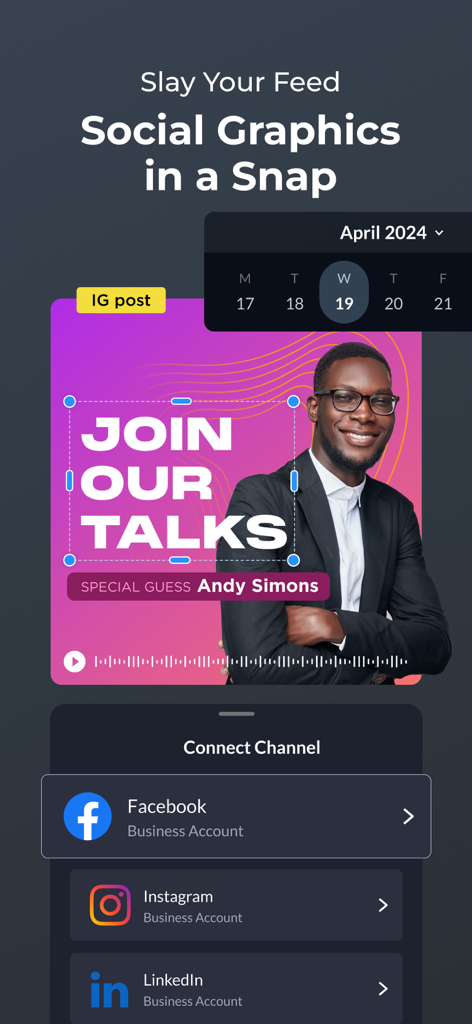
Facebook、Instagram、LinkedIn全体でのソーシャルメディア投稿のデザインとスケジュール設定のためのVismeアプリインターフェース。
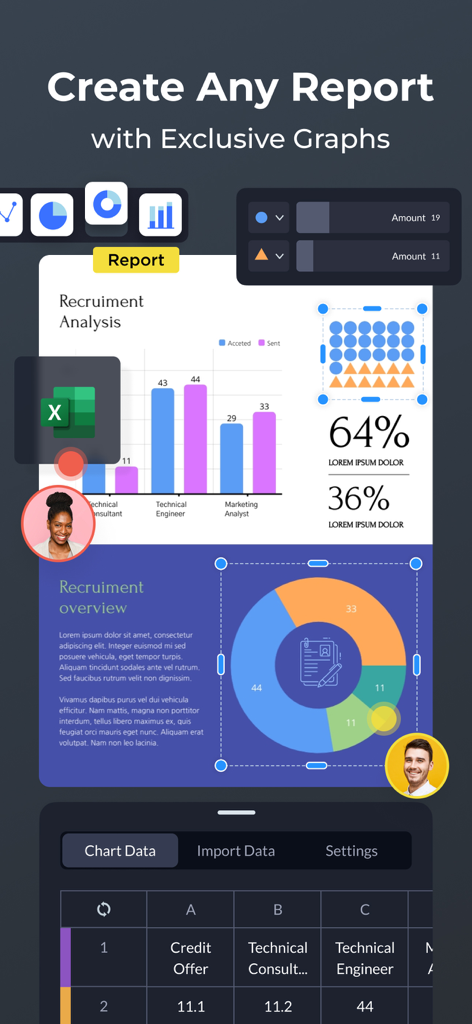
Vismeモバイルアプリのインターフェース。棒グラフや円グラフ、データ編集ツールを備えたプロフェッショナルレポート作成が表示されています。
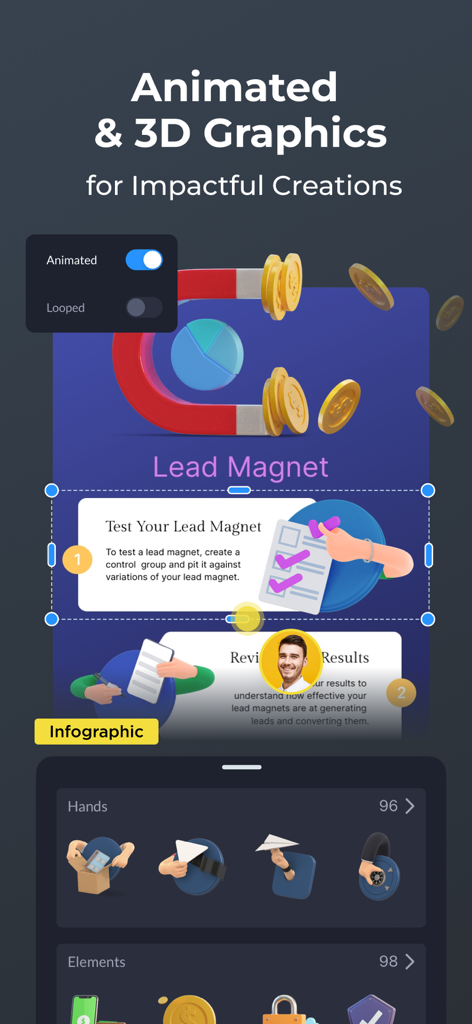
Vismeモバイルアプリのインターフェース。アニメーション3Dグラフィックスとデザイン要素を備えたインフォグラフィック作成が表示されています。
説明
Download
類似アプリ
似た機能とユーザー体験を持つアプリ

Google Docs
Google LLC

AiPPT - PPT & Slide Maker
Mge Information Technology Co.,Ltd

Slidey: Ai Presentation Slides
Andrii Fomichov

iSlide - 海量PPT模板,专业团队原创设计
Chengdu iSlide Network Technology Co., Ltd.

Microsoft PowerPoint
Microsoft Corporation
Google Slides
Google LLC

Good Slide
ShenZhen Meiyinet Technology Co.,Ltd

Beautiful AI Slides by GammaAI
Manjinder Kaur
幻灯片手机版-实用幻灯片演示设计
卓臻 李
このページはアプリまたはその開発者の公式ページではなく、情報提供および論評を目的として作成された独立した編集出版物です。明示的に別段の記載がない限り、アプリおよびその開発者は、MWM、Apple、Google Play、アプリのパブリッシャー、またはアプリの開発者と提携、承認、後援、認可、またはその他の公式的な関係はなく、このページのいかなる内容も、アプリがMWMのサービスを使用して開発されたことを意味するものではありません。すべての商標、ロゴ、スクリーンショット、その他のコンテンツはそれぞれの所有者の財産です。