Vocal Analyzer Z
Vocal Analyzer Z
ダウンロード: App Store

このページはアプリまたはその開発者の公式ページではなく、情報提供および論評を目的として作成された独立した編集出版物です。明示的に別段の記載がない限り、アプリおよびその開発者は、MWM、Apple、Google Play、アプリのパブリッシャー、またはアプリの開発者と提携、承認、後援、認可、またはその他の公式的な関係はなく、このページのいかなる内容も、アプリがMWMのサービスを使用して開発されたことを意味するものではありません。すべての商標、ロゴ、スクリーンショット、その他のコンテンツはそれぞれの所有者の財産です。


ロゴ: Vocal Analyzer Z
ダウンロード: App Store

Vocal Analyzer Z

ボーカリストとミュージシャンのための究極の精度ツールキット。リアルタイムでボーカルの精度を分析し、ピッチロールグラフで難しいセクションをマスターし、メロディーをMIDIファイルにシームレスに変換して次の制作に活用しましょう。

主要数値

ダウンロード

2K+

ユーザー評価

1.0/5

評価数

0

開発元

Masanori Katsuta

カテゴリ

Music

対応言語

2

最新バージョン

1.1.5

サイズ

7.6 MB

リリース日

2023年2月14日
機能

プロフェッショナルな音程分析でパフォーマンスを向上させる

ボーカリストやクリエイターが音程を可視化し、テクニックをマスターし、ボーカルメロディーをMIDIに変換するためのオールインワンツールキット。

正確な音程で各音符を捉える

リアルタイムのピッチロールグラフと高精度スケールメーターで即座に視覚的なフィードバックを得て、常に完璧なピッチで歌えるようにしましょう。

ボイス・トゥ・MIDIワークフロー

インスピレーションと制作のギャップを、ボーカルメロディーをMIDIファイル(SMF)としてエクスポートし、あらゆるDAWで使用できるようにすることで、シームレスに埋めましょう。

以下のスクリーンショットと説明は、アプリの公式ストアリスティングから直接取得されたものであり、アプリ開発者の所有物です。

アプリストア

スクリーンショット
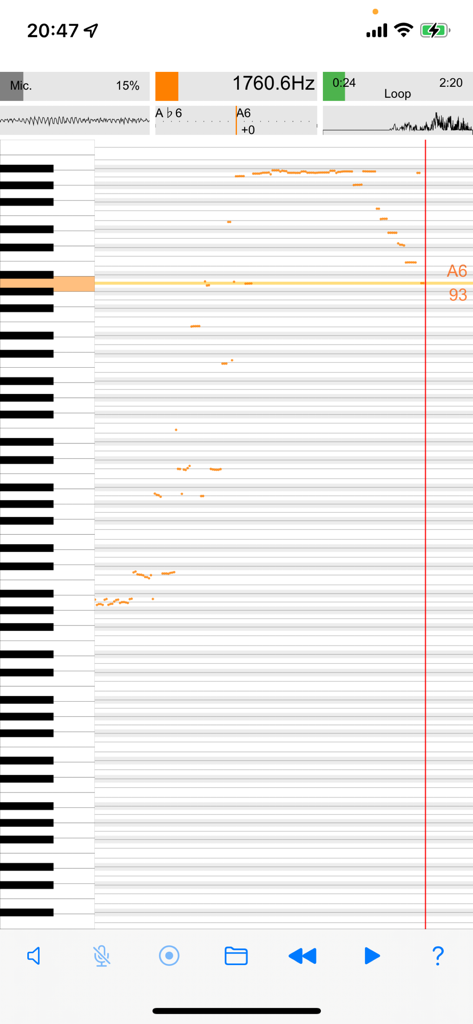
Vocal Analyzer Z - ボーカル周波数分析を垂直ピアノキーボードインターフェイスに表示するVocal Analyzer Zアプリのリアルタイムピッチロールグラフ
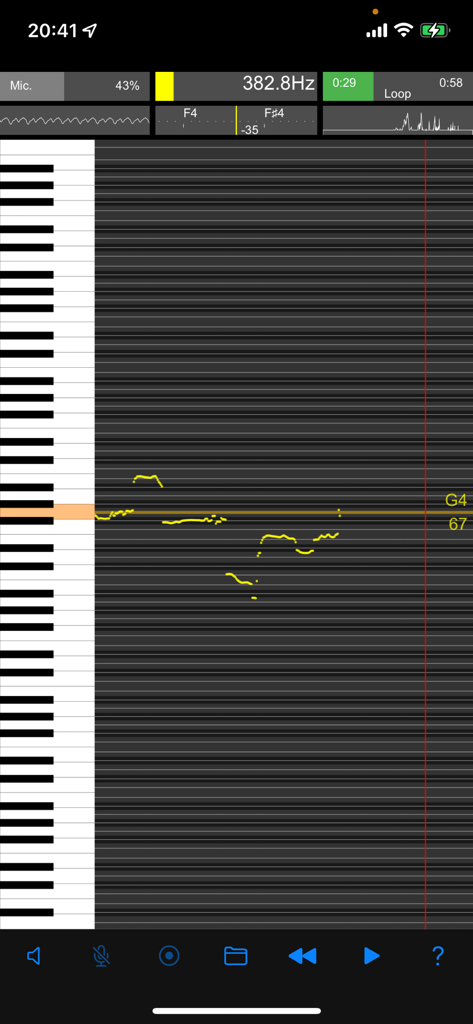
ボーカル周波数分析を垂直ピアノキーボードインターフェイスに表示するVocal Analyzer Zアプリのリアルタイムピッチロールグラフ

Vocal Analyzer Z - Vocal Analyzer Zリアルタイムピッチ分析と周波数表示

Vocal Analyzer Zリアルタイムピッチ分析と周波数表示

Vocal Analyzer Z - ボーカル分析のためのリアルタイムピッチロールグラフと垂直ピアノキーボード表示
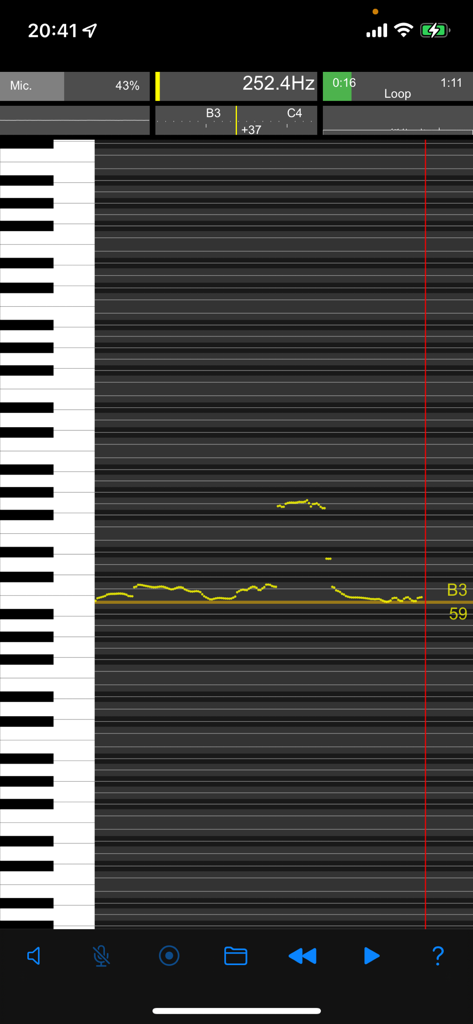
ボーカル分析のためのリアルタイムピッチロールグラフと垂直ピアノキーボード表示

Vocal Analyzer Z - ピアノキーボードを備えたローリンググラフでリアルタイムピッチ分析を表示するVocal Analyzer Zアプリ
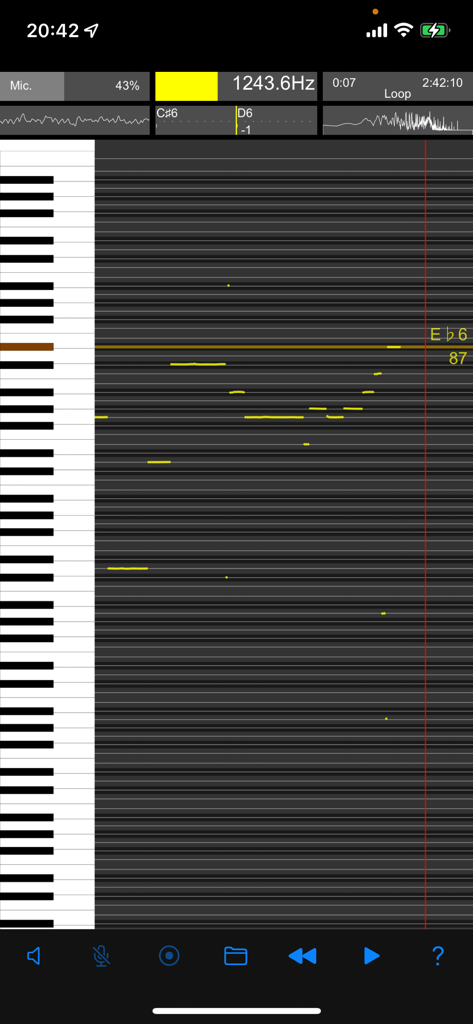
ピアノキーボードを備えたローリンググラフでリアルタイムピッチ分析を表示するVocal Analyzer Zアプリ

Vocal Analyzer Z - Vocal Analyzer Zで周波数と音楽ノートを表示するリアルタイムピッチロールグラフ
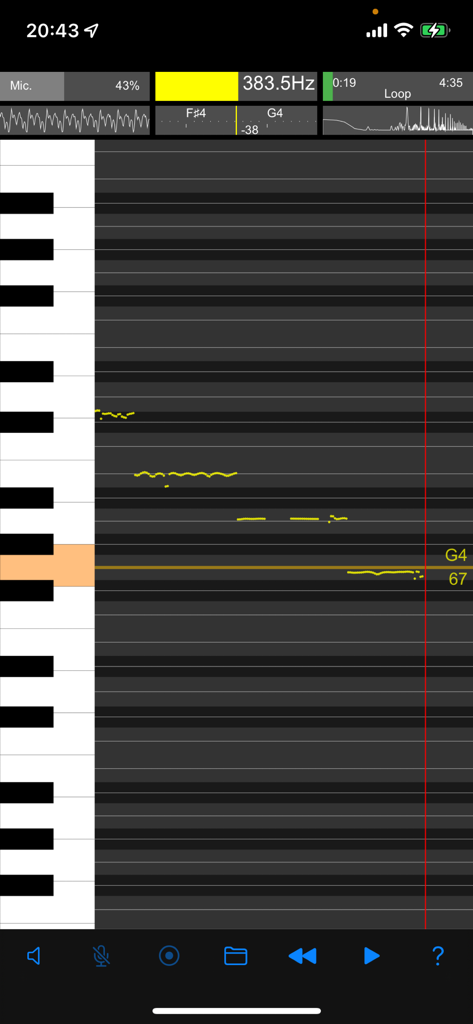
Vocal Analyzer Zで周波数と音楽ノートを表示するリアルタイムピッチロールグラフ

Vocal Analyzer Z - ボーカル分析のためのリアルタイムピッチロールグラフとピアノキーボードインターフェイス
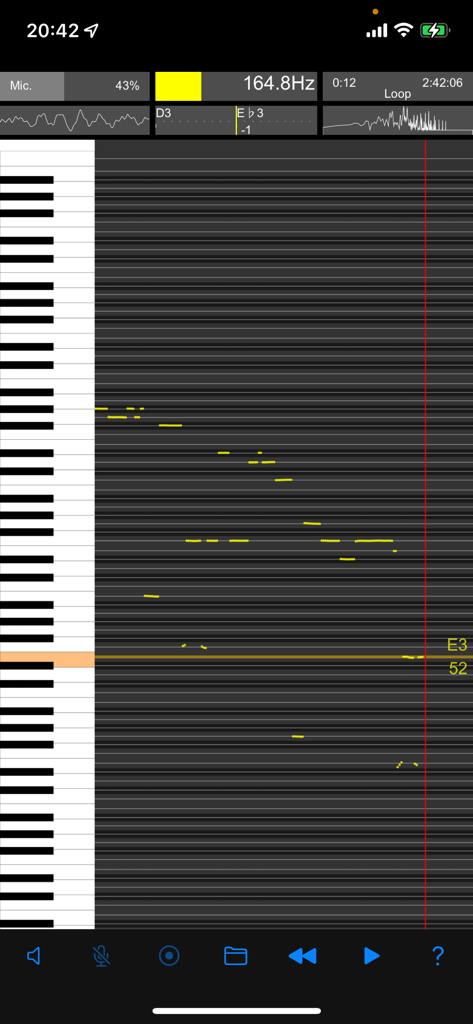
ボーカル分析のためのリアルタイムピッチロールグラフとピアノキーボードインターフェイス

Vocal Analyzer Z - 周波数とMIDIノートデータを表示するスクロールグラフを示すリアルタイムピッチ分析インターフェイス。
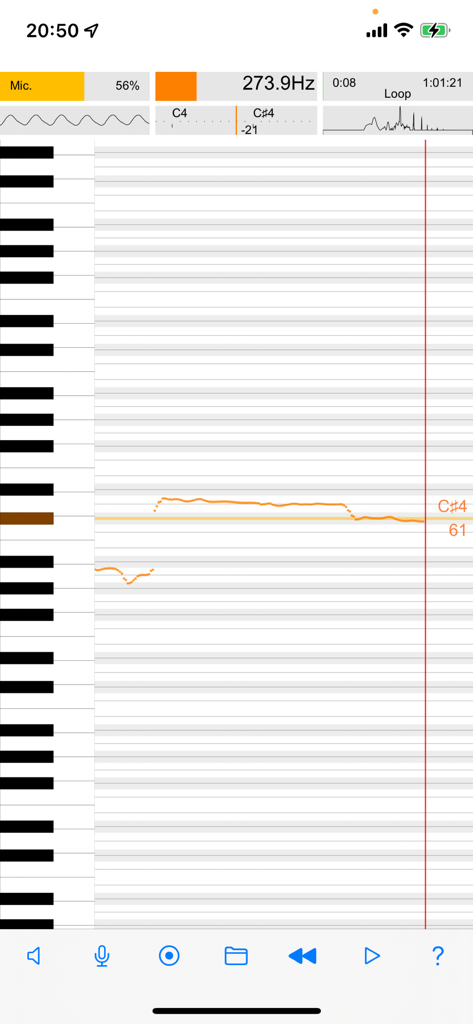
周波数とMIDIノートデータを表示するスクロールグラフを示すリアルタイムピッチ分析インターフェイス。

Vocal Analyzer Z - Vocal Analyzer Zアプリのリアルタイムピッチロールグラフと周波数分析
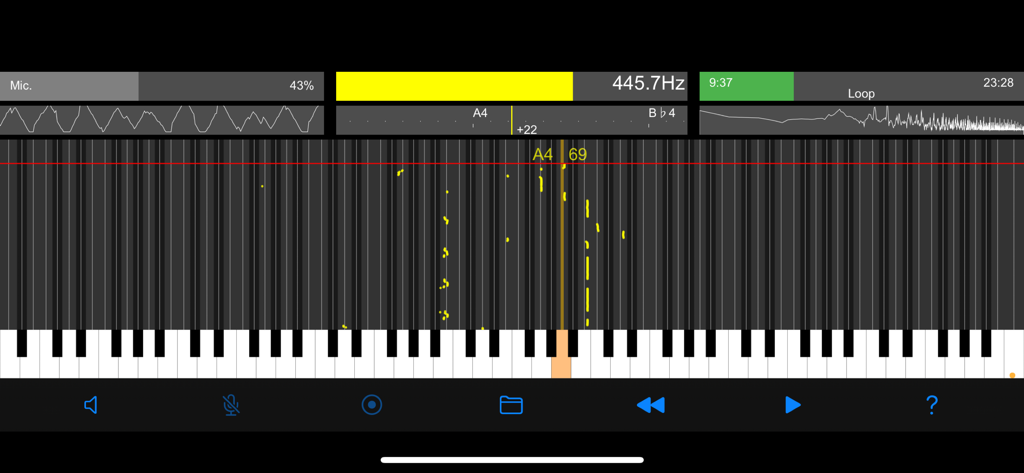
Vocal Analyzer Zアプリのリアルタイムピッチロールグラフと周波数分析

Vocal Analyzer Z - Vocal Analyzer Zアプリのインターフェイスでのリアルタイムピッチロールグラフと周波数分析
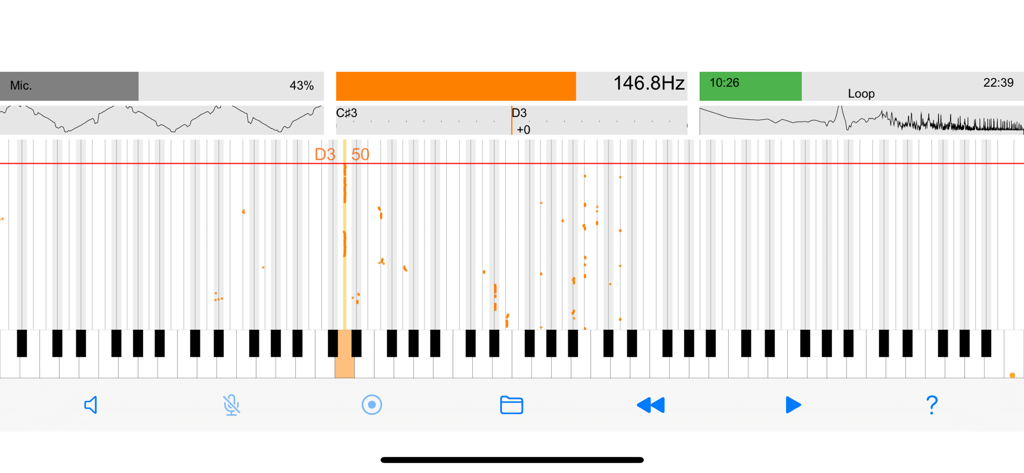
Vocal Analyzer Zアプリのインターフェイスでのリアルタイムピッチロールグラフと周波数分析

Vocal Analyzer Z - 周波数データとピアノキーボードの可視化を示すリアルタイムピッチ分析画面

周波数データとピアノキーボードの可視化を示すリアルタイムピッチ分析画面

説明

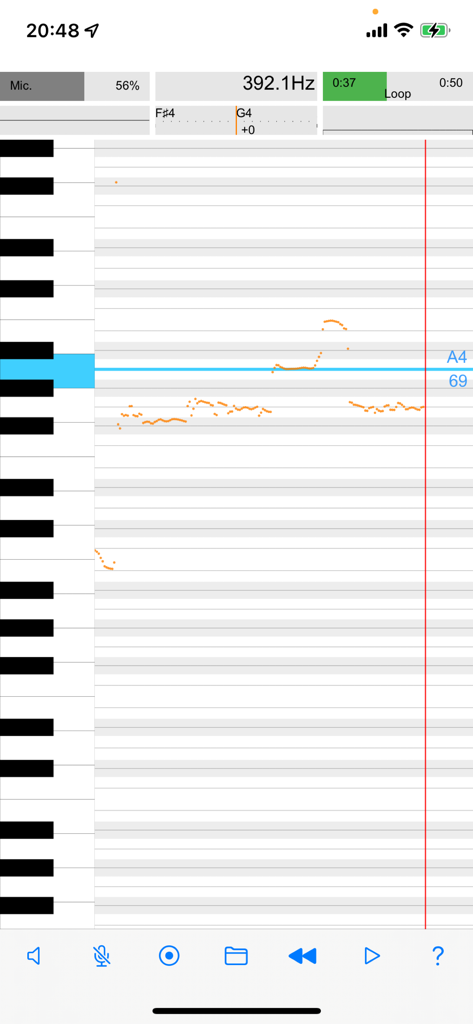
◎ Newly added conversion output to MIDI file (SMF) and file sharing function. ● A powerful tool for pitch analysis and visualization, suitable for a variety of uses such as karaoke, musical instrument practice, and tuning. ● The real-time pitch analysis feature to analyze the pitch of voices and musical instruments from the sound input from the microphone. ● The multifaceted screen display with a pitch graph that automatically rolls the pitch of the analyzed sound. ● Zoom and scroll the keyboard display using intuitive easy gesture operation to navigate and interact with the application. ● The ability to record audio and play back the file later with the same level of analysis and visualization. ● Import videos and sounds via file sharing and perform pitch analysis on them. ● Loop and jump the recorded or shared files to focus on specific sections of the sound. ● The pitch pipe feature is a convenient way to check the pitch of the sound before singing or playing it. ● Tap the keyboard to hear the pitch, and the pitch name and MIDI note number are displayed on the keyboard where the pitch of the detected sound shines. ● The pitch roll graph feature to zoom the time axis in conjunction with the keyboard display, providing a comprehensive view of the pitch over time. ● A Comprehensive tool for pitch analysis and visualization, suitable for musicians and music enthusiasts alike. ■ Features of the app ・Various and rich screen display ・Screen mode linked to device orientation ・Real-time analysis of microphone input sound ・Recording of microphone input sound ・Playback of recorded files ・Playback loop, playback jump ・Analysis of recorded files ・Play shared files ・Analysis of shared files ・Pitch pipe ・Zoom & scroll keyboard ・Automatic pitch roll graph ・(NEW) Conversion output to MIDI file (SMF) and file sharing ● Display items (real time) ・Pitch roll graph ・Scale meter (pitch name/cent difference) ・Frequency (Hz) ・MIDI note number ・Power spectrum (FFT analysis) ・Oscilloscope ・Microphone input level ・Audio level meter ・Playback progress bar ・Keyboard flash (detected pitch) ● Sound playback ・Audio files (recorded files, shared files) ・Loop playback ・Replay jump ・Pitch pipe (6 types of tones, keyboard tap) ● Precautions ・Please use it for solo singing and instrumental sounds that are not chords. ・It is not suitable for analysis of voices mixed with multiple instruments and voices. ・To prevent howling, the microphone input signal is automatically disabled during pitch pipe or audio file playback.

Download

ダウンロード: App Store

このページはアプリまたはその開発者の公式ページではなく、情報提供および論評を目的として作成された独立した編集出版物です。明示的に別段の記載がない限り、アプリおよびその開発者は、MWM、Apple、Google Play、アプリのパブリッシャー、またはアプリの開発者と提携、承認、後援、認可、またはその他の公式的な関係はなく、このページのいかなる内容も、アプリがMWMのサービスを使用して開発されたことを意味するものではありません。すべての商標、ロゴ、スクリーンショット、その他のコンテンツはそれぞれの所有者の財産です。