Vocal Remover:AI audio tool

Vocal Remover:AI audio tool

ダウンロード: App Store
ロゴ: Vocal Remover:AI audio tool

Vocal Remover: AIオーディオツール — すべてのクリエイターのためのプログレードステム分離

高忠実度のクラウドAIで、ボーカル、ドラム、楽器を瞬時に分離。プロデューサー、DJ、カラオケ愛好家がスタジオ品質でどんなトラックでも分解するための必須ツール。

開発元

益民 李

カテゴリ

Music

ダウンロード

5K+

ユーザー評価

4.7/5

評価数

100

対応言語

7

スタジオを覗いてみよう

このインターフェースを利用する 5K+ 人のユーザー.

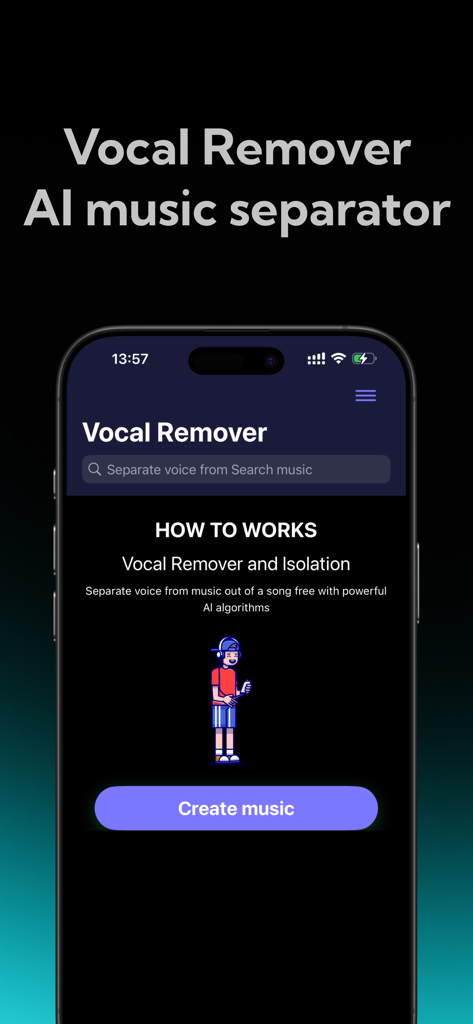
Vocal Remover AIミュージックセパレーターアプリのホーム画面が、作成ボタンとともに表示されている携帯電話。
Vocal Remover AIミュージックセパレーターアプリのホーム画面が、作成ボタンとともに表示されている携帯電話。

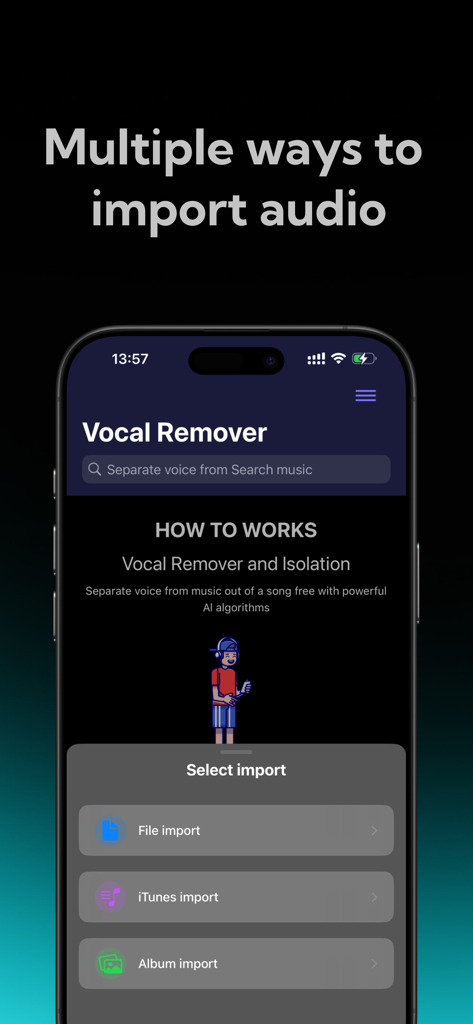
ファイル、iTunes、フォトアルバムからオーディオをインポートするオプションを示すVocal Removerアプリのインターフェイス。
ファイル、iTunes、フォトアルバムからオーディオをインポートするオプションを示すVocal Removerアプリのインターフェイス。

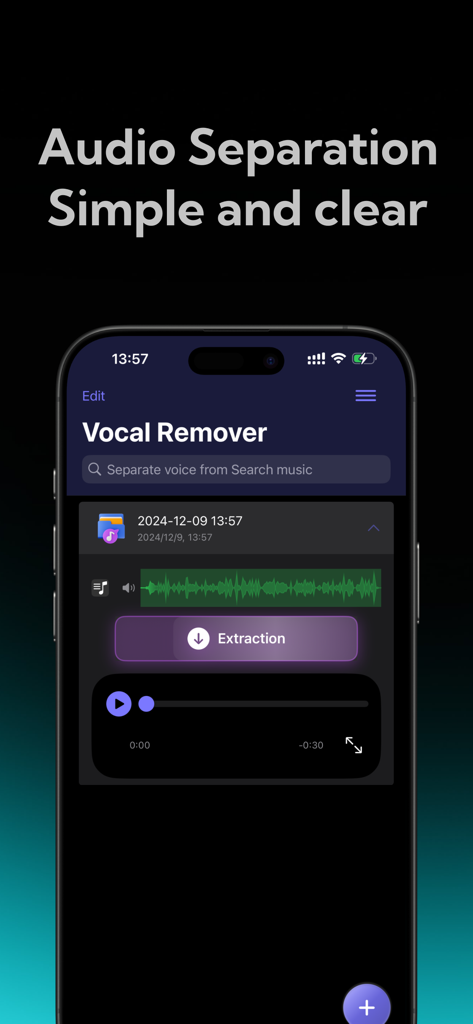
ボタンの抽出を伴う、シンプルでクリアなAIオーディオ分離を示すVocal Removerモバイルアプリのインターフェイス。
ボタンの抽出を伴う、シンプルでクリアなAIオーディオ分離を示すVocal Removerモバイルアプリのインターフェイス。

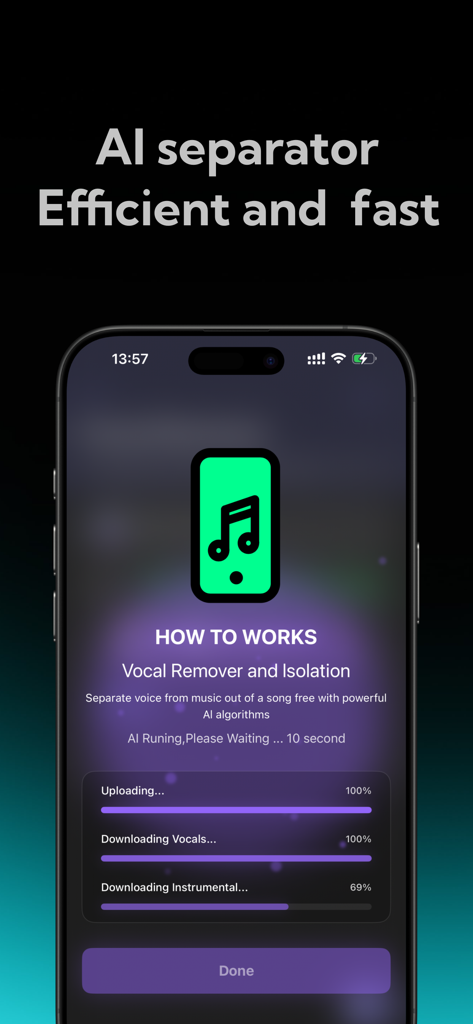
音楽トラックからボーカルとインストゥルメンタルを分離するAI駆動の進捗状況を示すモバイルアプリのインターフェイス。
音楽トラックからボーカルとインストゥルメンタルを分離するAI駆動の進捗状況を示すモバイルアプリのインターフェイス。

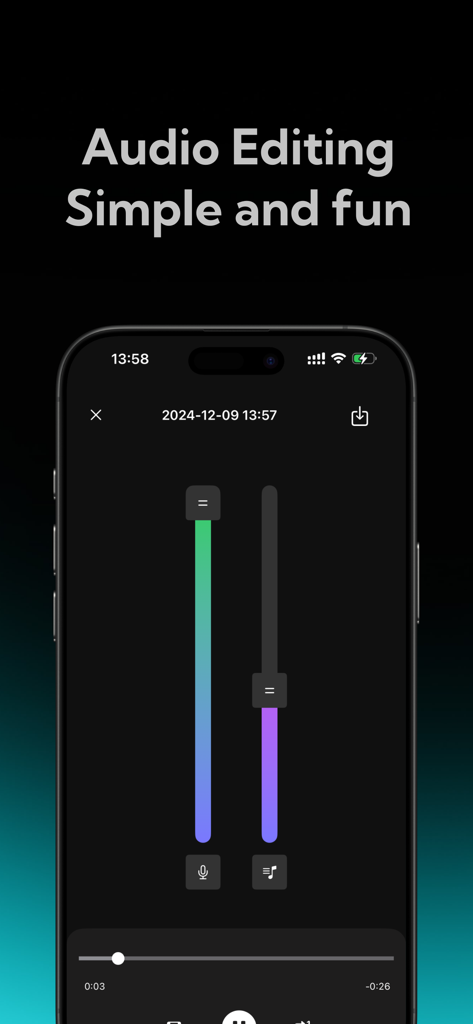
ボーカルと伴奏の音量レベルを調整するための垂直スライダーを備えたモバイルアプリのインターフェイス。

ボーカルと伴奏の音量レベルを調整するための垂直スライダーを備えたモバイルアプリのインターフェイス。

どんな曲もクリエイティブなアセットに変える

このアプリを際立たせるツール、 5K+ 人のユーザーが選択.

🎤

瞬時のボーカル&インストゥルメンタル分離

カラオケやボイスオーバーのマッシュアップに最適。業界をリードするクラウドAIを使用して、ワンタップで高忠実度のボーカルを抽出します。

🎛️

プロフェッショナルマルチトラックステム

トラックをドラム、ベース、キーに分解します。ユニークなリミックス、サンプル、「Type Beats」を作成したいDJやプロデューサーに最適です。

超高速クラウド処理

携帯電話に負担をかけずにスタジオ品質の結果を得られます。安全なクラウド分析により、最大限のオーディオ忠実度とファイル全体のプライバシーが保証されます。

アプリについて

について知っておくべきこと Vocal Remover:AI audio tool.

説明

Vocal Remover is a high-performance AI audio processing tool designed for music enthusiasts, audio creators, and professional sound engineers—and is also accessible for everyday users. Whether you want to create karaoke tracks, edit audio, teach music, or craft mixes, this app offers precise, high-quality track separation. With cloud-based AI technology, you can easily isolate vocals or accompaniment with a single tap, giving you endless creative freedom. Key Features 1. One-Tap Vocal and Accompaniment Separation a. Effortless Extraction: Simply upload your audio file, and Vocal Remover’s smart AI will quickly analyze it to separate the vocal and accompaniment tracks. Whether you’re working with songs, soundtracks, or other audio files, enjoy clear, noise-free separation suitable for any purpose. 2. Flexible Separation Modes a. Two-Track Separation: Quickly split vocals and accompaniment, ideal for those needing basic separation, such as for karaoke practice or creating accompaniment tracks. 3. AI-Powered, High-Quality Output a. With cutting-edge AI technology, Vocal Remover uses cloud-based analysis to precisely separate vocals from accompaniment, effectively filtering out noise and ensuring clear, high-fidelity audio output. Enjoy top-notch audio quality that maintains clarity and fidelity in separated tracks. b. Fast Processing: Whether working with high-quality files or extended audio clips, cloud-based AI algorithms deliver fast results in seconds, saving time and making audio processing efficient. 4. User-Friendly Interface a. Easy Operation, Beginner-Friendly: With an intuitive and clean design, even first-time users can navigate the app with ease. Simply upload your audio file, choose a separation mode, and the system handles the rest, making it accessible for users of all backgrounds. b. Multi-Track Editing: The five-track separation mode supports multi-track editing, enabling further customization and remixing of separated tracks—ideal for professional editing and creation. Ideal Use Cases ● Karaoke Enthusiasts: Want to practice singing but need a professional accompaniment? Vocal Remover can quickly isolate vocals, providing you with a karaoke-ready track in seconds. ● Education and Music Instruction: Music teachers and students can use this tool to deconstruct complex audio files, gaining insights into each track’s details and improving learning outcomes. ● Audio Researchers: Isolate different tracks to analyze audio components, supporting research and analytical work with accurate, separated data. Privacy and Security ● Secure Cloud Processing: Your audio files are processed on a secure cloud server and deleted immediately after, ensuring full privacy without being stored or shared. Subscription instructions and terms 1. Week Membership - $2.99 2. Year Membership - $29.99 GET AUDIO SEPARATION, UNLIMITED SONG UPLOADS 【Payment】The payment will be charged to the user's iTunes account upon purchase confirmation. 【Renewal】“Continuous Monthly/Quarterly/Annual” products are auto-renewable subscriptions. Upon purchase confirmation, fees will be deducted from your iTunes account. Subscriptions will auto-renew unless auto-renewal is turned off at least 24 hours before the end of the current subscription period. Within 24 hours before your subscription expires, Apple will automatically charge your iTunes account and your membership will be automatically extended for one subscription period upon successful payment. 【Cancel Renewal】To cancel auto-renewal, manually go to iOS Settings > Apple ID > Subscriptions, and cancel the “Vocal Remover: music separator” subscription. -- Terms of Service https://htmlpreview.github.io/?https://github.com/zhangxin1982/panger/blob/main/vocalAgreement.html -- Privacy Policy https://htmlpreview.github.io/?https://github.com/zhangxin1982/panger/blob/main/vocalPrivacy.html

最新バージョン

2.1

サイズ

54.5 MB

リリース日

2024年12月11日

プログレードのステム分離を解除する準備はできましたか?

数千人のクリエイターが、高忠実度のクラウドAIを使用して数秒でボーカル、ドラム、楽器を分離しています。次のプロジェクトを今日から始めましょう。

ダウンロード: App Store

App information, icons, screenshots, and descriptions displayed on this page are sourced from the Apple App Store and are the property of their respective developers. Download estimates and rankings are based on MWM's proprietary models and may not reflect actual figures. This page is provided for informational and analytical purposes only.

Believe this page infringes your intellectual property? File a dispute