Voice Recorder Plus Pro

Voice Recorder Plus Pro

ダウンロード: App Store
ロゴ: Voice Recorder Plus Pro

Voice Recorder Plus Pro: プロフェッショナルな音声録音とファイル管理

ワンタッチで高品質オーディオをキャプチャし、フォルダで整理整頓。会議、講義、インタビューを主要なクラウドドライブ全体でシームレスに同期します。

開発元

AppDev Technolabs

カテゴリ

Business

ダウンロード

258K+

ユーザー評価

4.4/5

評価数

700

対応言語

32

すべてのピクセルに精度を

このインターフェースを利用する 258K+ 人のユーザー.

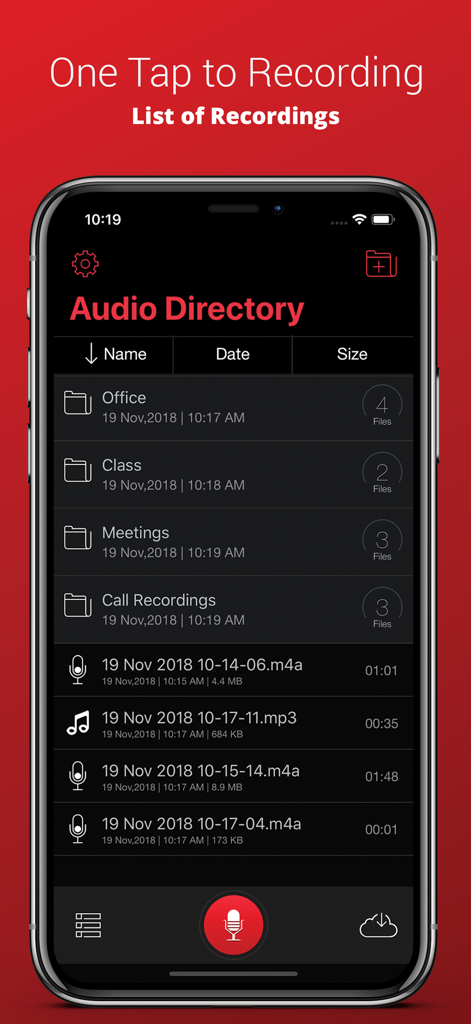
Voice Recorder Plus Proアプリのインターフェース。整理されたフォルダとオーディオディレクトリ内の録音リストが表示されています。

Voice Recorder Plus Proアプリのインターフェース。整理されたフォルダとオーディオディレクトリ内の録音リストが表示されています。

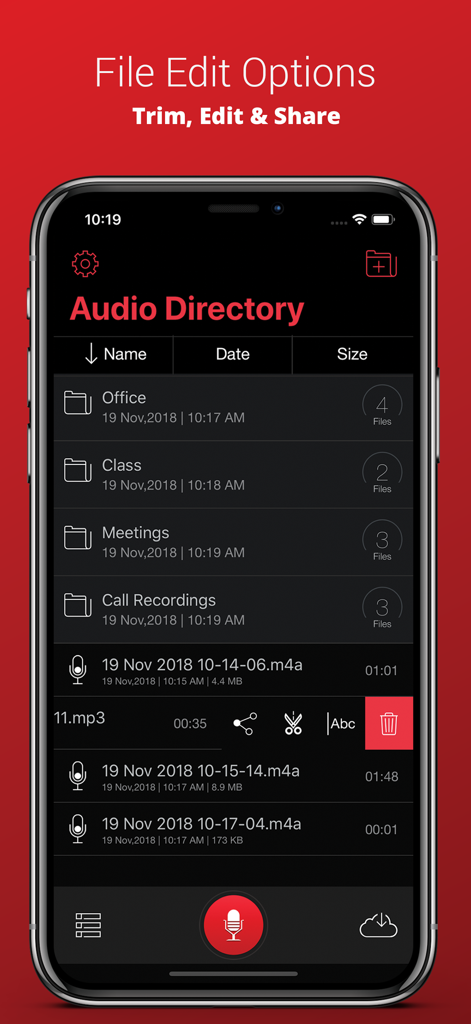
Voice Recorder Plus Proのオーディオディレクトリ画面。整理用のフォルダと、トリミングおよび共有用のファイル編集ツールが表示されています。

Voice Recorder Plus Proのオーディオディレクトリ画面。整理用のフォルダと、トリミングおよび共有用のファイル編集ツールが表示されています。

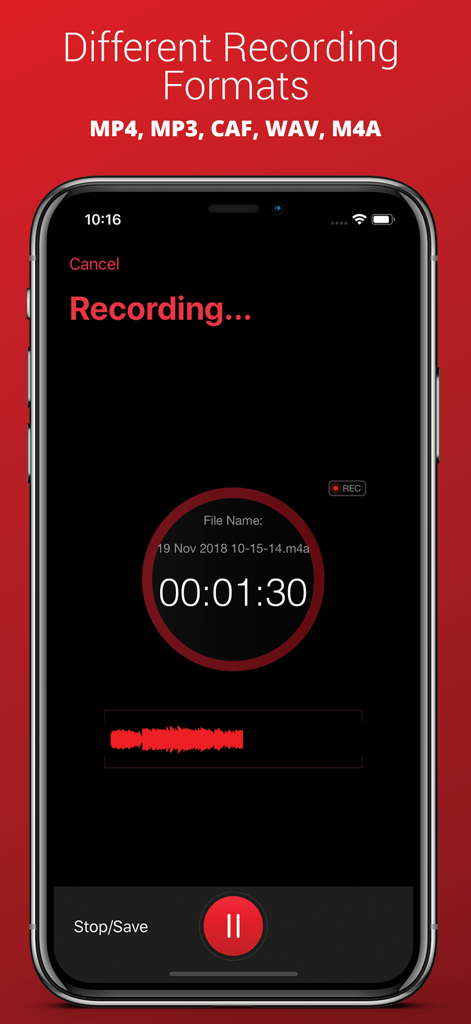
Voice Recorder Plus Proアプリのスクリーンショット。アクティブな録音インターフェースと、MP3やWAVなどのサポートされているオーディオ形式のリストが表示されています。

Voice Recorder Plus Proアプリのスクリーンショット。アクティブな録音インターフェースと、MP3やWAVなどのサポートされているオーディオ形式のリストが表示されています。

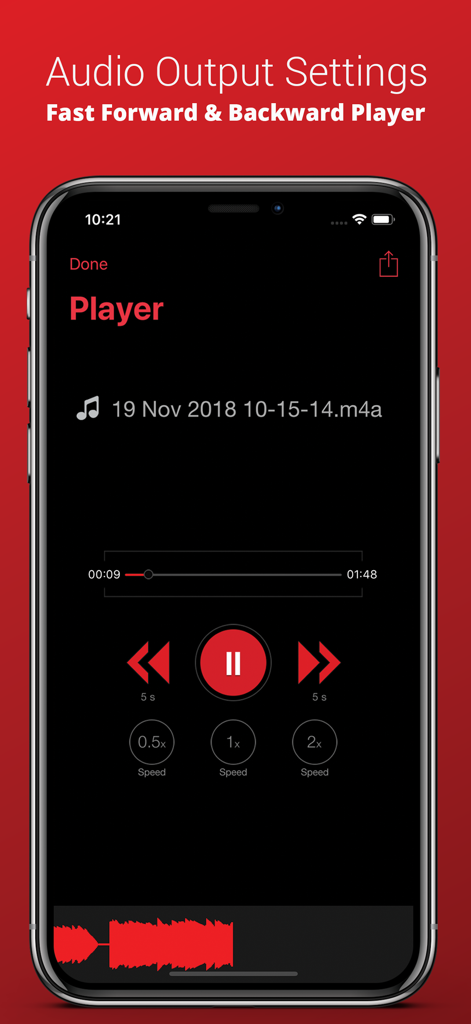
Voice Recorder Plus Proのオーディオプレーヤー画面。再生速度調整とスキップコントロールが特徴です。

Voice Recorder Plus Proのオーディオプレーヤー画面。再生速度調整とスキップコントロールが特徴です。

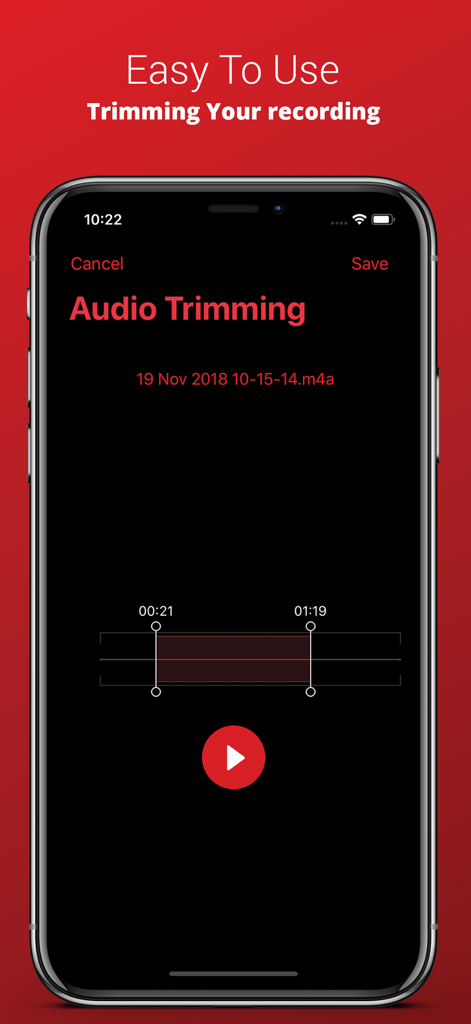
iPhone上のVoice Recorder Plus Proオーディオトリミングインターフェース。

iPhone上のVoice Recorder Plus Proオーディオトリミングインターフェース。

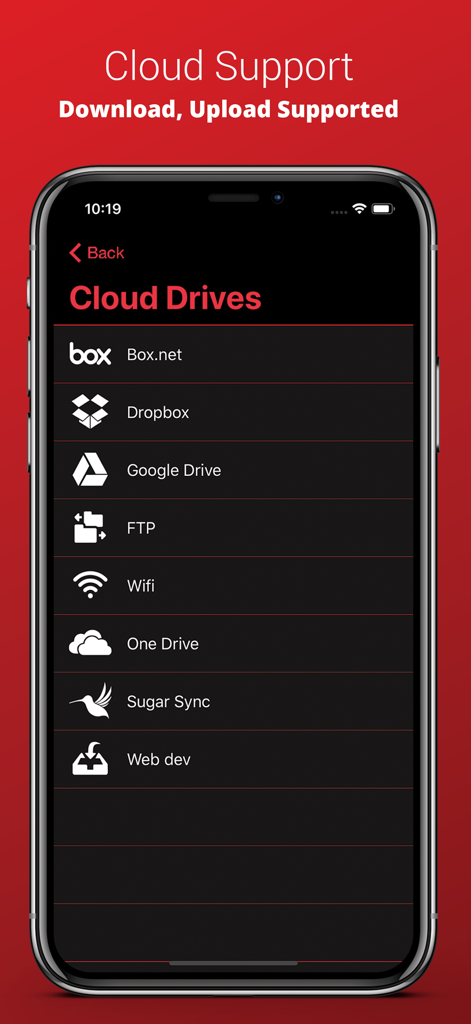
Voice Recorder Plus Proアプリの画面。Dropbox、Google Drive、OneDriveなどの統合されたクラウドストレージオプションが表示されています。

Voice Recorder Plus Proアプリの画面。Dropbox、Google Drive、OneDriveなどの統合されたクラウドストレージオプションが表示されています。

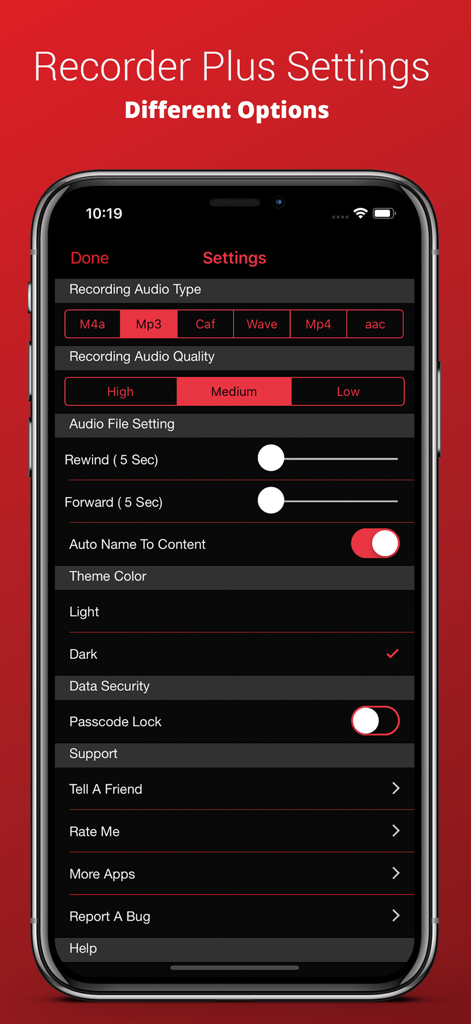
Voice Recorder Plus Proの設定画面。iPhone上でオーディオ形式の品質やダークモードのオプションが表示されています。

Voice Recorder Plus Proの設定画面。iPhone上でオーディオ形式の品質やダークモードのオプションが表示されています。

プロフェッショナルなオーディオワークフローを強化

このアプリを際立たせるツール、 258K+ 人のユーザーが選択.

☁️

シームレスなクラウド統合

録音をGoogle Drive、Dropbox、FTPに即座に同期・エクスポートし、どこからでもアクセスできるようにします。

📂

プログレードのファイル管理

フォルダサポートと高度な管理ツールで整理整頓し、講義や会議を簡単に見つけられるようにします。

精密な再生とトリミング

より高速な速度でオーディオをレビューして時間を節約し、プロフェッショナルなトリミングコントロールを使用して最も価値のある洞察のみを保持します。

アプリについて

について知っておくべきこと Voice Recorder Plus Pro.

説明

Audio Recorder Plus Pro is the easiest way to record and playback sounds. and it records professional audio with high quality feature. this application turns your iphone into a real audio recorder ●● Recording ●● √ One touch recording √ Record and playback in the background √ Fast, simple and easy to use √ Simple User Interface √ Pause and resume recordings √ Compressed Audio format √ Record for seconds or hours √ Great and High Quality audio recording √ Audio recording Output Settings-One touch recording √ Record and playback in the background ●●●● File Manager ●●●● 
 ● File Management Options √ Folder Supported √ Copy √ Move √Rename √ Delete ●●●● Supported Audio Formats ●●●● √ MP3 √ MP4 √ CAF √ WAVE √ M4A ●●●● Supported Sound Quality ●●●● √ Law √ Medium √ High ●●●● Audio Player Features ●●●● ● Adjustable Play Controls √ Fast Play √ Medium Play √ Slow Play ● Adjustable Audio Trim Controls ●●●● Supported Cloud Drives ●●●● √ Box.Net √ Dropbox √ My disk √ Sugar Sync √ Skydrive √ Webdav √ GoogleDrive √ FTP ●●●● Supported Cloud drives Features ●●●● √ Upload your recordings to different clouds √ Import from clouds √ Export to different Cloud drives √ Download your recordings from different clouds ●●●● Other Supported Features ●●●● √ Email multiple recordings √ Download the file from iTunes 
√ Save recording to your mac Via iTunes

最新バージョン

6.6

サイズ

23.1 MB

リリース日

2014年5月16日

プロフェッショナルなオーディオワークフローを管理しましょう

高品質な録音、高度な整理、シームレスなクラウド統合を求める25万以上のプロフェッショナルおよび学生の仲間入りをしましょう。あなたの生産性にふさわしいプロツールを手に入れましょう。

ダウンロード: App Store

App information, icons, screenshots, and descriptions displayed on this page are sourced from the Apple App Store and are the property of their respective developers. Download estimates and rankings are based on MWM's proprietary models and may not reflect actual figures. This page is provided for informational and analytical purposes only.

Believe this page infringes your intellectual property? File a dispute