VoidLink - Extreme
VoidLink - Extreme
ダウンロード: App Store

このページはアプリまたはその開発者の公式ページではなく、情報提供および論評を目的として作成された独立した編集出版物です。明示的に別段の記載がない限り、アプリおよびその開発者は、MWM、Apple、Google Play、アプリのパブリッシャー、またはアプリの開発者と提携、承認、後援、認可、またはその他の公式的な関係はなく、このページのいかなる内容も、アプリがMWMのサービスを使用して開発されたことを意味するものではありません。すべての商標、ロゴ、スクリーンショット、その他のコンテンツはそれぞれの所有者の財産です。


ロゴ: VoidLink - Extreme
ダウンロード: App Store

VoidLink - Extreme

800 Mbpsのビットレート、HDR 4:4:4のビジュアル、精密なモーションコントロールでデスクトップレベルのパフォーマンスを解き放ちます。iOSで妥協のないゲーミングを求めるパワーユーザーのために設計されました。

主要数値

ダウンロード

3K+

ユーザー評価

4.5/5

評価数

0

開発元

伟敏 张

カテゴリ

Games

対応言語

3

最新バージョン

3.2.8

サイズ

20.7 MB

リリース日

2025年11月20日
機能

パワーユーザーのためのプロレベルのパフォーマンス

iOSデバイスでデスクトップ品質のゲーミングを体験してください。VoidLink - Extremeは、超高ビットレート、高度なハプティクス、完全なコントロールカスタマイズを提供し、究極のリモートプレイ体験を実現します。

極限のビジュアル忠実度

最大800 MbpsのビットレートでHDRとYUV 4:4:4をサポートし、直接ローカル接続に匹敵するクリスタルのようにクリアなビジュアルを実現します。

完全にパーソナライズされたコントロール

カスタムオン・スクリーンウィジェットレイアウトを作成し、複雑なジェスチャーをマッピングし、あらゆるPCタイトルに対応するためにマルチタッチ感度を微調整します。

以下のスクリーンショットと説明は、アプリの公式ストアリスティングから直接取得されたものであり、アプリ開発者の所有物です。

アプリストア

スクリーンショット
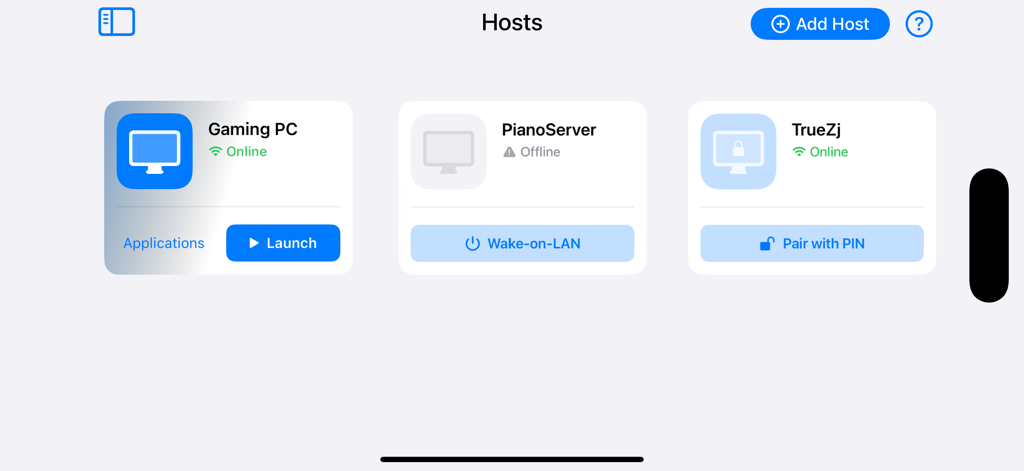
VoidLink - Extreme - VoidLink Extremeホスト管理画面。ゲーミングPCの接続とステータスが表示されています。
VoidLink Extremeホスト管理画面。ゲーミングPCの接続とステータスが表示されています。

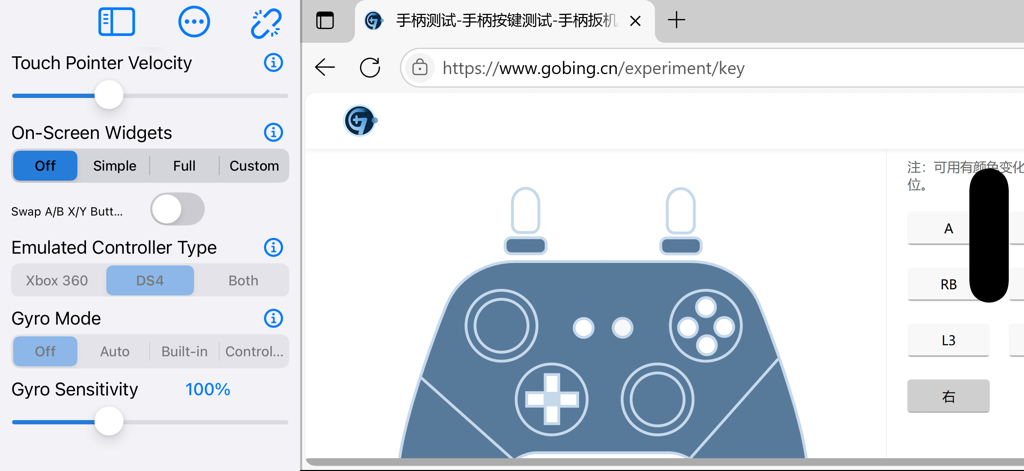
VoidLink - Extreme - VoidLink Extremeアプリのインターフェース。コントローラーエミュレーションとジャイロ感度設定が表示されています。
VoidLink Extremeアプリのインターフェース。コントローラーエミュレーションとジャイロ感度設定が表示されています。

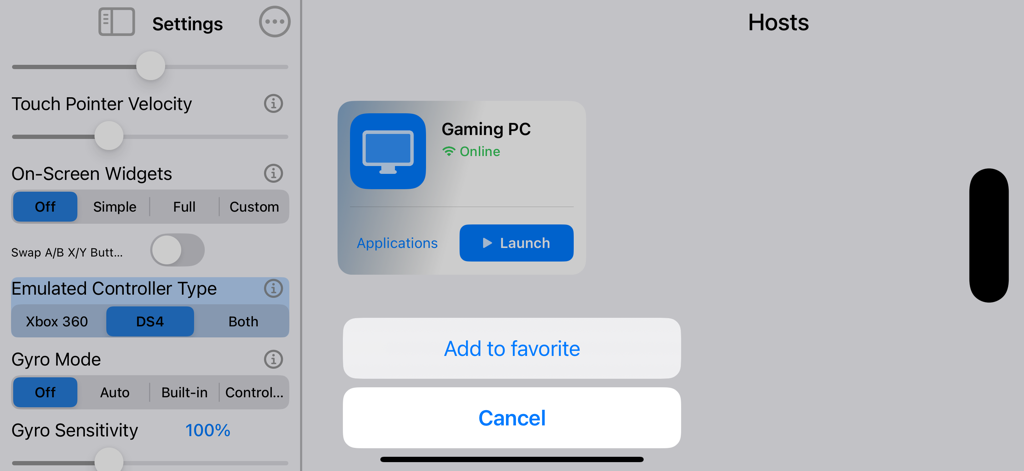
VoidLink - Extreme - VoidLink Extremeインターフェース。高度なコントローラー設定とオンラインPCホスト接続が表示されています。
VoidLink Extremeインターフェース。高度なコントローラー設定とオンラインPCホスト接続が表示されています。

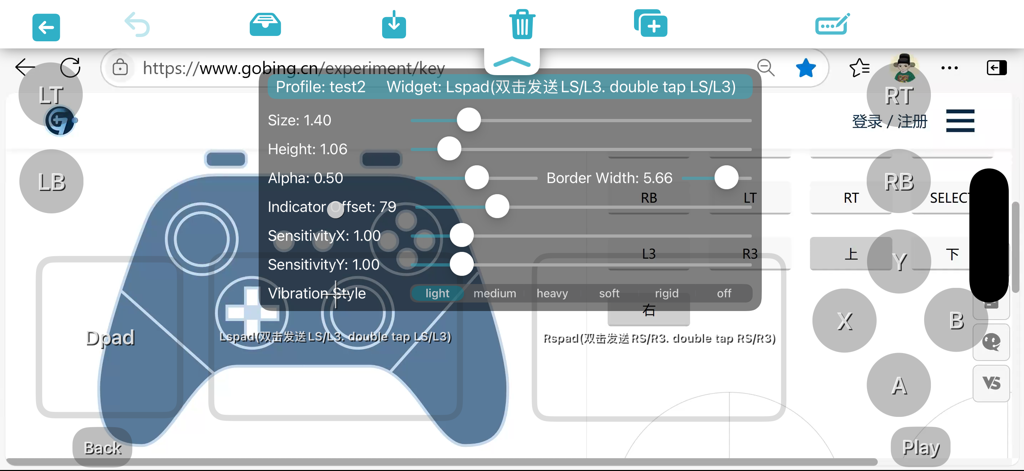
VoidLink - Extreme - VoidLink Extremeアプリでオン・スクリーンコントローラーウィジェット設定をカスタマイズする画面。
VoidLink Extremeアプリでオン・スクリーンコントローラーウィジェット設定をカスタマイズする画面。

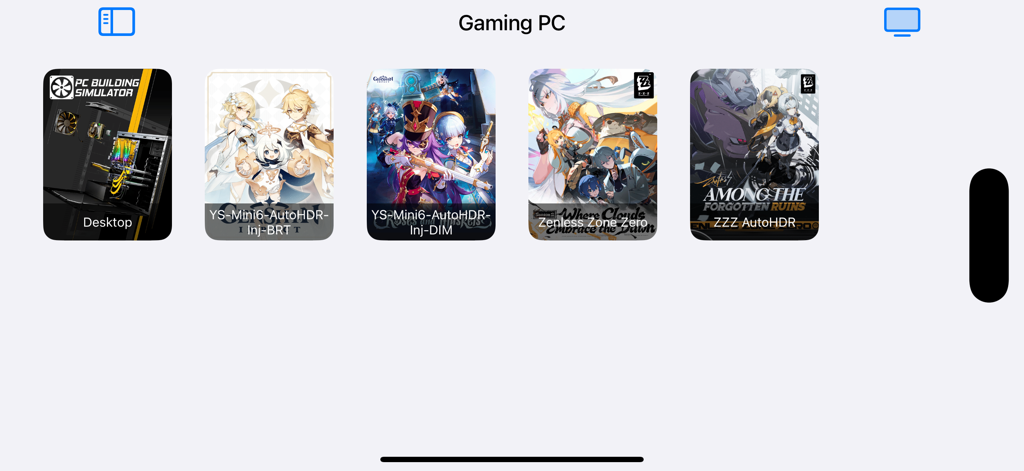
VoidLink - Extreme - VoidLink Extremeインターフェース。Zenless Zone ZeroやDesktopなど、リモートストリーミング準備完了のPCゲームリストが表示されています。

VoidLink Extremeインターフェース。Zenless Zone ZeroやDesktopなど、リモートストリーミング準備完了のPCゲームリストが表示されています。

説明

Shall I download VoidLink - Extreme? - I haven't downloaded VoidLink: yes, download VoidLink - Extreme instead of the original version. - I already downloaded VoidLink (Utility app): My device runs iOS 17 or lower: no. My device runs iOS 18+, and I want to try VoidLink with game mode: yes. Notice: you never lose the original VoidLink(Utility). It's updatable for coming new versions, by opening the account profile of App Store and finding it in the app list. More details about VoidLink including our community support is available on the app support web page. Key Features of VoidLink 1. Customize your streaming experience - Add frequently used menu functions to “Favorites” and reorder them via drag‑and‑drop. - Adjust the width of the side‑settings menu by dragging. - Streaming toolbox menu: quickly access the soft keyboard, send keyboard shortcuts, or switch on-screen widget layouts. - Customize gesture triggers for settings, toolbox, and soft keyboard to create a personalized workflow. 2. Powerful video performance - Video bitrate up to 800 Mbps for high‑quality streaming. - Supports HDR and YUV 4:4:4 streaming (requires device hardware decoding). - Picture‑in‑picture mode supported (iOS15+) —stream in the background without interruption. - New frame pacing option "queue buffering" which improves latency & smoothness - Experimental "performance" rendering mode: improves performance at higher bitrates (e.g., over 150 Mbps), but may be counterproductive on some devices. 3. Advanced touch support - Smooth, reliable multi‑touch passthrough. - The app introduces a Multi‑Touch Game Fine‑Tuning feature for games with native mobile UI on PC. - Simulated mouse click, double click, right‑click, drag, etc., with adjustable pointer sensitivity. 4. Support remote typing non-ASCII characters, benefiting all non-alphabet language input methods. 5. Powerful on-screen widgets - Button widget includes: controller, keyboard, mouse, gyro control, functional (settings menu, soft keyboard, etc.) - Touch pad widget that simulates mobile gaming: controller stick pad, controller trigger pad, direction pad (WasdPad, controller DPad), mouse pad, mouse wheel pad, DS4 touchpad - Supports combo buttons, button+touchpad hybrid widgets - 5 button modes for maneuvering touch gaming: slide-toggle, slide-hold, regular, tap-to-toggle & movable. - Auto tap timer for each button widgets - Visual and haptic feedback supported (requires device with vibration motor). - Customize on-screen widget & layout—adjust size, shape, border, transparency, sensitivity, labels, and more. - Import/export on-screen widget layouts for sharing configurations across devices. 6. Powerful motion control - Directly maps built-in gyro scope to mouse or controller stick, no need for third party PC software for motion control mapping - Works with on-screen gyro control button “GYRO” & “GYROPAUSE” 7. Haptic engine selection (iOS 13+) - Auto: rumbles iPhone when controller does not support rumbling. Able to rumble iPhone when using on-screen widget control while no physical controller is connected. - swap rumbling left & right handle motor on controller Note: external controller rumbling supported on iOS 14+. 8. Microphone redirection - Support for microphone redirection with Sunshine-Foundation. 9. Changing bitrate upper limit without disconnecting Note: Works with Sunshine-Foundation(a sunshine fork) check out our technical support page for more details. 10. Full portrait‑mode support - Streaming content and on‑screen widgets adapt to portrait orientation: automatic resolution and widget layout adjustment.   11. External controller support - Specify controller mapping as Xbox360 or DualShock 4; on‑screen gamepads supported. - Controllers can be connected anytime during streaming. - DS4 Gyroscope mapping - Sensitivity adjustment for gyro controls. 12. External display support

Download

ダウンロード: App Store

このページはアプリまたはその開発者の公式ページではなく、情報提供および論評を目的として作成された独立した編集出版物です。明示的に別段の記載がない限り、アプリおよびその開発者は、MWM、Apple、Google Play、アプリのパブリッシャー、またはアプリの開発者と提携、承認、後援、認可、またはその他の公式的な関係はなく、このページのいかなる内容も、アプリがMWMのサービスを使用して開発されたことを意味するものではありません。すべての商標、ロゴ、スクリーンショット、その他のコンテンツはそれぞれの所有者の財産です。








