VR Tube: 360 & 3D Video
ダウンロード: App Store

このページはアプリまたはその開発者の公式ページではなく、情報提供および論評を目的として作成された独立した編集出版物です。明示的に別段の記載がない限り、アプリおよびその開発者は、MWM、Apple、Google Play、アプリのパブリッシャー、またはアプリの開発者と提携、承認、後援、認可、またはその他の公式的な関係はなく、このページのいかなる内容も、アプリがMWMのサービスを使用して開発されたことを意味するものではありません。すべての商標、ロゴ、スクリーンショット、その他のコンテンツはそれぞれの所有者の財産です。


ロゴ: VR Tube: 360 & 3D Video
ダウンロード: App Store

VR Tube: 360 & 3D Video

iPhoneで直接、360°ジェットコースター、ホラー映画、深海ダイビングのスリルを体験しましょう。Google CardboardおよびすべてのモバイルVRヘッドセットに対応しており、高価な機器なしで本格的なバーチャルリアリティ体験が可能です。

主要数値

ダウンロード

645K+

ユーザー評価

3.3/5

評価数

600

開発元

ADA Software, LLC

カテゴリ

Entertainment

対応言語

9

最新バージョン

10.1.0

サイズ

22.9 MB

リリース日

2016年7月10日
機能

360°アドベンチャーの世界を解き放つ

スマートフォンを高機能バーチャルリアリティヘッドセットに変え、数千もの没入型3Dおよびパノラマ動画を簡単に探索できます。

瞬時のスリルと現実逃避

自宅の安全な場所から、心臓がドキドキするジェットコースター、深海のサメダイブ、背筋がゾクゾクするホラーを体験してください。

ユニバーサルヘッドセット対応

Google Cardboard、Gear VR、モバイルヘッドセットに完全最適化されています。また、没入型ジャイロタッチコントロールを使用して、メガネなしで視聴することもできます。

以下のスクリーンショットと説明は、アプリの公式ストアリスティングから直接取得されたものであり、アプリ開発者の所有物です。

アプリストア

スクリーンショット
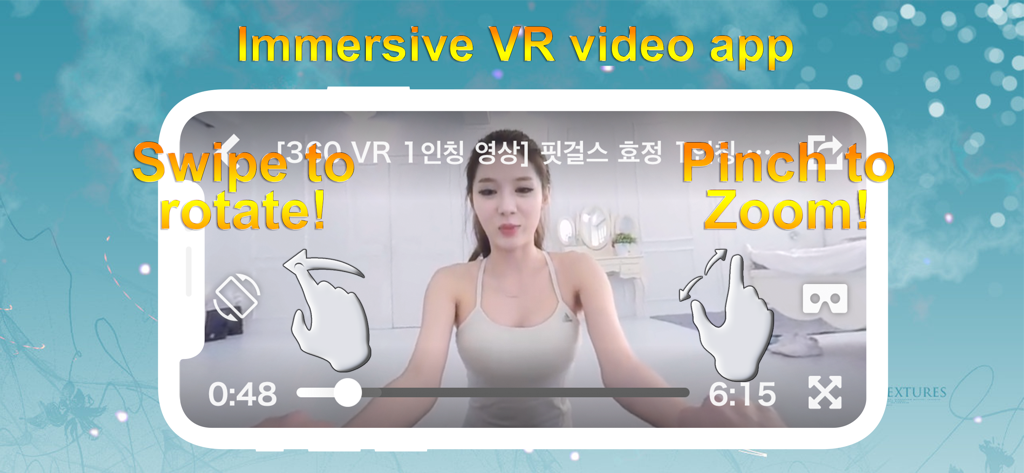
VR Tube: 360 & 3D Video - VR Tubeアプリのインターフェース。360度動画再生のための回転スワイプおよびズームジェスチャーが表示されます。
VR Tubeアプリのインターフェース。360度動画再生のための回転スワイプおよびズームジェスチャーが表示されます。

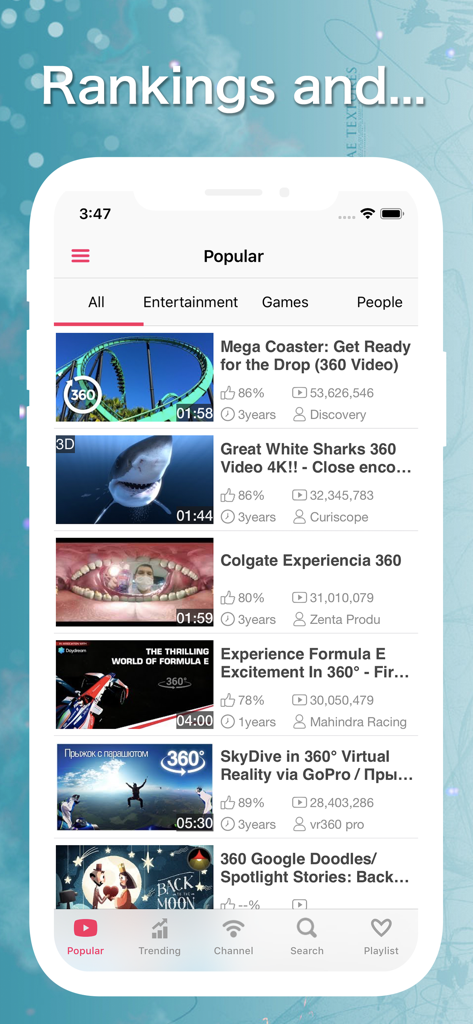
VR Tube: 360 & 3D Video - ジェットコースターやサメなどの360度動画が表示されるVR Tubeアプリの人気動画リストを示すスマートフォン画面。
ジェットコースターやサメなどの360度動画が表示されるVR Tubeアプリの人気動画リストを示すスマートフォン画面。

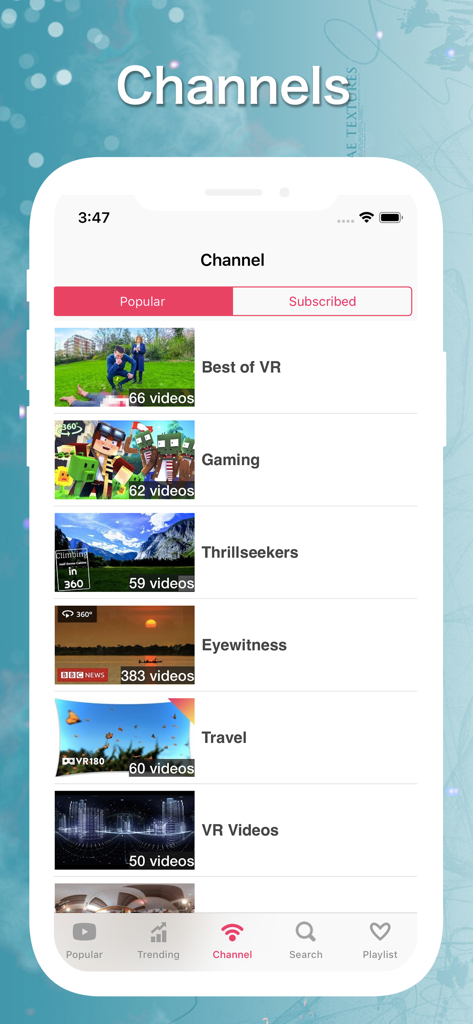
VR Tube: 360 & 3D Video - ThrillseekersやTravelなどの360度動画チャンネルが表示されるVR Tubeアプリのインターフェース。
ThrillseekersやTravelなどの360度動画チャンネルが表示されるVR Tubeアプリのインターフェース。

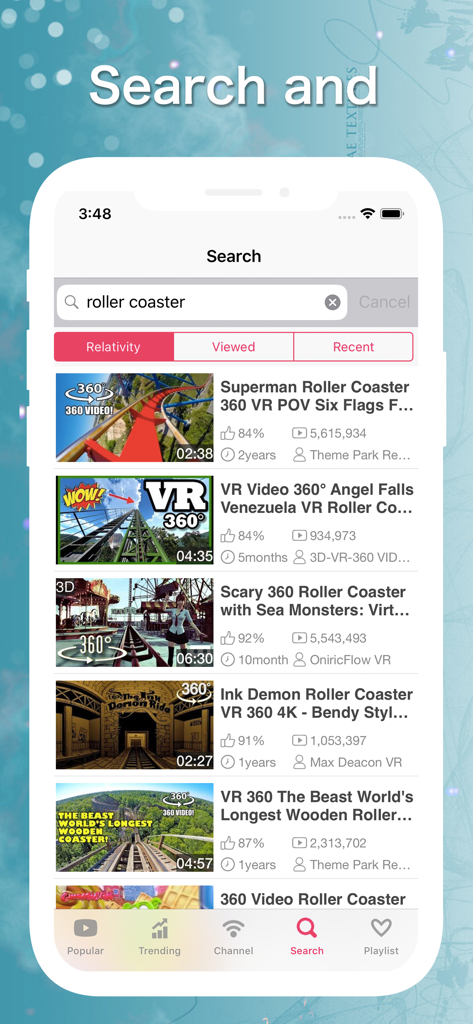
VR Tube: 360 & 3D Video - VR Tubeアプリの検索画面。360度ジェットコースター動画の結果が表示されます。
VR Tubeアプリの検索画面。360度ジェットコースター動画の結果が表示されます。

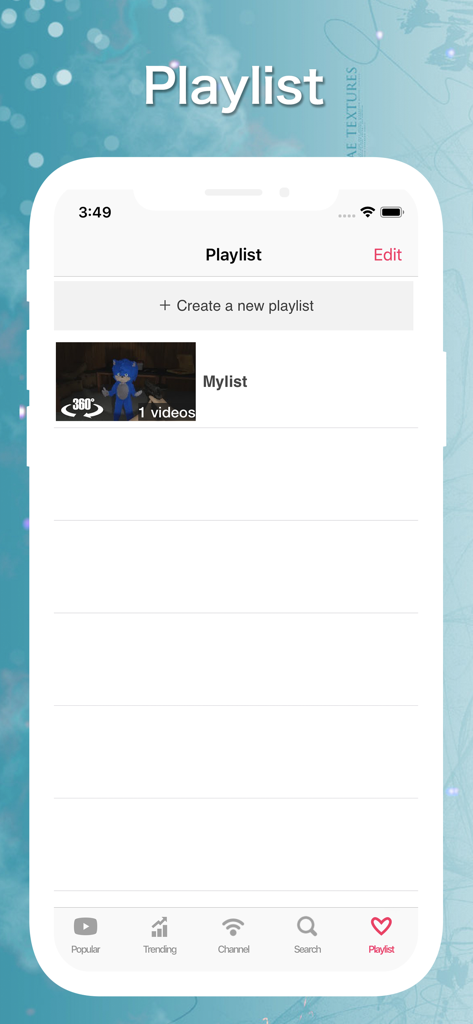
VR Tube: 360 & 3D Video - VR Tubeアプリのプレイリスト管理画面のスクリーンショット。360度動画コンテンツを含む既存のリストが表示されます。

VR Tubeアプリのプレイリスト管理画面のスクリーンショット。360度動画コンテンツを含む既存のリストが表示されます。

説明

VRTube is a VR-specialized video app that supports viewing 360-degree videos and 3D VR videos. VRTube is a virtual reality video app that provides many high quality VR entertainment to enjoy. You can use various VR glasses or headsets for true VR entertainment experience. Maybe you prefer the cardboard version. Some people prefer electronic version such as Oculus. You can even watch VR videos without glasses with this app. There are many kind of video, jump into games, horror movies, dive into ocean, watching sharks, girls, and roller coasters, etc just for your entertainment. These are all 360° panorama video that will give you immersive experience. Features - 360 degree virtual video only - Compatible with 3D panoramic video - Compatible with multiple headset (Cardboard, Gear VR, Daydream View) - VR mode for headset - Touch and gyro controlling - Zoom in / zoom out - Continuous playback - Search suggestion · search history - Side menu - Social share (Twitter, Facebook) - Supports Earphone Controller ・Free to rotate 360 degrees You can control camera's rotation freely by swiping the screen ・Compatible with 360° , 3D panoramic video It supports 360 degrees video. And 3d panoramic video that look three-dimensionally when viewed through the headset such as Cardboard and other VR entertainment or VR glasses. ・VR mode There is VR entertainment mode that can perform binocular display and head tracking with a gyro sensor. If you activate VR mode and wear a headset (Cardboard, Gear VR, other VR glasses, etc.), you can experience an immersive viewing! ・Zoom Enable to zoom during playback ・Playlist Enable to create playlist How to use □ Switching the view mode to stereo and single mode Tap the VR glasses icon to switch the view mode. □ Reset rotation Touch the target-shaped icon to reset the rotation while playing 360 ° video □ Zoom Pinch on the screen. □ Playlist Tap the heart icon or tap the share button and select save to the play list About VRTube is a YouTube video streaming app. There is no function to download video. It should be online when playing (it does not support to download and offline playback). Libraries This app uses following libraries. ・Three.js ・WebVR Polyfill ・ SWRevealViewController ・ ICViewPager Notes Due to a bug in iOS, the video sometimes does not proceed from 0 seconds on a black screen, but in that case, the video will start playing by tapping the seek bar.

Download

ダウンロード: App Store

このページはアプリまたはその開発者の公式ページではなく、情報提供および論評を目的として作成された独立した編集出版物です。明示的に別段の記載がない限り、アプリおよびその開発者は、MWM、Apple、Google Play、アプリのパブリッシャー、またはアプリの開発者と提携、承認、後援、認可、またはその他の公式的な関係はなく、このページのいかなる内容も、アプリがMWMのサービスを使用して開発されたことを意味するものではありません。すべての商標、ロゴ、スクリーンショット、その他のコンテンツはそれぞれの所有者の財産です。








