VRPlayer : 2D 3D 360° Video
ダウンロード: App Store

このページはアプリまたはその開発者の公式ページではなく、情報提供および論評を目的として作成された独立した編集出版物です。明示的に別段の記載がない限り、アプリおよびその開発者は、MWM、Apple、Google Play、アプリのパブリッシャー、またはアプリの開発者と提携、承認、後援、認可、またはその他の公式的な関係はなく、このページのいかなる内容も、アプリがMWMのサービスを使用して開発されたことを意味するものではありません。すべての商標、ロゴ、スクリーンショット、その他のコンテンツはそれぞれの所有者の財産です。


ロゴ: VRPlayer : 2D 3D 360° Video
ダウンロード: App Store

VRPlayer : 2D 3D 360° Video

没入型メディアのための究極のパワーユーザー向けツール。デスクトップライブラリのストリーミング、クラウドストレージとの同期、そしてゲームコントローラーやキーボードによる完全な操作を実現。

主要数値

ダウンロード

326K+

ユーザー評価

3.3/5

評価数

800

開発元

LEE DONG WON

カテゴリ

Entertainment

対応言語

8

最新バージョン

3.3.5

サイズ

112.7 MB

リリース日

2015年12月17日
機能

パワーユーザーのための究極のメディアハブ

高度なデスクトップストリーミング、マルチフォーマット対応、そして完全なハードウェア統合により、VRヘッドセットの真の可能性を引き出します。

シームレスなデスクトップストリーミング

ファイル転送は不要です。VRPlayer Helperを使用して、MKVやAVIを含むPCライブラリ全体を、リアルタイムでヘッドセットに直接ストリーミングします。

没入感のある3D & 360°体験

精密なモーショントラッキングとズーム制御を備え、2D、サイドバイサイド(SBS)3D、360°パノラマ動画に必要な唯一のプレーヤーです。

以下のスクリーンショットと説明は、アプリの公式ストアリスティングから直接取得されたものであり、アプリ開発者の所有物です。

アプリストア

スクリーンショット
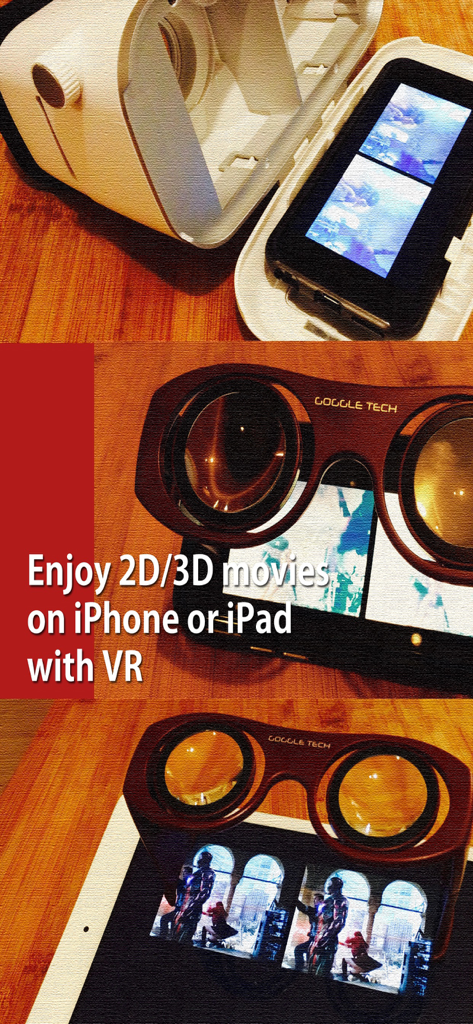
VRPlayer : 2D 3D 360° Video - VRPlayerで3D映画を視聴するためにVRゴーグルを使用しているiPhoneとiPad
VRPlayerで3D映画を視聴するためにVRゴーグルを使用しているiPhoneとiPad

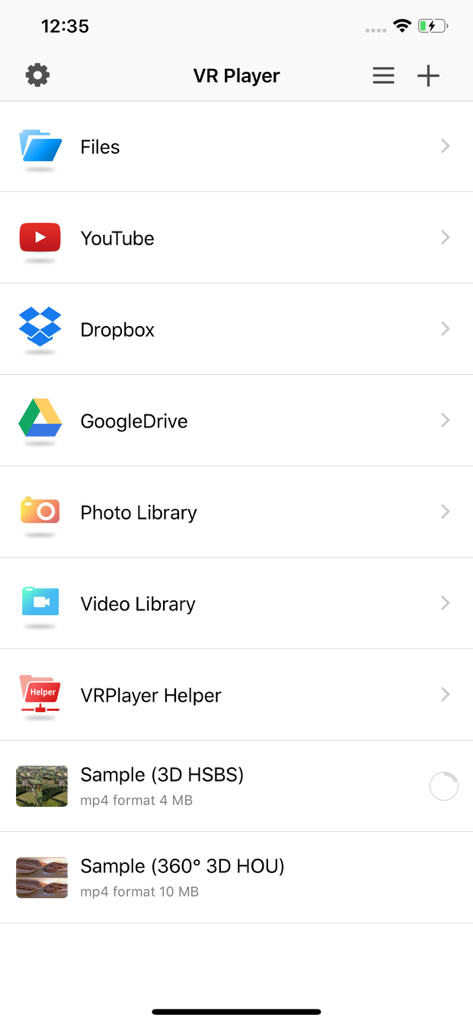
VRPlayer : 2D 3D 360° Video - ファイル、YouTube、Dropbox、Google Drive、およびビデオライブラリからメディアにアクセスするオプションを表示するVRPlayerアプリのメインメニュー。
ファイル、YouTube、Dropbox、Google Drive、およびビデオライブラリからメディアにアクセスするオプションを表示するVRPlayerアプリのメインメニュー。

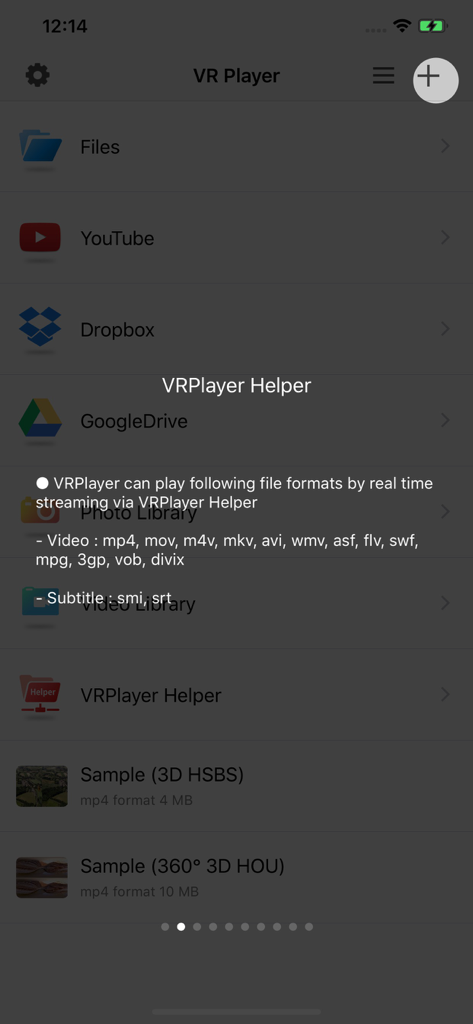
VRPlayer : 2D 3D 360° Video - リアルタイムストリーミングに対応したビデオフォーマットを表示するVRPlayerアプリの画面
リアルタイムストリーミングに対応したビデオフォーマットを表示するVRPlayerアプリの画面

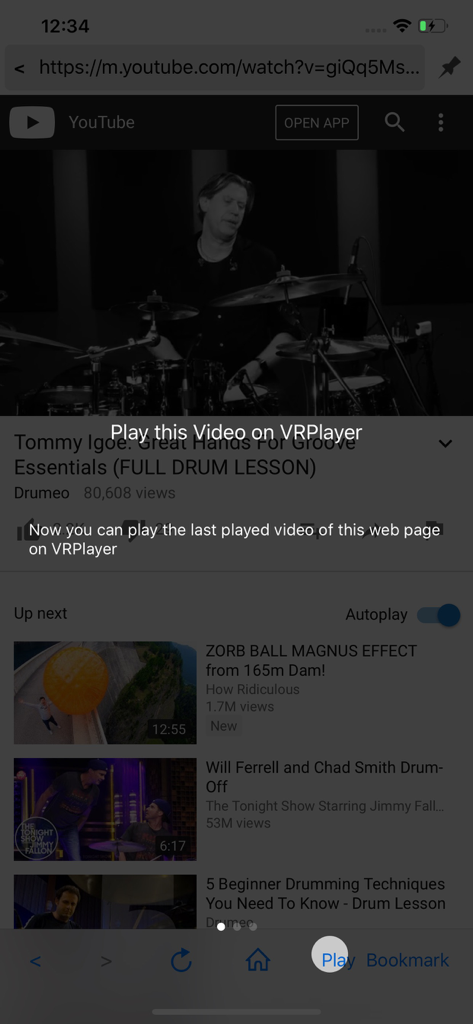
VRPlayer : 2D 3D 360° Video - YouTube動画を表示し、VR視聴のためにアプリ内で動画を再生するよう促すオーバーレイが表示されたVRPlayerのスクリーンショット。
YouTube動画を表示し、VR視聴のためにアプリ内で動画を再生するよう促すオーバーレイが表示されたVRPlayerのスクリーンショット。

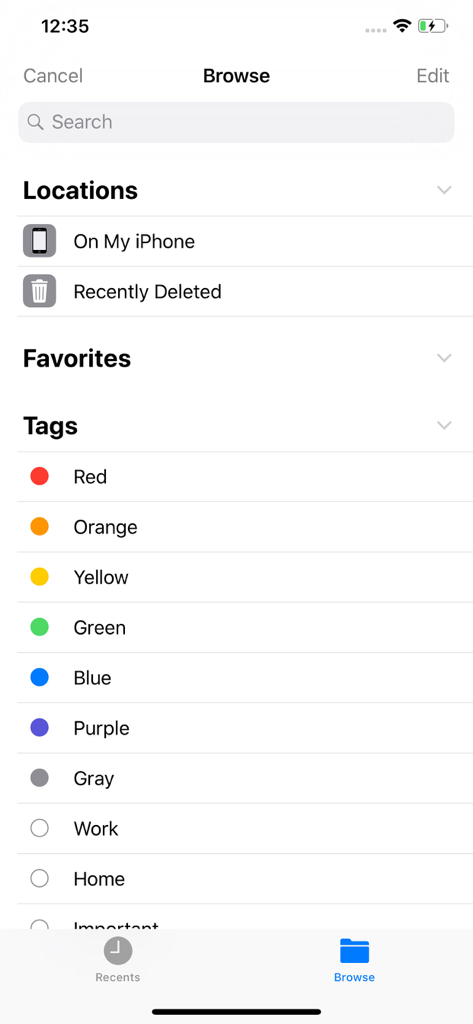
VRPlayer : 2D 3D 360° Video - 「このiPhone内」などのファイルの場所や、色分けされた整理用タグを表示するVRPlayerアプリのブラウズ画面。
「このiPhone内」などのファイルの場所や、色分けされた整理用タグを表示するVRPlayerアプリのブラウズ画面。

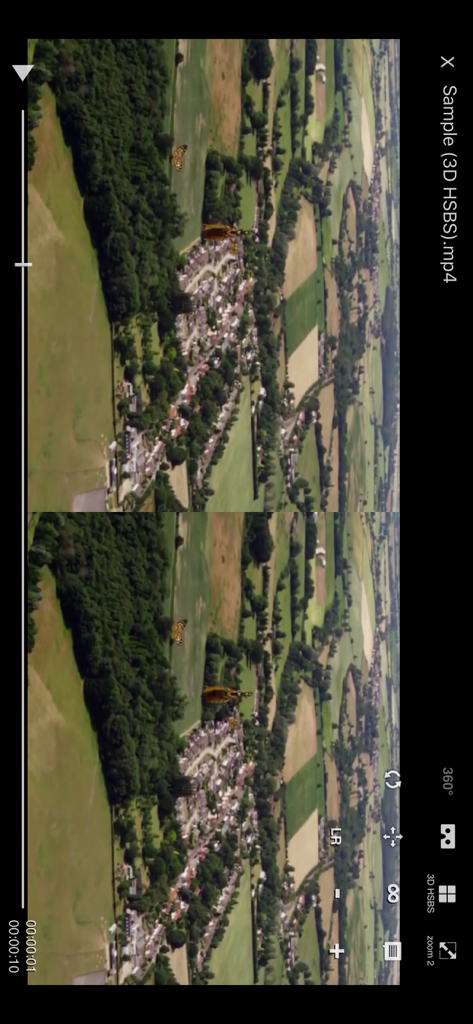
VRPlayer : 2D 3D 360° Video - 3Dサイドバイサイドの空撮動画を再生しているVRPlayerのスマートフォンインターフェース
3Dサイドバイサイドの空撮動画を再生しているVRPlayerのスマートフォンインターフェース

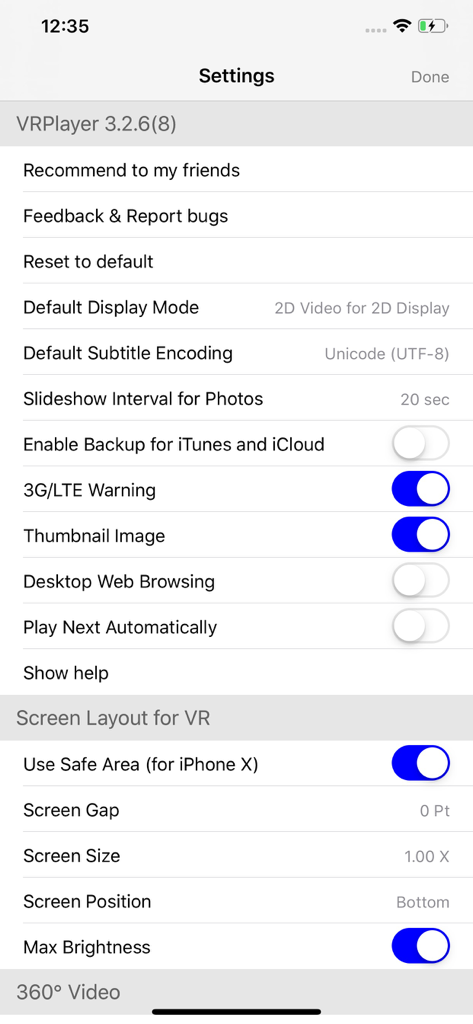
VRPlayer : 2D 3D 360° Video - VR画面のレイアウトとビデオ表示オプションを表示するVRPlayerアプリの設定メニュー。

VR画面のレイアウトとビデオ表示オプションを表示するVRPlayerアプリの設定メニュー。

説明

● VRPlayer can record screen/audio of your desktop and streaming it to VRPlayer via VRPlayer Helper. - to use this feature "VRPlayer Helper" should be installed and executed on your desktop. please select or add "VRPlayer Helper" item on vrplayer app and follow instruction first. - this feature is experimental for now. so there might be considerable amount of latency and unstability depends on network environment and system spec where helper is running ● VRPlayer can play not only general 2D movies but also 3D movies (half side by side or over and under) for VR (google cardboard) ● and support the following file formats. - video : mp4, mov, DRM free m4v - subtitle : smi, srt ● VRPlayer can play following file formats by real time streaming via VRPlayer Helper - Video : mp4, mov, m4v, mkv, avi, wmv, asf, flv, swf, mpg, 3gp, vob, divix - Subtitle : smi, srt ※ this app can not play DRM protected videos purchased from iTunes store. ● You can add or access following items - VRPlayer Helper (streaming server) - Folder - FTP Server - GoogleDrive, Dropbox - Video Library ※ VRPlayer Helper is embedded in your own VRPlayer app and the download URL provided by VRPlayer is your own iPhone's IP address itself not an external web server. so iPhone and the server PC should be in the same wifi network to download Helper. tap the "+"button at top right corner of VRPlayer and select VRPlayer Helper then you will see the URL from which you can download helper. ● You can control VRPlayer with keyboard - Bluetooth Keyboard - USB Keyboard (connected by camera kit) - Keyboard of PC on which VRPlayer Helper is installed ※ while navigating - up / down : move cursor by item - up / down + shift : move cursor by page - right / enter / space : select item - left / esc : back to previous ※ while playing - up / down : move cursor by button - enter : select button & do action - esc : stop & back to list - space : play & pause - right : move forward 5 seconds - left : move backward 5 seconds - right + shift : move forward 1 minute - left + shift : move backward 1 minute - up + shift : play previous video - down + shift : play next video - [ : slow down the playback rate - ] : speed up the playback rate - 1 : Toggle 360°/180° Video - 2 : Toggle VR Mode - 3 : Change 2D/3D Mode - 4 : Zoom In/Out - 5 : Back To Center / Motion Tracking - 6 : Motion Tracking Constraint - 7 : Loop - 8 : Audio/Subtitle ● You can control VRPlayer with Game Controller ※ supported controller - XBox controller - Playstation Dualshock controller - Other MFi certified game controller ※ while navigating - up / down : move cursor by item - up / down + RB : move cursor by page - right / A : select item - left / B : back to previous ※ while playing - up / down : move cursor by button - A : select button & do action - B : stop & back to list - X : play & pause - right : move forward 5 seconds - left : move backward 5 seconds - right + RB : move forward 1 minute - left + RB : move backward 1 minute - up + RB : play previous video - down + RB : play next video ● support panorama photo - enjoy your own panorama photos in VR ● Use multiple gestures to control playing - Tap the screen with two fingers to change 2D/3D screen mode. - Double tap the screen to zoom in/out. - Swipe right to skip forward 5 seconds. - Swipe left to skip back 5 seconds. - Swipe right with two fingers to speed up the playback rate. - Swipe left with two fingers to slow down the playback rate. - Long press with one finger to select audio or subtitle. - Drag & drop subtitle to change position. - Pinch in or out screen to change font size of subtitle.

Download

ダウンロード: App Store

このページはアプリまたはその開発者の公式ページではなく、情報提供および論評を目的として作成された独立した編集出版物です。明示的に別段の記載がない限り、アプリおよびその開発者は、MWM、Apple、Google Play、アプリのパブリッシャー、またはアプリの開発者と提携、承認、後援、認可、またはその他の公式的な関係はなく、このページのいかなる内容も、アプリがMWMのサービスを使用して開発されたことを意味するものではありません。すべての商標、ロゴ、スクリーンショット、その他のコンテンツはそれぞれの所有者の財産です。








