
このページはアプリまたはその開発者の公式ページではなく、情報提供および論評を目的として作成された独立した編集出版物です。明示的に別段の記載がない限り、アプリおよびその開発者は、MWM、Apple、Google Play、アプリのパブリッシャー、またはアプリの開発者と提携、承認、後援、認可、またはその他の公式的な関係はなく、このページのいかなる内容も、アプリがMWMのサービスを使用して開発されたことを意味するものではありません。すべての商標、ロゴ、スクリーンショット、その他のコンテンツはそれぞれの所有者の財産です。


VSCO: Photo Editor & Presets
クリエイターはVSCOによって、単なる画像編集の枠を超え、自身の視覚的アイデンティティを確立する。本アプリは、洗練された編集ツール、刺激的なコミュニティ、そして具体的な仕事の機会を連携させ、ユーザーに芸術的成長と市場進出を同時に実現する力を提供する。
ダウンロード
100M+ユーザー評価
評価数
1.3M開発元
カテゴリ
Photo & Video対応言語
16最新バージョン
459.0.1サイズ
322.8 MBリリース日
2013年6月6日VSCO: Photo Editor & Presets アプリ機能分析
プロフェッショナルな視点から「VSCO: Photo Editor & Presets」の主要機能を徹底分析
仕事の機会の発見
本アプリは、ブランドとのマッチング、ブランドチャレンジ、およびライセンス付与の機会を提供します。ユーザーは自身の作品を収益化し、プロとしてのキャリアを構築できます。
高度な写真編集機能
このアプリは、200以上のプリセット、Film X、HSL、覆い焼き・焼き込みといった高度なツールを備えています。ユーザーはプロレベルの編集と表現の幅を広げることが可能です。
高機能ビデオエディター
本ツールは、写真編集と同じプレミアムプリセットと高度な編集ツールを動画にも適用できます。ユーザーは一貫したビジュアルスタイルで動画を編集・作成することが可能です。
VSCOスペース (共同作業とフィードバック)
このアプリは、共有およびプライベートコレクション、フィードバック機能、共同作業環境を提供します。ユーザーはインスピレーションを得て、作品の質を向上させ、クライアントとの安全な共有も行えます。
無料写真編集ツール
本アプリは、無料のVSCOプリセットと基本的な編集ツールを提供し、RAW写真の編集も可能です。ユーザーは写真の品質を手軽に向上させることができます。
AI写真編集
このツールは、AIを活用したノイズ除去、アップスケール、修復、洗練機能を提供します。ユーザーは効率的に高品質な画像を生成し、写真の潜在能力を最大限に引き出すことが可能です。
プロフェッショナルプロフィール
本アプリは、独自のスキルを示すプロフェッショナルプロフィールの作成を可能にします。ユーザーは自身の作品を整理・共有し、自身のブランドを構築して、コラボレーションの機会を引き寄せることができます。
プロプリセット
このアプリのプロプリセットは、ユーザーが独自の署名スタイルを開発し、より深いカスタマイズで作品の質を高めることを可能にします。
クリエイティブコミュニティ
本ツールは、議論、作品のリポスト、メッセージングを通じて、他のクリエイターとの繋がりを促進します。ユーザーはインスピレーションを受け、自身の創造性を育むことができます。
写真・動画コラージュ作成
このアプリは、テンプレートや自由なキャンバスを使用して、写真と動画を組み合わせたコラージュを簡単に作成できます。ユーザーはクリエイティブなストーリーテリングを行うことが可能です。
よくある質問
について知っておくべきこと VSCO: Photo Editor & Presets
What is VSCO and what does it offer photographers?
VSCO is a community-driven platform providing creative tools for mobile and desktop photography. It empowers photographers to connect with other creatives and businesses, fostering both creative and professional expansion within a global community.
Does VSCO include a free photo editor for users?
Yes, VSCO provides a free photo editor. It includes free presets, RAW import, and editing tools like Contrast, Saturation, Fade, Crop, and Skew. Users can also save and recreate their favorite edits with Recipes.
What advanced editing tools are available with VSCO Membership?
VSCO Membership unlocks over 200 presets and advanced editing tools. These include Film X for vintage looks, HSL, Dodge & Burn, Split Tone, and Grain. Users can also frame images with bold colored Borders.
Does VSCO offer AI-powered photo editing features?
Yes, VSCO Pro Membership includes high-fidelity AI tools like AI Remove and Upscale for photo editing. These features provide unlimited edits, without requiring credits or tokens, to enhance images.
Can VSCO be used as a video editor?
Yes, VSCO functions as a mobile video editor. It applies premium VSCO presets and advanced editing tools, allowing adjustments for white balance and color control with HSL. Users can also create short video GIFs with DSCO.
How do VSCO Pro presets enhance photo and video editing?
VSCO Pro Membership provides Pro presets, allowing users to customize iconic tools. Users refine their signature style by adjusting preset contrast, color, tone, and other elements for both photos and videos.
Does VSCO allow users to create photo and video collages?
Yes, VSCO enables users to create photo and video collages rapidly. It offers pre-set templates or a blank canvas. Montage combines video scenes, while Collage arranges photos, text, and customizable shapes.
What are VSCO Spaces and how do they function for creators?
VSCO Spaces are collaborative environments for creators. They provide a safe place to workshop ideas, share inspiration, and discuss the creative process. Client Spaces offer password-protected sharing for professional workflows.
How does VSCO help photographers find work opportunities?
VSCO helps photographers find work through Hub, matching them with top brands. Users can join Brand Challenges, submit to monthly prompts for photo licensing, and potentially be curated to the VSCO Collection.
Does VSCO offer a free trial for its membership?
Yes, VSCO provides a free 7-day trial for its membership. An annual subscription fee is charged automatically after the trial, unless auto-renew is turned off.
How do I turn off auto-renewal for my VSCO membership?
To turn off VSCO membership auto-renewal, navigate to Settings > iTunes Account & App Store > Apple ID > Subscriptions. Auto-renew must be disabled at least 24 hours before the current period ends.
Is VSCO available for desktop users?
Yes, VSCO extends its features to desktop users. More comprehensive functionality is available and accessible through the official website, vsco.co.
How can a professional photographer use the VSCO profile?
VSCO provides a professional profile to showcase unique skills. Users post photos and videos, organize work into Galleries, and tell stories with Blogs. It also indicates openness to collaborations and professional work, as seen with the "PRO" badge.
以下のスクリーンショットと説明は、アプリの公式ストアリスティングから直接取得されたものであり、アプリ開発者の所有物です。
アプリストア
スクリーンショット

写真と創造性を高める
本アプリは、写真と動画の編集機能と、クリエイターの作品を宣伝する機会を提供し、ユーザーの創造性を高めます。
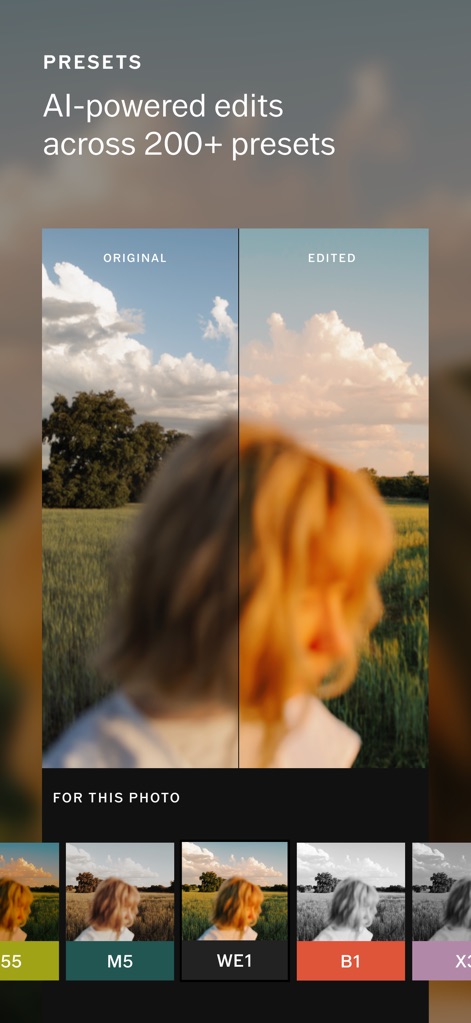
AI搭載プリセット編集
AIを活用した200以上のプリセットで写真が劇的に変化し、元の画像と編集後の違いを明確に比較できるビフォーアフター機能が利用可能です。
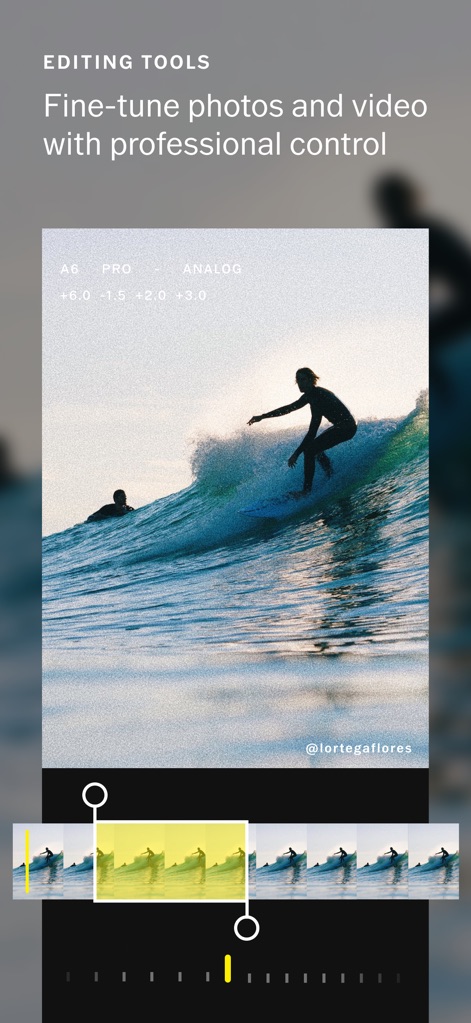
高度な編集機能
ユーザーは、プロフェッショナルな編集コントロールと、ビデオタイムラインでの正確な調整を通じて、写真と動画を微調整できます。
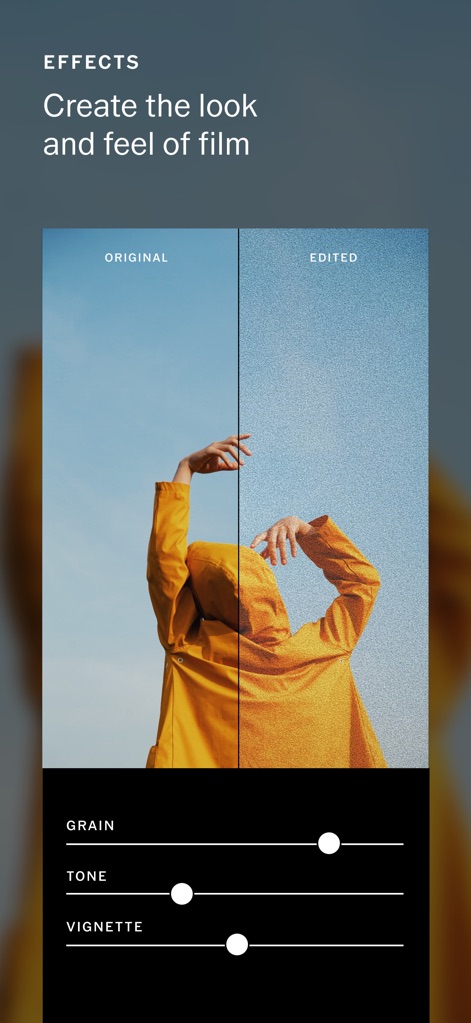
フィルム風エフェクト
フィルムのような質感と雰囲気を再現するため、ユーザーはグレインやトーンといった詳細なエフェクト調整スライダーを使用できます。
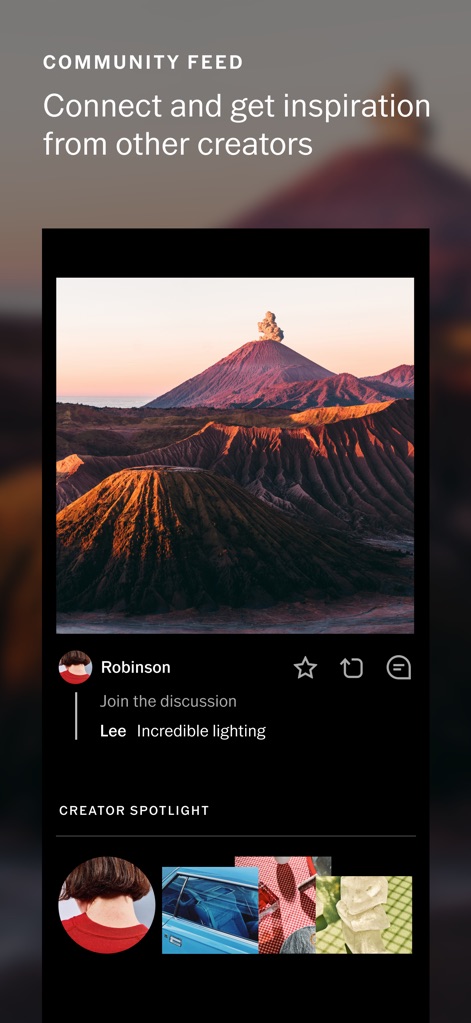
コミュニティと交流
他のクリエイターと繋がることができるコミュニティフィードでは、感動的な写真を発見し、コメントを通じて交流を深めることができます。
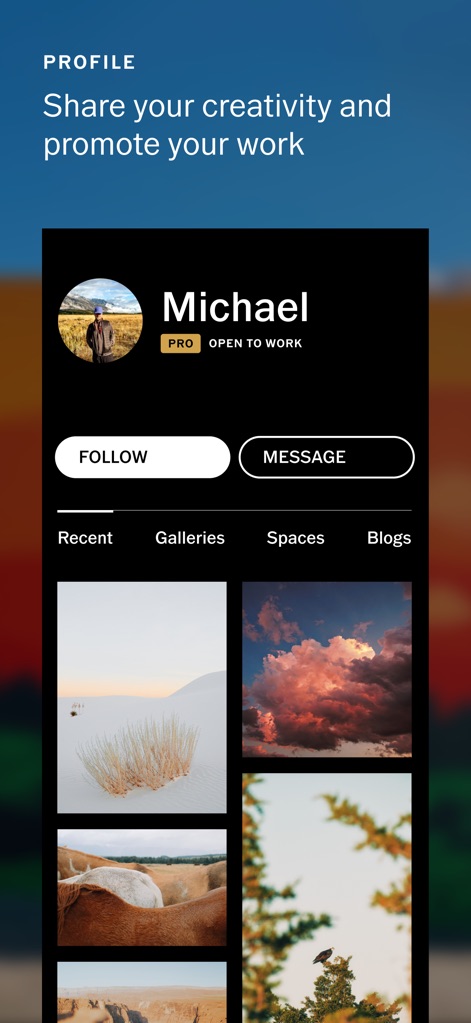
プロフェッショナルプロフィール
ユーザーは自身の作品を展示し、プロのプロフィールを通じて創造性を共有し、作品を整理して展示するギャラリー機能を利用できます。
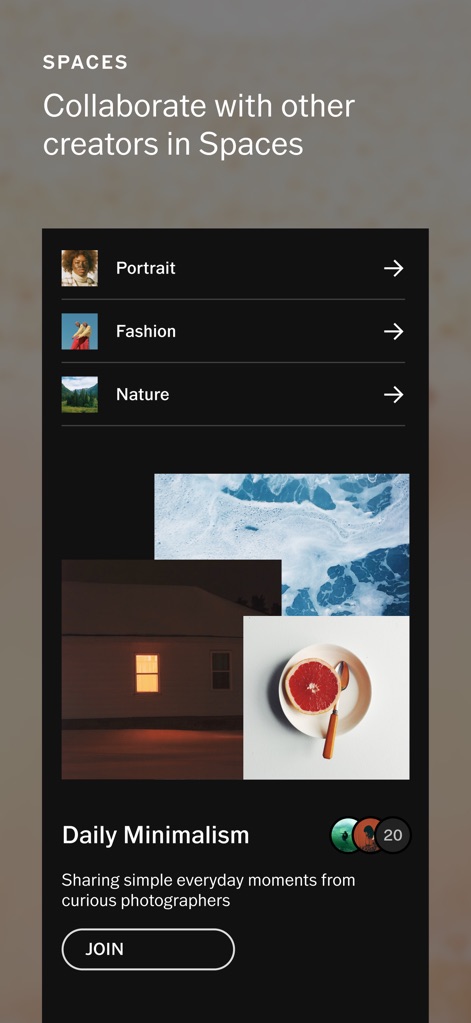
コラボレーションスペース
このアプリのSpaces機能は、クリエイターが特定のテーマ(例: Daily Minimalism)に基づいて共同作業を行い、互いの作品やアイデアを共有するための安全な環境を提供します。
説明
Download






このページはアプリまたはその開発者の公式ページではなく、情報提供および論評を目的として作成された独立した編集出版物です。明示的に別段の記載がない限り、アプリおよびその開発者は、MWM、Apple、Google Play、アプリのパブリッシャー、またはアプリの開発者と提携、承認、後援、認可、またはその他の公式的な関係はなく、このページのいかなる内容も、アプリがMWMのサービスを使用して開発されたことを意味するものではありません。すべての商標、ロゴ、スクリーンショット、その他のコンテンツはそれぞれの所有者の財産です。