Watch Reader - txt file
ダウンロード: App Store

このページはアプリまたはその開発者の公式ページではなく、情報提供および論評を目的として作成された独立した編集出版物です。明示的に別段の記載がない限り、アプリおよびその開発者は、MWM、Apple、Google Play、アプリのパブリッシャー、またはアプリの開発者と提携、承認、後援、認可、またはその他の公式的な関係はなく、このページのいかなる内容も、アプリがMWMのサービスを使用して開発されたことを意味するものではありません。すべての商標、ロゴ、スクリーンショット、その他のコンテンツはそれぞれの所有者の財産です。


ロゴ: Watch Reader - txt file
ダウンロード: App Store

Watch Reader - txt file

Apple Watchのための究極の電子書籍リーダー。TXTとePubファイルを楽に同期し、Text-to-Speechを楽しみ、どんな場所でもdiscreetで邪魔にならない読書体験のためにあらゆる詳細をカスタマイズしましょう。

主要数値

ダウンロード

21K+

ユーザー評価

4.1/5

評価数

0

開発元

kim juyoung

カテゴリ

Books

対応言語

3

最新バージョン

1.25

サイズ

63.6 MB

リリース日

2023年4月6日
機能

手首から、制限なく読む

Apple Watchパワーユーザーのためにデザインされた、究極のミニマリストリーダーを体験してください。通勤、ワークアウト、休憩の時間を、完全なカスタマイズと電話なしアクセスで生産的な読書セッションに変えましょう。

シームレスなクラウド同期

iCloud、SMB、またはNASからTXTおよびePubファイルを楽にインポートできます。あなたの個人デジタルライブラリは常に同期されており、電話に手を伸ばすことなくオフラインで読書できます。

プロレベルのカスタマイズ

カスタムフォント、行間、テーマで体験を微調整しましょう。.otfファイルをアップロードして、ウォッチ画面に完全に最適化された読書インターフェースを実現しましょう。

以下のスクリーンショットと説明は、アプリの公式ストアリスティングから直接取得されたものであり、アプリ開発者の所有物です。

アプリストア

スクリーンショット
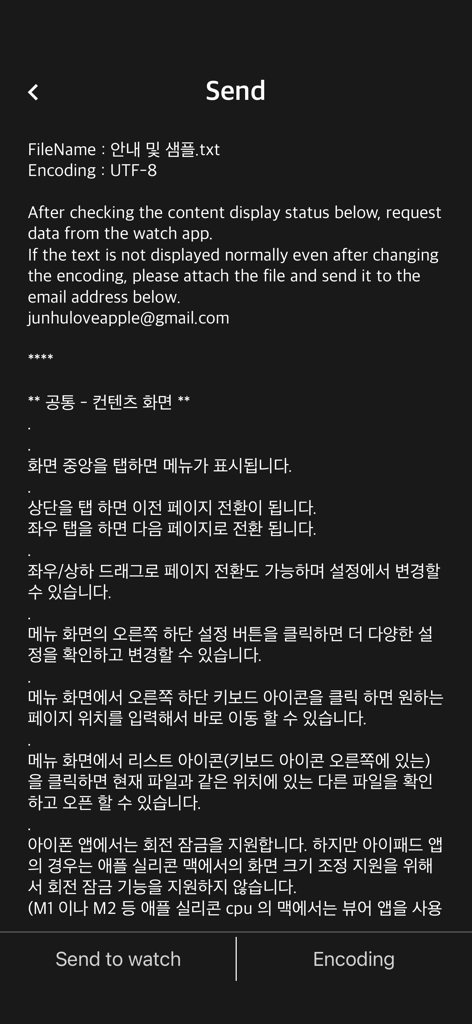
Watch Reader - txt file - Watch Reader iPhoneアプリのインターフェースで、テキストファイルをApple Watchに送信する画面を表示しています。
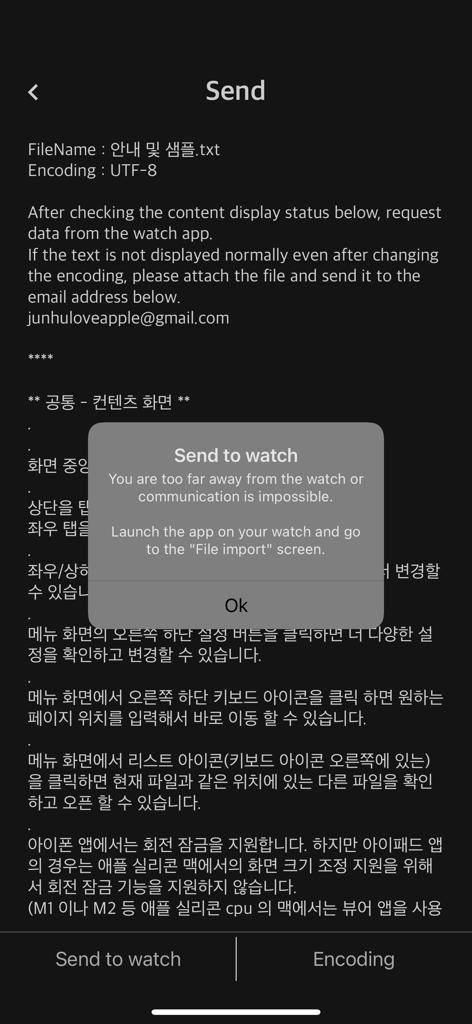
Watch Reader iPhoneアプリのインターフェースで、テキストファイルをApple Watchに送信する画面を表示しています。

Watch Reader - txt file - iPhone画面に、ファイルインポートのためにApple WatchでWatch Readerアプリを起動する手順を示すポップアップが表示されています。
iPhone画面に、ファイルインポートのためにApple WatchでWatch Readerアプリを起動する手順を示すポップアップが表示されています。

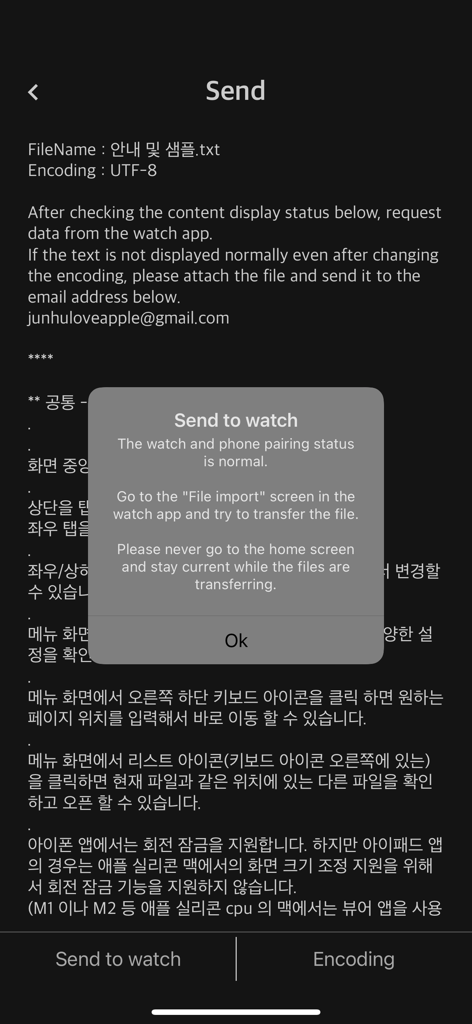
Watch Reader - txt file - Watch Reader iPhoneアプリのスクリーンショットで、テキストファイルをApple Watchに送信するためのポップアップ通知が表示されています。
Watch Reader iPhoneアプリのスクリーンショットで、テキストファイルをApple Watchに送信するためのポップアップ通知が表示されています。

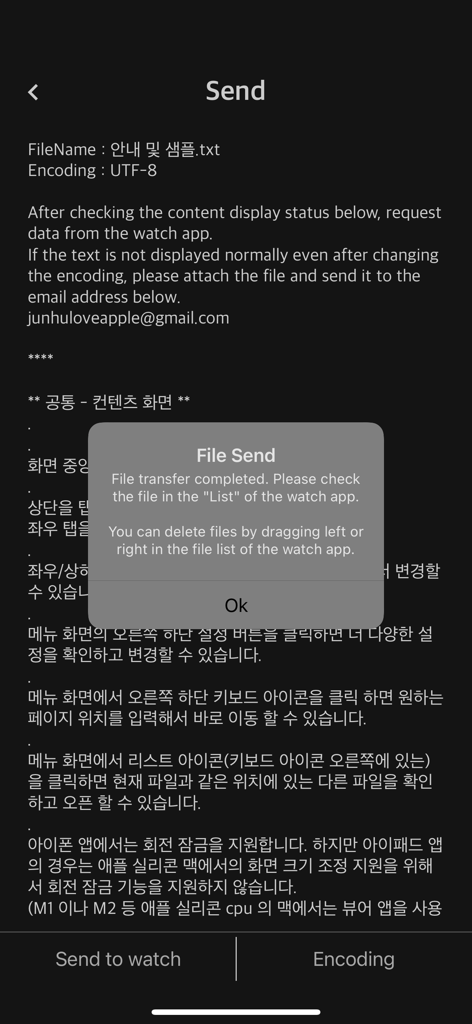
Watch Reader - txt file - iPhone画面に、Watch ReaderアプリからApple Watchへのファイル転送成功の確認が表示されています。

iPhone画面に、Watch ReaderアプリからApple Watchへのファイル転送成功の確認が表示されています。

説明

Watch Reader (Watch Reader) is a watch-only text viewer app. You can view the txt file you have by sending it to the watch. First check if you have a watch. (Supported from devices with WatchOS 9.0 or higher installed) It is possible to run the watch app alone, but The phone app is required to import files to the watch app. The steps to import the file are as follows. 1. The phone app checks some text contents in advance and waits to send the file to the watch app. 2. Launch the watch app and import the file to the watch app through “Import File”. 3. iPhone/iPad and Watch must be in close proximity when transferring files using the watch app. ** Watch App Features ** - Supported from devices with WatchOS 9.0 or higher installed (WatchOS 9.0+) - txt file - ePub: Display only text (not supported: image, audio, style (css), chapter) - Font: Watch default font - External font file: Transfer and apply font files in otf and ttf formats to the watch app - font size - letter spacing - line spacing - indent - Alignment (left, right, center, and justification are not supported) - Text color & recommended text color - Background color & recommended background color - Top information: Select one of non-display, progress, and battery - TTS: Background playback after Bluetooth connection - iCloud sync: sync last read location - App lock: If a password is set for the watch app - Clear all caches - Reset settings - Remove continuous blank lines from original file (automatic) - Remove blank lines - Remove a file from the watch app: Swipe left in the file list - App language: Auto / English / Japanese / Korean - Search (Location: Settings - Search) - Designate long-click operation: Unused/TTS/Search - App brightness - Internal speaker playback (background playback is not possible when the internal speaker is set) ** Phone App Features ** - Send files to the watch app - file management - Webdav, SMB, FTP, Synology NAS ** Search for "Watch Reader" on YouTube for a demonstration video

Download

ダウンロード: App Store

このページはアプリまたはその開発者の公式ページではなく、情報提供および論評を目的として作成された独立した編集出版物です。明示的に別段の記載がない限り、アプリおよびその開発者は、MWM、Apple、Google Play、アプリのパブリッシャー、またはアプリの開発者と提携、承認、後援、認可、またはその他の公式的な関係はなく、このページのいかなる内容も、アプリがMWMのサービスを使用して開発されたことを意味するものではありません。すべての商標、ロゴ、スクリーンショット、その他のコンテンツはそれぞれの所有者の財産です。








