Weekly: Budget Planner App
ダウンロード: App Store

このページはアプリまたはその開発者の公式ページではなく、情報提供および論評を目的として作成された独立した編集出版物です。明示的に別段の記載がない限り、アプリおよびその開発者は、MWM、Apple、Google Play、アプリのパブリッシャー、またはアプリの開発者と提携、承認、後援、認可、またはその他の公式的な関係はなく、このページのいかなる内容も、アプリがMWMのサービスを使用して開発されたことを意味するものではありません。すべての商標、ロゴ、スクリーンショット、その他のコンテンツはそれぞれの所有者の財産です。


ロゴ: Weekly: Budget Planner App
ダウンロード: App Store

Weekly: Budget Planner App

毎月の負担から解放されましょう。銀行口座を同期し、毎日の支出を楽に追跡し、美しい予算で貯蓄目標を達成しましょう。使うことを許可してくれる予算です。

主要数値

ダウンロード

107K+

ユーザー評価

4.8/5

評価数

4K+

開発元

Weekly LLC

カテゴリ

Finance

対応言語

1

最新バージョン

4.4.6

サイズ

74.5 MB

リリース日

2019年10月20日
機能

お金をマスターする、週に一度

いくら使えるか推測するのはやめましょう。Weeklyは、請求書、収入、目標を、7日間のサイクルに合わせた、ストレスフリーな単一の数字に変えます。

安全に使える金額を知る

もう頭の中で計算する必要はありません。請求書や貯蓄目標が自動的に考慮された後、娯楽や食料品にいくら残っているかを正確に確認できます。

自動銀行同期

アカウントを安全に接続して、手入力の手間を省きましょう。ワンタップレビューを使用して取引を分類し、数秒で進捗を確認しましょう。

FAQ

よくある質問

について知っておくべきこと Weekly: Budget Planner App

What is Weekly: Budget Planner App?

Weeklyは、ユーザーが予算を計画し、使いすぎを防ぎ、週単位で貯蓄を節約するのに役立つように設計された予算アプリです。予算プランナーと支出トラッカーの両方として機能します。

How does the Weekly app calculate the weekly safe-to-spend limit?

Weeklyは、定期的な請求、収入、および設定された貯蓄目標を考慮して、週ごとの支出限度額を計算します。その後、毎週安全に費やすことができる金額を決定します。

Does the Weekly app include a spending tracker?

はい、Weeklyには支出トラッカーが含まれています。銀行からトランザクションをダウンロードするか、手動入力することで、日々の支出を監視します。ユーザーは購入品をカテゴリ分けできます。

以下のスクリーンショットと説明は、アプリの公式ストアリスティングから直接取得されたものであり、アプリ開発者の所有物です。

アプリストア

スクリーンショット
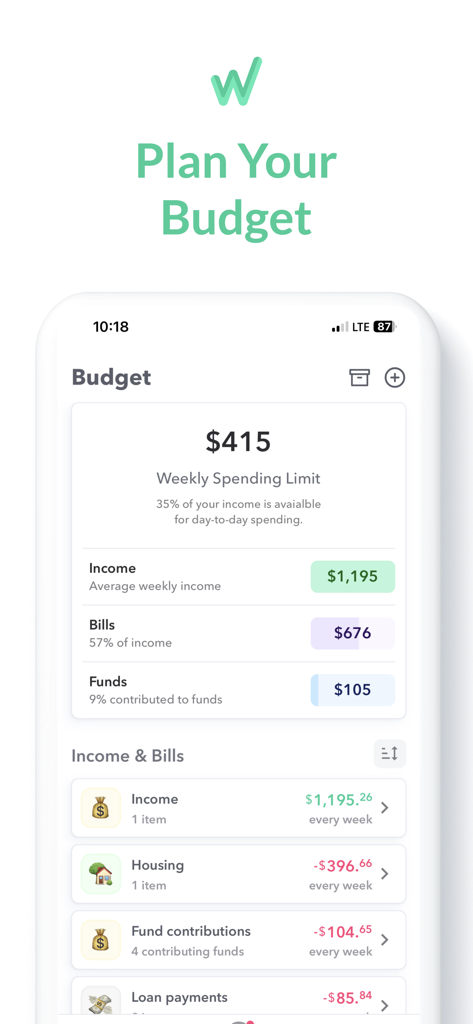
Weekly: Budget Planner App - Weekly Budget Plannerアプリのインターフェース。週の支出限度額が415ドルで、収入と請求書の詳細が表示されています
Weekly Budget Plannerアプリのインターフェース。週の支出限度額が415ドルで、収入と請求書の詳細が表示されています

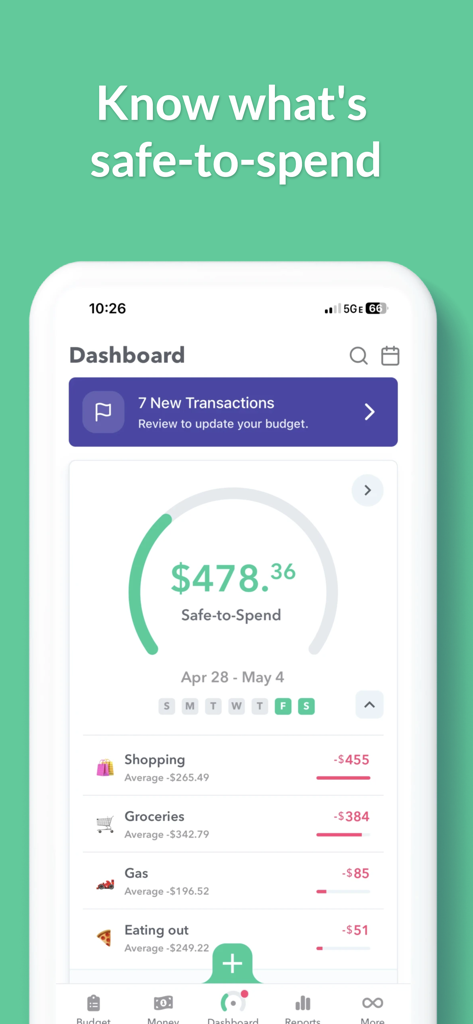
Weekly: Budget Planner App - Weekly Budget Plannerアプリのダッシュボード。安全に使える残高と、食料品や外食などのカテゴリ別支出が表示されています。
Weekly Budget Plannerアプリのダッシュボード。安全に使える残高と、食料品や外食などのカテゴリ別支出が表示されています。

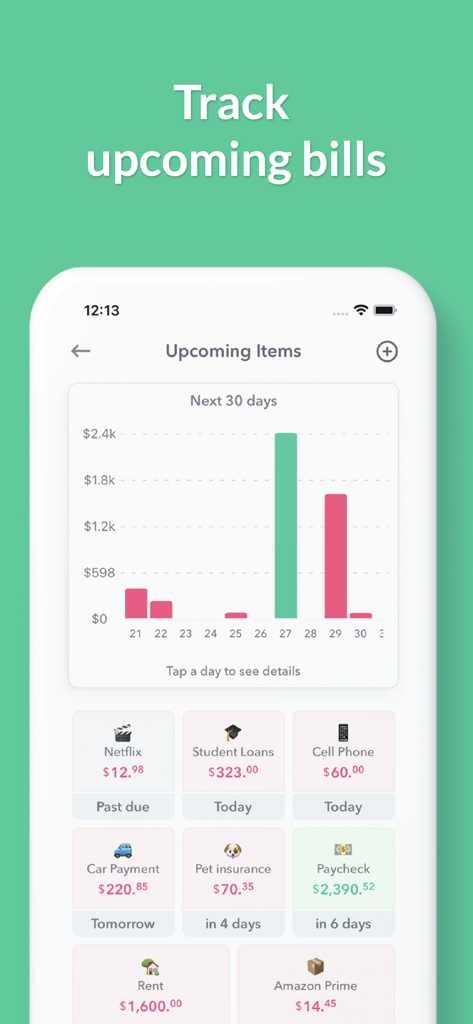
Weekly: Budget Planner App - Weekly予算アプリのモバイルスクリーンショット。今後の請求書ダッシュボードに、支出予測チャートと取引カードが表示されています。
Weekly予算アプリのモバイルスクリーンショット。今後の請求書ダッシュボードに、支出予測チャートと取引カードが表示されています。

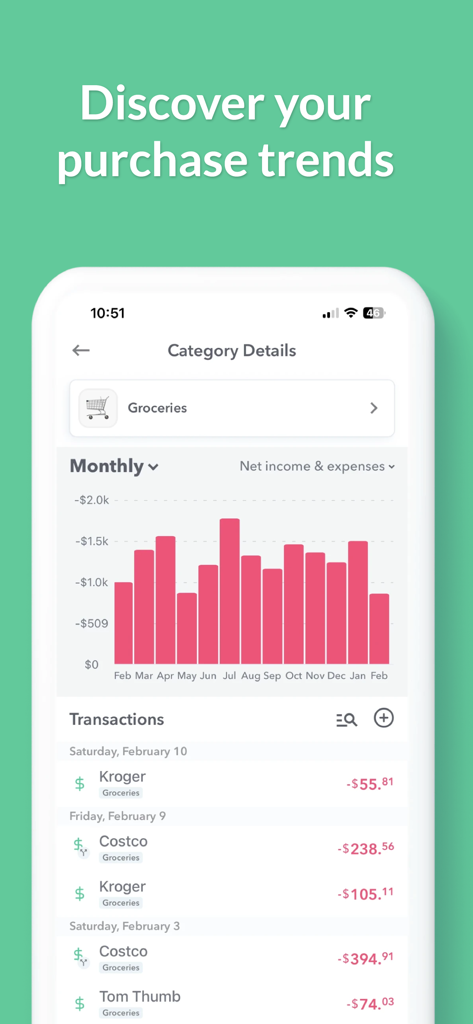
Weekly: Budget Planner App - モバイルアプリ画面。食料品支出の傾向に関する月次棒グラフと取引リストが表示されています。
モバイルアプリ画面。食料品支出の傾向に関する月次棒グラフと取引リストが表示されています。

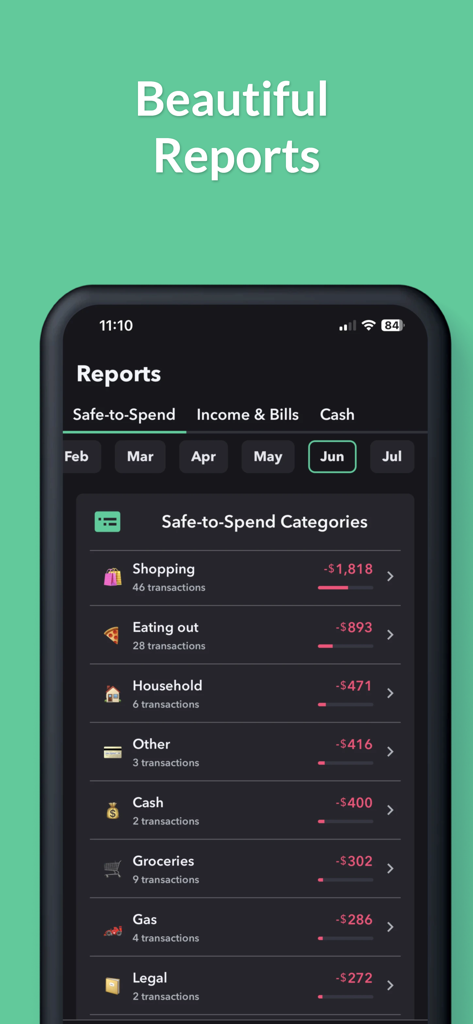
Weekly: Budget Planner App - Weekly予算アプリ。月次支出レポートと安全に使えるカテゴリが表示されています
Weekly予算アプリ。月次支出レポートと安全に使えるカテゴリが表示されています

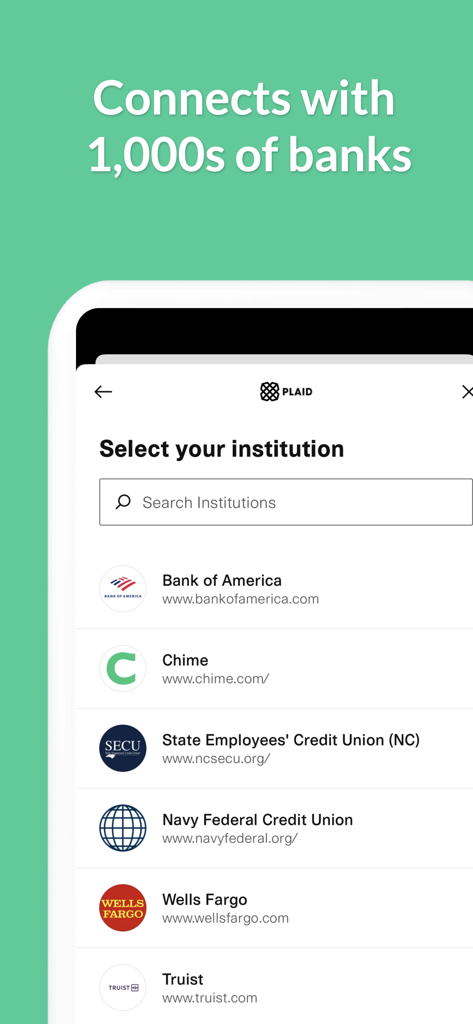
Weekly: Budget Planner App - Plaidとの銀行連携を表示するWeeklyアプリ画面。Bank of AmericaやWells Fargoなど、数千の金融機関を接続できます
Plaidとの銀行連携を表示するWeeklyアプリ画面。Bank of AmericaやWells Fargoなど、数千の金融機関を接続できます

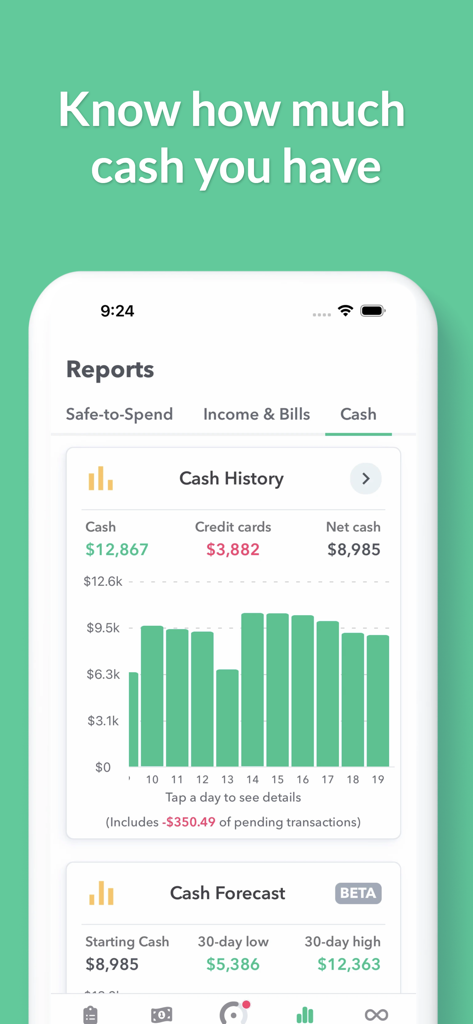
Weekly: Budget Planner App - WeeklyアプリのiPhoneスクリーンショット。キャッシュ履歴チャートと財務予測レポートが表示されています。
WeeklyアプリのiPhoneスクリーンショット。キャッシュ履歴チャートと財務予測レポートが表示されています。

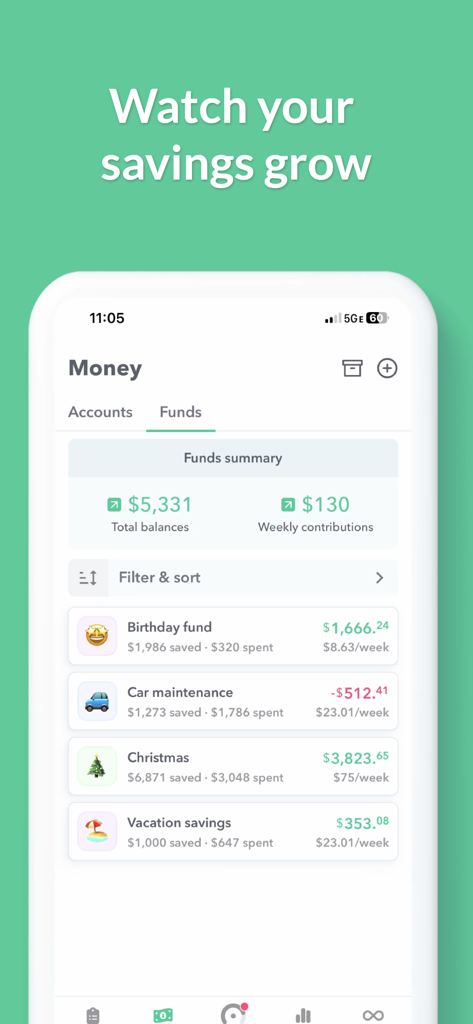
Weekly: Budget Planner App - 休暇や車のメンテナンス目標の進捗状況を示す、Weekly予算プランナーアプリの貯蓄ファンドダッシュボード
休暇や車のメンテナンス目標の進捗状況を示す、Weekly予算プランナーアプリの貯蓄ファンドダッシュボード

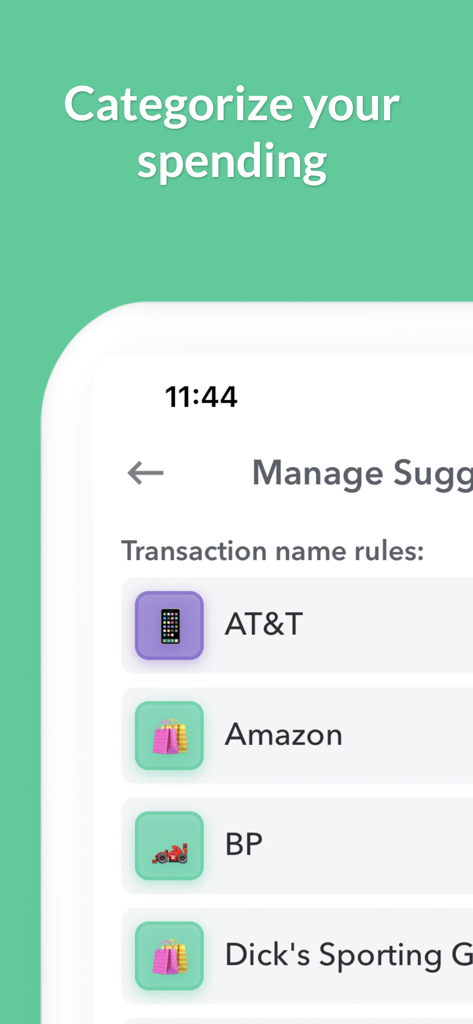
Weekly: Budget Planner App - 取引ルールと販売店アイコンを表示するWeekly予算アプリの支出分類画面

取引ルールと販売店アイコンを表示するWeekly予算アプリの支出分類画面

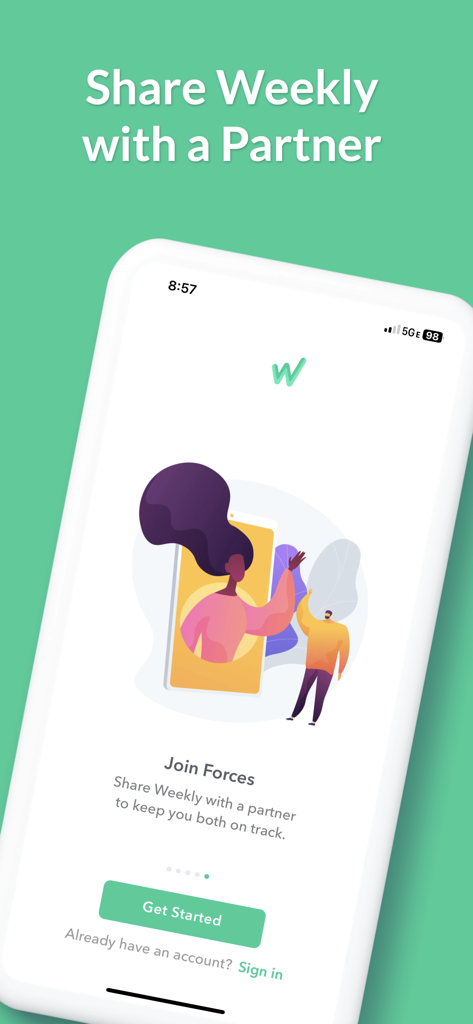
Weekly: Budget Planner App - カップル向けの共有予算オプション「Join Forces」を特集したWeekly Budget Plannerアプリ画面

カップル向けの共有予算オプション「Join Forces」を特集したWeekly Budget Plannerアプリ画面

説明

Weekly is a beautiful budget app based on a week. Weekly is the most effective way to plan a budget, stop overspending and save for your money goals. Weekly is both a budget planner and spending tracker. Weekly starts with a simple guided budget setup where you put in all your recurring bills and income. Next, you add in your savings goals. Then based on those budget items, Weekly calculates for you your weekly spending limit. Once your budget is set, our one-of-a-kind spending tracker monitors your day-to-day spending by downloading your transactions from your bank (or you can add them manually). You can then quickly and easily organize your purchases into categories. We will show you how much you are spending on things like “Gas” and “Groceries” or any other category you would like to track. As the weeks go by you can see your average spending by category and challenge yourself to keep your “Safe-to-Spend” balance “in the green”. Weekly is also a great bill organizer. You will see your upcoming bills and whether they have been paid. Weekly will tell you the number of days left until the next bill is due and notify you when bills are due. Connect your banks and credit cards to see all your account balances in one place and stay on top of your personal finances and your budget. Tracking money with Weekly is fun. Use emojis to represent your different recurring bills and safe-to-spend categories. Weekly’s one tap review icons let you quickly confirm your transactions and keep on track with your budget. Weekly is perfect for household & personal budgets. You can also share Weekly to stay on track with your budget with a spouse or partner. The steps to budgeting with Weekly. Step 1: Create Your Budget with the Budget Planner ** Use our guided walkthrough to set up your budget ** Enter your regular income ** Enter your recurring expenses such as your mortgage, car payments, loans, and utilities bills Step 2: Set Up Funds to Save for Your Goals ** Create funds to save for your goals ** Weekly automatically contributes money to your funds each week Step 3: Discover Your Weekly Safe-To-Spend ** Weekly calculates what you can safely spend each week ** The calculation takes into account all recurring bills, income and savings goals in your budget Step 4: Track Your Day-to-Day Spending with our Spending Tracker ** Add in your daily transactions either manually or download them from your bank ** Stay aware of your “Safe-to-Spend” number ** Quickly and easily categorize your day-to-day spending ** See your category spending totals and averages ** Spend worry-free knowing all your bills and savings goals are factored in Step 5: See Your Bills and Account Balances ** See view upcoming bills and whether they have been paid ** View all your account balances in one place ** See how much cash you are saving User Testimonials "Has made budgeting effortless and so easy to follow. For the first time I am able to stay on track. The cost of the subscription is absolutely worth it and has saved me thousands in overspending." AllyCat1217, Oct 12, 2024 “Probably the most important app my wife and I have. It throws our ambiguity around finances out the window and sets us up for success each week with an easy to understand, easy to read budgeting app.” leajere, Jul 10, 2023 Weekly is free to use or you can subscribe to Weekly PRO for our premium features. Weekly PRO subscriptions automatically renew unless auto-renew is turned off at least 24-hours before the end of the current period. Subscriptions may be managed and auto-renewal may be turned off by going to your iPhone Account Settings. Any unused portion of a free trial period will be forfeited if you purchase a subscription to Weekly before your trial expires. Terms and Conditions - https://weeklybudgeting.com/terms Privacy Policy - https://www.privacypolicies.com/privacy/view/6c2c1200579f8307c4080c7f9cd94723

Download

ダウンロード: App Store

このページはアプリまたはその開発者の公式ページではなく、情報提供および論評を目的として作成された独立した編集出版物です。明示的に別段の記載がない限り、アプリおよびその開発者は、MWM、Apple、Google Play、アプリのパブリッシャー、またはアプリの開発者と提携、承認、後援、認可、またはその他の公式的な関係はなく、このページのいかなる内容も、アプリがMWMのサービスを使用して開発されたことを意味するものではありません。すべての商標、ロゴ、スクリーンショット、その他のコンテンツはそれぞれの所有者の財産です。