WiDI - MIDI Studio
WiDI - MIDI Studio
ダウンロード: App Store

このページはアプリまたはその開発者の公式ページではなく、情報提供および論評を目的として作成された独立した編集出版物です。明示的に別段の記載がない限り、アプリおよびその開発者は、MWM、Apple、Google Play、アプリのパブリッシャー、またはアプリの開発者と提携、承認、後援、認可、またはその他の公式的な関係はなく、このページのいかなる内容も、アプリがMWMのサービスを使用して開発されたことを意味するものではありません。すべての商標、ロゴ、スクリーンショット、その他のコンテンツはそれぞれの所有者の財産です。

ロゴ: WiDI - MIDI Studio
ダウンロード: App Store

WiDI - MIDI Studio

iOSデバイスをプロフェッショナルなMIDIハブに変えましょう。オーダーメイドのレイアウトをデザインし、CCを自動化し、複雑なシーケンスをワイヤレスでトリガーして、より速く、より触感的なスタジオワークフローを実現します。

主要数値

ダウンロード

2K+

ユーザー評価

4.4/5

評価数

0

開発元

HYPERTIDE

カテゴリ

Music

対応言語

1

最新バージョン

1.8.3

サイズ

26.1 MB

リリース日

2018年8月7日
機能

あなたのスタジオ、あなたのルール

iOSデバイスを、あなたのクリエイティブフローとDAWのギャップを埋めるために設計されたプロフェッショナルMIDIコントロールサーフェスおよびシーケンサーに変えましょう。

オーダーメイドのコントロールサーフェス

カスタムノブ、フェーダー、パッドで、必要なMIDIレイアウトを正確に構築します。マウスに手を伸ばすのをやめ、触感性に優れ応答性の高いコントロールで音楽と対話しましょう。

シームレスなワイヤレス統合

ネイティブMIDIネットワークセッションサポートでケーブルをカットしましょう。スタジオのどこからでも、手間いらずのワイヤレス接続でAbleton、Logic、またはハードウェアシンセをコントロールできます。

以下のスクリーンショットと説明は、アプリの公式ストアリスティングから直接取得されたものであり、アプリ開発者の所有物です。

アプリストア

スクリーンショット
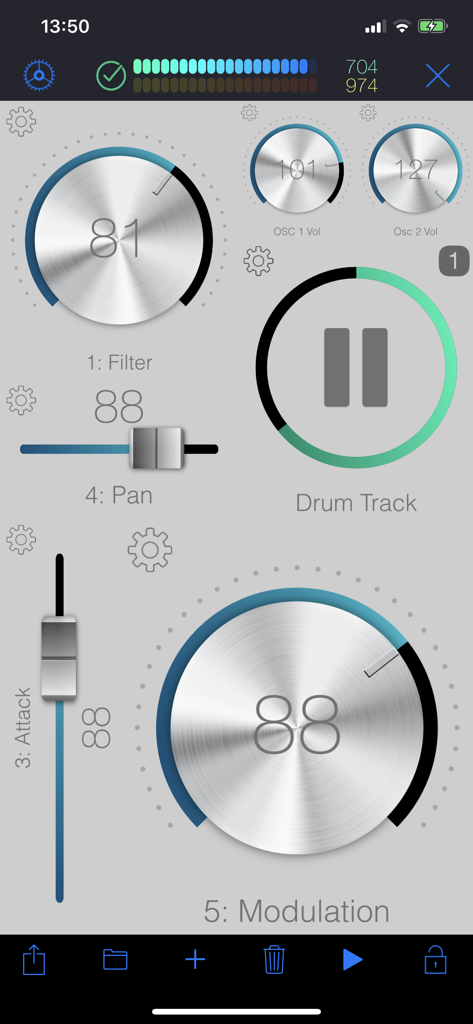
WiDI - MIDI Studio - 音楽制作のための仮想ノブとフェーダーを備えた、WiDIアプリのカスタマイズ可能なMIDIコントロールサーフェス。
音楽制作のための仮想ノブとフェーダーを備えた、WiDIアプリのカスタマイズ可能なMIDIコントロールサーフェス。

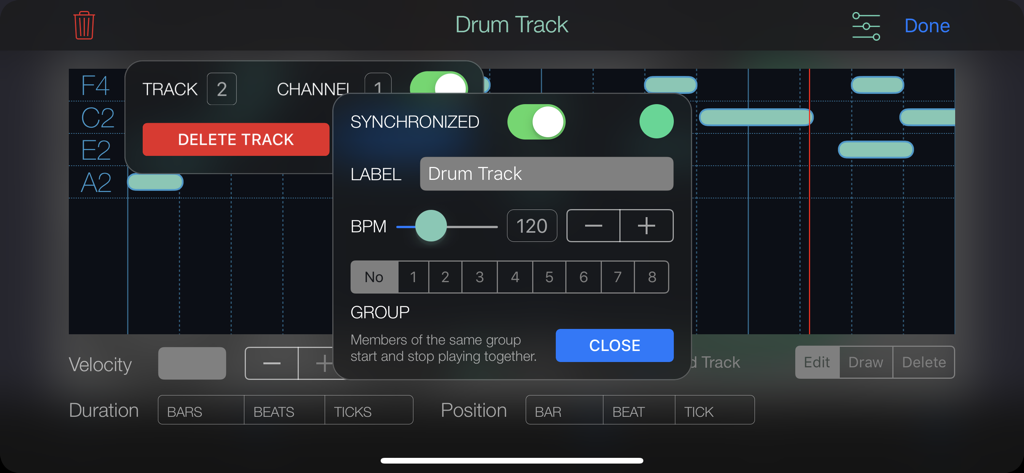
WiDI - MIDI Studio - WiDI MIDI Studioアプリのインターフェース。ドラムトラックシーケンサーの設定とBPMコントロールを表示。
WiDI MIDI Studioアプリのインターフェース。ドラムトラックシーケンサーの設定とBPMコントロールを表示。

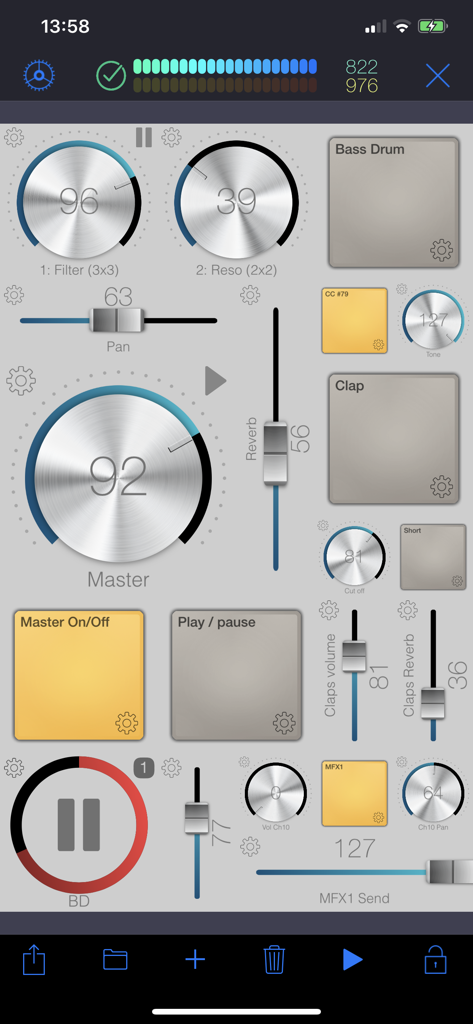
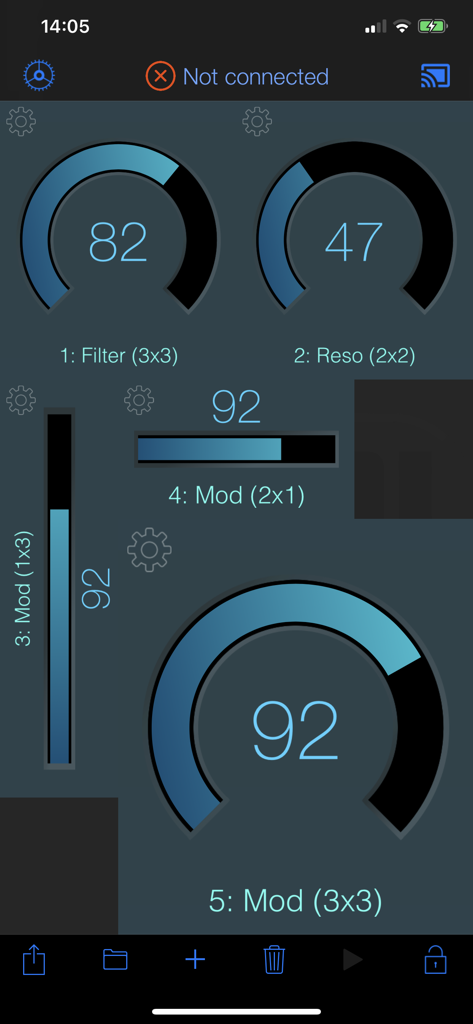
WiDI - MIDI Studio - 音楽コントロールのための仮想ノブ、フェーダー、パッドのカスタムレイアウトを備えたWiDI MIDI Studioアプリのインターフェース。
音楽コントロールのための仮想ノブ、フェーダー、パッドのカスタムレイアウトを備えたWiDI MIDI Studioアプリのインターフェース。

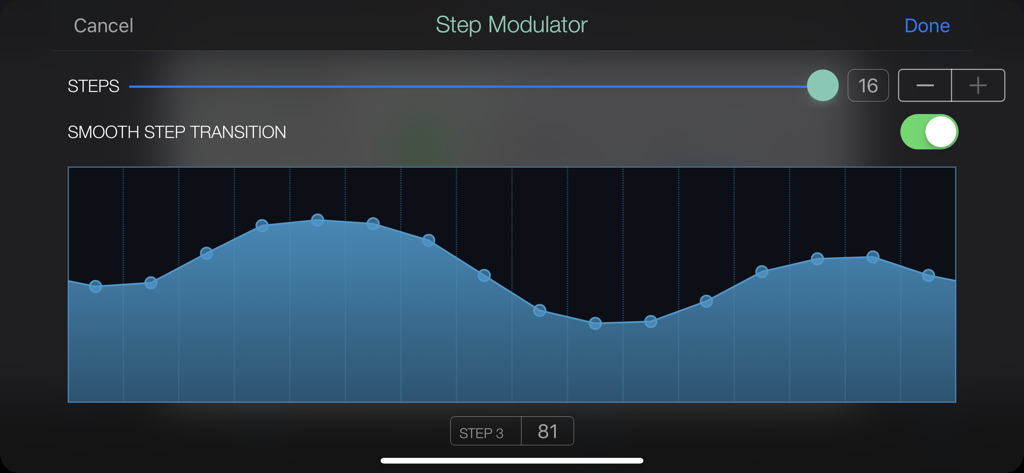
WiDI - MIDI Studio - WiDI MIDI Studioのステップモジュレーターインターフェース。16ステップのモジュレーションパターンとスムーズなトランジションが有効になっている状態を表示。
WiDI MIDI Studioのステップモジュレーターインターフェース。16ステップのモジュレーションパターンとスムーズなトランジションが有効になっている状態を表示。

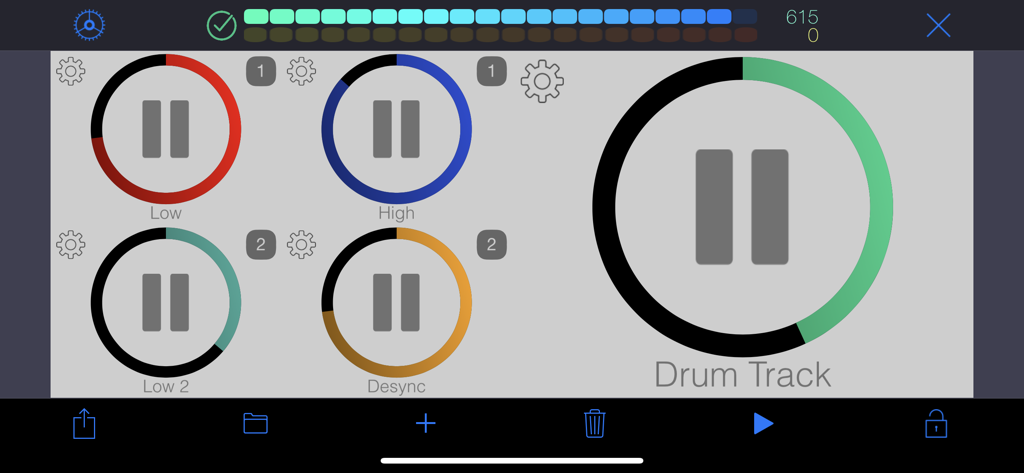
WiDI - MIDI Studio - 音楽制作のための、色分けされた再生ボタンを備えたカスタマイズ可能なMIDIコントロールサーフェス。
音楽制作のための、色分けされた再生ボタンを備えたカスタマイズ可能なMIDIコントロールサーフェス。

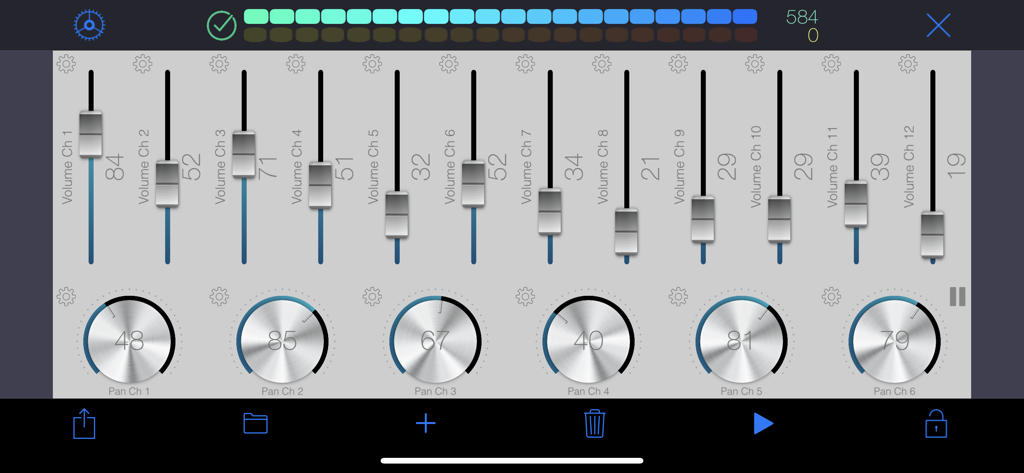
WiDI - MIDI Studio - WiDI MIDI Studioアプリのインターフェース。音楽コントロールのためのボリュームフェーダーとパンノブを表示。
WiDI MIDI Studioアプリのインターフェース。音楽コントロールのためのボリュームフェーダーとパンノブを表示。

WiDI - MIDI Studio - 音楽制作のためのカスタマイズ可能なMIDIノブとスライダーを表示するWiDIアプリのインターフェース。
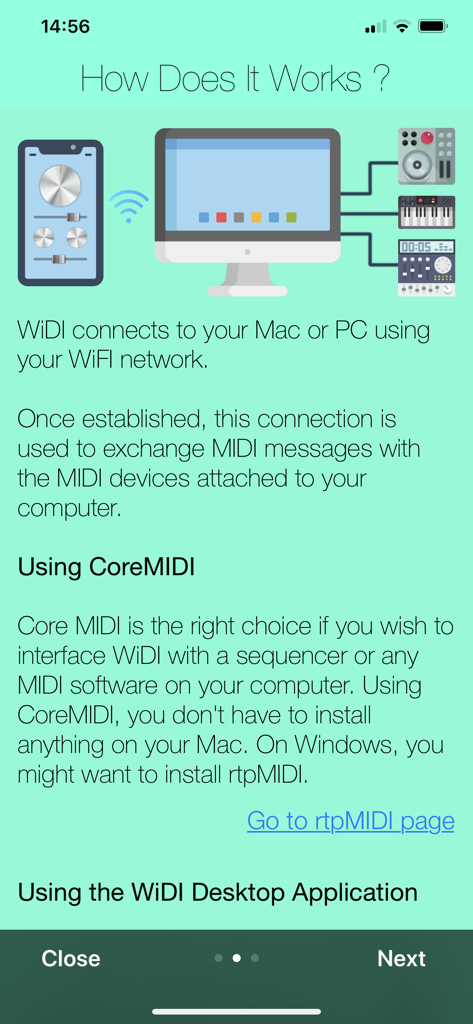
音楽制作のためのカスタマイズ可能なMIDIノブとスライダーを表示するWiDIアプリのインターフェース。

WiDI - MIDI Studio - WiDIアプリがWiFi経由でコンピューターおよび外部音楽機器にワイヤレスで接続している様子を示すグラフィック。

WiDIアプリがWiFi経由でコンピューターおよび外部音楽機器にワイヤレスで接続している様子を示すグラフィック。

説明

WiDI is a control surface with an integrated step sequencer in which you create controls such as buttons, pads, knobs and faders to send MIDI events and play sequences. • CONTROL SURFACE AND SEQUENCER: A control is bound to a channel and a specific MIDI Control Change. You can either specify the CC number if you know it, or let the app learn it. Once placed on the surface, use this control to interact with your MIDI device. Alternatively, any CC event sent by your device will be shown live by the control(s) bound to this CC. Pads are special controls: they can either produce MIDI CC events, Notes or Program changes. If bound to a CC, the pad can act as an on/off switch (you specify the values for each state.) If bound to a note, each tap produces the specified MIDI note. This is especially useful to operate MIDI instruments without keyboards such as synthesizer modules or drum machines. A sequence can hold as many tracks as you wish, and send notes to different MIDI channels. Sequences can play in sync or running freely. You may also group sequences together to start or pause them at the same time. • MIDI: To interface WiDI with any MIDI instruments/devices connected to your Mac or PC, connect to a MIDI Network Session on your Mac or your PC. On a Mac, this is natively supported by macOS, and you do not need to install third party software (use Audio MIDI Setup.) On a PC running Windows, you might want to install rtpMIDI. As an alternative to MIDI Network Sessions, you may use the WiDI Desktop Application. It acts as a MIDI bridge between the network and your MIDI hardware. You can install the desktop application on as many computers as you want (it's free!). It's a very lightweight package that doesn't need to perform any installation procedure whatsoever. You may download the WiDI Desktop Application for macOS on the Mac App Store, or go to : https://www.hypertide.com/widi/ for both macOS and Windows archives. Additionally, any class-compliant MIDI interface natively supported by iOS can also be used directly by WiDI without the need of a network connection. • FEATURES: ○ Use any CoreMIDI-supported MIDI interface connected to your device ○ MIDI network session: use WiDI as an external control surface for any DAW such as Logic Pro, Ableton Live, Cubase, ... ○ Multiple iPhone and iPad can connect to your computer, allowing different control surfaces simultaneously ○ Integrated step sequencer: create sequences, each one holding as many tracks as needed ○ Sequences can run freely or in sync and start simultaneously if grouped together in fire groups ○ Auto discover MIDI CC : you don't need to know each one to add controls, WiDI learns CC numbers sent by your devices ○ Automate CC : sweep ranges or use the step modulator to design patterns to modulate controls values, supporting various advanced options like step-by-step or smooth variations, bouncing, repeating, changing speed ○ Add as many pads as you want to generate MIDI Notes, Control Changes or Program Changes ○ Flexible control surface : set layout and grid size for both portrait and landscape orientations ○ Re-arranging controls is as simple as drag & drop ○ Fully customizable user interface : themes, colors, display of values and labels, aspect ratios, grid spacing, grid coloring, background, ... ○ Integrated File Manager to load and save your surfaces, which are also accessible in the iOS Files app and your computer's iTunes connection ○ Exchange surfaces between devices with the integrated QR code generator and scanner ○ Or use the share feature, so you may import them on any device. We'd love to hear from you! Should you be in need of support or eager to request a new feature, please contact us at support+widi@hypertide.com

Download

ダウンロード: App Store

このページはアプリまたはその開発者の公式ページではなく、情報提供および論評を目的として作成された独立した編集出版物です。明示的に別段の記載がない限り、アプリおよびその開発者は、MWM、Apple、Google Play、アプリのパブリッシャー、またはアプリの開発者と提携、承認、後援、認可、またはその他の公式的な関係はなく、このページのいかなる内容も、アプリがMWMのサービスを使用して開発されたことを意味するものではありません。すべての商標、ロゴ、スクリーンショット、その他のコンテンツはそれぞれの所有者の財産です。







