WilhelmSK
WilhelmSK
ダウンロード: App Store

このページはアプリまたはその開発者の公式ページではなく、情報提供および論評を目的として作成された独立した編集出版物です。明示的に別段の記載がない限り、アプリおよびその開発者は、MWM、Apple、Google Play、アプリのパブリッシャー、またはアプリの開発者と提携、承認、後援、認可、またはその他の公式的な関係はなく、このページのいかなる内容も、アプリがMWMのサービスを使用して開発されたことを意味するものではありません。すべての商標、ロゴ、スクリーンショット、その他のコンテンツはそれぞれの所有者の財産です。

ロゴ: WilhelmSK
ダウンロード: App Store

WilhelmSK

iPadとiPhoneをプロ仕様のマリンディスプレイに変えましょう。Signal K、NMEA 2000、Victronシステムをシームレスに統合し、水上での完全なコントロールと安心感を実現します。

主要数値

ダウンロード

97K+

ユーザー評価

4.6/5

評価数

0

開発元

Scott Bender

カテゴリ

Navigation

対応言語

1

最新バージョン

1.17.0

サイズ

118.1 MB

リリース日

2016年10月4日
機能

かつてないほど船を自在に指揮

iPad、iPhone、Apple Watchを、ボートの全システムを一つの強力なコマンドセンターに統合する、プロ仕様で完全にカスタマイズ可能なマリンダッシュボードに変えましょう。

オーダーメイドのグラスコックピット

完全にカスタマイズ可能なアナログおよびデジタルゲージを使用して、必要なダッシュボードを正確に設計できます。セーリング、機走、またはリモートモニタリングのための独自のレイアウトを作成しましょう。

ユニバーサルなシステム統合

ブランド間の垣根を取り払います。Victron電源システムのモニタリング、Fusionオーディオの操作、Raymarineオートパイロットの管理を、単一のインターフェースからシームレスに行えます。

以下のスクリーンショットと説明は、アプリの公式ストアリスティングから直接取得されたものであり、アプリ開発者の所有物です。

アプリストア

スクリーンショット
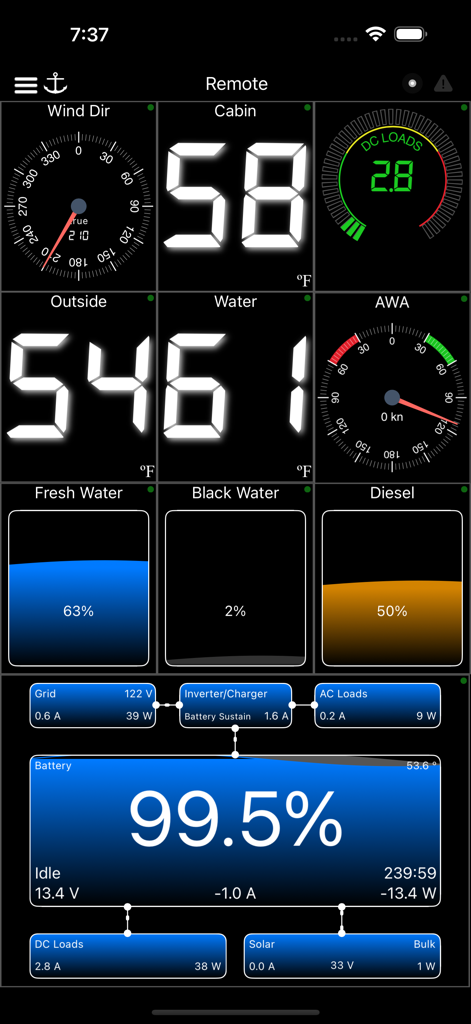
WilhelmSK - 風向、船内温度、水位、バッテリー電力管理を表示するWilhelmSKマリンダッシュボード。
風向、船内温度、水位、バッテリー電力管理を表示するWilhelmSKマリンダッシュボード。

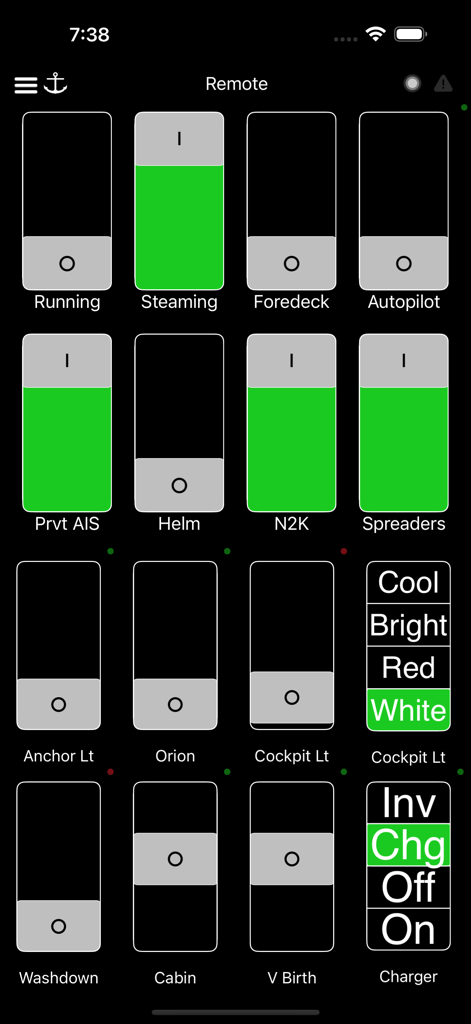
WilhelmSK - 照明やオートパイロットなどのボートシステムの制御スイッチを表示するWilhelmSKマリンアプリのリモートダッシュボード。
照明やオートパイロットなどのボートシステムの制御スイッチを表示するWilhelmSKマリンアプリのリモートダッシュボード。

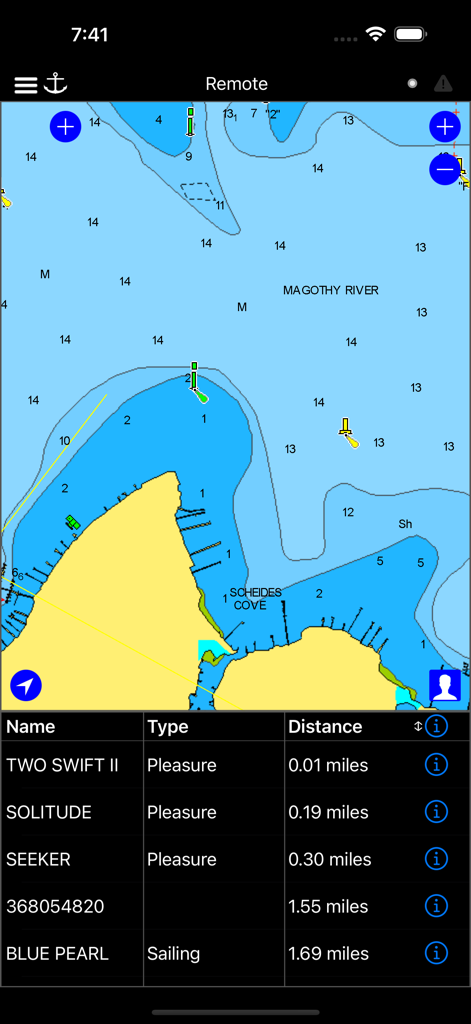
WilhelmSK - ボートの位置とAIS船舶リストを表示するWilhelmSKアプリ内の航海図。
ボートの位置とAIS船舶リストを表示するWilhelmSKアプリ内の航海図。

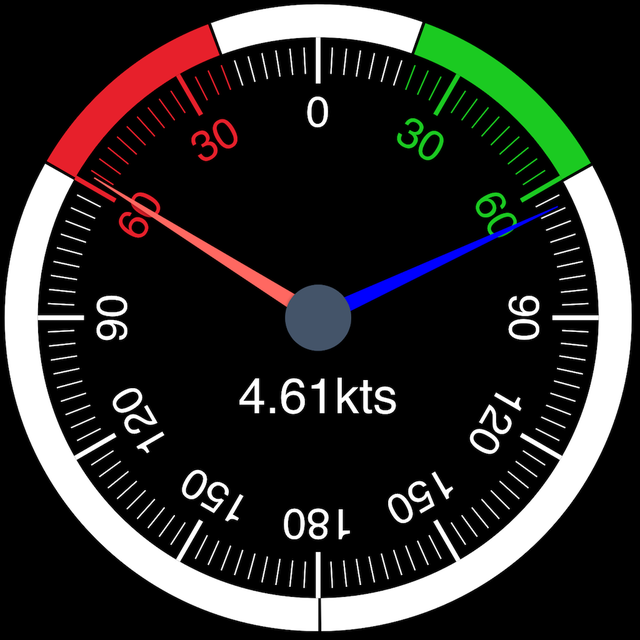
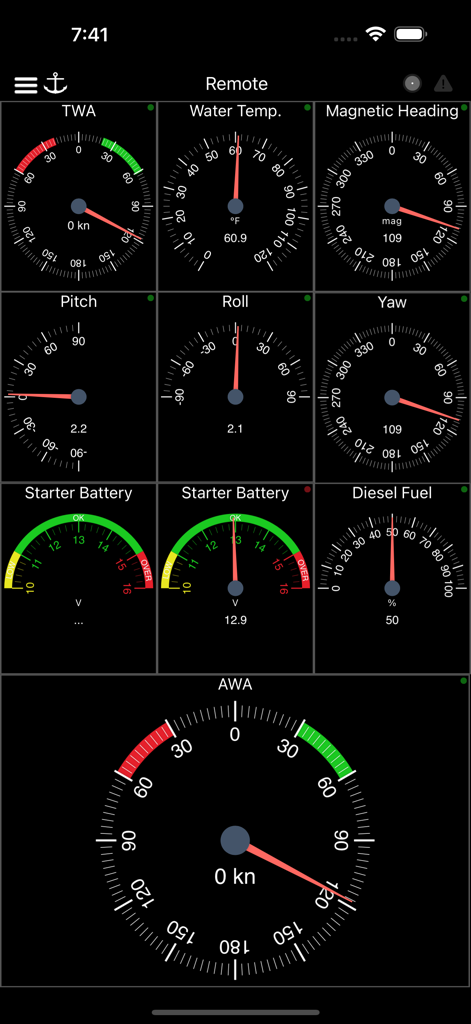
WilhelmSK - 風、温度、方位、燃料レベルのゲージを表示するマリンナビゲーションダッシュボード。
風、温度、方位、燃料レベルのゲージを表示するマリンナビゲーションダッシュボード。

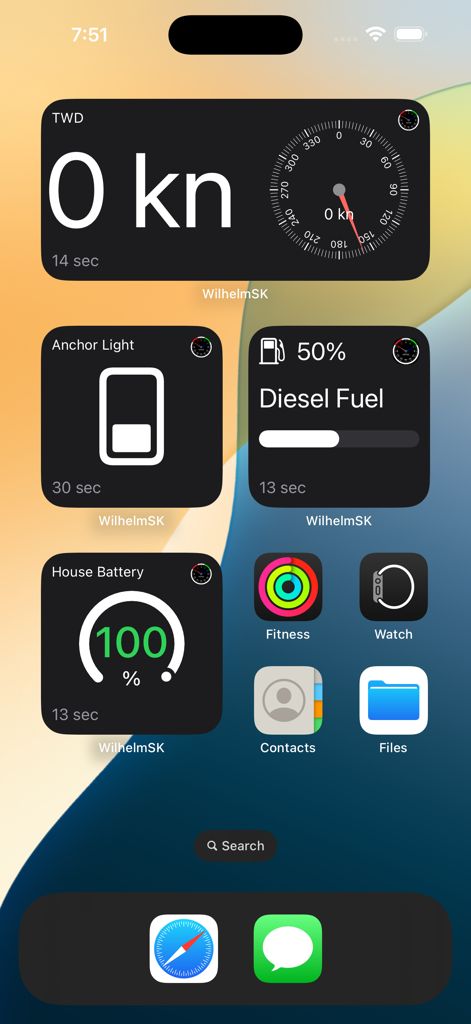
WilhelmSK - 風、燃料、バッテリーデータのWilhelmSK海洋ウィジェットを表示するiPhoneのホーム画面。
風、燃料、バッテリーデータのWilhelmSK海洋ウィジェットを表示するiPhoneのホーム画面。

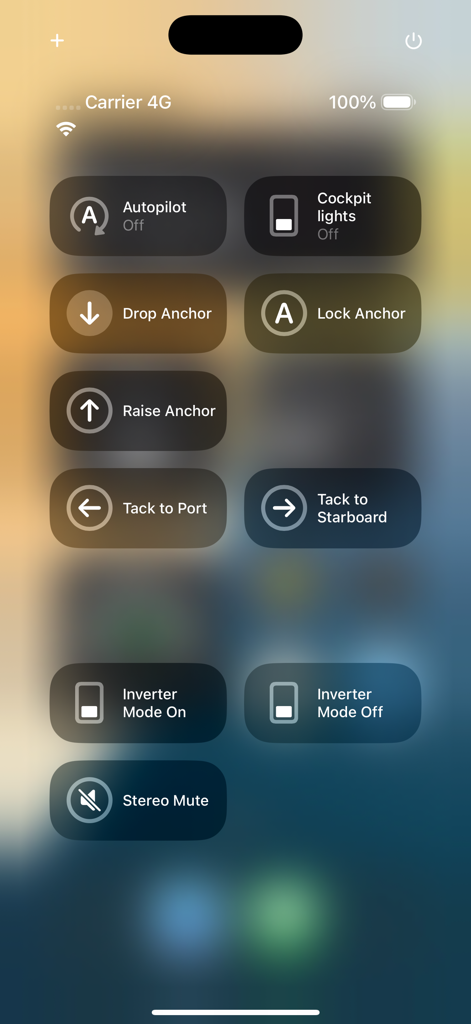
WilhelmSK - オートパイロット、アンカリング、照明、インバーターモードのコントロールを備えた、ボート管理用のモバイルインターフェース。
オートパイロット、アンカリング、照明、インバーターモードのコントロールを備えた、ボート管理用のモバイルインターフェース。

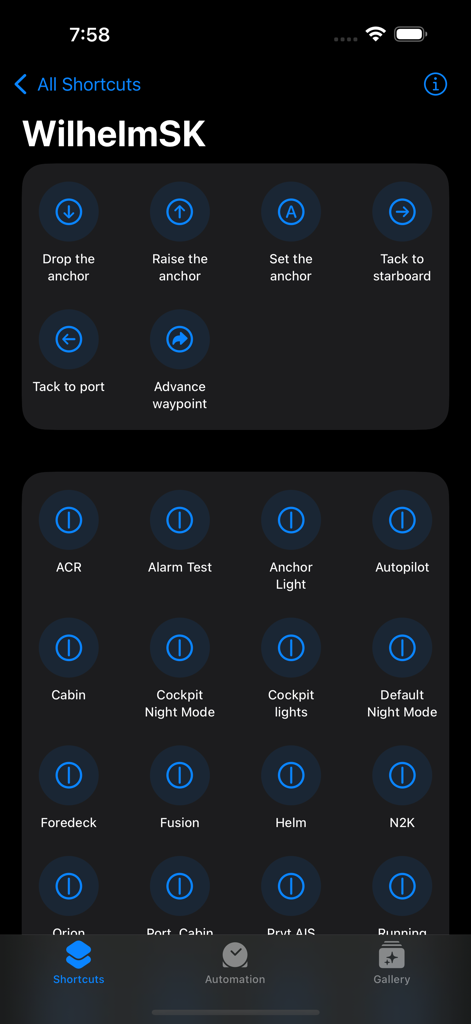
WilhelmSK - アンカーナビゲーションとボート照明コントロールを表示するWilhelmSKのiOSショートカット画面。

アンカーナビゲーションとボート照明コントロールを表示するWilhelmSKのiOSショートカット画面。

説明

WilhelmSK is a highly customizable display, monitoring and control dashboard for your boat. WilhelmSK works best wth Signal K Server . It can also connect directly to some devices: º NMEA 0183 over TCP or UDP. (from for example, Digital Yacht's Smart WLN10) º Any modern Navico (Lowrance, Simnet or B&G) GoFree MFDs º NMEA 2000 via Yacht Device's YDWG-02 º NMEA 2000 via Actisense W2k-1 º Victron Venus GX or CCGX º Victron VRM º Chetco SeaSmart Devices º Chetco HelmSmart RayMarine Auto Pilot Support (via node-server or the YDWG only) º View or change current mode (Standby, Auto, Wind, Track) º View current target heading or Wind direction º Change target heading or Wind direction º Acknowledge "Turn To Waypoint' Active Captain: º You can view Active Captain Points of Interest and review or comment on them. º Go to Settings->Appearance to show Active Captain Points of Interest on the maps. Alarms and Notifications º View list of current current alarms º Acknowledge RayMarine "Turn To Waypoint' * º Push notification support * º Setup server side alarms * º Set an anchor alarm with the push of a button * Navionics Maps If you already have the Navionics Boating application with an active subscription, you can now use the same Navionics charts in WilhelmSK. Ensure you are a registered user with Navionics and have a Username and Password. If you have not registered, go to the Navionics Boating App’s Main Menu, click on the top “Me” option and then click Login. In WilhelmSK click the login button on the bottom right of the map and enter your Navionics login information. Features: - Raymarine MFD: display and interact with a RayMarine MFD (discovered via Bonjour) - Fusion stereo (control zone volumes, source input, play, pause etc.) - Create a gauge for any value available via SignalK - Sophisticated anchor alarm (requires node server and signalk-anchoralarm-plugin) - Customize gauge display using SignalK meta.zones - Customize gauge range, min/max, etc. - Save custom gauges to node server or the cloud for use on other devices - Wind Angle gauges can optionaly be rotated so that they always point ot the bow of the boat, regaurless of device positioning - Place gauges by long pressing on a gauge and choosing a differnt one - Make a gauge full screen by double tapping - Multiple layout support. Create a differnt layout for Steaming, Sailing, Home Monitoring, etc. - Customize the nuber of pages and their layout - Manuall connection configuration synced accross devices via iCloud - Automatic connection selection based on current ip (usefull when Bonjour is not available and you have multiple boats) - Two themes, dark and light - Animated gauge needles - iPad Slideover and Split View support (Your gauge configuration can be customized for these views) - Connections can be configured to be refreshed manually or at a specific time interval - Design your own custom gauge templates - Share your custom templates via Air Drop, eMail, Text, etc. - Edit ApplyTV or other device layouts and templates remotely using your iPhone or iPad - Most gauges can be configured to be digital or analog - Enter the SignalK path and title for any gauge to show data not supported by default - Displays AIS targets in the Map views - Configure node server plugins inside of the app - IP and RTSP camera display * Some advanced features require signalk-server-node and special plugins installed. Setup Instructions at https://github.com/sbender9/wilhelmsk-node-server-setup

Download

ダウンロード: App Store

このページはアプリまたはその開発者の公式ページではなく、情報提供および論評を目的として作成された独立した編集出版物です。明示的に別段の記載がない限り、アプリおよびその開発者は、MWM、Apple、Google Play、アプリのパブリッシャー、またはアプリの開発者と提携、承認、後援、認可、またはその他の公式的な関係はなく、このページのいかなる内容も、アプリがMWMのサービスを使用して開発されたことを意味するものではありません。すべての商標、ロゴ、スクリーンショット、その他のコンテンツはそれぞれの所有者の財産です。








