WristTopo: Offline Navigation

WristTopo: Offline Navigation

ダウンロード: App Store
ロゴ: WristTopo: Offline Navigation

WristTopo:Apple Watch用プロフェッショナルオフラインナビゲーション

iPhoneで計画し、電話なしで探索。トレイル、ライド、ランのために設計された高性能地形図とターンバイターンガイダンス。

開発元

Piotr Janik

カテゴリ

Navigation

ダウンロード

15K+

ユーザー評価

4.9/5

評価数

0

対応言語

10

一目でわかる冒険

このインターフェースを利用する 15K+ 人のユーザー.

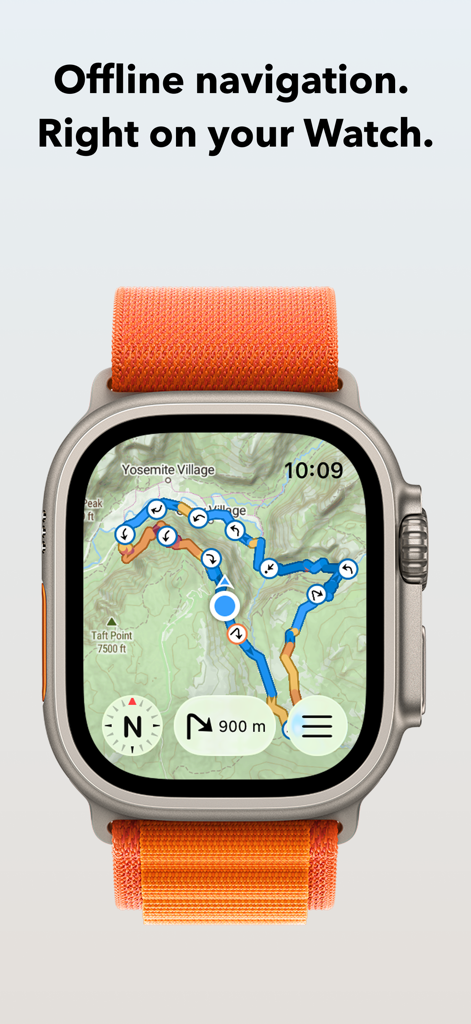
Apple Watch Ultraに地形図とナビゲーションルートを表示するWristTopoアプリ
Apple Watch Ultraに地形図とナビゲーションルートを表示するWristTopoアプリ

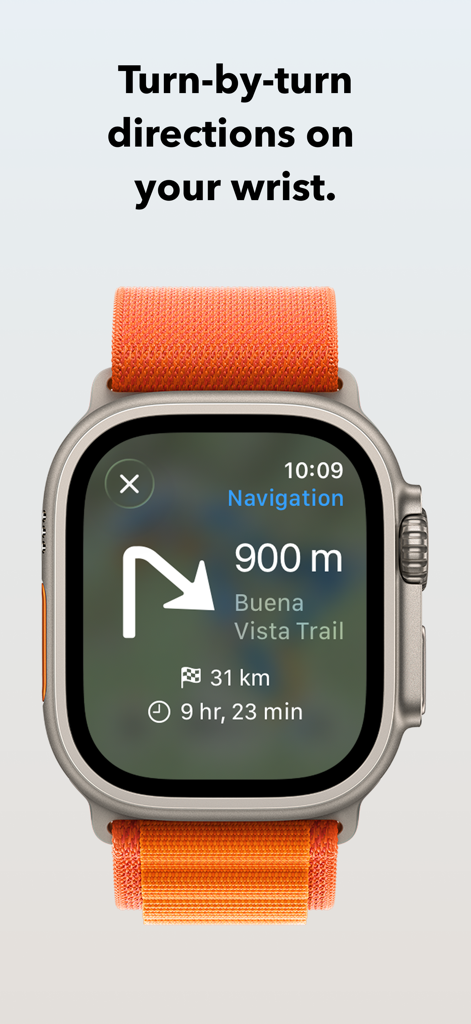
Apple Watch Ultraにターンバイターンでのトレイル案内を表示するWristTopoアプリ
Apple Watch Ultraにターンバイターンでのトレイル案内を表示するWristTopoアプリ

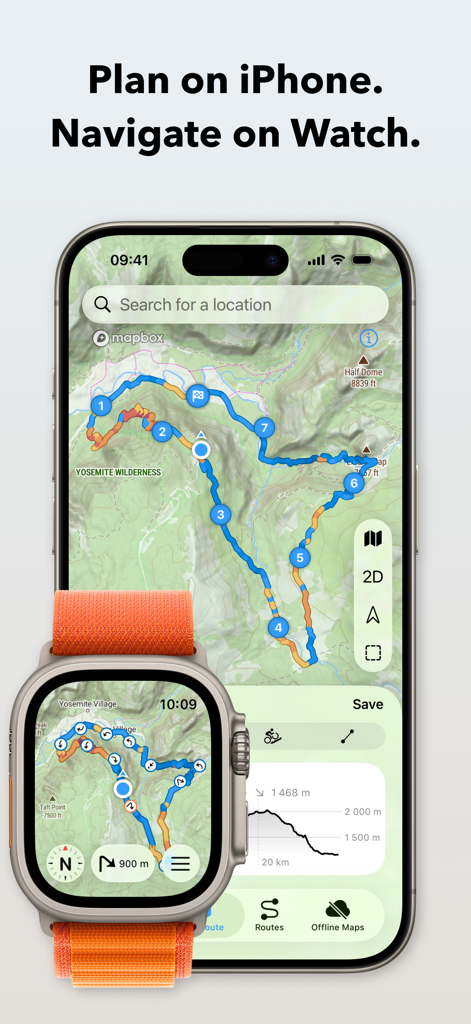
iPhoneで地形図のルート計画、Apple Watch Ultraでナビゲーションを表示するWristTopoアプリ
iPhoneで地形図のルート計画、Apple Watch Ultraでナビゲーションを表示するWristTopoアプリ

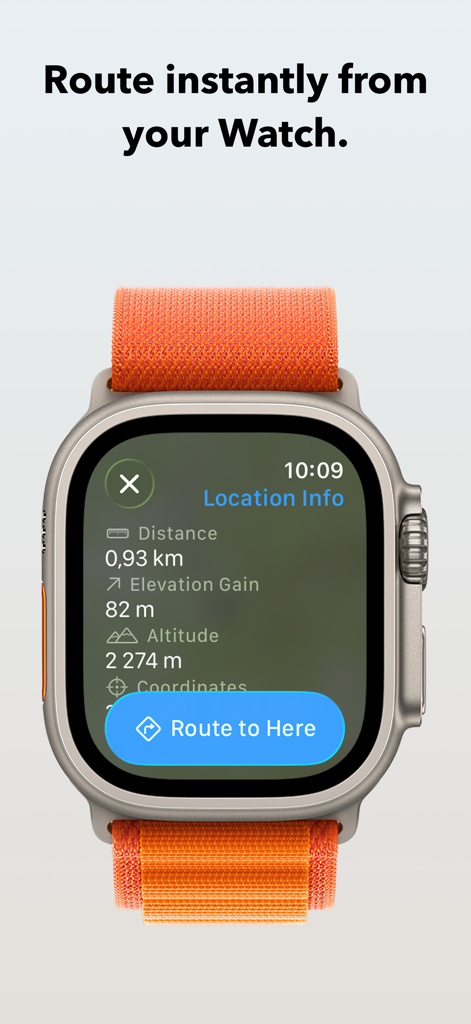
Apple WatchにLocation Info画面と「ここにルートを表示」ボタンを表示するWristTopoアプリ
Apple WatchにLocation Info画面と「ここにルートを表示」ボタンを表示するWristTopoアプリ

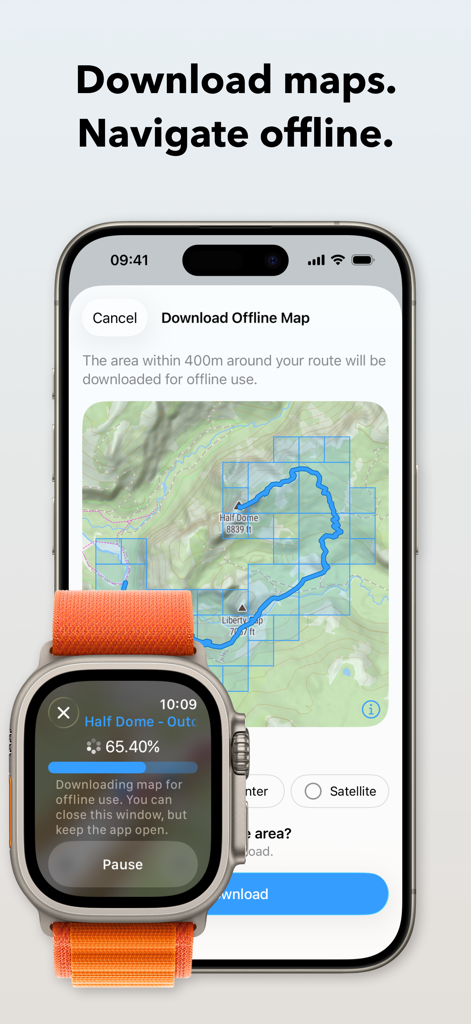
iPhoneとApple Watchにハイキング用オフライン地形図のダウンロードプロセスを表示するWristTopoアプリ
iPhoneとApple Watchにハイキング用オフライン地形図のダウンロードプロセスを表示するWristTopoアプリ

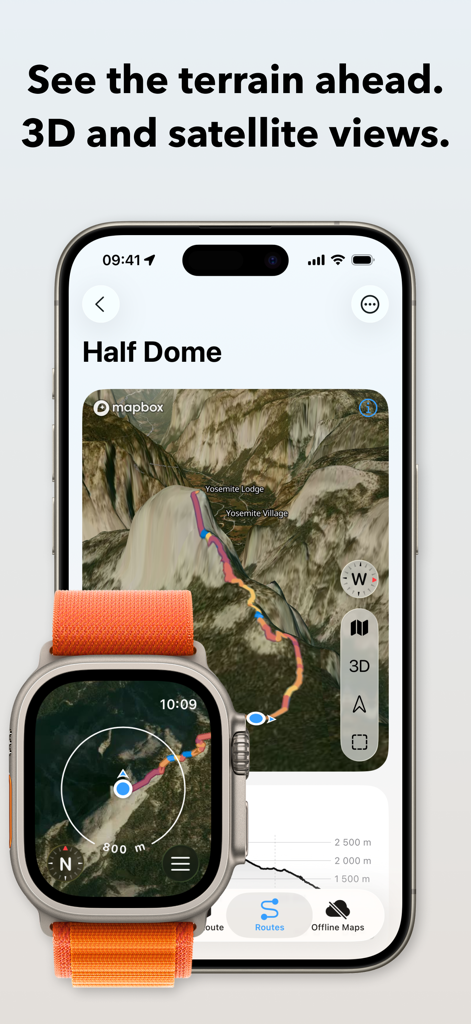
iPhoneとApple WatchにHalf Dome用の3D衛星地形図とルート計画を表示するWristTopoアプリインターフェース
iPhoneとApple WatchにHalf Dome用の3D衛星地形図とルート計画を表示するWristTopoアプリインターフェース

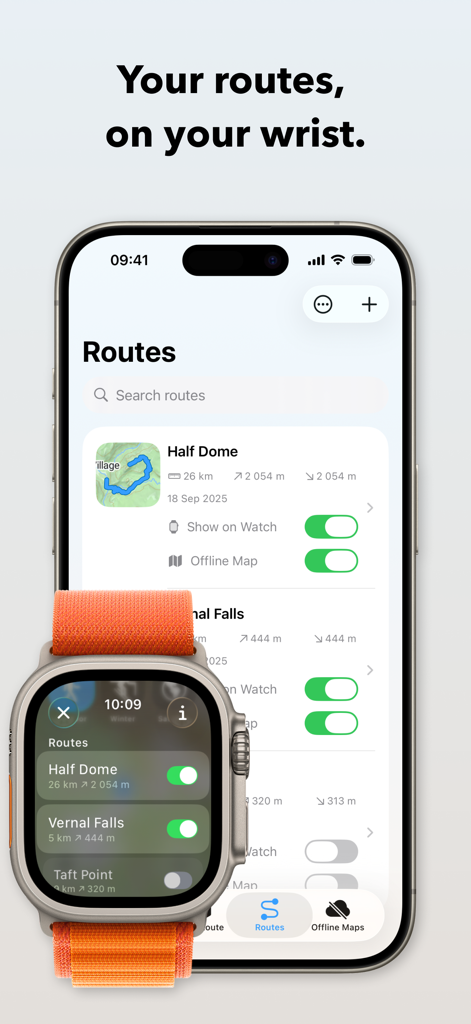
iPhoneとApple Watch Ultra間でハイキングルートを同期するWristTopoアプリインターフェース
iPhoneとApple Watch Ultra間でハイキングルートを同期するWristTopoアプリインターフェース

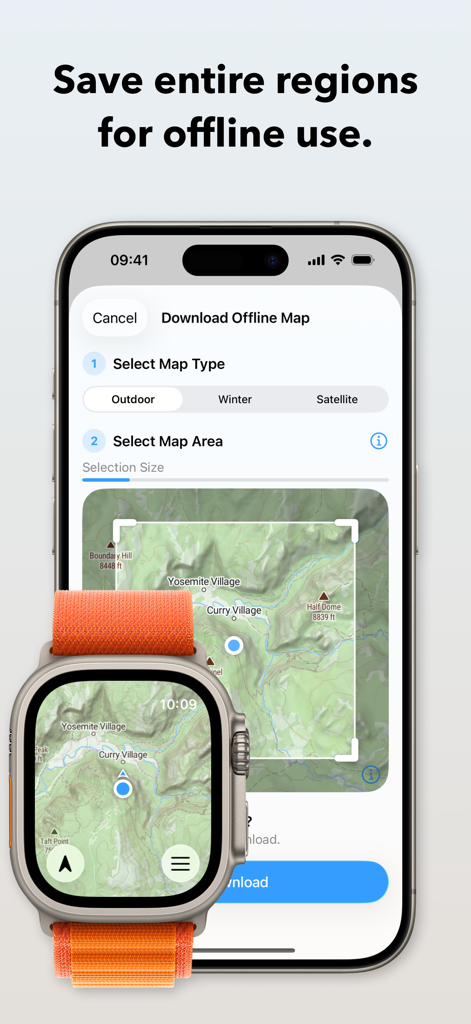
iPhoneとApple Watch Ultraでオフライン地形図のダウンロード方法を表示するWristTopoアプリインターフェース。
iPhoneとApple Watch Ultraでオフライン地形図のダウンロード方法を表示するWristTopoアプリインターフェース。

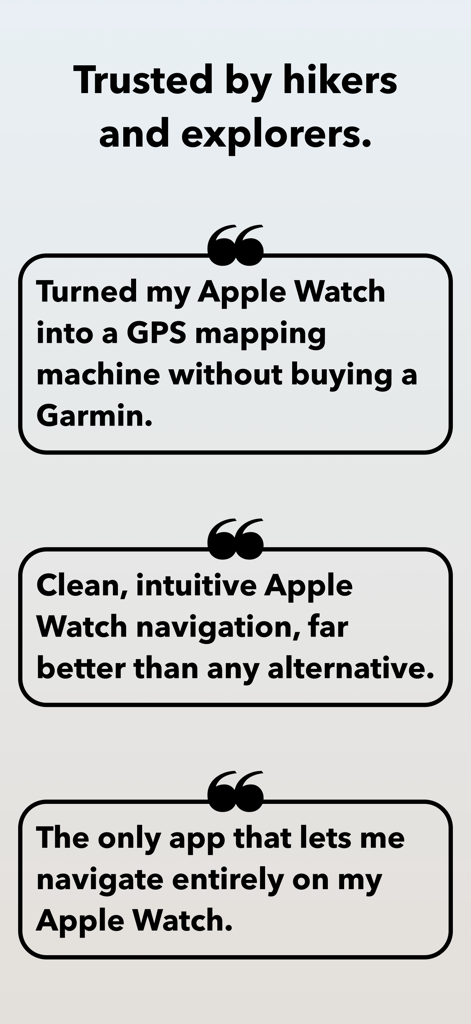
WristTopoのユーザーレビュー。Apple Watch GPSマッピングとオフラインナビゲーション機能を強調。

WristTopoのユーザーレビュー。Apple Watch GPSマッピングとオフラインナビゲーション機能を強調。

あなたの手首のためのプロフェッショナルナビゲーション

このアプリを際立たせるツール、 15K+ 人のユーザーが選択.

🏔️

真のオフライン信頼性

詳細な地形図と衛星地図をApple Watchに直接ダウンロードしましょう。携帯電話の電波が届かない場所でも、最も遠隔地のトレイルを自信を持ってナビゲートできます。

中断のないフロー

手首でターンバイターン音声ガイダンスと視覚アラートを体験しましょう。パックから電話を取り出す必要なく、ランやライドに集中できます。

🔒

プライベート&ネイティブデザイン

プライバシーを尊重した、アカウント不要の美しい体験をお楽しみください。Apple Workoutとシームレスに連携し、統計情報とナビゲーションを完璧に調和させます。

アプリについて

について知っておくべきこと WristTopo: Offline Navigation.

説明

Never lose your way. From planning to navigating — all in WristTopo. Plan routes on your iPhone, sync them instantly, and navigate offline on your Apple Watch. No fiddling with your phone on the trail, mid-run, or during a ride — just reliable navigation and maps, always ready when you need them. WristTopo works on your watch without your phone or network. FOR EVERY ADVENTURE Hiking mountain trails. Running in new places. Trail running. Road cycling new routes. Mountain biking technical descents. All better when you can navigate phone-free. WristTopo adapts to how you move — with routing optimized for hiking, running, biking, and mountain biking. TURN-BY-TURN NAVIGATION Stay on track with voice guidance and visual turn notifications right on your wrist. See upcoming turns, distances, and hear spoken directions — no phone needed. Navigation works with routes planned in WristTopo, giving you confidence to explore new trails without constantly checking your phone. ROUTE PLANNER Create your perfect route before you head out — whether you're planning a hike, run, trail run, or bike ride. Simply tap to set waypoints and watch your route come to life with instant distance and elevation feedback. Choose from running, hiking, biking, mountain biking, or straight-line routing modes to match your adventure. It's incredibly intuitive — no complex menus or confusing settings, just tap and plan. QUICK ROUTE ON YOUR WATCH Need a simple route on the go? Plan directly on your watch from wherever you are. Quick Route lets you create instant point-to-point routes right from your wrist — perfect for navigating to a viewpoint, finding your way back, or exploring from your current location. No phone needed. OFFLINE MAPS, FOR REAL Download detailed summer, winter, or satellite maps straight to your watch. Once saved, they're always available — no connection needed. Choose an entire area for general use, or download map sections around a route with a single tap. CUSTOM GPX ROUTES, INSTANT SYNC Import GPX files into the iPhone app and they sync instantly to your watch. Toggle routes with a tap. Display multiple tracks at once. Routes include gradient colors (orange uphill, blue downhill) and direction arrows, so you can see steepness and direction at a glance. The entire flow is designed for speed and clarity. BUILT FOR THE OUTDOORS Navigation on Apple Watch can be this smooth. Ultra-fast performance, sharp topography, shaded relief, satellite imagery, and winter ski trails — all optimized for Apple Watch and real-world conditions. BEAUTIFULLY DESIGNED Outdoor tools don't have to sacrifice beauty for functionality. WristTopo's Liquid Glass design proves that powerful navigation can also be elegantly crafted and intuitively beautiful. Every interaction feels natural and effortless, making complex route planning and map exploration a joy to use. WORKS WITH APPLE WORKOUT Track your hike, run, or ride using Apple's own Workout app — reliable, proven, and privacy-friendly. Swipe between it and WristTopo during your adventure — both stay active and visible when you need them. ICLOUD BACKUP Routes and offline maps sync between your devices. Everything survives reinstalls and device upgrades automatically. PRIVATE BY DESIGN No accounts. No ads. No third-party servers. Your data stays securely on your device and your private iCloud — always. FREE TO START WristTopo is free to try with everything you need for shorter adventures: • Up to 3 saved routes • 3 small offline map regions • Plan with up to 5 route points • Follow routes on your Apple Watch UNLOCK PRO Upgrade for more flexibility: • Unlimited routes and larger offline regions • Voice-guided turn-by-turn navigation • Quick Route planning on your Apple Watch • GPX export to share your own tracks • Support independent app development Terms of Use: https://www.apple.com/legal/internet-services/itunes/dev/stdeula/ Privacy Policy: https://wristtopo.app/privacy

最新バージョン

5.0

サイズ

114.6 MB

リリース日

2025年1月1日

さらに遠くまで、電話なしで探索。

プロフェッショナルグレードのオフラインナビゲーションの自由を体験してください。今すぐWristTopoをダウンロードして、詳細な地形図とターンバイターンガイダンスをApple Watchに直接届けましょう。

ダウンロード: App Store

App information, icons, screenshots, and descriptions displayed on this page are sourced from the Apple App Store and are the property of their respective developers. Download estimates and rankings are based on MWM's proprietary models and may not reflect actual figures. This page is provided for informational and analytical purposes only.

Believe this page infringes your intellectual property? File a dispute