
このページはアプリまたはその開発者の公式ページではなく、情報提供および論評を目的として作成された独立した編集出版物です。明示的に別段の記載がない限り、アプリおよびその開発者は、MWM、Apple、Google Play、アプリのパブリッシャー、またはアプリの開発者と提携、承認、後援、認可、またはその他の公式的な関係はなく、このページのいかなる内容も、アプリがMWMのサービスを使用して開発されたことを意味するものではありません。すべての商標、ロゴ、スクリーンショット、その他のコンテンツはそれぞれの所有者の財産です。

Xerox® Workplace
モバイルデバイスから、あらゆるプリンターに瞬時に接続し、ドキュメントを安全にリリースし、お気に入りのクラウドアプリを 1 つのシームレスなプロフェッショナルワークフローに統合します。
ダウンロード
307K+ユーザー評価
評価数
0開発元
カテゴリ
Productivity対応言語
12最新バージョン
6.1.3サイズ
35.2 MBリリース日
2012年5月10日オフィス向けの最新コマンドセンター
ハイブリッドプロフェッショナル向けに設計された、エンタープライズグレードのセキュリティと簡単な接続性により、モバイルワークフローと物理ドキュメントのギャップを埋めます。
ワンタップで瞬時に接続
複雑なネットワーク設定は不要です。QR コードをスキャンするか、NFC を使用して、あらゆる Xerox MFP に瞬時に接続し、シームレスなドライバーレス印刷を実現します。
セキュアプルプリント
プリンターの前にいるときにのみドキュメントをリリースすることで、機密データを保護します。お使いの携帯電話が、完全な機密性を確保するための安全なキーとして機能します。
よくある質問
について知っておくべきこと Xerox® Workplace
Xerox® Workplace モバイルアプリの主な機能は何ですか?
Xerox® Workplace アプリは、Xerox MFP でローカル印刷とスキャンを可能にします。Xerox® Workplace Cloud/Suite に接続すると、どこからでも印刷およびスキャンするための、安全で管理されたアクセスを提供します。
ユーザーは Xerox® Workplace アプリを使用してプリンターに接続するにはどうすればよいですか?
ユーザーは、プリンター固有の QR コードをスキャンするか、NFC を使用して NFC 対応 MFP をタップすることで、プリンターに接続できます。これにより、迅速かつ簡単なプリンター設定が可能になります。
Xerox® Workplace アプリで利用できる印刷オプションは何ですか?
Xerox® Workplace アプリでは、片面/両面、カラー/白黒、ステープル、用紙サイズ、ページ範囲、セキュアプリント PIN などの印刷オプションを選択できます。
Xerox® Workplace アプリは、他のアプリケーションからドキュメントを印刷できますか?
はい、Xerox® Workplace アプリは、Dropbox、Google Drive、およびその他のさまざまな統合ソースなどの他のアプリケーションからの直接印刷をサポートしています。
Xerox® Workplace アプリはドキュメントのスキャンをサポートしていますか?
はい、Xerox® Workplace アプリを使用すると、ユーザーはアプリケーション内から複合機(MFP)からワイヤレスでドキュメントを直接スキャンできます。
Xerox® Workplace は、Xerox ブランド以外のプリンターへの印刷をサポートしていますか?
はい、Xerox Workplace Suite または Cloud と一緒に使用すると、アプリは Xerox、Fuji Xerox、および HP、Ricoh、Epson、Canon などの Xerox 以外のネットワーク印刷デバイスへの印刷をサポートします。
Xerox® Workplace アプリの利用を開始するにはどうすればよいですか?
開始するには、会社コードを取得し、アプリをダウンロードし、登録してログインし、次にデバイスでドキュメントを開き、「次の方法で開く…」を選択して Workplace を選択し、プリンターを選択してドキュメントをリリースします。
Xerox® Workplace はセキュアプリントリリース機能を提供していますか?
はい、このアプリを使用すると、ユーザーはジョブのプライバシーとセキュリティを確保するために、ライセンスされたプリンターで後でリリースするためにドキュメントを安全にアップロードできます。これはプルプリントとして知られています。
Xerox® Workplace アプリは近くのプリンターを見つけるのに役立ちますか?
はい、Xerox Workplace Suite または Cloud と一緒に使用すると、アプリは GPS を使用して場所を見つけ、ユーザーが利用可能なプリンターを表示できます。
Xerox® Workplace アプリはどのドキュメント形式を印刷できますか?
Xerox® Workplace アプリは、Xerox Workplace Suite または Cloud と統合されている場合、MS Office、Adobe Acrobat、電子メール、テキスト、Open Office、およびさまざまな画像形式を印刷できます。
Xerox® Workplace アプリはプリンターのロックを解除できますか?
はい、モバイルアプリは、従来のカードの代替として機能するアンロックコードまたは NFC を使用して、サポートされている Xerox プリンターのロックを解除できます。
Xerox® Workplace アプリにはコピー機能が含まれていますか?
はい、このアプリには「コピー」機能があり、ユーザーは選択したデバイスの原稿の種類、向き、サイズ、部数、出力タイプ、出力メディアサイズなどの設定を管理できます。
以下のスクリーンショットと説明は、アプリの公式ストアリスティングから直接取得されたものであり、アプリ開発者の所有物です。
アプリストア
スクリーンショット
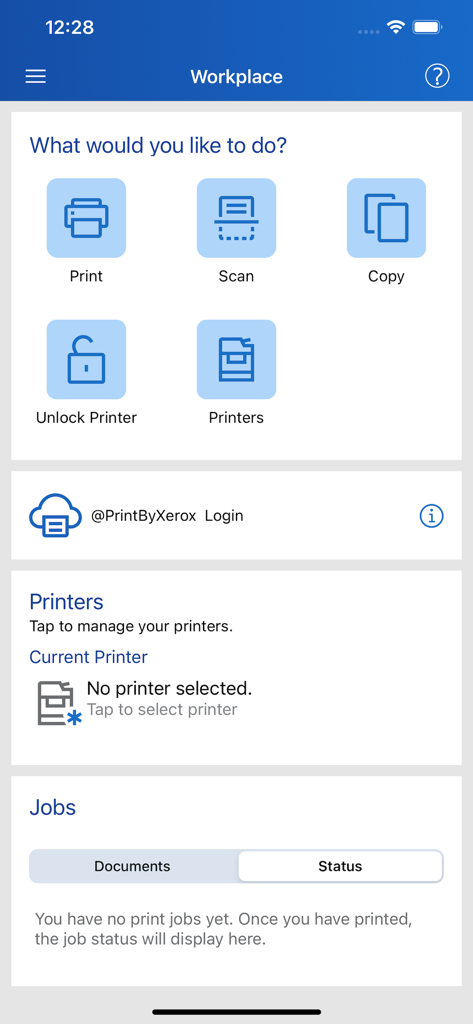
Xerox Workplace アプリのダッシュボード。印刷、スキャン、コピー、プリンター管理のオプションが表示されます。
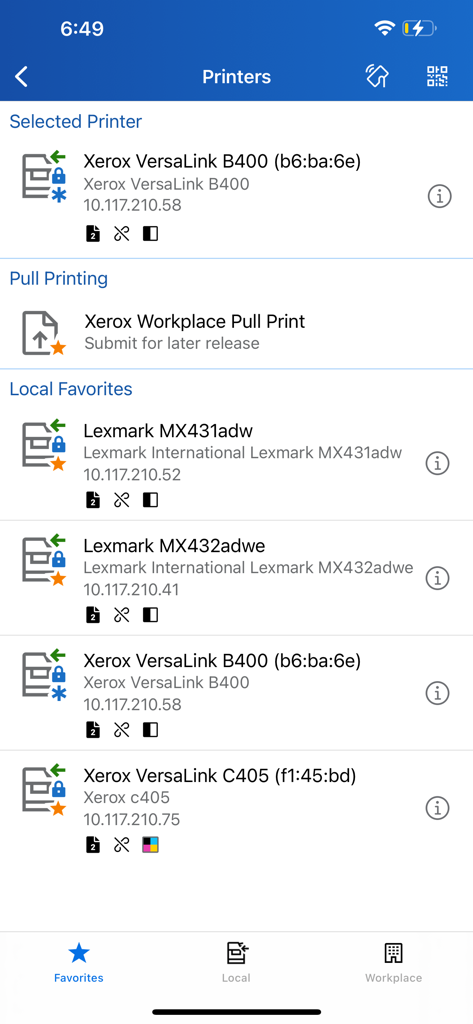
Xerox Workplace アプリのインターフェイス。選択されたプリンターのリスト、プルプリントオプション、ローカルのお気に入りが表示されます。
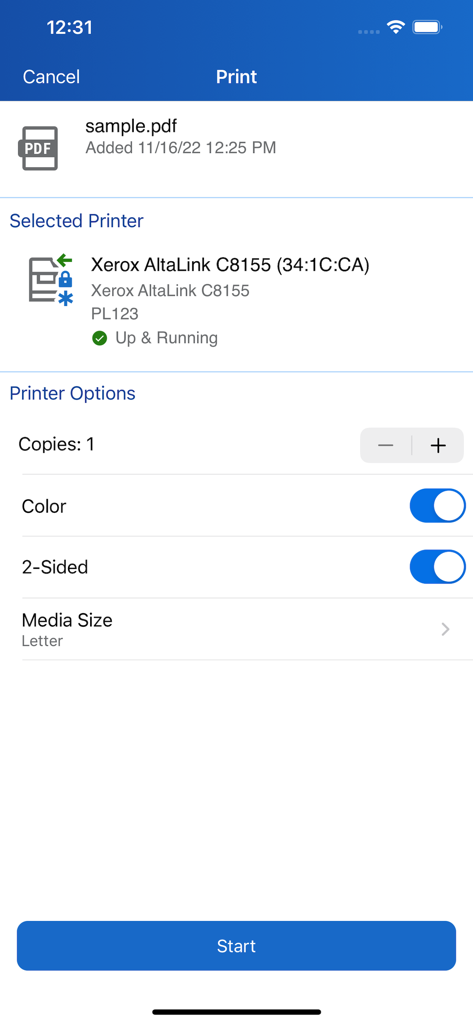
Xerox Workplace アプリのインターフェイス。PDF ドキュメントの印刷設定とプリンターの状態が表示されます。
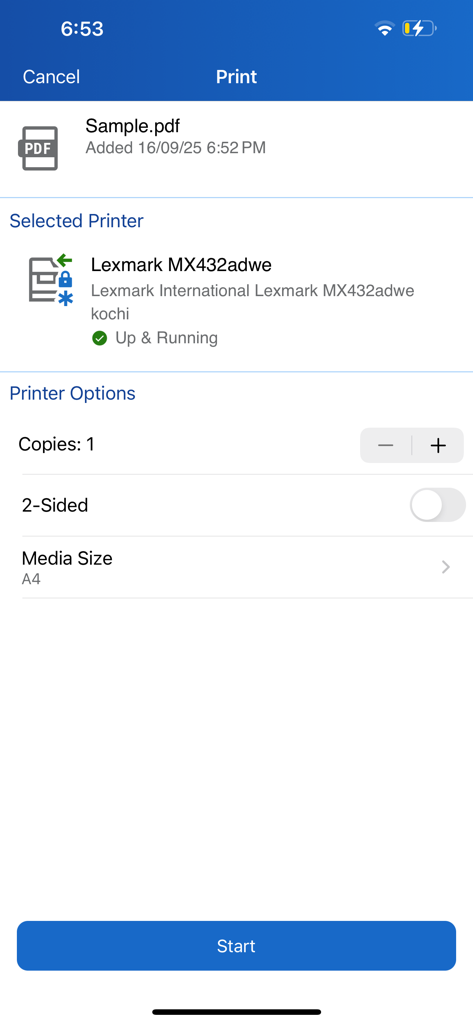
Xerox Workplace アプリのインターフェイス。選択されたプリンターのドキュメント印刷設定が表示されます。
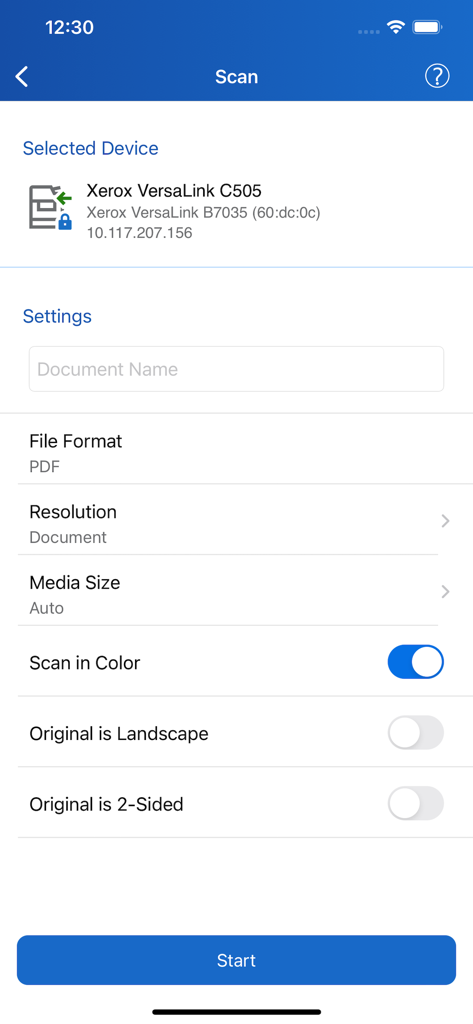
Xerox Workplace アプリのスキャンインターフェイス。プリンターのドキュメント設定が表示されます。
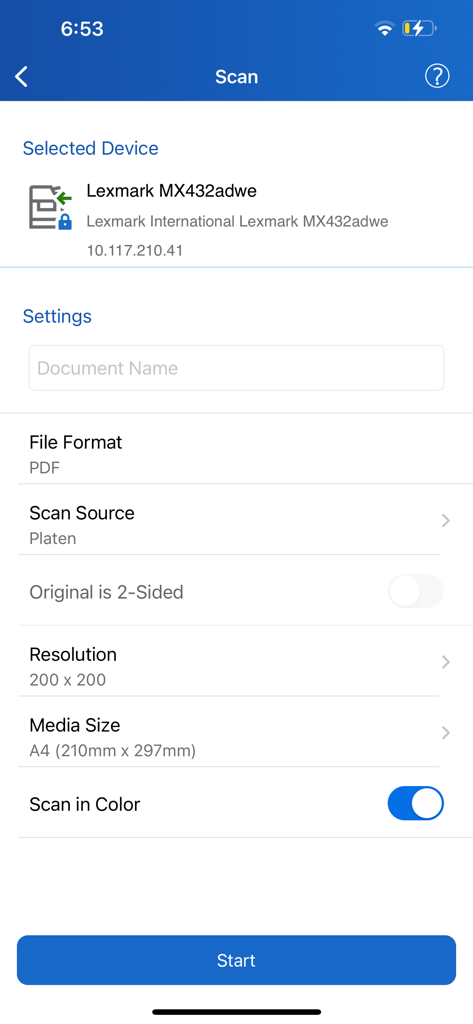
Xerox Workplace アプリのスキャン設定インターフェイス。デバイスとドキュメントのオプションが表示されます。
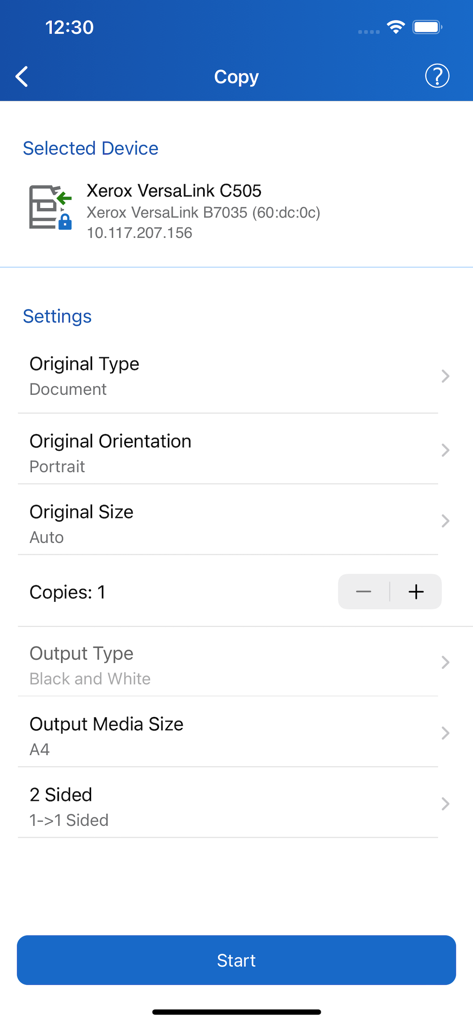
Xerox Workplace アプリのコピー設定画面。ドキュメントの向きと出力オプションが表示されます。
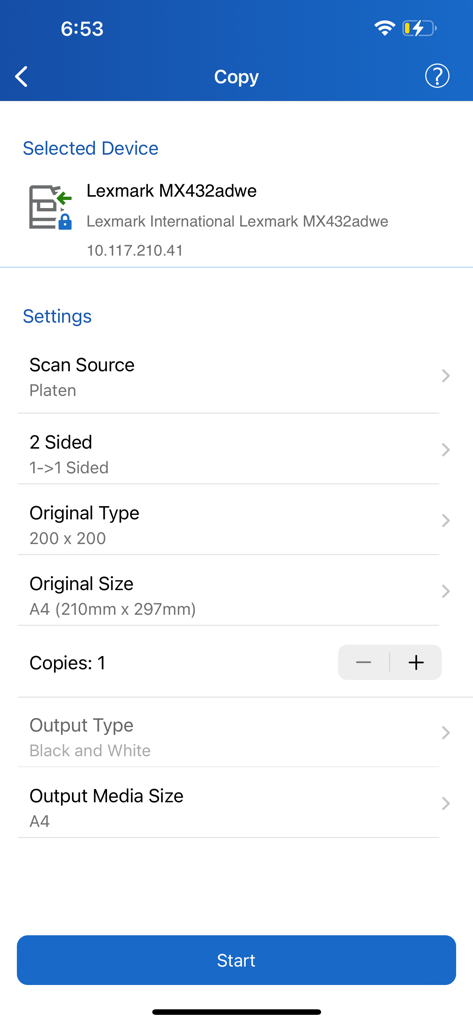
Xerox Workplace モバイルアプリの画面。用紙サイズや出力タイプなどのドキュメントコピー構成オプションが表示されます。
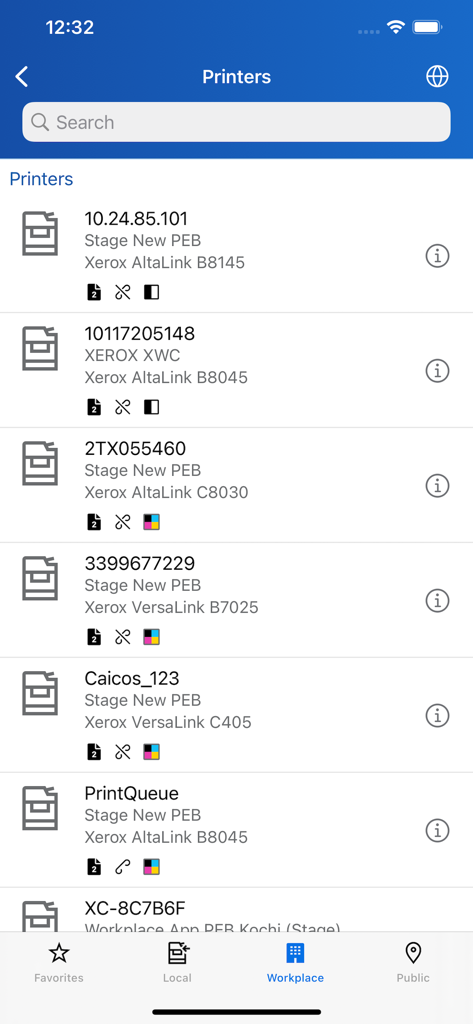
Xerox Workplace アプリの画面。モデルの詳細とステータスアイコンが表示される、利用可能な Xerox プリンターの検索可能なリストが表示されます。
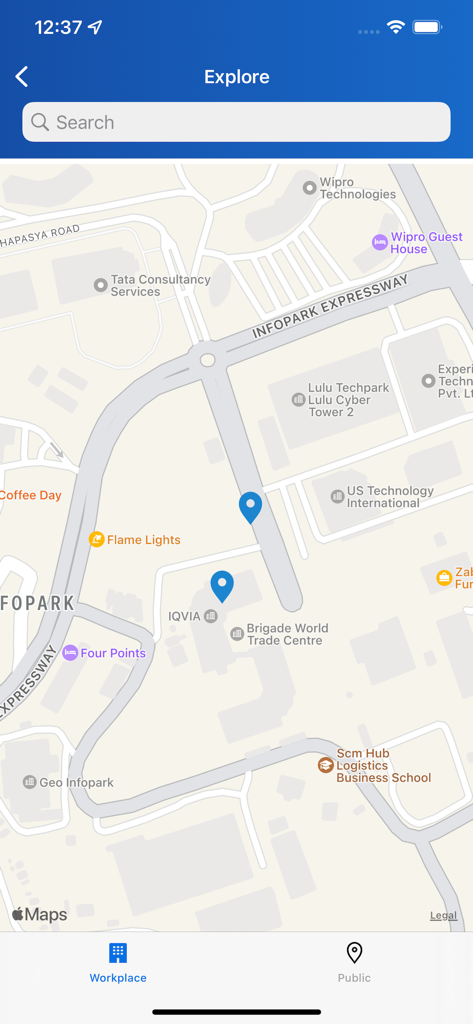
Xerox Workplace アプリのマップビュー。青いピンで示された近くのプリンターの場所が表示されます。
説明
Download
類似アプリ
似た機能とユーザー体験を持つアプリ

Photo Print: CVS Quick Prints
PlusMinusOne, Inc.

Princh
Princh ApS
7-Eleven Multicopy
FUJIFILM Business Innovation Corp.

COPIX
KOPIKS, OOO
Network Print
Sharp Corporation

ファミマネットワークプリント
FamilyMart Co.,Ltd.
FUJIFILM WPS Photo Transfer
FUJIFILM Corporation

printingbox
VISIONOTS Co.,Ltd

Wepa Print
WEPA Inc.
このページはアプリまたはその開発者の公式ページではなく、情報提供および論評を目的として作成された独立した編集出版物です。明示的に別段の記載がない限り、アプリおよびその開発者は、MWM、Apple、Google Play、アプリのパブリッシャー、またはアプリの開発者と提携、承認、後援、認可、またはその他の公式的な関係はなく、このページのいかなる内容も、アプリがMWMのサービスを使用して開発されたことを意味するものではありません。すべての商標、ロゴ、スクリーンショット、その他のコンテンツはそれぞれの所有者の財産です。